En
If you plan posts late in the evening, or simply prefer dark screens, a bright white dashboard gets tiring.
FS Poster has a dark theme. Click the sun icon in the dashboard header and pick Light, Dark or System. System follows your computer's setting, so the dashboard turns dark when your computer does.
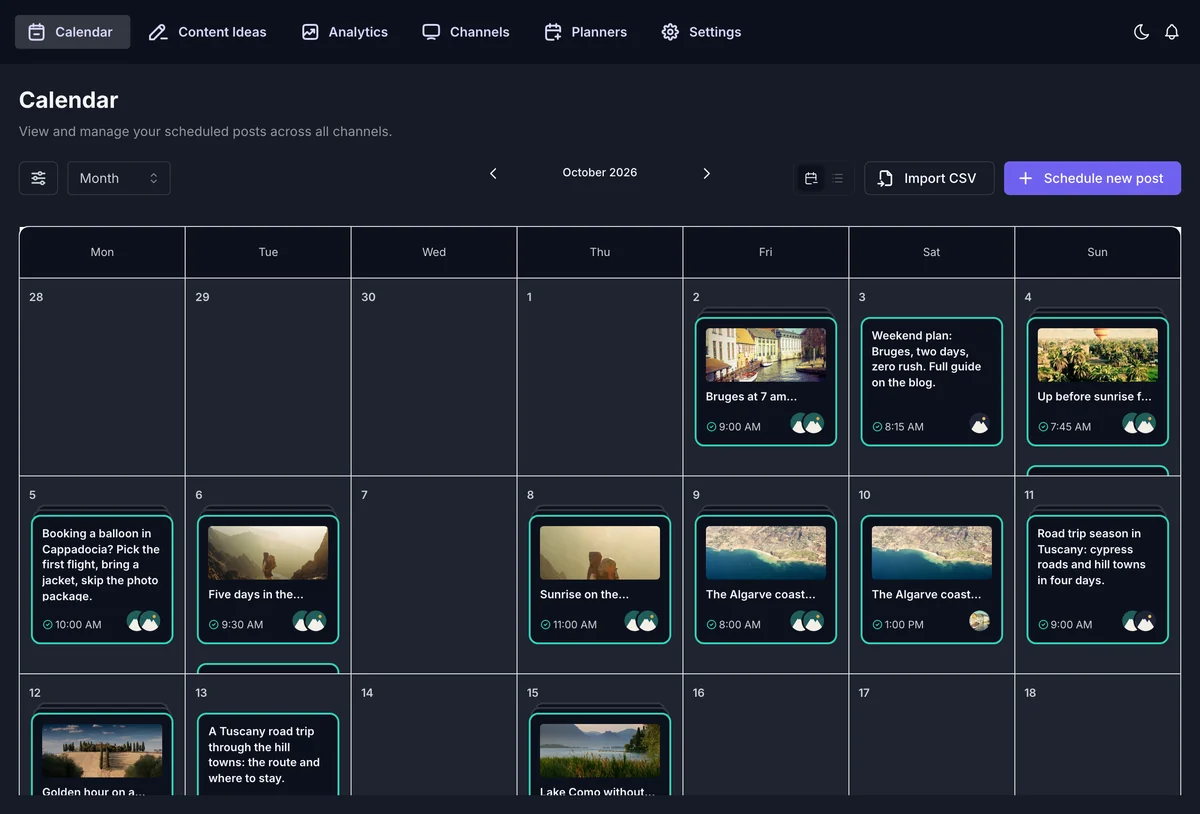
The choice is saved for each WordPress user. Your team can keep the light theme while you work in dark.
The calendar, the composer, channels, planners, analytics and settings all follow the theme you pick.
No. It changes the FS Poster dashboard only.
Yes. Pick System, and FS Poster switches between light and dark together with your computer.
Automatically share new WordPress posts to your connected social media accounts with FS Poster.
You will be able to create Schedules which allow you to share your blog posts within the determined interval and selected filters.
You will be able to share or schedule custom contents, images, links without creating any WordPress post.

By using this site, you agree to our Cookie Policy


