
En
A proxy server acts as a gateway between you and the internet.
When using a proxy server, the query goes to the address you requested through the proxy server. Then the data you requested comes back through the same proxy server, and then the proxy server forwards the data to you.
There are many reasons that we might need to use a proxy for Social Networks. For example:
We might have hundreds of accounts, pages, and groups. Naturally, all requests will go from the same source, and we would like to hide them.
We would like to hide our IP addresses;
It sometimes happens to some people that Social Networks block their servers' IP addresses;
As you know, in some countries like China, it is not possible to access Facebook, Instagram, and so on.
Because of company rules;
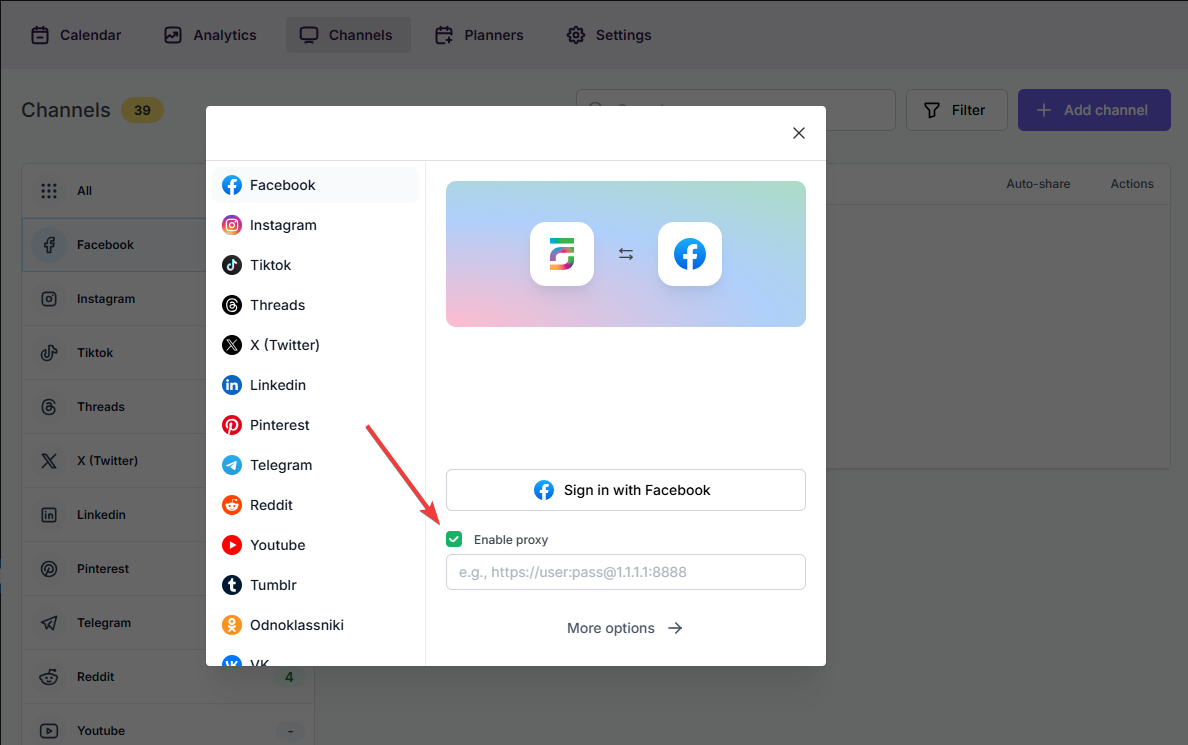
Luckily, the plugin allows you to add a proxy to the plugin so that you can enjoy using the most popular Social Networks.
It is the format: https://user:[email protected]:8888 Replace them with your given username, password, IP address, and port number, and add your account using the proxy.
Automatically share new WordPress posts to your connected social media accounts with FS Poster.
You will be able to create Schedules which allow you to share your blog posts within the determined interval and selected filters.
You will be able to share or schedule custom contents, images, links without creating any WordPress post.

By using this site, you agree to our Cookie Policy


