
The Analytics menu allows you to get basic insights from your shared posts.
The chart shows us how many posts have been shared on Social Networks.
It also shows us how many clicks we have got from shared and scheduled posts.
We can see daily, monthly, and annual results in the chart.
You can also see Social Networks and accounts comparison by click.
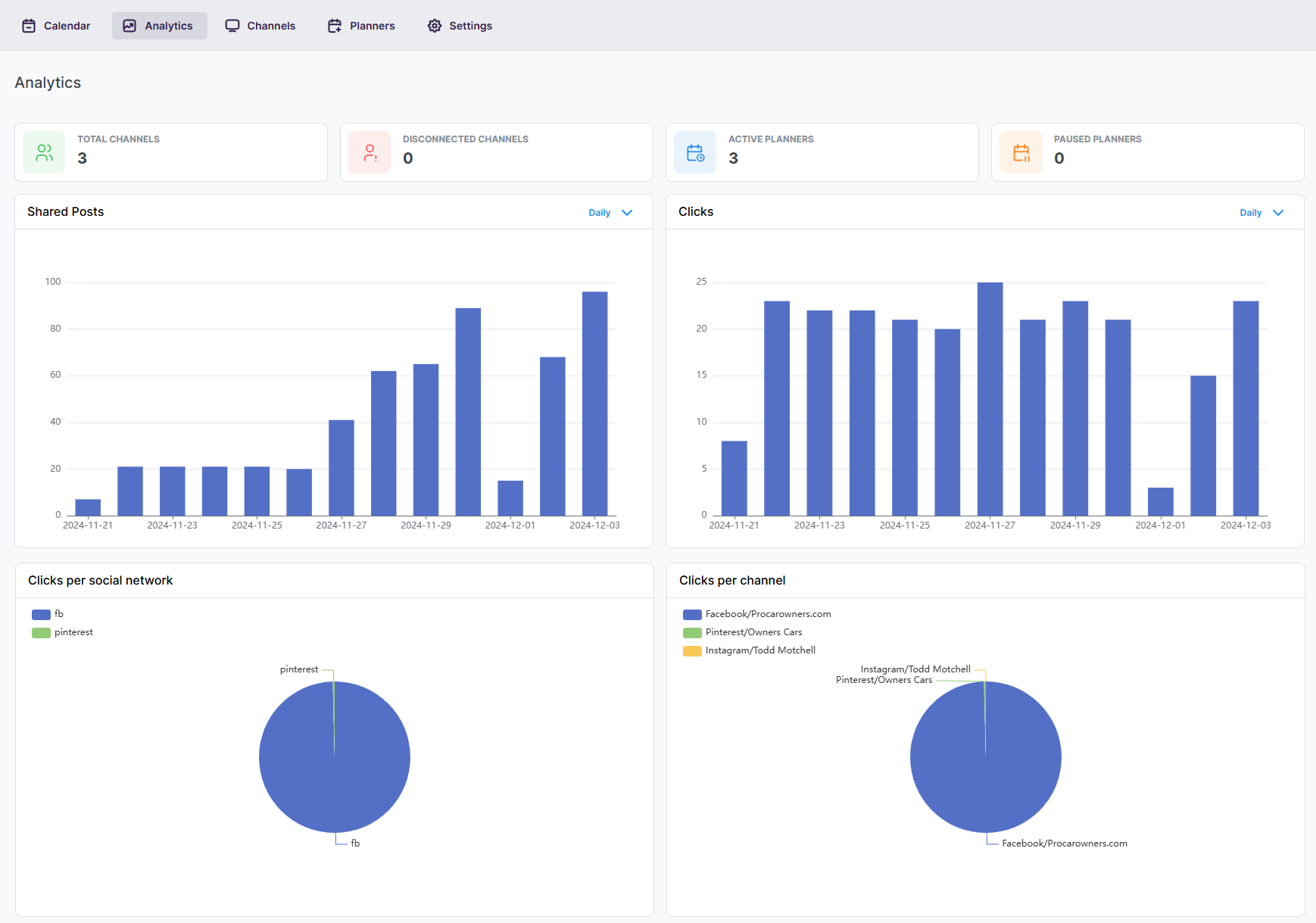
Pick a date range, a social network or specific channels at the top of Analytics, and every chart updates: shared posts, clicks, clicks per network and clicks per channel. By default you see the last 30 days.
Automatically share new WordPress posts to your connected social media accounts with FS Poster.
You will be able to create Schedules which allow you to share your blog posts within the determined interval and selected filters.
You will be able to share or schedule custom contents, images, links without creating any WordPress post.

By using this site, you agree to our Cookie Policy


