
Save up to 55%

🔥 Hot Winter Deal

5 days
:
0 hours
:
0 mins
:
0 secs

Automated Notifications for Your Social Media Workflows

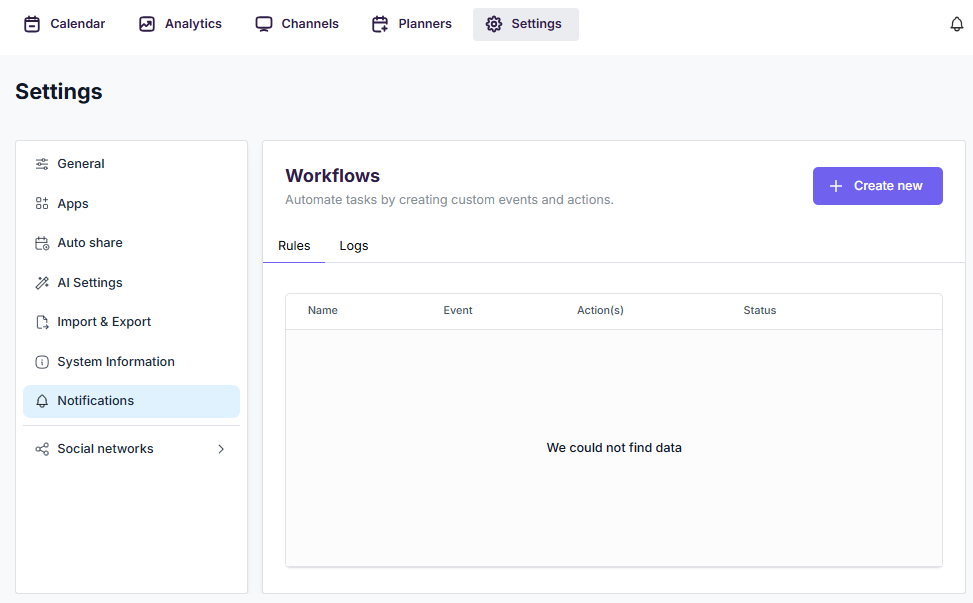
The Workflow Notifications feature in FS Poster allows you to create automated notification rules based on events. When a specific event occurs in the plugin, the configured workflow can automatically notify selected users via in-app notifications.

You can configure workflows under Settings > Notifications.
How It Works

  • Event-Driven: Each workflow is triggered by a specific event. When the event occurs, the workflow executes the configured actions automatically.
  • Flexible Filters: Narrow down triggers by specific channels, channel labels, or social networks so you only get notified about the events that matter to you.
  • In-App Notifications: Selected users receive instant notifications in the FS Poster dashboard via the notification bell icon.
  • Dynamic Content: Use shortcodes like {wp_post_title}, {channel_name}, {schedule_error_message} in notification titles and messages to include context-specific information.

Key Capabilities

  • Multiple Actions: Add multiple notification actions to a single workflow — notify different users with different messages from the same event.
  • Smart Recipient Selection: Send notifications to specific WordPress users or use dynamic recipients like {schedule_owner} to automatically notify the relevant user.
  • Notification Types: Choose between info, warning, and error notification styles to indicate the appropriate level of importance.
  • Activity Logs: Monitor all workflow executions in the Logs tab — see when each workflow ran, what triggered it, and whether it succeeded or failed.

More features

Auto-post New Blog Posts
01.
Built-in feature

Auto-post New Blog Posts

The plugin will share your WordPress posts on your social network accounts automatically.

Schedule posts
02.
Built-in feature

Schedule posts

You will be able to create Schedules which allow you to share your blog posts within the determined interval and selected filters.

Share non-WordPress posts
03.
Built-in feature

Share non-WordPress posts

You will be able to share or schedule custom contents, images, links without creating any WordPress post.

Get FS Poster