
En
Stories sit at the top of the app, and your followers check them every day. Making one by hand for each new blog post or product takes time, so most sites skip them.
FS Poster turns a WordPress post into a Story for you. It takes the post image, puts the title on top in your font and colors, and shares it to your Facebook and Instagram Stories when the post is published or at the time you schedule.
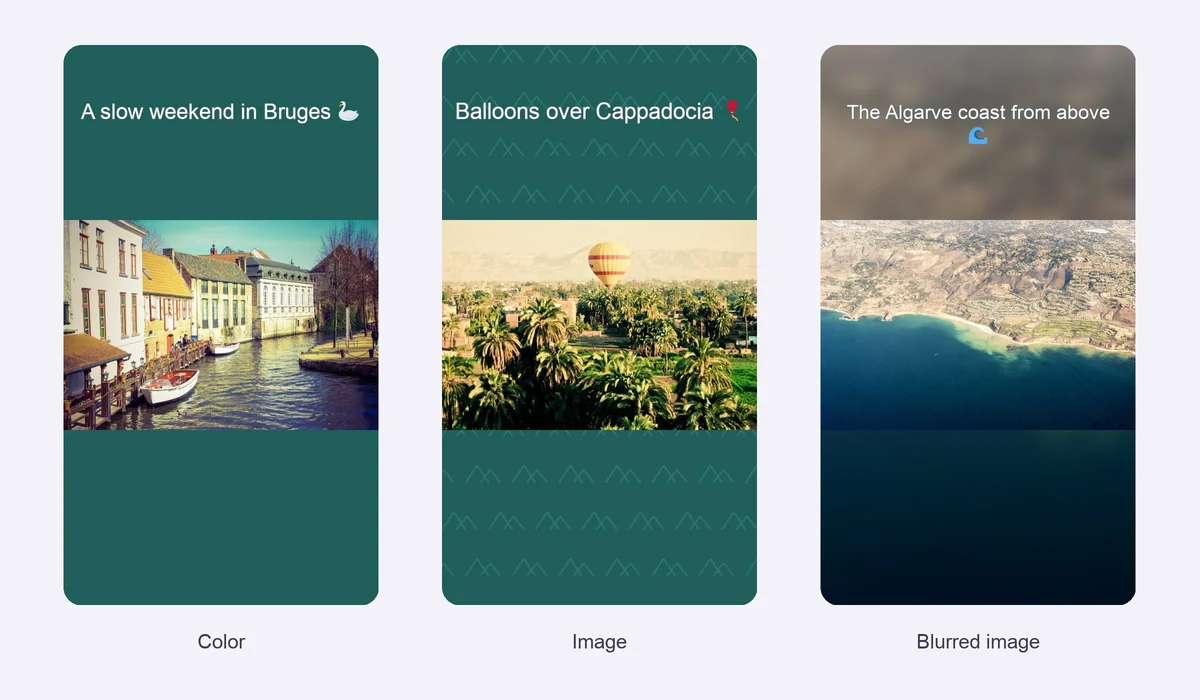
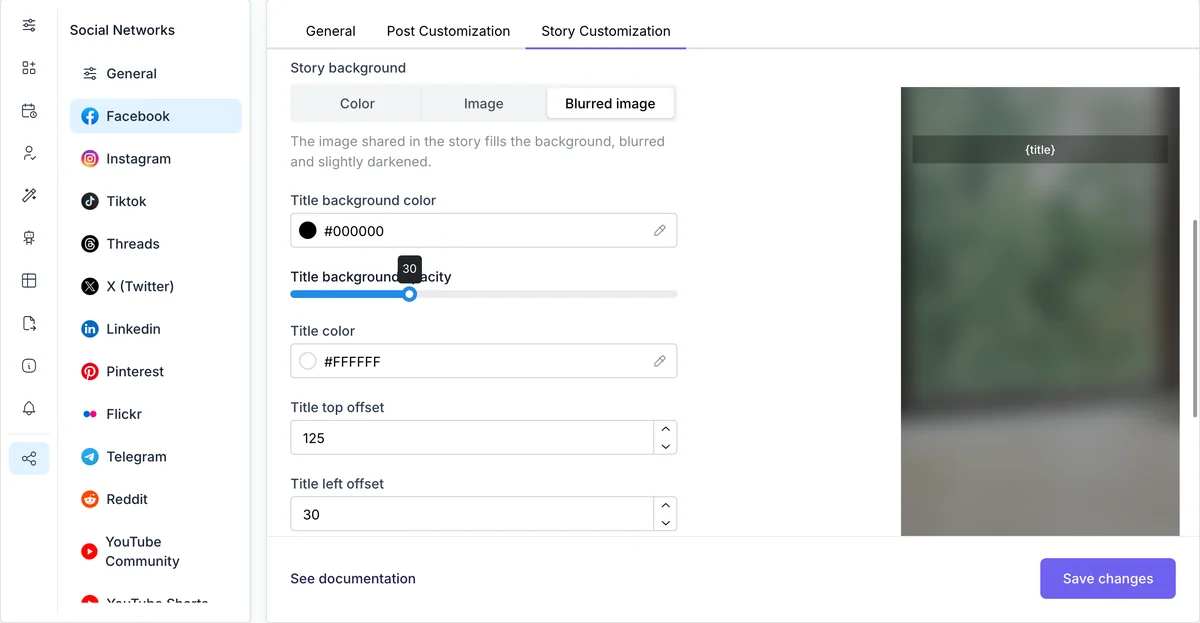
The Story tab of Facebook and Instagram in Settings > Social Networks sets how every story looks: the text, its font, size, color and position, and the background. Each new post then becomes a story in the same style.
The post image always sits in the middle, on top of the background.
Emoji in the story text are drawn in color, the way they look on your phone, instead of empty boxes.
Instagram accounts added with the login and password method can add the post link and a hashtag to the story. Our guide on scheduling Instagram Stories with links shows how.
Facebook allows sharing to Stories only through the cookie method. Once an account is added that way, the account story and the stories of its Pages show up as separate channels. Add them to a post like any other channel.
Looking for ideas? See how to make Instagram Stories more engaging and our templates for Instagram Stories.
Yes. Add your Instagram story channel to a post, and FS Poster creates the story image and shares it at the time you pick, or when the post is published.
Yes, for accounts added with the login and password method. Turn on Add post link to story in the Instagram story settings.
Yes. Add your Facebook account with the cookie method, and the stories of your account and its Pages appear as channels.
Yes. Choose Image as the story background and pick any image from your media library, or choose Blurred image to use the post's own image.
Yes. Emoji in the story text are drawn in color on the story image.
Automatically share new WordPress posts to your connected social media accounts with FS Poster.
You will be able to create Schedules which allow you to share your blog posts within the determined interval and selected filters.
You will be able to share or schedule custom contents, images, links without creating any WordPress post.

By using this site, you agree to our Cookie Policy


