


Choosing a WordPress appointment booking plugin sounds like a five-minute decision until you actually do it. There are dozens of plugins on the market, most of them claim the same long list of features, and the real differences only show up after you have already installed one and started building your services, staff, and payments around it.
This guide is built to make that decision shorter and less painful. We focus on plugins, not SaaS schedulers, because the slug above is about WordPress. Each pick below was evaluated for what most service businesses actually buy a booking plugin for: a clean booking flow, calendar control, payment options, notifications, and the ability to scale without rewiring the whole site six months later.
Quick answer: who should pick what
If you want the short version before you scroll:
- Best overall for WordPress: Booknetic. Deep feature set, native WordPress install, lifetime option, and a mobile app most competitors do not have.
- Best for modern, design-led setups: Amelia. Polished UI, events plus appointments in one plugin.
- Best all-inclusive, self-hosted alternative: VOLIXTA. Every feature included at every plan tier, built-in client portal and invoicing, your data stays on your own WordPress server.
- Best for availability calendars and rentals: WP Booking System. Clean date-based booking for property rentals, accommodation, and equipment hire.
- Best clean WP-native alternative: LatePoint. Simple admin, strong automation, friendly pricing on the entry tier.
- Best free starting point: Bookly (free) or Simply Schedule Appointments Basic. Upgrade only when you actually hit the wall.
- Best for salons and beauty: Salon Booking System. Tightly focused on the vertical.
- Best for class-based or hybrid businesses: MotoPress Appointment Booking. Hourly and full-day formats, group services.
- Best simple WordPress booking for small businesses: Booktics. Lightweight appointment scheduling that keeps the booking experience inside WordPress without unnecessary complexity.
Now, the longer version.
How we evaluated each WordPress scheduling plugin
This is an editorial comparison, not a paid lab benchmark. We reviewed each plugin against the same checklist using its official pricing page, public documentation, plugin marketplace listing where applicable, and live demo or free edition where one was available. Where a vendor does not display a public number or feature detail, we say so instead of guessing.
For every plugin we checked the same items:
- Booking flow: how a customer goes from service selection to confirmation.
- Admin experience: how easy it is to add services, staff, locations, and rules.
- Payments: which gateways work out of the box and what is locked behind add-ons.
- Notifications: email, SMS, WhatsApp, reminders, follow-ups.
- Calendar control: breaks, buffer time, blackout dates, capacity, recurring slots.
- Integrations: Google Calendar, Outlook, Zoom, Google Meet, WooCommerce, page builders.
- Pricing transparency: clearly published plans, refund window, and any intro vs renewal split.
- Fit for WordPress: how native the product feels inside the WP admin.
Intro pricing and regular pricing are called out separately when the vendor publishes both. Always confirm the current number at checkout before buying because vendors update pricing often.
WordPress booking plugin comparison table
| Plugin | Best for | Entry paid plan | Refund window |
|---|---|---|---|
Booknetic |
WordPress-native, full operations |
$45 per year (Basic) |
14 days |
Booktics |
Simple WordPress appointment booking for small businesses |
$63 per year (Starter) |
Check website |
VOLIXTA |
Self-hosted, all features included |
€149 per year (Starter) |
14 days |
WP Booking System |
Date-based availability, property rentals, accommodation |
$79 per year (Personal) |
14 days |
LatePoint |
Clean admin, friendly entry tier |
$79 per year (Starter) |
14 days |
Amelia |
Polished UI, events plus appointments |
$49 per year (Starter) |
15 days |
Bookly |
Free booking core, paid Pro add-on |
$49 per year (Pro first-year offer, regular $89) |
30 days |
Simply Schedule Appointments |
WordPress-first, lightweight, page builders |
$99 per year (Plus first-year offer, regular $129) |
30 days |
MotoPress Appointment Booking |
Class-based and hybrid businesses |
$49 per year (1 site) |
30 days |
Salon Booking System |
Salons, barbershops, beauty |
89 € per year (Basic) |
15-day free trial |
BirchPress |
Simple WP plugin, annual support billing |
$99 per year of support (Personal) |
30 days |
Some entries reflect promotional intro pricing; renewal prices may be higher. Always confirm the current number on the vendor's checkout page before buying.
1. Booknetic
Best for: WordPress sites that want a full appointment operating system instead of a thin booking form.
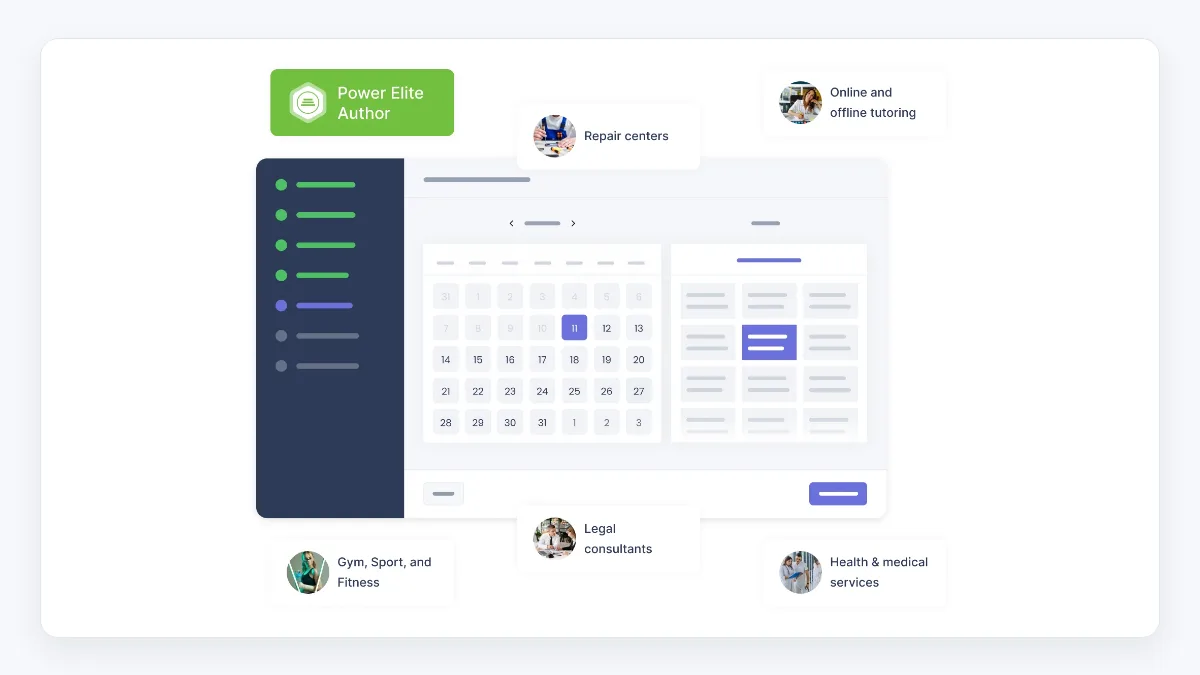
Booknetic is one of the most complete native WordPress appointment booking plugins in this comparison. It runs entirely inside your WP admin, supports multiple staff, services, categories, locations, group appointments, and recurring appointments, and ships with a workflow automation module that lets you trigger emails, SMS, WhatsApp, webhooks, and other actions on any booking event. The product also offers a native mobile app for staff, including tap-to-pay, push notifications, and QR appointment access, which is uncommon in this category.
The pricing model is the other reason it stands out. Most competitors are annual-only or behind opaque "contact us" enterprise tiers. Booknetic publishes four annual tiers and matching lifetime tiers, which makes total cost predictable.
Pricing:
- Basic: $45 per year, or $99 lifetime, 1 domain.
- Standard: $99 per year, or $239 lifetime, 8 add-ons included, 3 payment gateways.
- Premium: $199 per year, or $599 lifetime, 19 add-ons included, 5 domains, 3 mobile seats.
- Elite: $299 per year, or $899 lifetime, all 50+ add-ons, 10 payment gateways, 7 notification channels, unlimited domains, 5 mobile seats.
- 14-day money-back guarantee. A free interactive demo is available on the official Booknetic website.
Standout features:
- Workflow automation builder triggered by any booking event.
- 50+ add-ons covering taxes, coupons, custom forms, Zoom, Google Meet, Microsoft Teams, multi-location, deposits, group bookings, gift cards, and more.
- Mobile app for staff with tap-to-pay and offline access.
- Stripe, PayPal, Square, Mollie, Razorpay, Mercado Pago, Vipps, 2Checkout, Netopia, WooCommerce payments.
- Email, SMS, WhatsApp, Telegram, webhook, Mailchimp notifications on Elite.
Pros:
- One of the deepest native WordPress booking feature sets on the market.
- Workflow module replaces several Zapier-style integrations you would otherwise pay for separately.
- Lifetime tiers make the long-term cost picture much clearer than rolling SaaS subscriptions.
- Strong fit for clinics, salons, agencies, fitness studios, and any multi-staff or multi-location service.
Cons:
- Because Booknetic is WordPress-native, you need a WordPress site to use it. If you are not on WordPress, this is not your tool.
- The entry Basic tier is intentionally limited (no payment gateways, no add-ons) so most real businesses end up on Standard or higher.
- The breadth of features can feel like a lot for a single solo provider with one calendar and one service.
Verdict: If your site is on WordPress and you want one product that handles bookings, payments, notifications, automations, and staff operations without renting a SaaS account, Booknetic is a natural starting point. The workflow module, the published lifetime tiers, and the multi-staff mobile app are concrete reasons to short-list it. Validate the right tier against your actual gateway, SMS, and add-on needs before buying.
2. Booktics
Best for: WordPress websites that need a simple and flexible appointment booking solution without relying on external scheduling platforms.
Booktics is a native WordPress appointment booking plugin that helps businesses add online scheduling directly to their websites. It allows service providers to create booking pages, manage availability, and organize appointments from their WordPress dashboard.
The plugin is designed for businesses that want to replace manual scheduling with a more convenient online booking workflow. Customers can book appointments through the website, while businesses can manage their schedules and upcoming appointments from a centralized system.
Booktics works well for clinics, consultants, agencies, educators, and other appointment-based businesses that need a lightweight scheduling solution. By keeping the booking experience inside WordPress, businesses can maintain their own branding while making it easier for customers to schedule services online.
Standout features
- Online appointment scheduling directly from a WordPress website.
- Availability management to organize booking schedules.
- Centralized appointment management inside the WordPress dashboard.
- A simple setup for businesses that need essential booking functionality.
Pros
- Easy way to add appointment booking functionality to WordPress websites.
- Keeps the complete booking experience within your own website.
- Suitable for small businesses and service providers.
Cons
- Best suited for WordPress users; businesses outside the WordPress ecosystem need another solution.
- Organizations requiring advanced healthcare systems, such as EHR integration or specialized patient management workflows, may need dedicated medical platforms.
Verdict: Booktics is a practical choice for WordPress users who want a straightforward appointment booking system without unnecessary complexity. It fits businesses that need essential scheduling capabilities while keeping their booking process connected to their own website.
3. VOLIXTA
Best for: WordPress service businesses that want a fully self-hosted booking system with all features included at every plan tier, no add-on costs, and built-in WooCommerce payments.
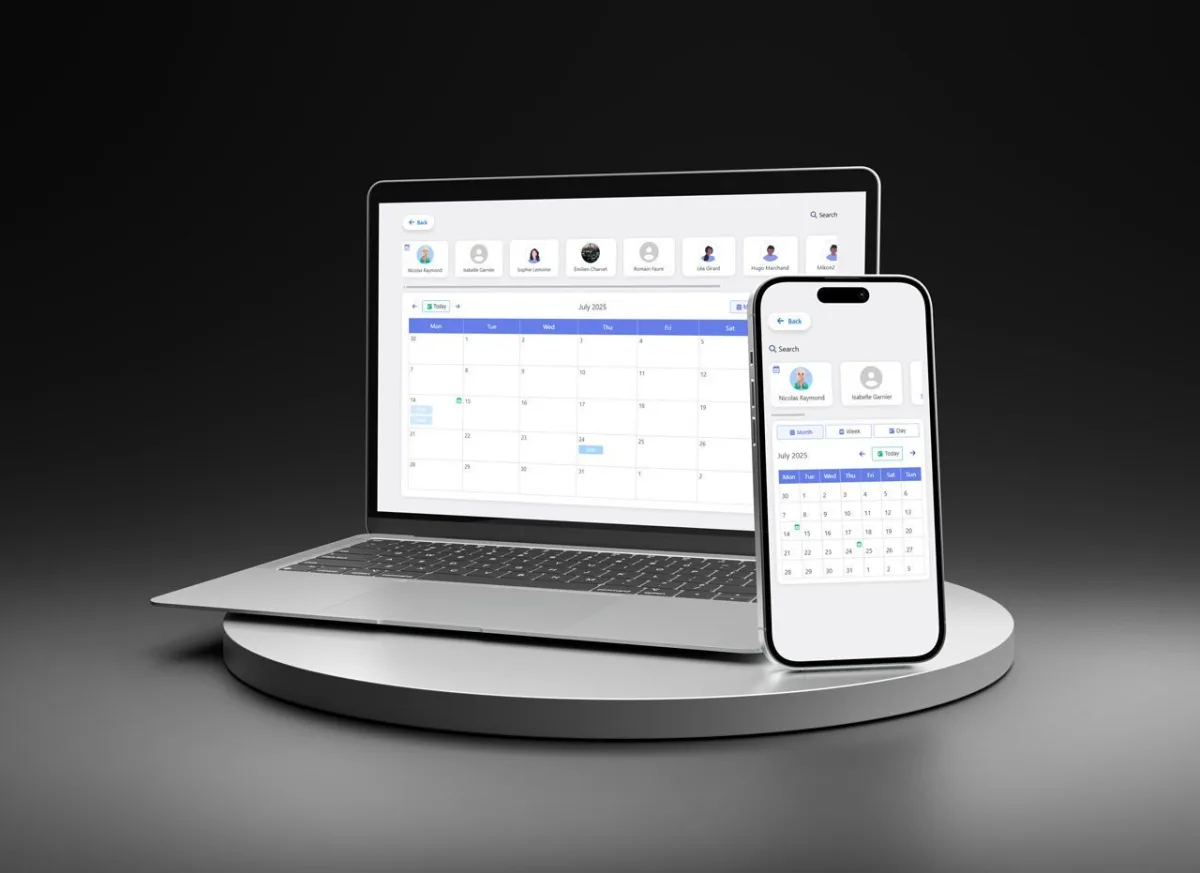
VOLIXTA is a self-hosted WordPress appointment booking plugin that takes a different approach to pricing: all core features come included at every tier, with no paid add-ons splitting the feature set. The plugin handles services, staff, locations, clients, payments, and invoicing entirely from inside WordPress, keeping all booking data on your own server rather than routing through an external SaaS platform.
The all-inclusive model means you do not have to price out add-ons before knowing what your plan actually covers. The built-in client portal lets customers manage their own appointments, download invoices, and use credits or packages without a separate tool. The plugin is built for service businesses ranging from solo practitioners to multi-location operations: law firms, medical clinics, beauty salons, fitness studios, wellness centers, and consulting businesses are all in its stated target audience.
Pricing:
- Starter: €149 per year, or €349 lifetime, 1 site.
- Freelance Pack: €199 per year, or €449 lifetime, 5 sites.
- Studio Bundle: €249 per year, or €649 lifetime, 15 sites.
- Growth 50: €349 per year, or €749 lifetime, 50 sites.
- 14-day money-back guarantee. No free trial or free version.
Standout features:
- All features included at every plan tier, no add-ons required.
- WooCommerce-integrated payments with invoicing, deposits, credits, and package support.
- Client portal for self-service appointment management, invoice downloads, and rebooking.
- Built-in CRM layer: client profiles, booking history, and package tracking.
- Multi-location and unlimited staff scheduling.
- GDPR-compliant, fully self-hosted.
- No-code setup with an interactive onboarding system.
- Multilingual and timezone-aware.
Pros:
- All-inclusive pricing: your feature set does not change as your plan tier changes.
- Fully self-hosted: booking data stays on your WordPress site, no external SaaS dependency.
- Built-in invoicing and client portal remove the need for separate billing or CRM tools.
- Lifetime license available at every tier.
- Keyboard navigation and screen reader support built in.
Cons:
- No free version or free trial; evaluation requires committing to the 14-day refund window.
- Pricing is in EUR, which introduces a variable for buyers outside the eurozone.
- Newer to market than some competitors, meaning fewer community tutorials and a smaller third-party ecosystem.
- No native mobile app for staff, unlike Booknetic.
Verdict: VOLIXTA is a solid pick for service businesses that want a self-hosted, all-inclusive WordPress booking system without the split-feature pricing common in this category. The built-in client portal, invoicing, and CRM layer save you from adding extra plugins, and the lifetime tiers make long-term cost straightforward to calculate. If you need deeper workflow automation or a native mobile app for staff, compare closely with Booknetic before deciding.
4. WP Booking System
Best for: WordPress sites that need a clean availability calendar for property rentals, vacation homes, accommodation, or equipment hire, rather than hourly service appointments.
WP Booking System approaches booking differently from most plugins in this list. It is built around date-based availability display: showing which dates are open or occupied on a property or resource, collecting booking requests, and syncing calendars across platforms. While the other tools in this guide are designed for a salon booking 30-minute slots with named staff, WP Booking System is designed for a holiday apartment showing available nights.
That distinction matters when choosing. Booknetic and the other appointment-focused picks here are stronger for time-slot and staff-routed bookings in service businesses. WP Booking System is stronger for daily and accommodation-style availability calendars, property rentals, and equipment hire where the core question is which date blocks are free or booked. The two approaches serve different business models.
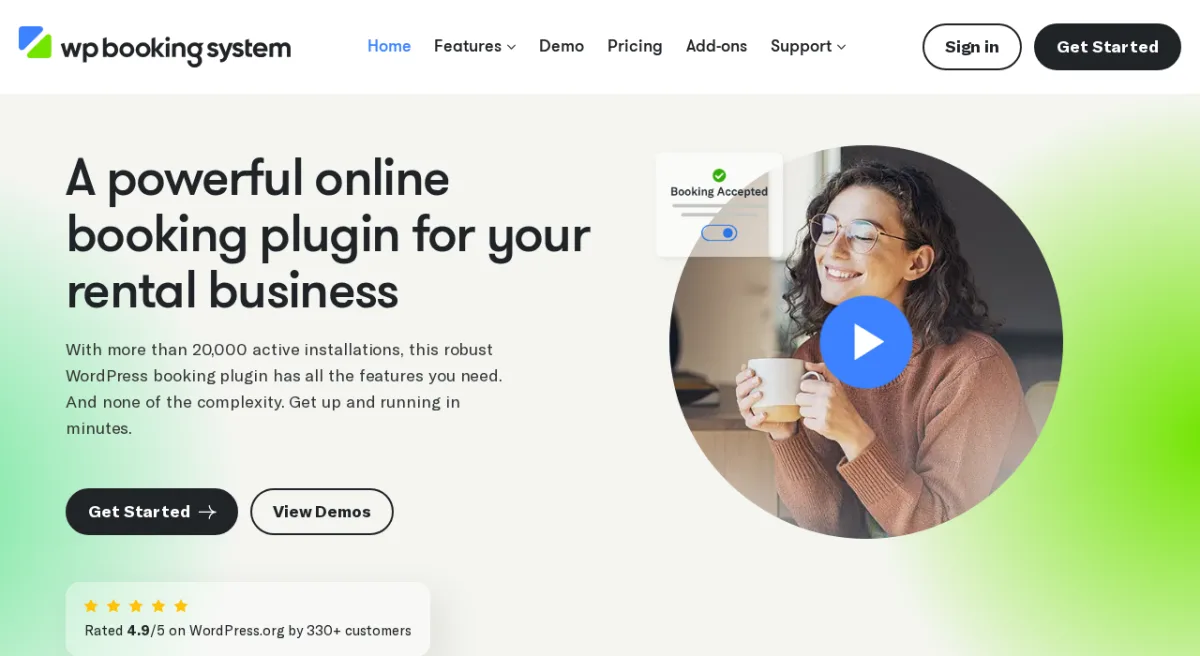
The plugin has 20,000+ active installations and a 4.9-star rating on WordPress.org from 330+ reviews. The free version handles the core calendar and booking form. Paid plans add online payment gateways, SMS notifications, invoicing, and a broader add-on library.
Pricing
- Free: WordPress.org (20,000+ active installs)
- Personal: $79 per year (offline payments, 7 add-ons)
- Business: $149 per year (Stripe, PayPal, Square, Mollie, SMS, 21 premium add-ons)
- Developer: $249 per year (unlimited websites)
- 14-day money-back guarantee.
Standout features
- Visual drag-and-drop calendar with customizable colors, labels, and tooltips
- iCalendar sync with Airbnb, Booking.com, Google Calendar, and Outlook
- Multi-calendar support with individual page linking
- Customizable booking forms with text fields, dropdowns, and pricing fields
- Payment support via Stripe, PayPal, Square, Mollie, and bank transfer (paid plans)
- Email and SMS notifications (paid plans)
- Multilingual support across 29 languages
Pros
- 4.9-star rating on WordPress.org from 330+ reviews, one of the highest in the directory
- iCalendar sync keeps availability in sync with Airbnb and Booking.com listings
- Clean, focused feature set: availability calendars without the complexity of appointment routing
- Strong multilingual support built in
Cons
- Not designed for time-slot or staff-based appointment scheduling
- Online payments and SMS require the Business plan at $149 per year
- No built-in workflow automation or staff scheduling features
- No native two-way Google Calendar sync for individual staff members
Verdict: WP Booking System is the right pick when your booking model centers on date blocks rather than time slots: rental properties, vacation homes, event spaces, and equipment hire. For businesses scheduling appointments by the hour with named staff, Booknetic or another plugin from this list will serve you better. The two products solve genuinely different scheduling problems, and the right one depends on whether your bookings are date-based or time-slot-based.
5. LatePoint
Best for: WordPress sites that want a clean, modern, single-purpose appointment plugin without a steep onboarding curve.
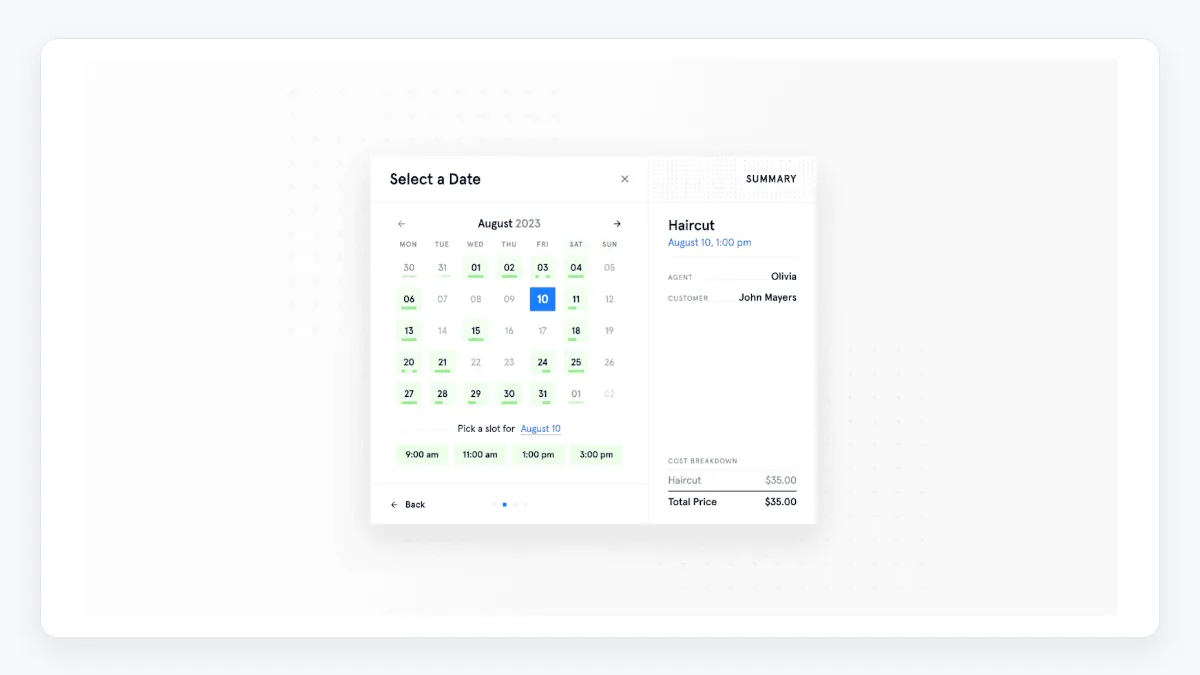
LatePoint is one of the easier WordPress booking plugins to recommend if you do not want to install a small mountain of add-ons before you can take your first booking. The admin is calm, the customer cabinet is built in, and you get a lot of the "expected" booking features in the base product instead of behind a paywall of separate addons.
Pricing:
- Starter: $79 per year (regular $99), 1 site.
- Scale: $149 per year (regular $249), 5 sites.
- Agency: $299 per year (regular $499), 100 sites.
- Lifetime plans available as a limited offer at higher prices.
- 14-day money-back guarantee. A free version is also available.
Standout features:
- Native blocks plus Elementor and Bricks support.
- Customer cabinet for managing bookings.
- Google, Outlook, Apple Calendar sync, Zoom, Google Meet.
- Workflows, webhooks, bundles, coupons, multi-location, multiple agents, group bookings.
- SMS and WhatsApp notifications.
Pros:
- Friendly intro pricing on the entry tier.
- Most key features are included on all paid plans instead of locked to higher tiers.
- Clear documentation and a free version to test on a real site.
Cons:
- Renewals are at full price after the first year.
- Less of a "platform" feel than Booknetic or Amelia if you want a deep add-on ecosystem.
- WooCommerce integration is optional rather than central, which may or may not match your stack.
Verdict: A solid alternative if you want something simpler with a friendlier entry price and you do not need an add-on marketplace.
6. Amelia
Best for: WordPress sites that want a polished customer-facing booking widget and one plugin for both appointments and events.
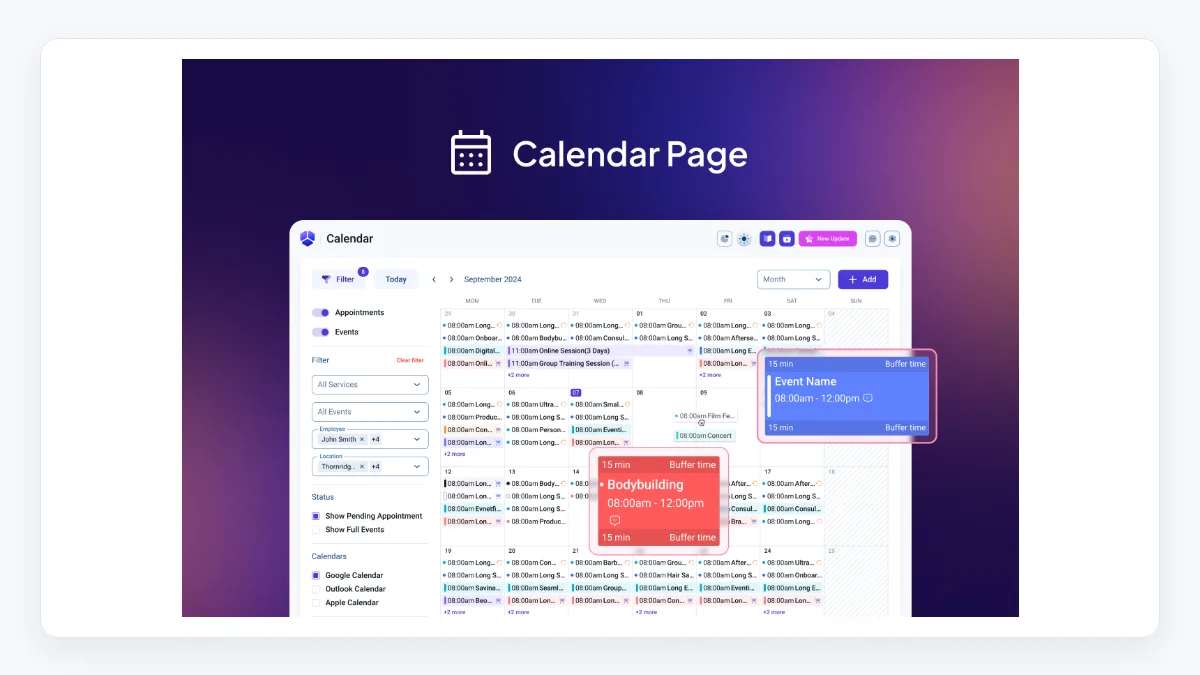
Amelia has spent the last few years polishing the customer-facing booking experience, and it shows. The booking widget feels modern, the admin has a calendar-first vibe, and the same plugin can handle appointments, events, and ticketing without forcing you to install a second tool.
Pricing:
- Starter: $49 per year, 1 domain.
- Standard: $89 per year ($99 regular), 1 domain.
- Pro: $149 per year ($199 regular), 1 domain.
- Elite: $259 per year ($432 regular), 20 domains.
- Lifetime tiers also available at higher prices.
- 15-day money-back guarantee. A free version is available with limited features.
Standout features:
- Modern booking widget with strong default styling.
- Appointments plus events plus tickets in a single plugin.
- Group bookings, packages, service extras, custom durations.
- Native Google Calendar, Outlook, Apple Calendar, Zoom, Google Meet, Microsoft Teams.
- WhatsApp notifications, deposits, taxes, invoices.
Pros:
- Strong UI both for the site visitor and for the admin.
- Generous starting price on Starter for solo providers.
- Events plus appointments is genuinely rare in this category.
Cons:
- Some features people expect on Starter (resources, packages, REST API) sit on higher tiers.
- Heavy events configuration can feel like overkill for pure appointment use cases.
- Renewal pricing snaps back to full when intro pricing ends, so plan the second-year bill ahead of time.
Verdict: Pick Amelia if you want a single plugin for appointments and events with a high-quality booking widget your customers will actually enjoy using.
7. Bookly
Best for: Buyers who want a free booking core to start, with paid Pro, Business, and Ultimate upgrade paths.
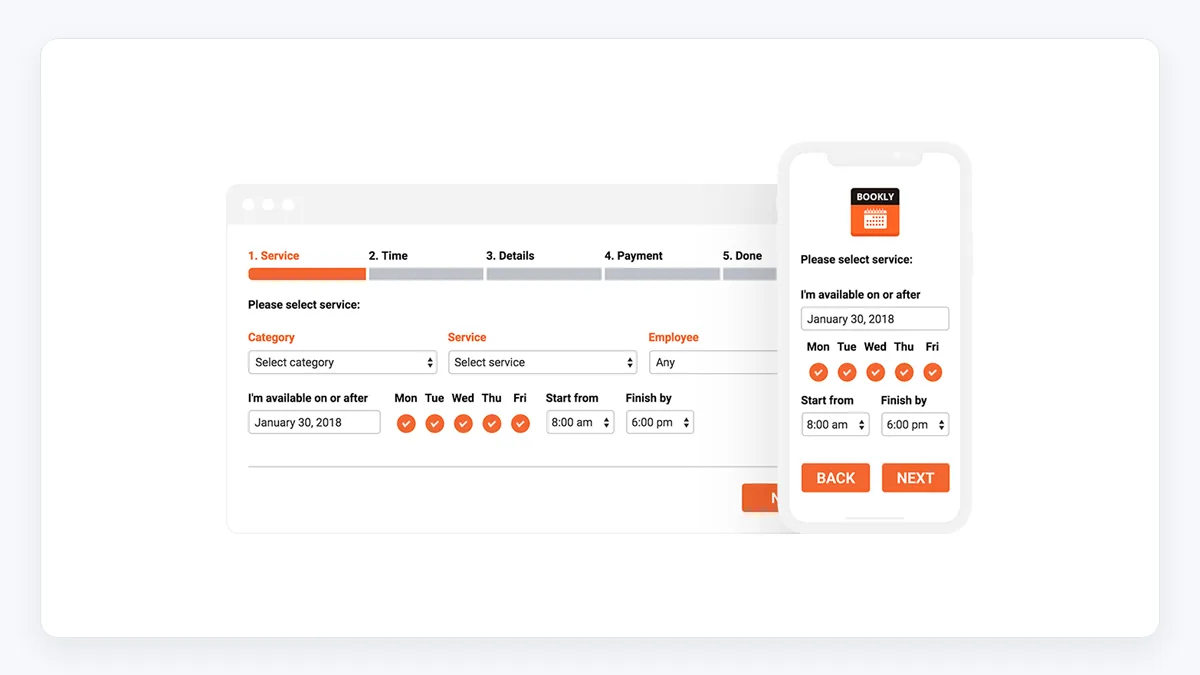
Bookly is one of the oldest names in the WordPress booking space. The base plugin is free on the WordPress repository, and paid Pro, Business, and Ultimate plans are sold from Bookly's official pricing page. The important buying detail is that the free core is intentionally limited, while payments, unlimited staff, Google Calendar, Zoom, Google Meet, and many add-ons move into paid tiers.
Pricing:
- Free: Basic functionality on WordPress.org, including unlimited appointments, 1 staff member, up to 5 services, local payments, and email/SMS notifications.
- Pro: $49 per year as the current first-year offer, regular $89, or $129 lifetime as the current offer, regular $189.
- Business: $199 per year as the current offer, regular $259, or $399 lifetime as the current offer, regular $499.
- Ultimate: $399 per year as the current offer, regular $499, or $799 lifetime as the current offer, regular $999.
- 30-day money-back guarantee. Individual add-ons are still sold separately if you do not buy a bundle-style plan.
Standout features:
- Long history of releases and a wide user base.
- Free version is enough to validate a simple booking workflow.
- Wide add-on library covering most expected booking features.
- Payment gateway support across paid add-ons.
Pros:
- Free starting point with a clear upgrade path.
- Familiar product with extensive documentation and tutorials.
- Add-on model lets you only buy what you need.
Cons:
- The split between free, Pro, and per-feature add-ons can get expensive fast.
- Envato marketplace pricing and refund rules are different from buying directly from a SaaS plan.
- Admin UI feels older than Amelia, LatePoint, or Booknetic.
Verdict: Bookly is a sensible "start free, then upgrade" route if you like the long-established plugin ecosystem and are comfortable checking exactly which add-ons your paid plan includes before you buy.
8. Simply Schedule Appointments
Best for: WordPress-first teams who want a lightweight booking plugin with deep page builder support.
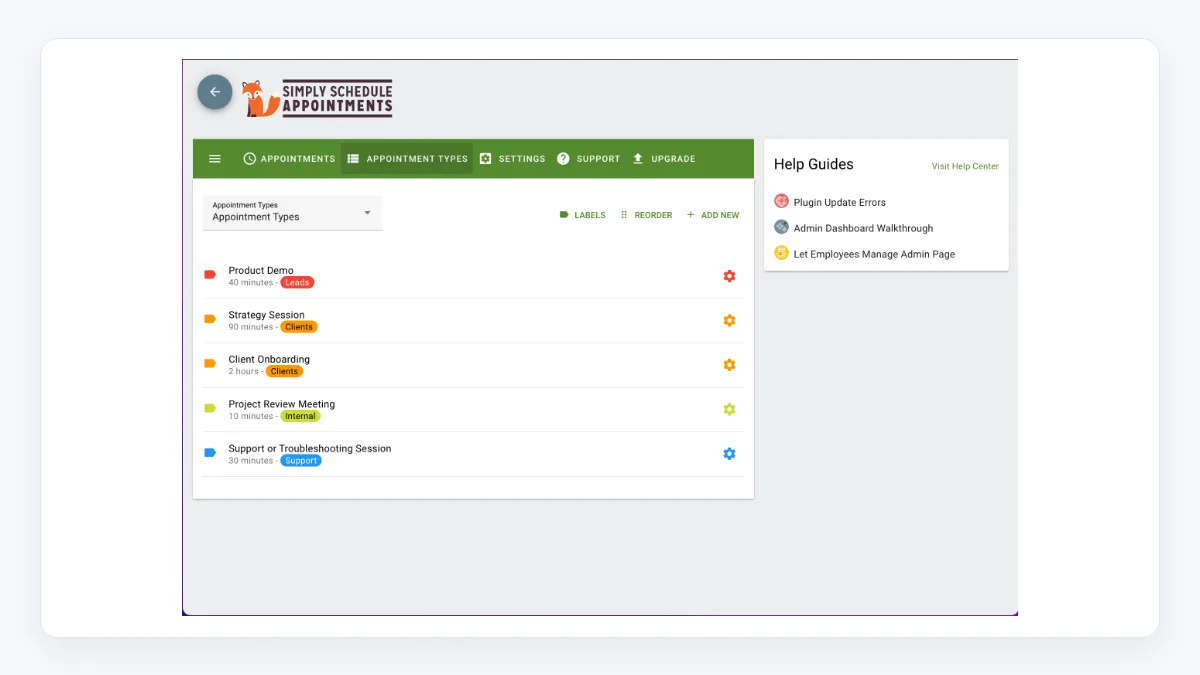
Simply Schedule Appointments leans into being WordPress-native rather than building a full SaaS-style platform. The setup wizard is one of the easiest in the list, the plugin is built to feel at home with Elementor, Divi, Beaver Builder, and Gutenberg blocks, and the free Basic edition is enough for solo providers to validate a real booking flow.
Pricing:
- Basic: free.
- Plus: $99 per year (regular $129), 1 site, Google Calendar, Zoom and Google Meet, classes and group events, time-triggered notifications.
- Professional: $199 per year (regular $249), SMS notifications, Stripe and PayPal payments, webhooks, Google Analytics tracking.
- Business: $399 per year (regular $499), multiple resources, team scheduling, priority support, Zoom onboarding call.
- 30-day refund guarantee.
Standout features:
- Setup wizard that gets a usable booking page live in minutes.
- Strong page builder integrations.
- Group events, time-triggered notifications, Mailchimp.
- Gravity Forms and Formidable Forms integrations on Plus and above.
Pros:
- One of the cleanest "WordPress-first" feels in this list.
- 30-day refund is longer than most competitors.
- Free Basic edition is genuinely useful.
Cons:
- No public lifetime tier.
- SMS, payments, and team scheduling sit on the higher tiers, so cost scales with feature need.
- Less suited to deep multi-location operations than Booknetic or Amelia Elite.
Verdict: Pick Simply Schedule Appointments when you want a small, predictable WordPress booking plugin that respects your existing page builder choice.
9. MotoPress Appointment Booking
Best for: Class-based, hybrid, and education businesses that need both appointments and group scheduling.
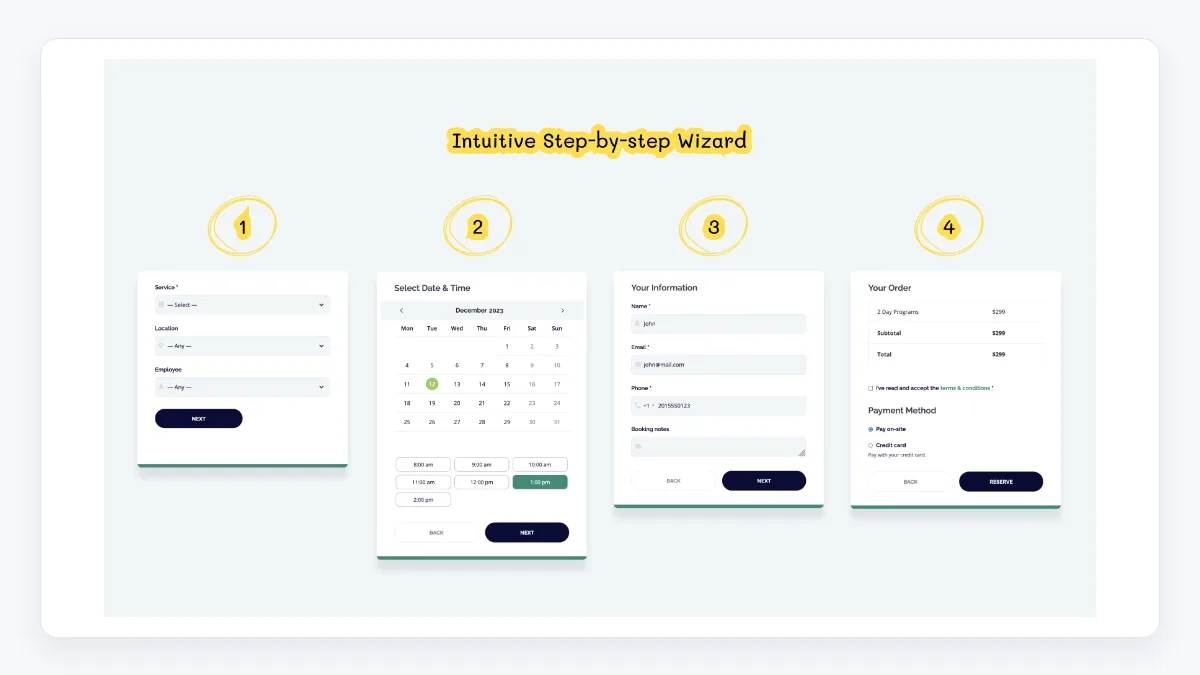
MotoPress Appointment Booking is interesting because it does not assume every booking is a one-on-one appointment. It handles hourly and full-day bookings, group sessions, and class scheduling, and it is positioned for businesses like tutors, instructors, healthcare practices, salons, and small studios.
Pricing:
- Free version available.
- 1 site: $49 per year.
- Up to 25 sites: $99 per year.
- 1 site lifetime: $149.
- Appointment Booking + 7 Addons bundle: $99 per year or $199 lifetime for 1 site; $149 per year or $399 lifetime for up to 25 sites.
Standout features:
- Hourly and full-day appointment formats.
- Group appointments and class scheduling.
- Stripe (with Apple Pay, Google Pay, Klarna, Bancontact, iDEAL, Giropay, SEPA), PayPal, Direct Bank Transfer, Square, plus on-site payment.
- WooCommerce integration via paid add-on for additional gateways.
- Step-by-step single-page booking flow.
Pros:
- Genuinely good fit for class-based and hybrid booking businesses.
- Lifetime tier on a single site is one of the cheaper "buy once" options in this list.
- Free version is usable for real validation.
Cons:
- Extra gateways and WooCommerce integration sit behind paid add-ons.
- Admin styling is more functional than polished.
- Less depth on multi-staff workflow automations than the top picks.
Verdict: A solid choice for tutors, fitness studios, language schools, and small clinics that need both group and one-on-one bookings in one plugin.
10. Salon Booking System
Best for: Salons, barbershops, spas, and beauty businesses that want a vertical-specific WordPress plugin.
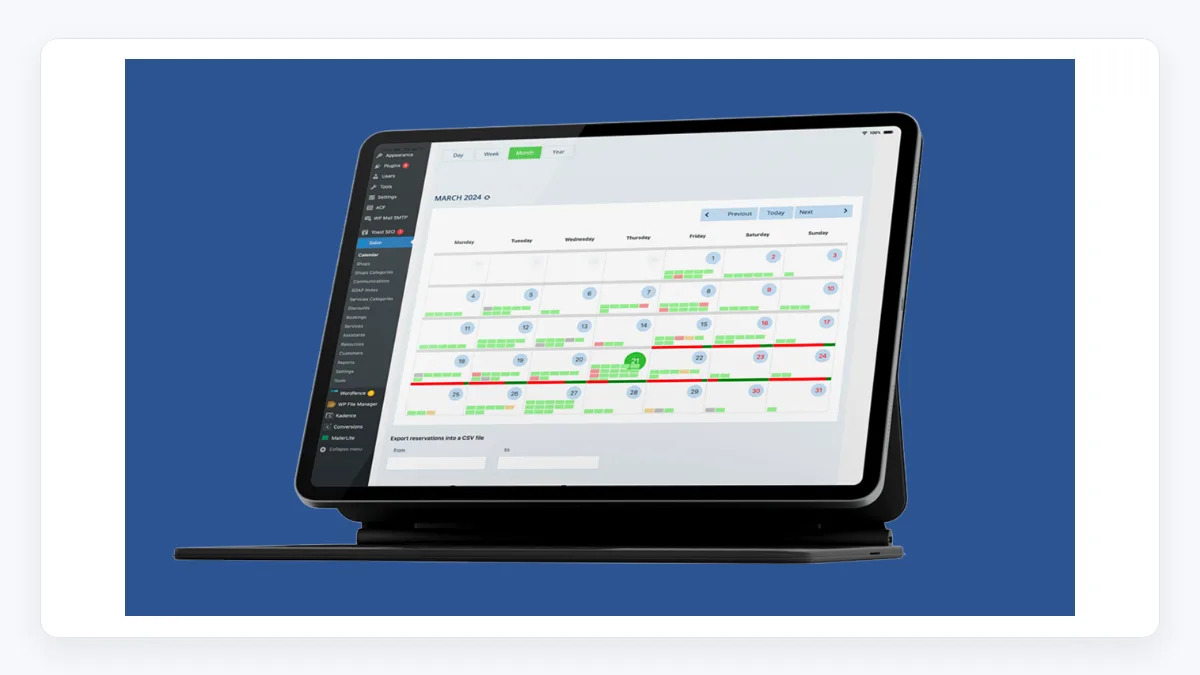
Salon Booking System is built for the beauty vertical and that focus shows. It ships with a mobile web app for staff, customer accounts, online deposits, discounts and coupon rules, automated reminders, and translation support. It has been on the market since 2016 with over 750,000 reported downloads.
Pricing:
- Free: 0 € forever for unlimited bookings, unlimited services, unlimited assistants, email notifications, SMS notifications, Google Calendar synchronization, 1 website/domain, forum support, and regular updates.
- Basic: 89 € per year, 1 website/domain, online payments through Stripe and PayPal, partial and full payments, advanced multi-staff management, advanced service duration and pricing, staff mobile app, REST API, priority email support, and monthly updates.
- Business: 169 € per year, 2 domains/websites, all add-ons included, advanced payments and local gateways, advanced reports, WooCommerce Checkout, REST API for custom integrations, and white label options.
- 15-day free trial. License renewal is required only for support and updates.
Standout features:
- Staff-facing mobile web app for bookings, calendar, and customer management.
- Customer accounts with self-service rebooking and history.
- Coupons, discounts, deposits, gift cards, follow-up SMS, WhatsApp, and email reminders.
- REST API endpoints for custom integrations.
Pros:
- Strong vertical fit if you actually run a salon, barbershop, or spa.
- Good translation and localization story for non-English sites.
- Mature product with a long track record.
Cons:
- Less compelling outside the beauty vertical.
- Public pricing is not as transparent as competitors.
- Customization can require more configuration time than turn-key competitors.
Verdict: Choose Salon Booking System when you want a WordPress plugin shaped specifically around how beauty and wellness businesses actually take appointments.
11. BirchPress
Best for: WordPress site owners who want a simple booking plugin with a one-time license per support year.
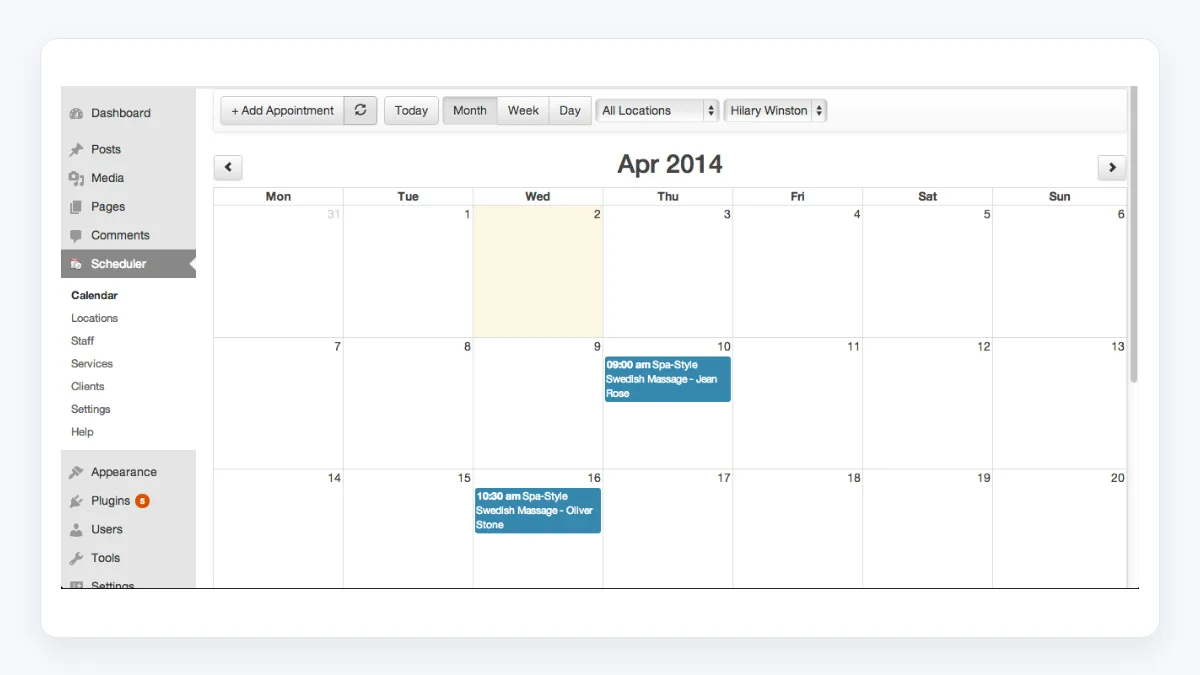
BirchPress is the most "old-school WordPress plugin" feel of the list. The product is small, the feature set is focused, and the pricing structure is a one-time license per year of support. If you specifically do not want a SaaS-style booking platform and you are happy with calendar sync, simple notifications, and basic payment options, BirchPress still fits a niche.
Pricing:
- Personal: $99, 1 site, 1 year support and updates.
- Business: $199, 1 site, 1 year support and updates, group booking, staff auto-assignment, iCal feed, PayPal, custom forms, page redirection.
- Business+: $249, all Business features plus access control for staff and WooCommerce integration.
- 30-day money-back guarantee. Free edition also available.
Standout features:
- iCal feed calendar sync.
- PayPal out of the box, additional gateways via WooCommerce.
- Custom booking forms.
- Hooks and filters for developer customization.
Pros:
- Predictable one-time-per-year license model.
- Stable product with a long history.
- Free edition lets you trial the basics.
Cons:
- Smaller feature set than newer competitors.
- Site continues to work if license expires, but you lose updates and support.
- UI feels dated compared to Amelia, LatePoint, or Booknetic.
Verdict: A reasonable pick for small operators who want a simple, low-noise WordPress booking plugin and are comfortable with a slightly older product feel.
How to choose a WordPress appointment booking plugin
The features list is rarely the right place to start. Almost every plugin above can take bookings, send reminders, sync calendars, and accept some kind of payment. The differences are operational. A better way to choose is to answer these five questions before you compare features:
- How many staff and locations will you actually have in 12 months? If the answer is more than one of each, lean toward Booknetic, Amelia Pro or higher, or LatePoint Scale or Agency.
- Do you want a clean one-time / lifetime cost, or are you comfortable renewing every year? Booknetic, Amelia, VOLIXTA, and MotoPress publish lifetime tiers. Simply Schedule Appointments and BirchPress are annual-only.
- Will payments and reminders be central or optional? If both are central, you need at least Stripe, PayPal, and SMS or WhatsApp in the base price, not behind add-ons. That points to Booknetic Elite, Amelia Pro or higher, LatePoint Scale, or VOLIXTA (payments included at all tiers).
- Do you need group bookings, classes, or events? If yes, look at MotoPress, Amelia, or Booknetic.
- Is your priority a beautiful customer booking widget or a deep back-office system? Amelia and LatePoint lead on customer-facing polish. Booknetic leads on back-office depth. VOLIXTA leads on self-hosted data ownership and all-inclusive feature access.
Buy the plugin that matches how your business actually runs, not the one with the longest feature list.
Online booking plugin for WordPress: a quick budget reality check
Some buyers shop for booking plugins like they shop for groceries, comparing only the entry price. That usually backfires.
The real cost of a booking plugin is the renewal price, the add-ons you actually end up buying, the payment gateway you need, and the SMS or WhatsApp messages you send. A Standard tier that excludes SMS, or a Starter tier that excludes Stripe, can end up more expensive in year two than buying a higher tier in year one.
VOLIXTA takes a different approach by including all features at every tier, which removes the add-on math from the equation. Either way, estimate your year-two cost before you buy, not year-one.
Frequently asked questions
What is the best WordPress appointment booking plugin in 2026?
For most WordPress sites that need depth, Booknetic is a strong overall pick because it covers bookings, payments, notifications, workflow automation, multi-location, multi-staff, and a native mobile app inside a single WordPress plugin. Amelia and LatePoint are strong alternatives, with Amelia leaning toward a polished customer-facing experience and LatePoint leaning toward a clean, friendly admin. VOLIXTA is worth considering if you want all features included at every plan tier without add-on pricing. The right answer depends on which of those trade-offs matches your business.
Is there a free WordPress appointment plugin?
Yes. Bookly, Amelia, LatePoint, MotoPress Appointment Booking, Salon Booking System, Simply Schedule Appointments, WP Booking System, and BirchPress all offer free editions on WordPress.org or a free tier on their official sites. VOLIXTA does not offer a free version; it provides a 14-day money-back guarantee instead. Free editions are useful for validation but generally lack payments, advanced notifications, or scaling features.
Do these plugins integrate with Google Calendar?
Most of them, yes. Booknetic, Amelia, LatePoint, Simply Schedule Appointments, and MotoPress all support some form of Google Calendar sync. The depth (one-way vs two-way, Outlook, Apple Calendar) varies by plan, so confirm on the vendor's pricing page.
Can I accept payments without WooCommerce?
Yes for most picks. Booknetic, Amelia, LatePoint, VOLIXTA, MotoPress, and Simply Schedule Appointments support native gateways like Stripe, PayPal, and Square directly without requiring WooCommerce. WooCommerce remains an option if you want a unified cart or if you need a gateway not supported natively.
Should I pay for a lifetime license or an annual plan?
If you plan to keep using the plugin for more than 2 to 3 years and the vendor publishes a real lifetime tier (like Booknetic, Amelia, VOLIXTA, or MotoPress), lifetime usually wins on total cost. If you are still validating the business or unsure whether you will stay on WordPress, an annual plan keeps the commitment small.
How long does it take to set up an appointment scheduling plugin?
For a single-service, single-staff site, expect 30 to 90 minutes from install to first live booking. For multi-staff, multi-location, with payments, deposits, group services, and notifications, plan for a half day to a day. Booknetic and Amelia tend to feel faster once you understand their structure because they ship with sane defaults; deeper customization always takes longer.
Final take
The best WordPress appointment booking plugin in 2026 is the one that matches how your service business actually runs. If you want depth and a single product that covers bookings, payments, notifications, workflow automation, and a staff mobile app inside WordPress, Booknetic is a credible first pick, with published lifetime tiers that make long-term cost predictable. If you want a more design-led customer-facing experience, Amelia is a fair alternative; if you want a self-hosted, all-inclusive system where every feature is included at every plan tier without add-on pricing, VOLIXTA is worth a close look; if you want a calmer admin with a simpler entry price, LatePoint is the easier choice. WP Booking System is a strong choice when the booking model is date-based rather than time-slot-based, covering property rentals and accommodation calendars. Simply Schedule Appointments, MotoPress, Salon Booking System, Bookly, and BirchPress each pick up specific use cases where they shine. Booktics rounds out the list as a practical choice for small businesses and service providers that need a simple, lightweight booking solution inside WordPress.
Install on a staging site, run one real booking end to end with payment and reminders, and only then commit. Plugins almost always feel different on your own site than they look in a marketing video.
Write once. Post to 26 networks.
- 26 social networks
- Schedule & auto-repost
- Runs inside wp-admin


![How to Auto-Post to Twitter from WordPress [A complete guide]](https://www.fs-poster.com/storage/posts/1ae0d8eb84109c8932f33ab37ae4a100-1778158769.webp?v=1778158769)

