


Most WordPress agencies do not have a content problem. They have a publishing problem. The client team writes a blog post in WordPress, the agency reformats it for X, repeats the work for LinkedIn, downloads the image, uploads it into a scheduler, and then does the same thing on the next site. Across ten or twenty clients, the math stops working long before the calendar runs out.
This guide is about a different setup: managing client social media from inside WordPress, using FS Poster as the publishing layer. It is written for agencies and freelancers who already run client sites on WordPress and want to spend less time pushing content to social networks. It is not a pitch to abandon every SaaS tool. It is an honest look at where the WordPress-native workflow saves time, where it does not, and how to combine both when that is the right answer.
Why social publishing is hard for agencies
Agency social work shares the same friction points across very different clients:
- Tool sprawl. One client uses Buffer, another uses Hootsuite trial seats, a third has nothing. Onboarding and offboarding become a tax on the retainer.
- Double data entry. The blog post already exists in WordPress. The product already exists in WooCommerce. Most schedulers ask you to rebuild title, copy, link, and image in their own UI.
- Per-seat pricing. Adding a small client adds a workspace or a seat. The bill stays high even for clients who post twice a week.
- Approval friction. SaaS suites are built around the in-house brand team's review queue. Agency reviews tend to be lighter and informal, and the heavy workflow gets in the way.
- Niche channels. Telegram, Pinterest, Bluesky, Reddit, and Google Business Profile are second-class citizens in many big scheduling suites, but they matter to specific clients.
An agency does not need a heavier tool. It needs a tool that takes the content where it already lives and ships it to the channels the client actually uses.
What changes when WordPress is the publishing layer
Most agency content already lives in WordPress: posts, products, categories, authors, taxonomies, media, and meta fields. A WordPress-native scheduler reads that data directly, so the cost of pushing one item to ten channels collapses to a single click. Three things shift immediately:
- Single source of truth. Publish once in WordPress, distribute everywhere. No re-typing, no re-uploading, no broken UTMs.
- Per-site licensing. Site-based licensing maps cleanly to per-client billing, which is how most agencies sell social work.
- Native permissions. WordPress already has editor, contributor, and admin roles. The plugin respects them, so the client team does not need a parallel account structure.
Manage multiple client sites and channels
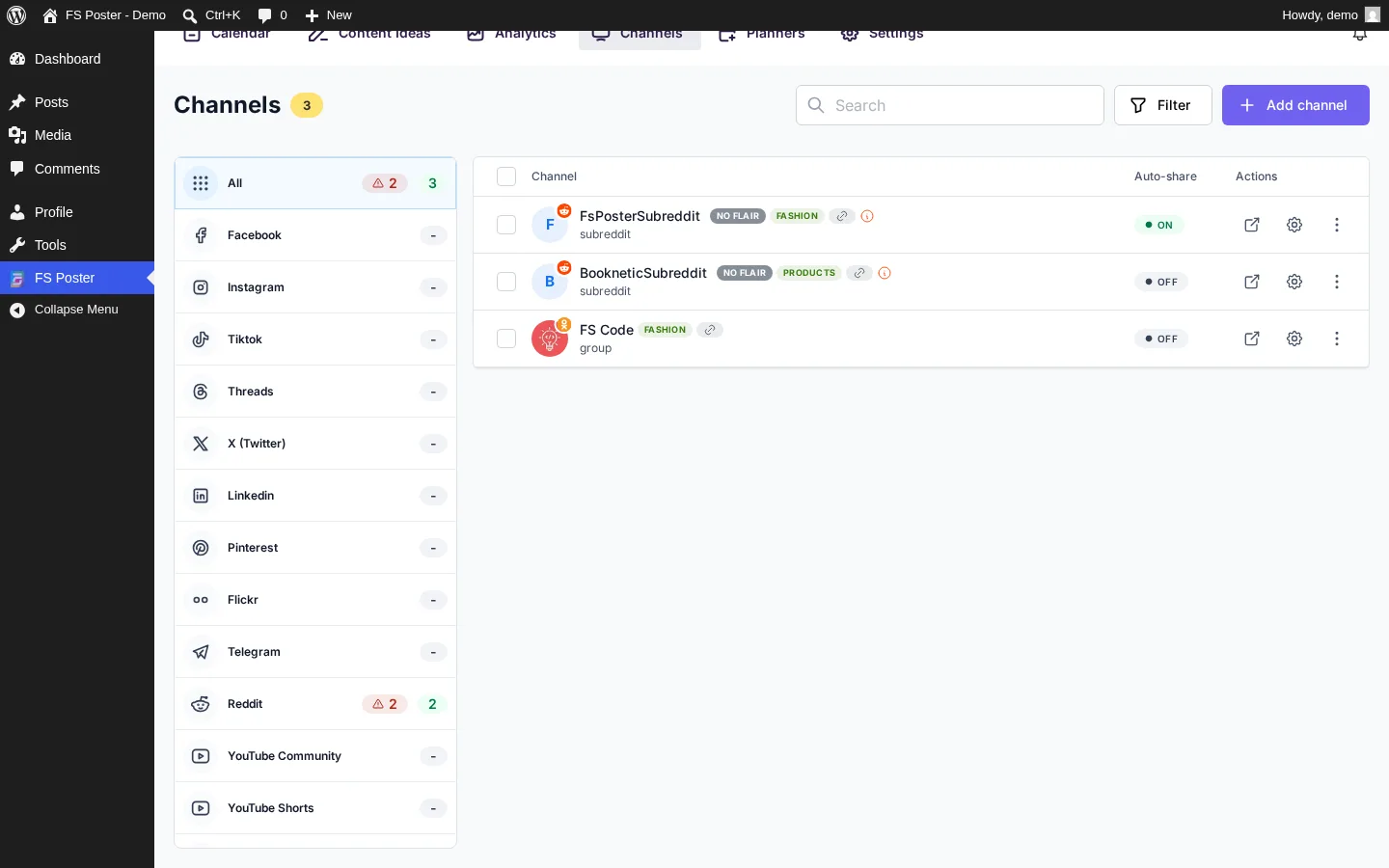
A typical agency book of business mixes a local service business on Facebook and Instagram, a WooCommerce store on Pinterest, Instagram, Facebook, and a Telegram product feed, a content publisher on X, LinkedIn, Threads, Reddit, and Bluesky, and a B2B client on LinkedIn, X, and YouTube. Inside each WordPress install, FS Poster groups every connected account as a "channel". Label channels per client and per purpose (for example, "Client A: organic" and "Client A: promo handle"), switch between them while editing a post, and pause or remove them when retainers change.
For agencies that run WordPress multisite networks, FS Poster auto-posts from each subsite without a separate plugin install. Each subsite keeps its own connected accounts, auto-post rules, and Planner jobs, which is what most multisite agencies want: per-client isolation inside one network admin.
Connect multiple social accounts in one place
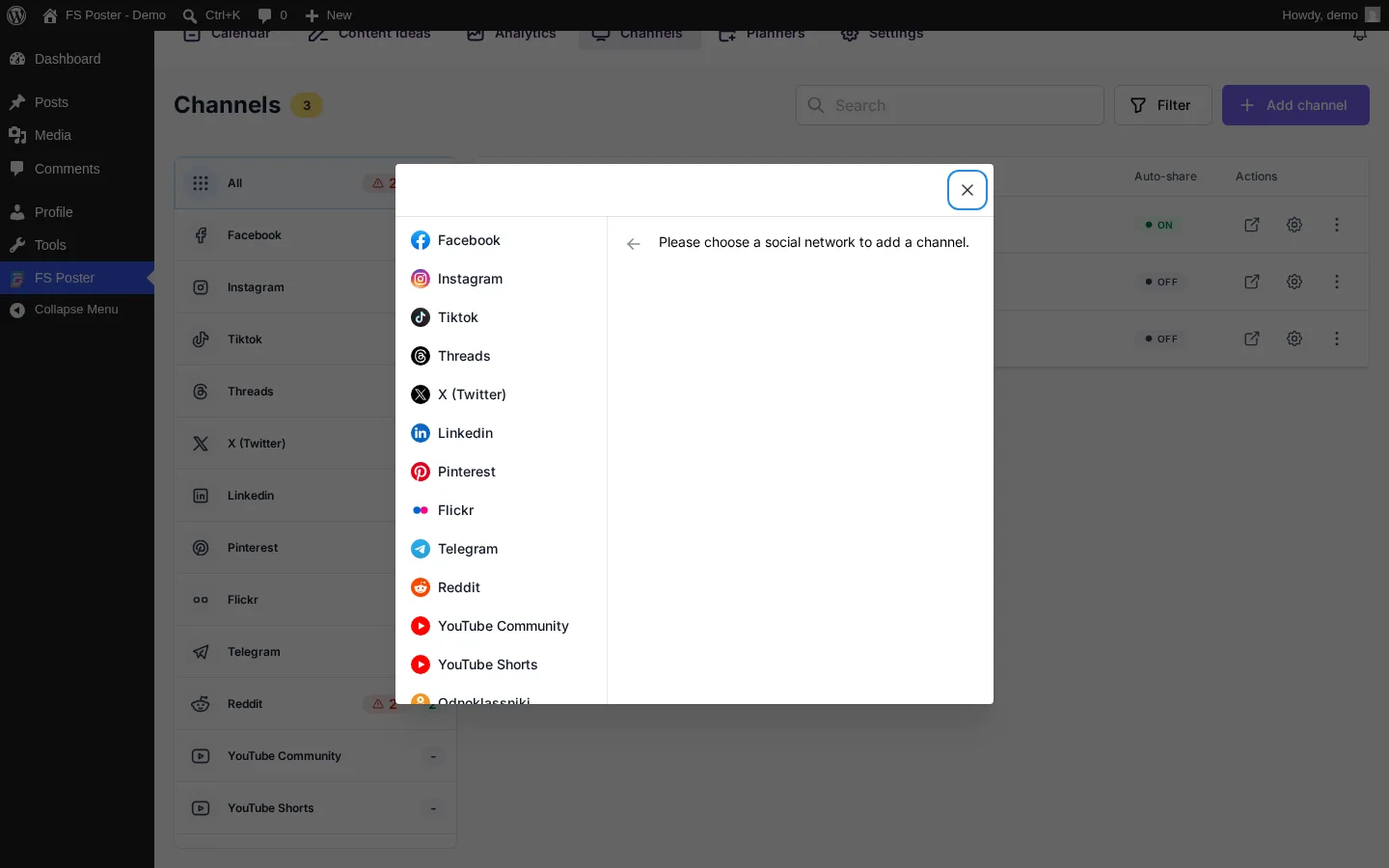
Connecting accounts is the part of the workflow you want to do once per client and forget. FS Poster supports more than twenty-five networks and services from a single WordPress dashboard, including Facebook pages and groups, Instagram, Threads, X, LinkedIn, Pinterest, Bluesky, Mastodon, TikTok, YouTube Community and Shorts, Google Business Profile, Telegram, Discord, Reddit, Tumblr, Medium, Blogger, VK, OK.ru, Flickr, Truth Social, and webhook destinations. Each account is connected once and assigned to any auto-post rule, schedule, or Planner job. The complete list of supported destinations lives on the WordPress plugin for multiple social media auto-posting page. For agencies that sell Facebook-focused retainers to local services or community brands, the dedicated Facebook scheduler landing page goes deeper into page and group automation.
One honest note on platform reality: every network has its own onboarding rules. Facebook and Instagram need Meta business assets and app permissions, TikTok and Google Business Profile require business verification, and Threads, Bluesky, and Mastodon have their own connection flows. A WordPress-native plugin removes the scheduler middleman, but not the platform paperwork. Plan one or two hours per client for first-time account setup.
Auto-post new WordPress and WooCommerce content
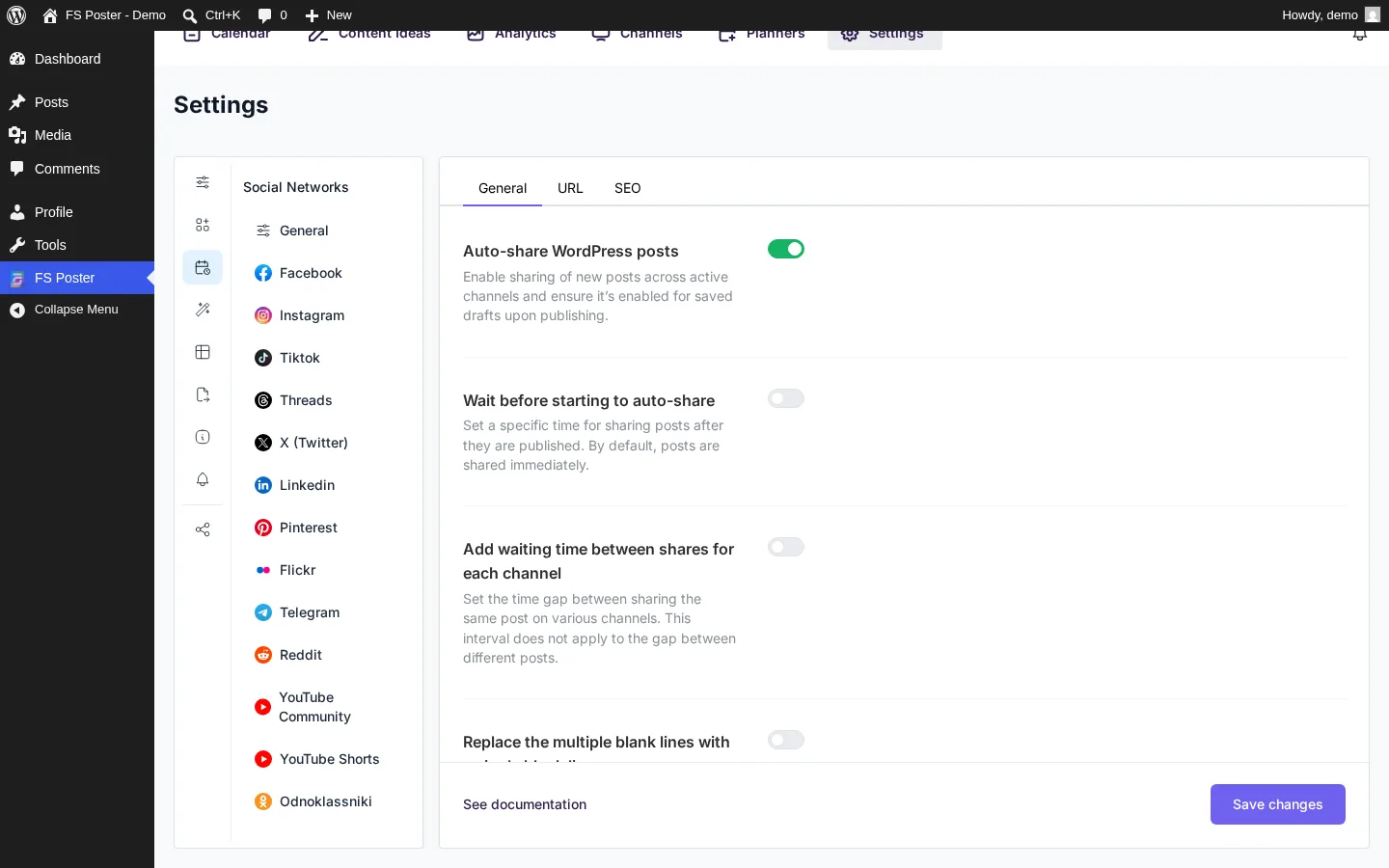
Auto-posting is the workflow most agencies actually buy a scheduler for: when a new post or product publishes in WordPress, it goes out to the right channels with the right caption. FS Poster auto-posts work in four steps:
- Choose which post types are auto-posted. For a content site that is usually Posts; for a store, usually Products plus optionally Posts.
- Pick channels per post type. Blog posts can go to LinkedIn, X, and Bluesky; product launches can fire to Facebook, Instagram, and Pinterest.
- Write a per-network caption template using WordPress fields (title, excerpt, permalink, category, featured image). The same blog post becomes a tight X post and a longer LinkedIn post without rewriting.
- Control timing through the WordPress publish flow. Post immediately, schedule into the calendar, or hold the post pending until a senior editor approves.
The step that matters most for agencies is the caption template. Once the templates are clean and on-brand per client and per channel, the publishing layer becomes invisible. The client team writes the WordPress post the way they always have, and the social side updates itself. WooCommerce stores deserve a separate template setup. Price, sale price, gallery images, and category fields can drive every caption, which is how Pinterest pins and Facebook product posts stay current without copy-pasting. The full walkthrough is in our guide on how to auto-post WooCommerce products to social media.
Schedule standalone posts from the Calendar
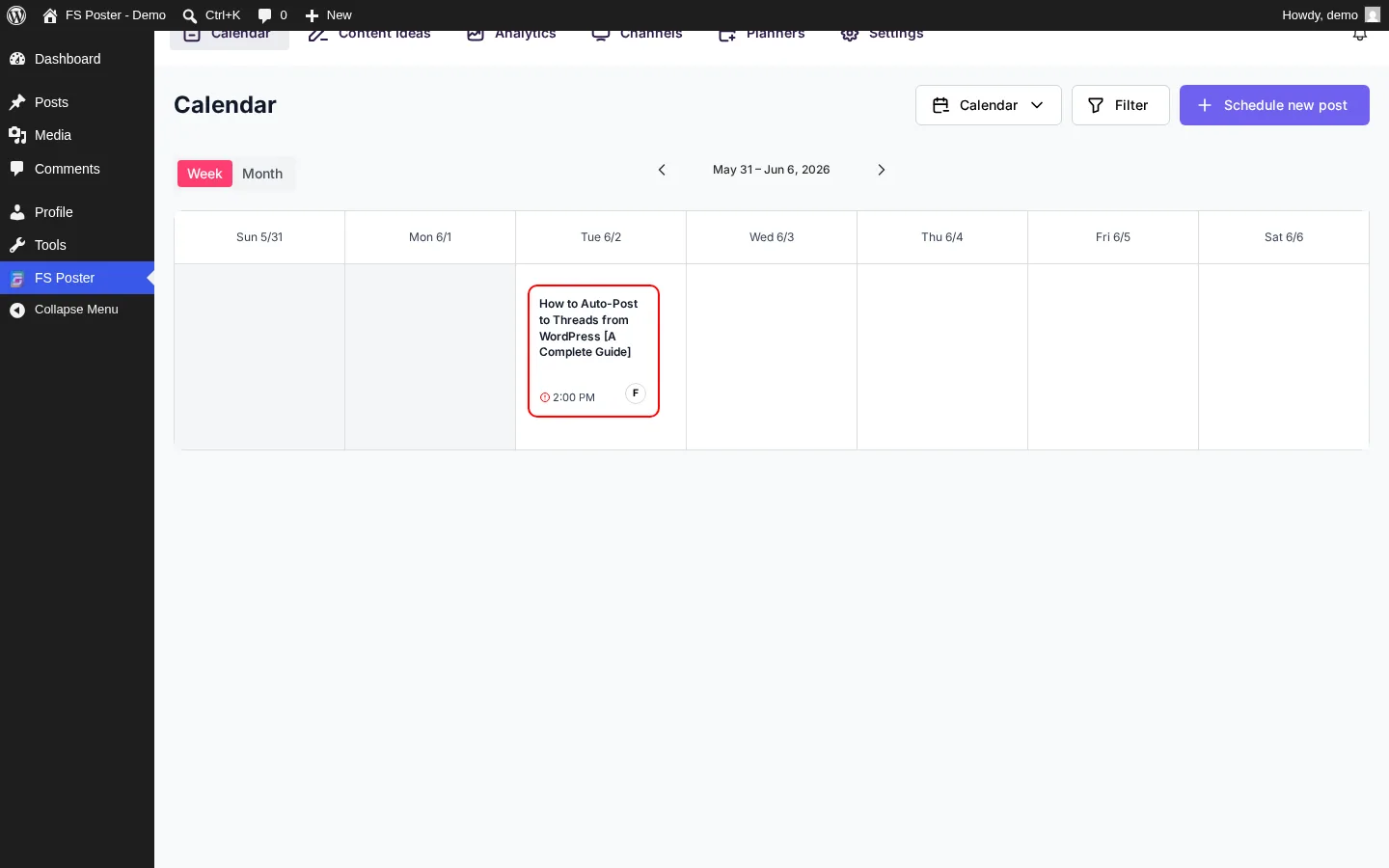
Auto-posting covers content that already exists in WordPress. Agencies also need to push social-only updates: holiday greetings, behind-the-scenes photos, client testimonials, product teasers, reposted user-generated content, and standalone campaign messages. The FS Poster Calendar handles those without forcing every update through the blog.
From WordPress admin you can compose a post for one or many channels, upload media directly, pick a date and time per channel or a single global publish time, and drag scheduled posts between days. Each client site keeps its own calendar that already covers every channel connected to that install. There is no shared cross-client master calendar by default, which matches how most agencies isolate client data. The practical value is the weekly per-site review: the social manager scans one calendar, spots empty days, and slots in extra content where coverage is thin.
Recycle evergreen content with the Planner
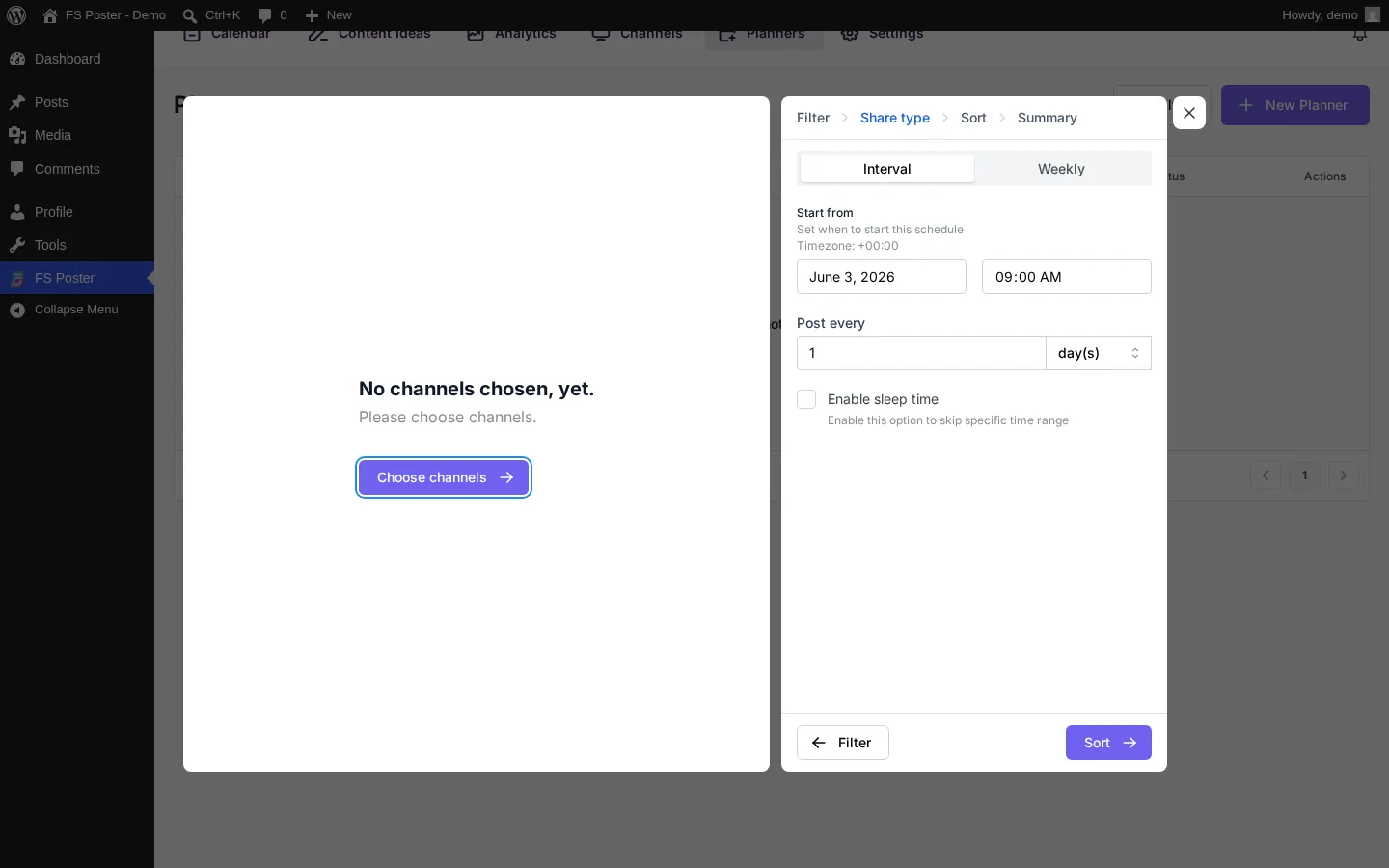
Most agency clients sit on a content archive that is doing nothing on social: old blog posts, last quarter's best product, the case study from six months ago. The FS Poster Planner handles that recycling job. Point it at a category, tag, taxonomy, or custom post type, set an interval (for example, one item from this category every Tuesday and Friday), and the plugin rotates posts automatically. You can set a start and end date or run it open-ended, exclude items that are too new or already shared in the last X days, use a separate caption template so recycled posts do not look identical to the original, and limit recycling to specific channels (for example, evergreen on Pinterest and Facebook, not on X).
The agency move is to build one Planner job per evergreen cluster, not one giant queue. For a WooCommerce store that might be "Best sellers", "Seasonal items", and "Buying guides". For a publisher, "Top-traffic posts" and "Beginner guides". Configure once, and the channels stay alive with no extra editorial time.
Use categories, taxonomies, and channel filters per client
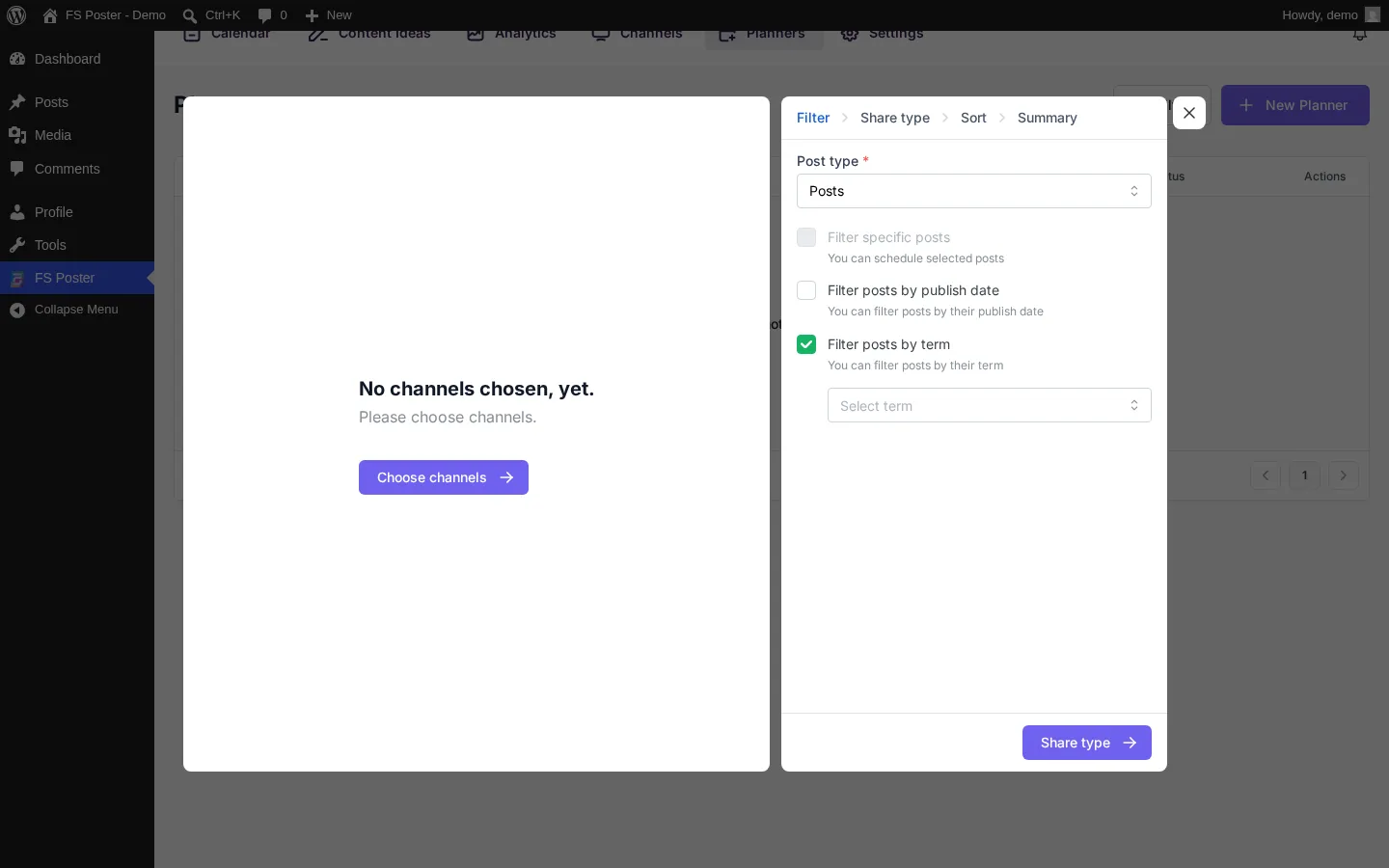
Per-client targeting is where the WordPress-native model pulls ahead of generic schedulers. WordPress already organizes content by category, tag, custom taxonomy, post type, and author. FS Poster reads those structures directly, so very specific publishing rules become possible without scripting:
- Per content type: auto-post "Tutorials" to LinkedIn and X, "Case studies" to LinkedIn only, "Product launches" to Facebook, Instagram, and Pinterest.
- Per author: route guest posts to a separate channel template that gives the author attribution.
- Per language: on multilingual sites, fire Spanish posts only to Spanish channels and English posts only to English channels.
- Per region: use custom taxonomies like "city" or "store" to push posts to the correct Google Business Profile location for local clients.
- Per campaign: tag posts with a campaign label and let Planner re-share them more aggressively during the campaign window.
This is the lever most SaaS schedulers do not have, because they cannot see your CMS structure. They see whatever you paste in.
Use AI captions and image generation without losing brand voice
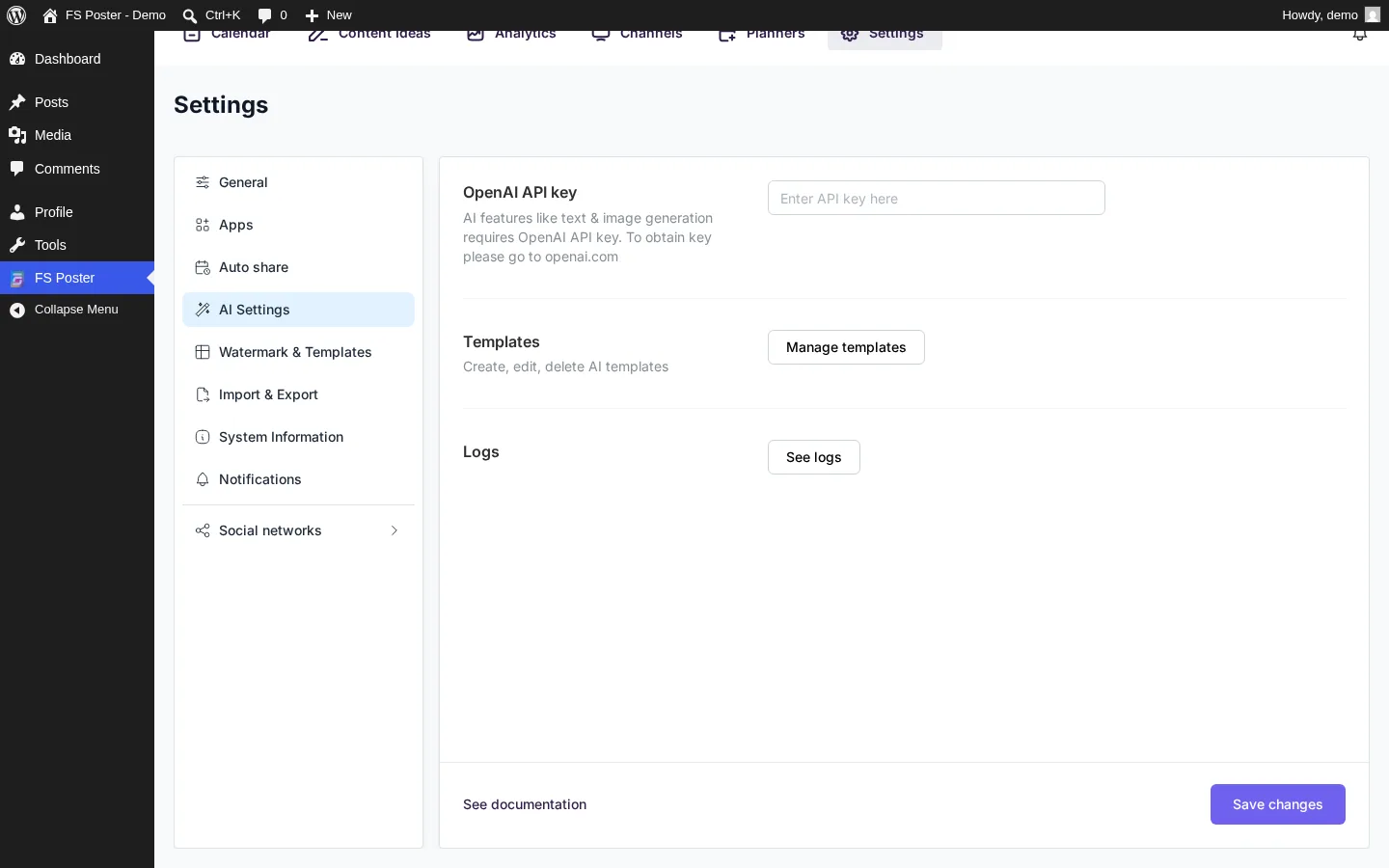
Caption fatigue is real. The fifth Facebook post about a small business's spring sale starts to sound like the first four. FS Poster's AI layer handles two specific jobs: generating a caption from the post title, excerpt, or selected text (with tone and character-limit controls), and generating supporting images directly inside the publishing flow when the original blog post does not have a social-friendly featured image. The full feature description is on the FS Poster AI integration page.
Use AI as a starting point, not a finished caption. A senior social manager reviewing thirty captions per week moves much faster polishing a generated draft than writing each one from scratch. Honest limits to set with clients: AI captions still need a human pass for brand voice and factual accuracy, AI images are not a substitute for original product or event photography, and for clients with a strict brand bible it is fine to keep AI off and use templated captions only.
When FS Poster can replace a SaaS scheduler, and when it cannot
FS Poster is strong at one job: publishing from WordPress to many networks, on a schedule, with WordPress-native data. That covers most of what agencies actually do. It does not cover everything.
FS Poster is usually enough when:
- All client content lives on WordPress or WooCommerce.
- The agency wants per-site licensing instead of per-seat pricing across many small clients. Site limits and tiers are listed on the FS Poster pricing page.
- The client needs broad network coverage and uses one or two niche destinations that big SaaS suites tend to ignore.
- Approvals are informal: the agency drafts, the client owner signs off, the post ships.
- The agency wants archived blog and product content to keep working on social without manual reposting.
A broader SaaS scheduler is still worth keeping when:
- The client has multiple non-WordPress sources of truth (Shopify, Webflow, Substack) and wants one publishing inbox for all of them.
- The agency runs a formal multi-step approval workflow with junior creators, senior reviewers, and external client stakeholders signing off inside the tool.
- The retainer includes paid social ad management, unified social inbox, brand listening, or competitive monitoring as core deliverables.
- The client team posts directly from mobile and the agency does not want to grant them WordPress admin access.
- There is a regulatory or enterprise requirement (financial services, healthcare) that mandates a compliance-grade scheduler.
The most popular agency mix is FS Poster on the WordPress side for content auto-posting and evergreen recycling, plus one shared SaaS suite for listening, inbox, and paid ads. The hybrid replaces several seat-based scheduler licenses on the publishing side while keeping the heavier SaaS for the work that genuinely needs it. If you are still choosing a plugin, our editorial comparison of the best WordPress social media auto-posting plugins is a useful sanity check before standardizing across an agency.
An operating model for agency teams
Automation only pays off when roles are clear. A practical FS Poster operating model assigns the strategist to decide which content deserves distribution and on which networks, the WordPress editor to own publish timing and on-page wording, the social manager to own caption templates, channel tone, and the Planner queue, and the account manager to handle client approvals, restricted topics, and escalation.
A short onboarding checklist keeps a new client predictable: page ownership and admin contacts, two-factor access, brand voice and restricted topics, preferred hashtags, UTM naming, image rules, and an escalation contact. Add a monthly review of publishing logs and top posts so the workflow stays accountable. Offboarding is the part most agencies forget. When a retainer ends, disconnect channels first, then remove the FS Poster license seat if the agency owns the site licensing. If the client keeps the WordPress install, hand off the license with a documented inventory of channels, templates, and Planner jobs.
For reporting, FS Poster keeps publishing logs and basic per-channel click tracking inside WordPress, so you can confirm what shipped and how the links performed. For deeper engagement analytics (impressions, reach, native reactions, audience growth), keep the agency's existing analytics SaaS or each network's native insights.
FAQ
Does FS Poster work on WordPress multisite for agency networks?
Yes. Each subsite owns its own connected accounts and rules, which is helpful when the agency runs a multisite hub for many small clients. Treat each subsite as its own FS Poster install for connections, channels, and Planner jobs, and keep network admin in charge of plugin updates and license management.
Can clients schedule their own posts?
Yes, through standard WordPress user roles. Give the client an editor or contributor seat and configure which channels they can publish to. Permissions stay tied to WordPress, so removing access is the same as removing any other user.
What happens when a social network changes its API?
API changes are continuous across Meta, X, LinkedIn, and TikTok. The FS Poster team ships updates to keep integrations current. Treat the plugin like any other production WordPress plugin: keep updates current and read release notes when you maintain client sites.
Does FS Poster handle multi-step approvals?
FS Poster does not include a native approval queue with multiple reviewers and audit trails. It relies on WordPress user roles, the draft and scheduled post states, and per-user channel permissions, which is enough for most informal agency review setups. For formal approval flows with full audit trails, pair FS Poster with a SaaS that specializes in that process.
Can I track which posts performed best?
FS Poster keeps publishing logs and basic per-channel click tracking inside the WordPress dashboard. For deeper engagement metrics, most agencies pair the plugin with a dedicated analytics SaaS or with each network's native insights.
Is there a free version?
FS Poster sells annual and lifetime licenses tied to sites. Agencies typically choose a developer or lifetime license that covers a fleet of client sites rather than buying separate single-site licenses. The pricing page linked earlier lists current site limits.
Should I keep my SaaS scheduler after moving to FS Poster?
Audit which jobs the SaaS actually does. If only publishing and scheduling are in use, FS Poster usually replaces it. If the SaaS handles inbox, listening, paid ads, or formal approvals, keep it for those jobs and use FS Poster to clean up the WordPress side.
Bringing it together
The point of moving social publishing into WordPress is not to throw away every SaaS tool. It is to stop paying outside vendors to do the easy job, the one where the CMS already has everything they need, and to free the agency's time and budget for the work that actually requires a richer suite. For most WordPress-heavy agencies, a clean FS Poster setup per client takes care of seventy to ninety percent of the publishing load and removes most of the daily manual posting. The remaining work, the strategy, the brand voice, the analytics, and the client relationships, stays exactly where it belongs: with the team and the clients.
Write once. Post to 26 networks.
- 26 social networks
- Schedule & auto-repost
- Runs inside wp-admin


![How to Auto-Post to Mastodon from WordPress [A Complete Guide]](https://www.fs-poster.com/storage/posts/83e622bb699b20994dfde5d690dd9722-1778158792.webp?v=1778158792)

