
En
You probably ask an AI assistant to help write your posts already. With FS Poster, the same assistant can schedule them too.
Tell it what to share, where and when, in plain words. FS Poster creates the post on those channels, and it shows up in your calendar like any other post.
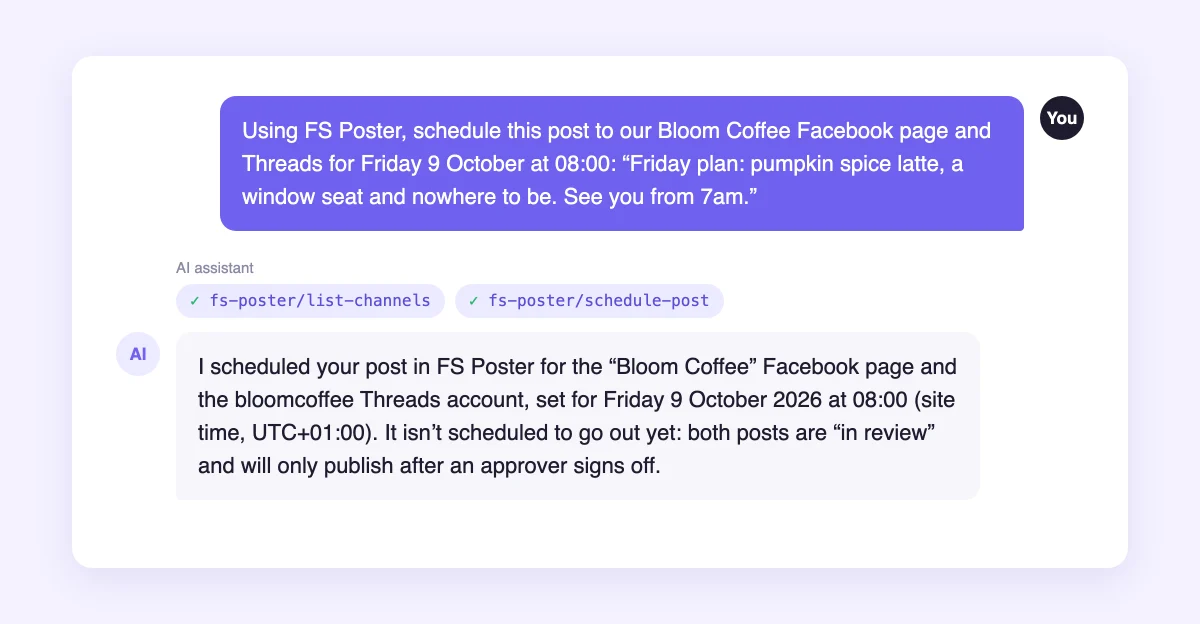
The example above is a real exchange. The assistant found the channels, scheduled the post for Friday at 08:00, and noticed that the post is waiting for approval.
Requests that work well: "What failed this week, and why?", "Move tomorrow's posts to Friday at 9:00" or "Retry the posts that failed yesterday".
FS Poster registers its actions with the WordPress Abilities API, part of WordPress since version 6.9. The official MCP Adapter plugin from the WordPress project then makes them available over MCP, the Model Context Protocol. MCP is the common way AI apps connect to outside tools. Claude, Cursor, VS Code and many others support it.
No extra FS Poster service sits in the middle. The assistant talks to your own WordPress site.
The assistant signs in as a WordPress user with an application password. It sees only the channels that user can use, and it follows the same permissions and plan limits as the FS Poster dashboard. To cut its access, delete the application password.
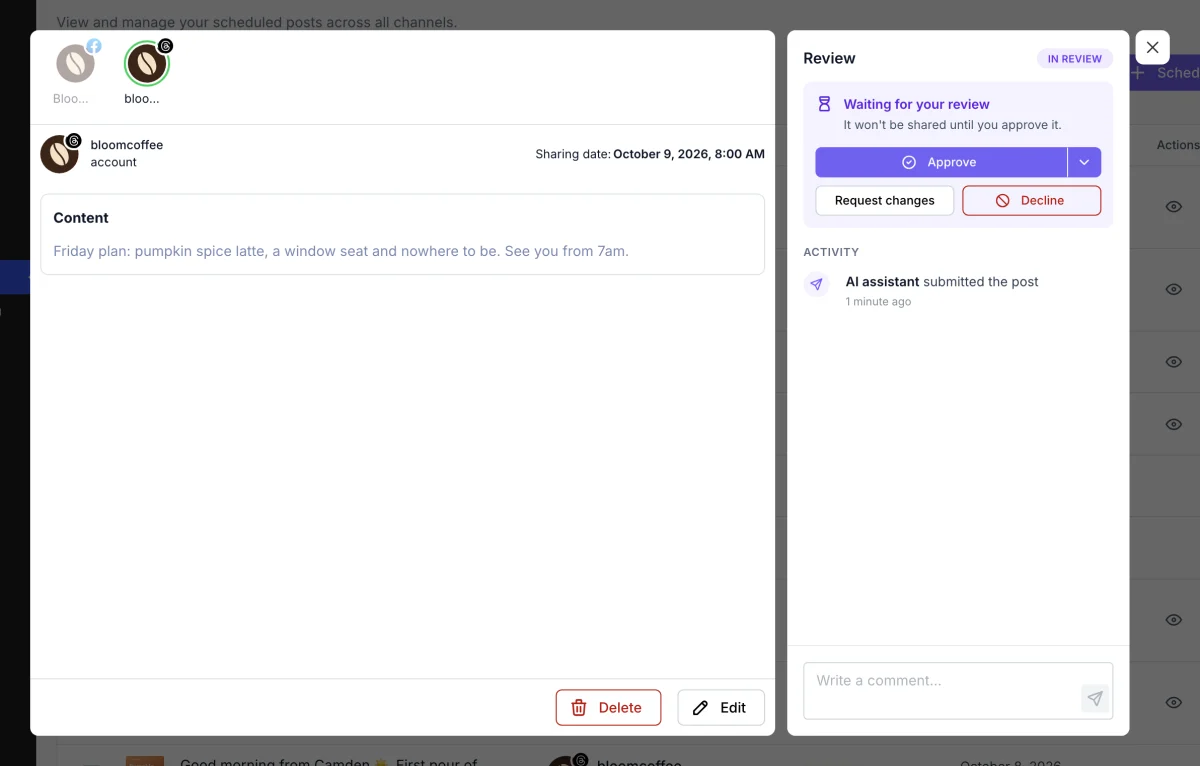
For an extra safety net, combine it with Content Approval. Give the assistant its own user with a role that needs approval. Every post it schedules then waits in review until a person approves it.
Settings > AI assistants (MCP) checks these for you and shows the address your AI app connects to.
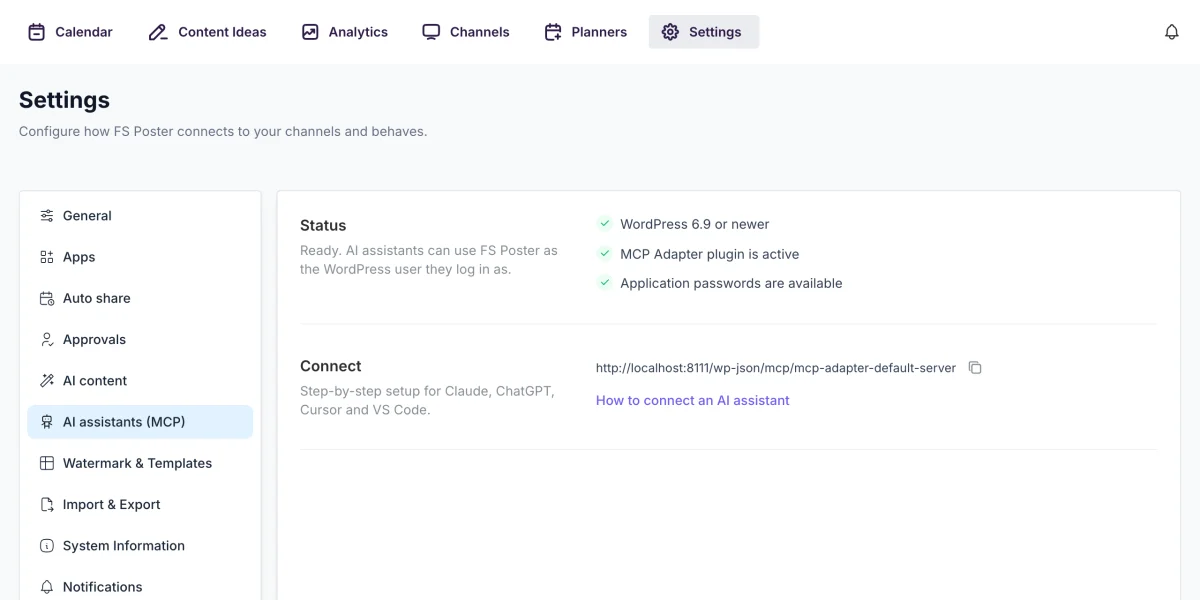
AI assistants are included in the Plus plan and above. The setup guide shows how to connect each app.
Automatically share new WordPress posts to your connected social media accounts with FS Poster.
You will be able to create Schedules which allow you to share your blog posts within the determined interval and selected filters.
You will be able to share or schedule custom contents, images, links without creating any WordPress post.

By using this site, you agree to our Cookie Policy


