
En
When several people write your social posts, someone usually checks them before they go out. Without a review step, a wrong price, a typo in a product name or a discount nobody agreed on can land on five networks at once.
With Content Approval, posts from the roles you choose wait for a review. An approver reads the post, talks it through with the author in the same window and makes the call. Nothing is shared until it is approved.
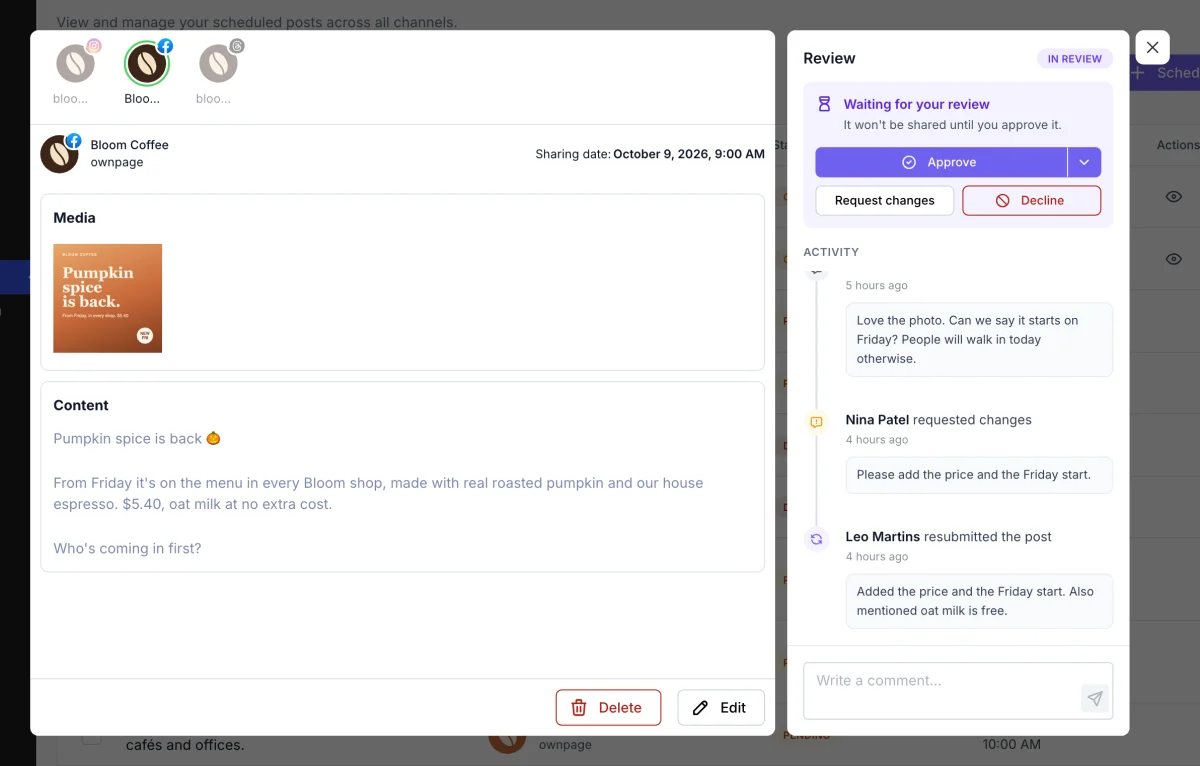
Approve sends the post on its way. Request changes sends it back to the author with a note, such as "Please add the price and the Friday start." The author edits the post and resubmits it with one click.
Decline is for posts that should never go out. A declined post can't be edited, resubmitted or approved. It stays in the list with its history, so the team can see why it was stopped.
Every post under review has an activity timeline. It shows who submitted it, every comment, each request for changes and the final decision. Anyone who can see the post can comment, so feedback doesn't get lost in chat apps or long email threads.
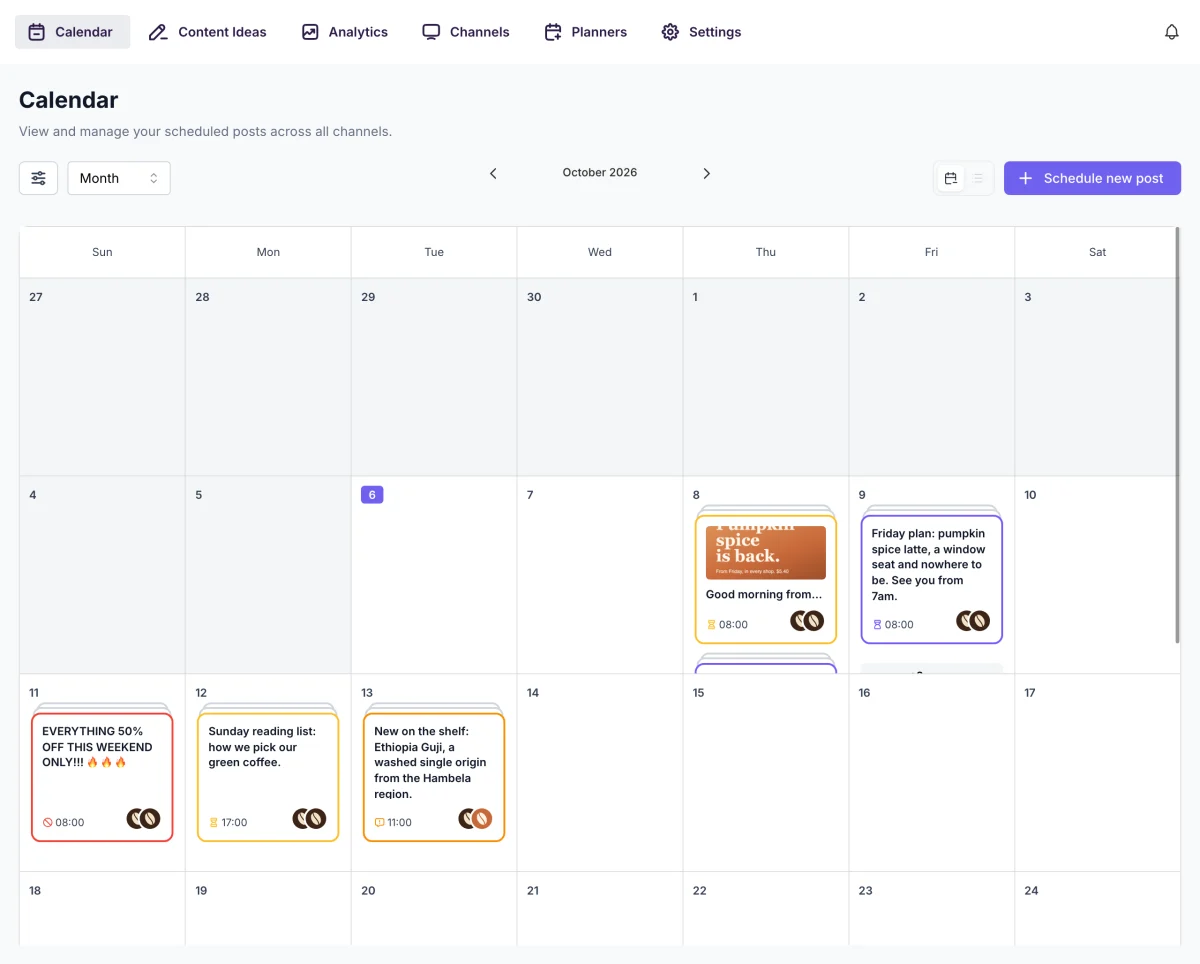
Posts in review are purple, posts with changes requested are orange and declined posts are red, in both the calendar and the list. One look tells you what is waiting for you and what is waiting for the author.
FS Poster can tell approvers when a post is waiting and tell authors when it has been decided. Settings > Approvals creates the default notifications in one click. You can change them later in Settings > Notifications, add your own text or send them to Telegram.
Posts scheduled through AI assistants (MCP) follow the same rules. Connect the assistant as a user whose role needs approval, and every post it writes waits for a person to approve it.
The Content Approval documentation walks through the setup step by step.
Automatically share new WordPress posts to your connected social media accounts with FS Poster.
You will be able to create Schedules which allow you to share your blog posts within the determined interval and selected filters.
You will be able to share or schedule custom contents, images, links without creating any WordPress post.

By using this site, you agree to our Cookie Policy


