
Scheduling posts one by one is fine for a single announcement. For a product launch, a content calendar or a backlog of blog posts, you need to plan many at once.
FS Poster gives you two ways to do it: a bulk action for posts that already exist in WordPress, and a CSV import for posts you plan in a spreadsheet.
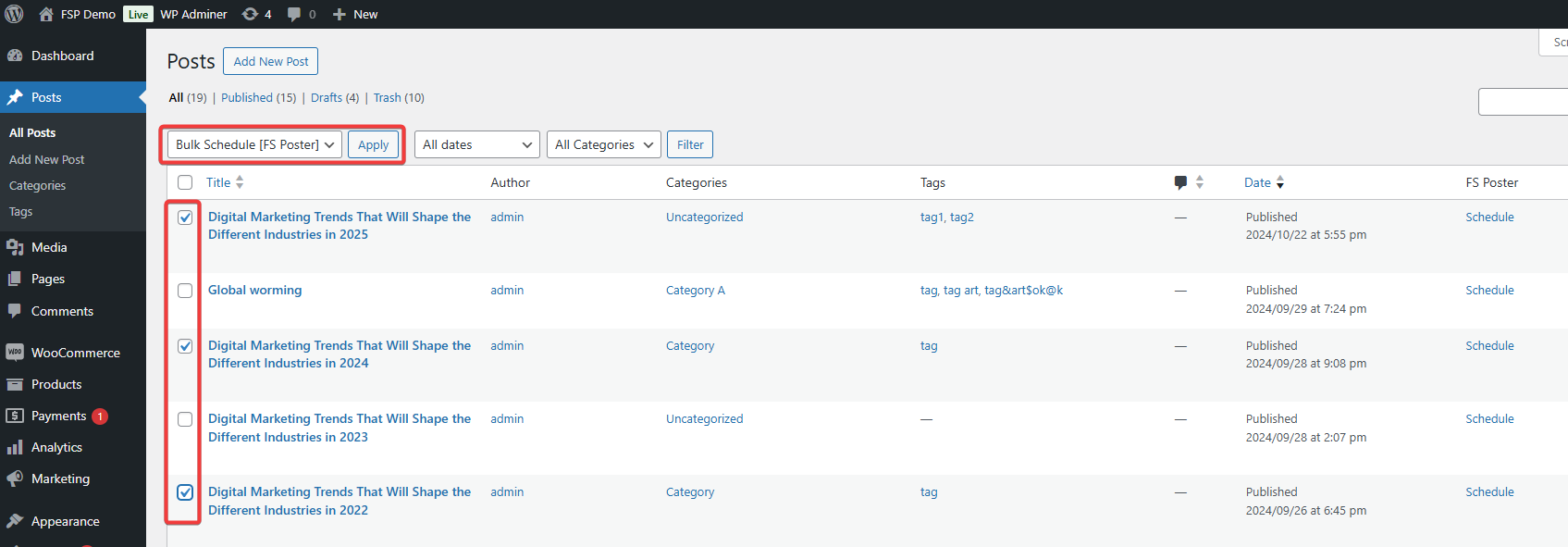
Go to Posts, or Products, Media or any other post type, tick the posts, choose FS Poster in the Bulk actions menu and click Apply. A planner opens with those posts selected, so you can share them to your channels at an interval or on set days.
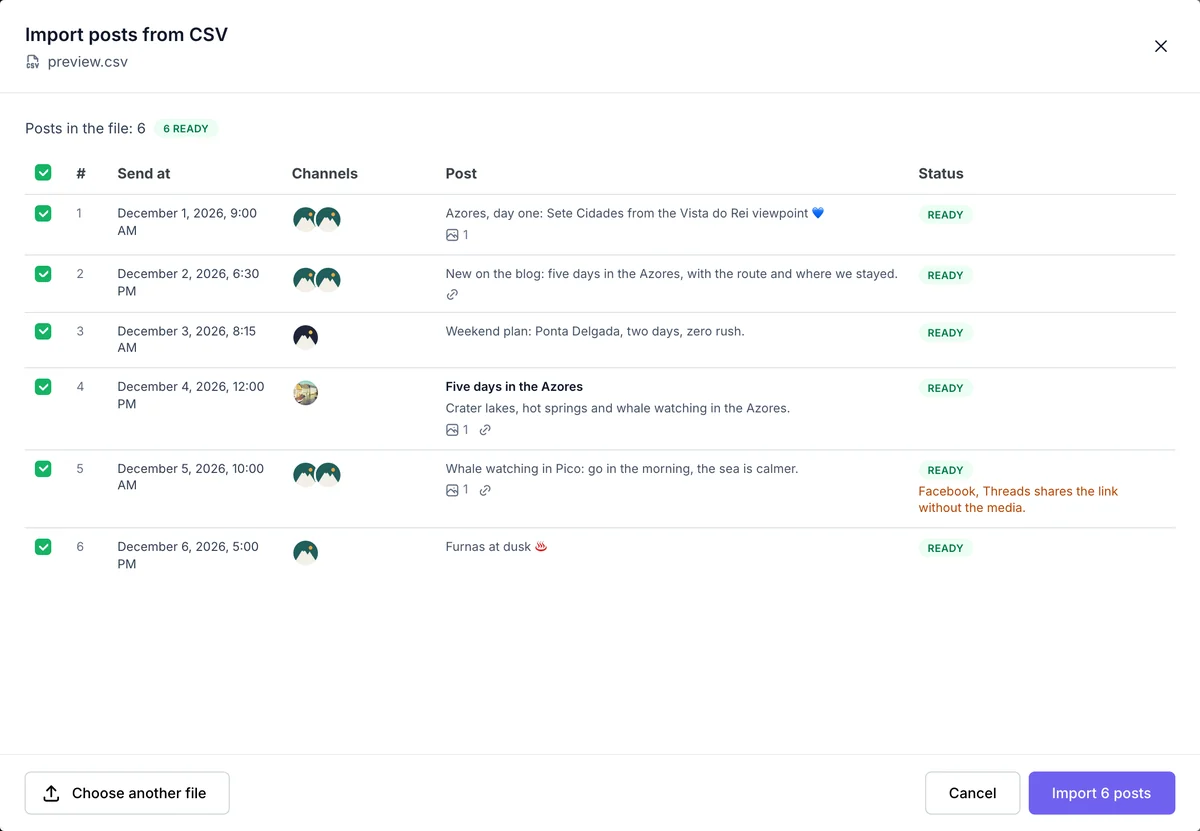
Plan your posts in Excel, Google Sheets or Numbers, one post per row, and import the file from Calendar > Import CSV. Up to 100 posts go in at once.
Before anything is created, FS Poster checks every row and shows a preview. A date in the past, an unknown channel, a missing image or a broken link is flagged, and only the rows you tick are imported. A sample file with your own channel IDs is one click away.
The CSV import documentation lists every column and error. Comparing tools? See our roundup of the best social media scheduling tools.
Yes. Go to Calendar > Import CSV, pick the file, check the preview and import up to 100 posts at once.
Up to 100 posts per file. For more, split them into several files.
The import window lists your channels with their IDs and a copy button, and the sample CSV already contains them.
YYYY-MM-DD HH:MM in your site's time zone, for example 2026-11-05 09:30.
Yes. Put the media library attachment IDs in the media column. Images and videos can't be mixed in one row.
Automatically share new WordPress posts to your connected social media accounts with FS Poster.
You will be able to create Schedules which allow you to share your blog posts within the determined interval and selected filters.
You will be able to share or schedule custom contents, images, links without creating any WordPress post.

By using this site, you agree to our Cookie Policy


