
Calendar > Import CSV schedules up to 100 posts from one CSV file, one post per row. Each row becomes a post in the calendar, the same as a post written in the composer, so you can edit, reschedule or delete it later.
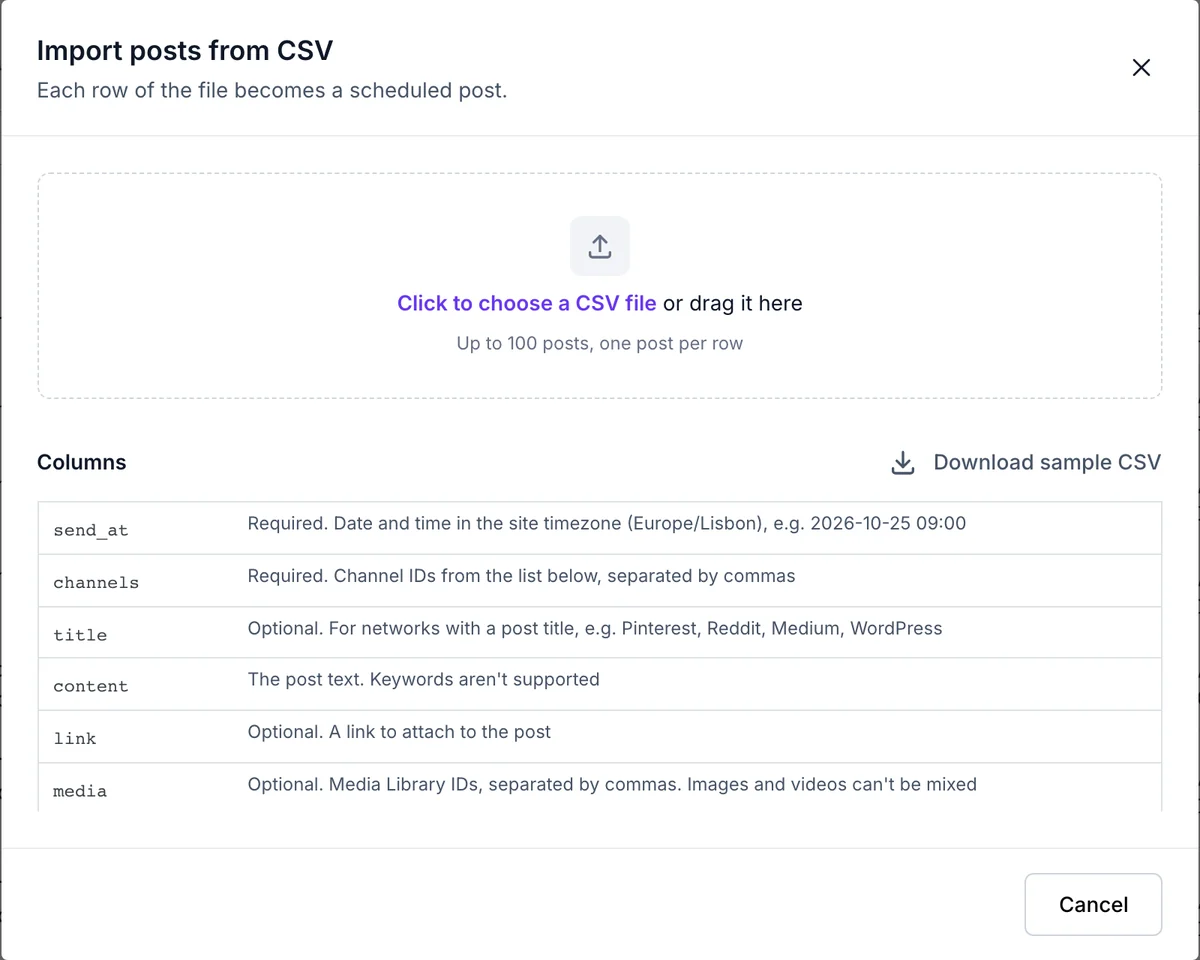
Columns are matched by their header name, so their order doesn't matter. Only send_at and channels are required.
| Column | What to put in it |
|---|---|
| send_at | The date and time in your site's time zone, as YYYY-MM-DD HH:MM, for example 2026-11-05 09:30. |
| channels | One or more channel IDs. The import window lists your channels with their IDs and a copy button. |
| title | The post title, for networks that have one, such as Pinterest, Reddit, Medium and WordPress. |
| content | The post text. Keywords such as {post_title} aren't supported in a CSV file. |
| link | A link to share with the post, starting with https:/ |
| media | Media library attachment IDs. Open an item in Media, and the number after item= in the address is its ID. Images and videos can't be mixed in one row. |
| first_comment | A first comment, for networks that support it. |
Separate several IDs in one cell with commas, spaces, semicolons or |. Each row needs content or media. Comma, semicolon and tab separated files all work, in UTF-8 or in Excel's own encoding.
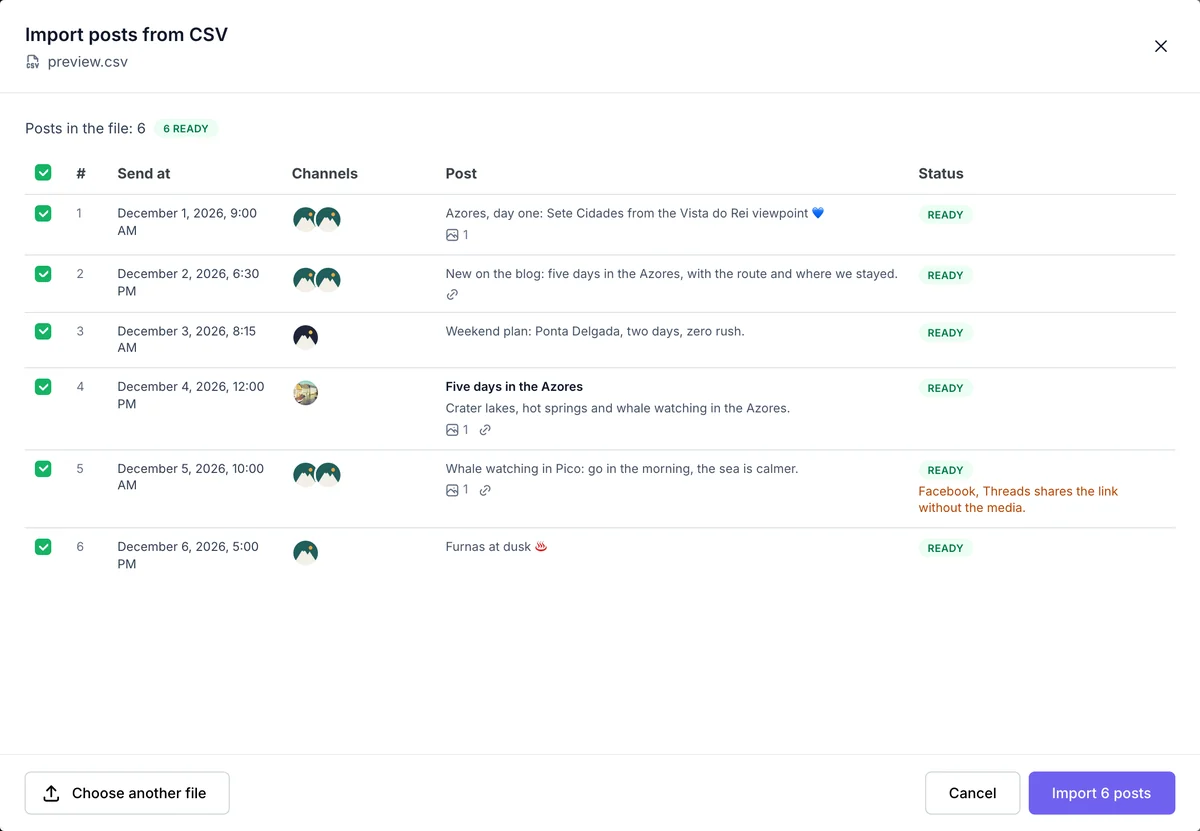
After you pick the file, FS Poster checks every row and shows a preview before anything is created.
A row with an error can't be selected. Typical errors are a date in the past or in the wrong format, a channel ID that doesn't exist or that you can't access, a media ID that isn't an image or a video, and a link that isn't valid.
Warnings don't block a row. A disconnected channel is imported, but reconnect it before the post is due. Facebook and Xing share a post with a link without its media.

By using this site, you agree to our Cookie Policy


