
En
Automatically personalize your images and videos with dynamic watermarks, branded overlays, and reusable text templates before publishing to social media.
With FS Poster’s Watermark & Templates feature, you can create automation rules that apply custom branding elements to your media content based on filters like media type and social network. This helps maintain brand consistency, improve content recognition, and save time when managing large-scale social media campaigns.
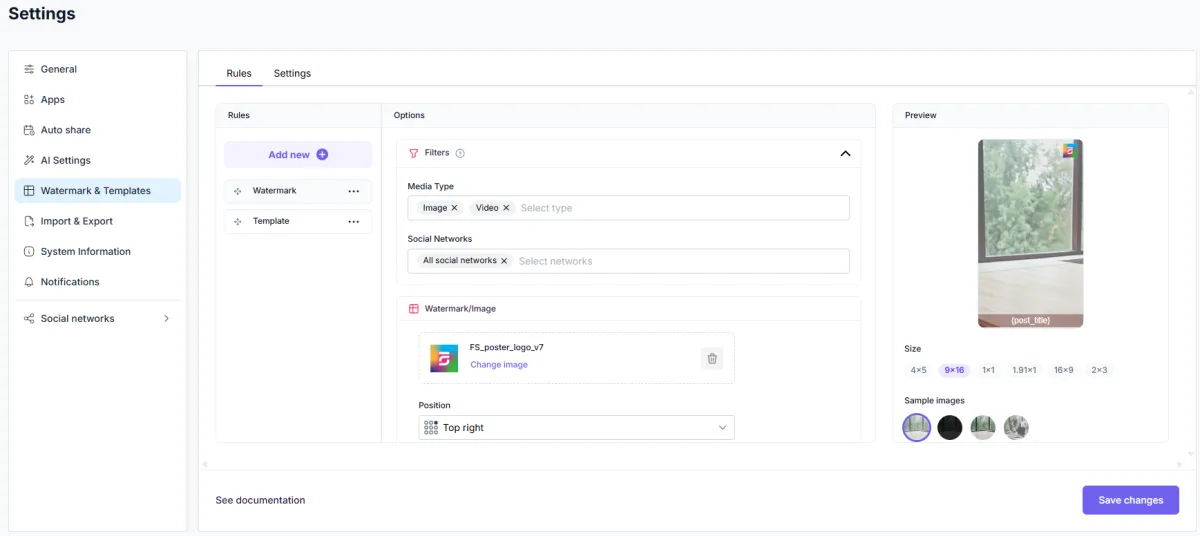
Protect and brand your media content by automatically applying custom watermarks before publishing.
You can upload your own logo, watermark image, or branded overlay and configure:
Supported positions allow you to place watermarks in different areas of the media, such as top-right, center, bottom-left, and more.
The feature works for both image and video posts, making it ideal for creators, agencies, publishers, and brands managing high volumes of content.
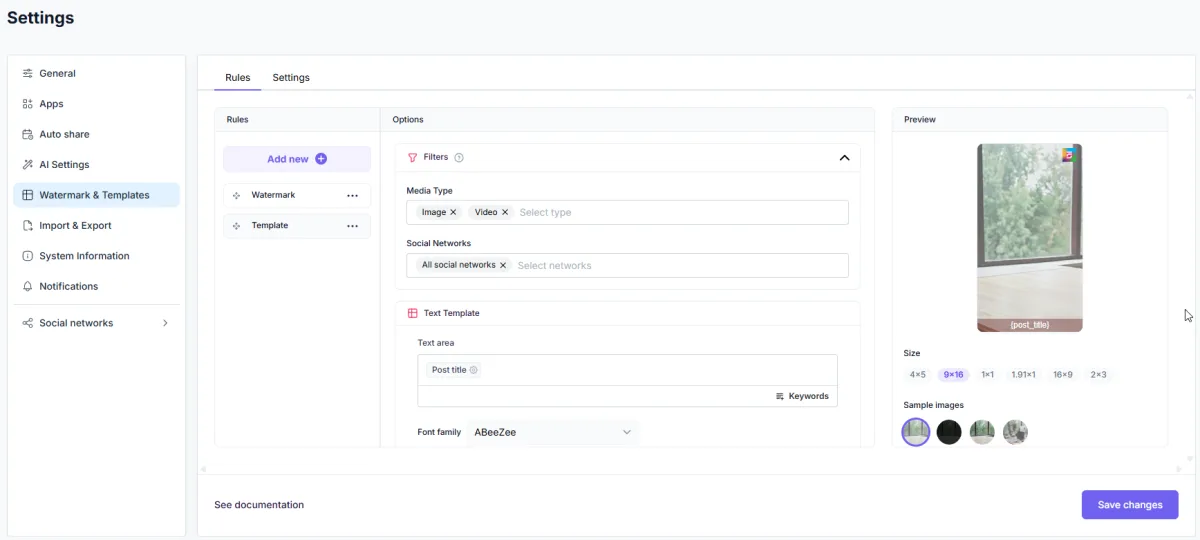
Generate reusable text overlays using dynamic placeholders and customizable typography.
Text Templates allow you to automatically display information such as:
You can customize:
Dynamic placeholders automatically pull content from the scheduled post, allowing each watermark to adapt to the content being published.
Example:
{post_title}{social_network}{author_name}Create multiple watermark and text template rules and apply them only when specific conditions are met.
Available filters include:
This allows you to use different branding styles for different platforms.
Examples:
Preview how your watermark or text template will look before publishing.
The built-in live preview system helps you instantly test:
Supported preview ratios include:
This helps ensure your branding looks professional across all social media platforms.

By using this site, you agree to our Cookie Policy


