
En
The Content Ideas feature allows you to create, save, edit, duplicate, schedule, and publish social media content directly from FS Poster without creating a WordPress post.
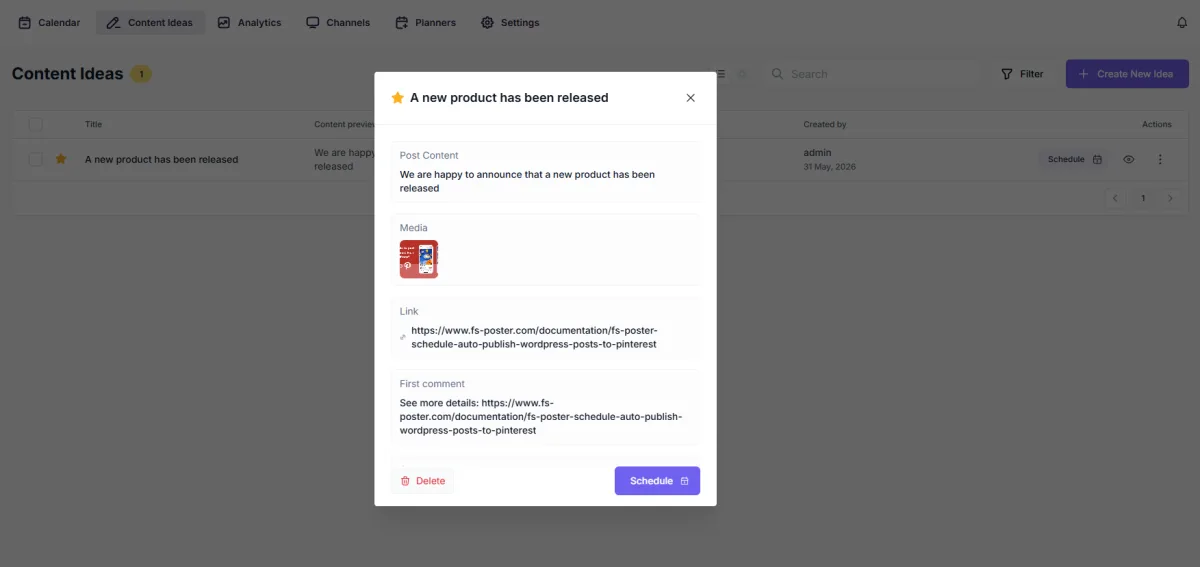
This feature is useful when you want to share announcements, promotions, company updates, events, or other social media content that does not need to be published on your website.
A new content idea form will open.
Enter the main text of your social media post.
Optionally upload or select:
The selected media will be attached to your social media post when published.
Add a URL if you want to direct users to a website, landing page, blog article, product page, or any external resource.
Optionally add a first comment that will be published together with the post on supported social networks.
This can be useful for:
After entering the desired information, save the content idea.
Saved ideas remain available in the Content Ideas list and can be reused at any time.
To modify a content idea:
If you want to reuse an existing idea:
This helps create variations of existing campaigns without starting from scratch.
To publish the content later:
FS Poster will automatically publish the content at the selected time.
To share the content right away:
The content will be sent to the selected social networks.

By using this site, you agree to our Cookie Policy


