
Empty feeds are scarier than ghosts Halloween Sale Up to 50% off
00days
:
00hrs
:
00min
:
00sec
Grab the treat

Channel limits

Each channel can have a daily and a weekly limit on the number of posts FS Poster shares to it. Use it to keep a busy site from flooding a Page or a group, or to stay within a network's own limits.
Setting a limit

  1. Go to FS Poster > Channels.
  2. Click the gear icon (Custom settings) next to the channel.
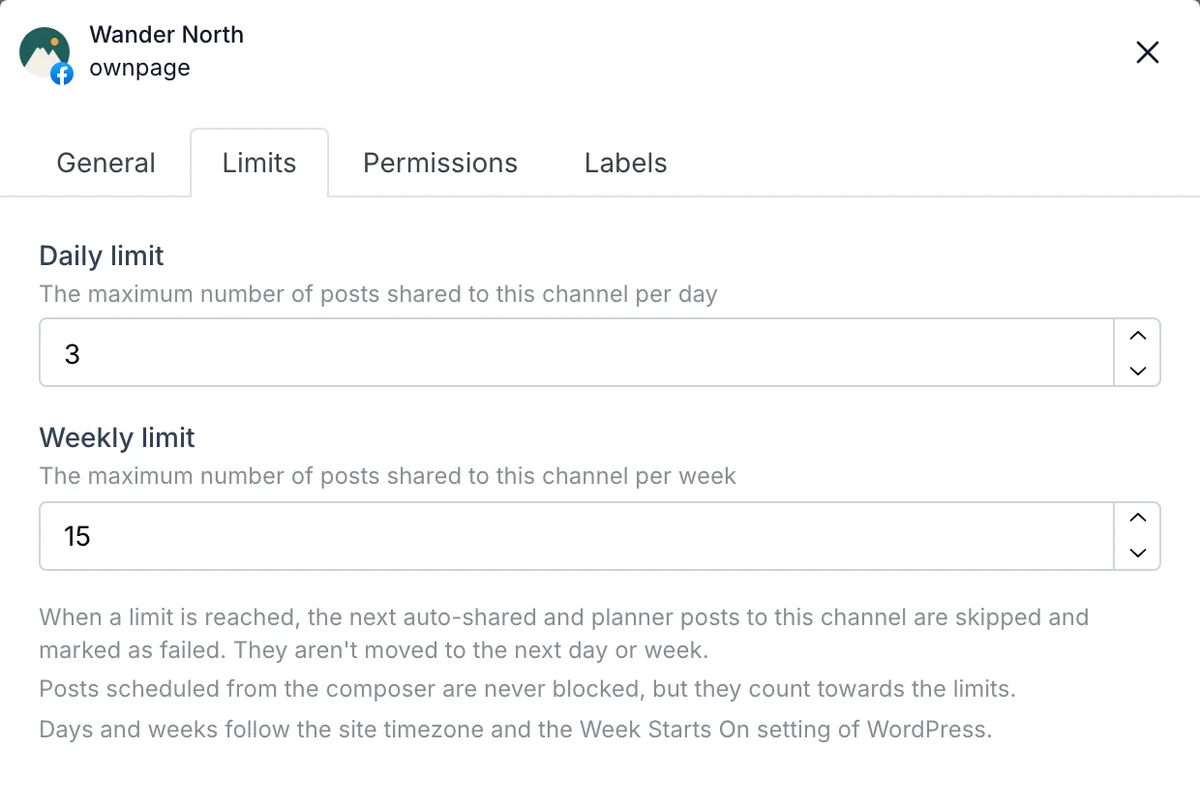
  3. Open the Limits tab.
  4. Enter a Daily limit, a Weekly limit or both. Leave a field empty for no limit.
  5. Click Save.
The Limits tab of a channel's custom settings in FS Poster

What happens when a limit is reached

Right before each share, FS Poster counts the posts shared to the channel successfully since the start of the day or the week. When the limit is reached:

  • Auto-shared WordPress posts and planner posts for that channel are skipped. They show as failed with Channel daily limit reached or Channel weekly limit reached and aren't moved to the next day.
  • A planner keeps running and keeps sharing to its other channels.
  • Posts you schedule yourself, from the calendar, Content Ideas or a CSV file, are always shared, but they count towards the limit.

To share a skipped post anyway, raise or clear the limit and reschedule the post from the calendar.

When a day and a week start

Days follow your site's time zone. Weeks start on the day set in WordPress > Settings > General > Week Starts On.

Failed posts don't count, and neither do posts shared before the current day or week.

Get FS Poster