
En
Short vertical video reaches more people than almost anything else on Facebook and Instagram. If your videos already live in the WordPress media library, you shouldn't have to download them and upload them again in each app.
FS Poster shares your WordPress videos as Reels on Instagram and on Facebook Pages. Schedule them from the calendar, share a video library with a planner, or let auto-share post them when you publish.
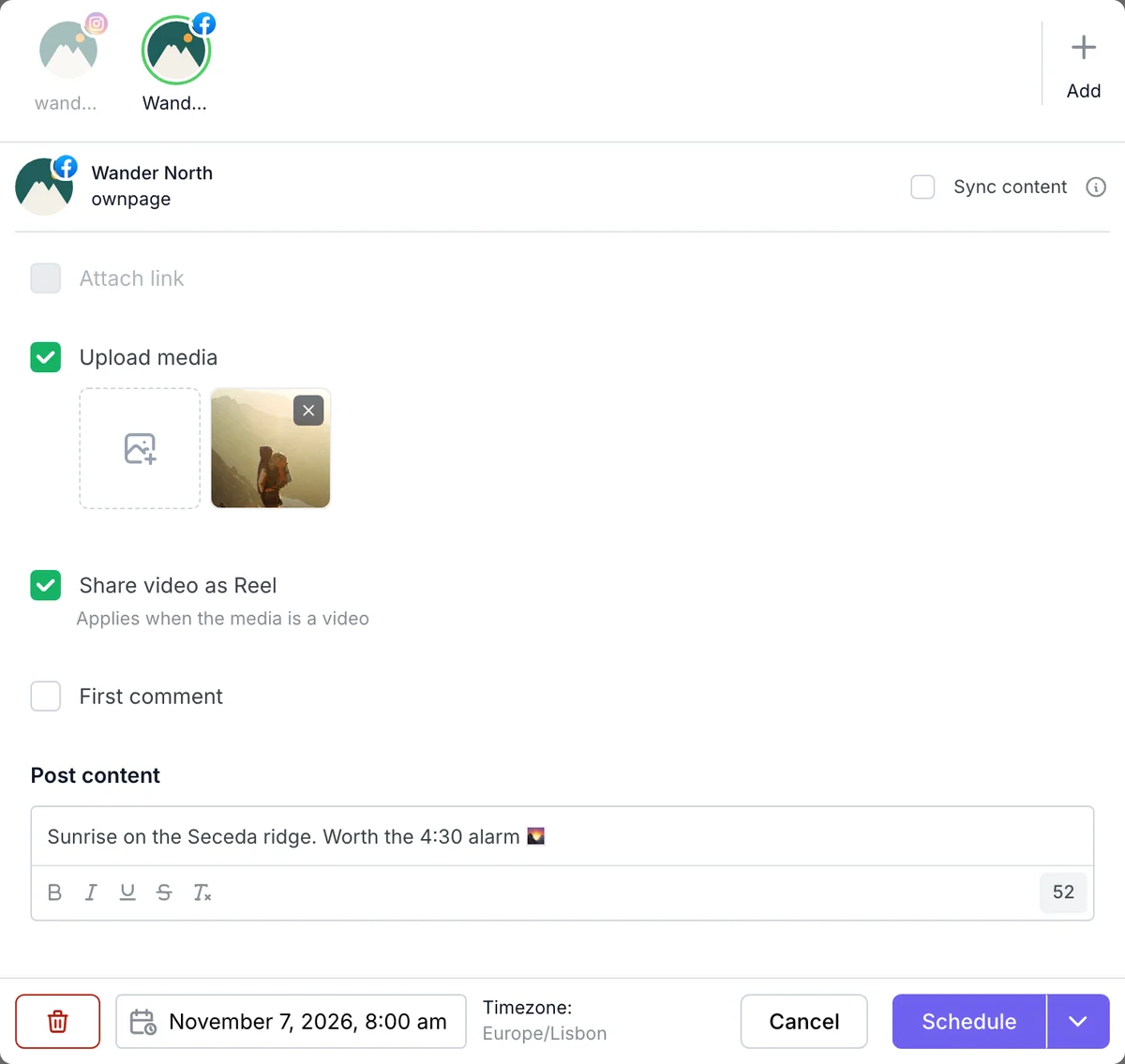
Every video you share to Instagram goes out as a Reel, with any of the connection methods. Add a video to a post, pick your Instagram channels and set the time. A first comment can go out with it.
Instagram is strict about video formats. FS Poster can prepare each video on your server with FFmpeg, so a phone video or a screen recording isn't rejected.
Turn on Share videos as Reels in Settings > Social Networks > Facebook, and the videos you share to your Facebook Pages are published as Reels instead of regular videos. You can also decide post by post: the composer has a Share video as Reel checkbox.
Facebook Reels work on Pages added with the app method, the FS Poster Standard App or your own app. A post goes out as a Reel when it has a video and no link. A post with images or a link is shared as usual.
The Facebook and Instagram documentation covers the settings step by step.
Yes. Every video shared to Instagram is published as a Reel, from the calendar, a planner, auto-share or a CSV import.
No. Facebook publishes Reels through its API for Pages only. Videos shared to groups and profiles go out as regular videos.
Yes. The Share videos as Reels setting is the default, and the Share video as Reel checkbox in the composer changes it for one post.
Yes. Add your Instagram account and your Facebook Page to the same post and it goes out to both.
For Instagram, FS Poster uses FFmpeg to convert videos to Instagram's format. If your videos already meet Instagram's rules, you can turn video rendering off.
Automatically share new WordPress posts to your connected social media accounts with FS Poster.
You will be able to create Schedules which allow you to share your blog posts within the determined interval and selected filters.
You will be able to share or schedule custom contents, images, links without creating any WordPress post.

By using this site, you agree to our Cookie Policy


