


FS Poster 8.4.0 adds roundup planners and two new share types, Monthly and Annually. Update from the WordPress Plugins screen.
Roundup planners
A roundup is a planner that shares several posts as one post. On every run, it picks posts by the rule you set, lists them with an item template and shares the result to its channels.
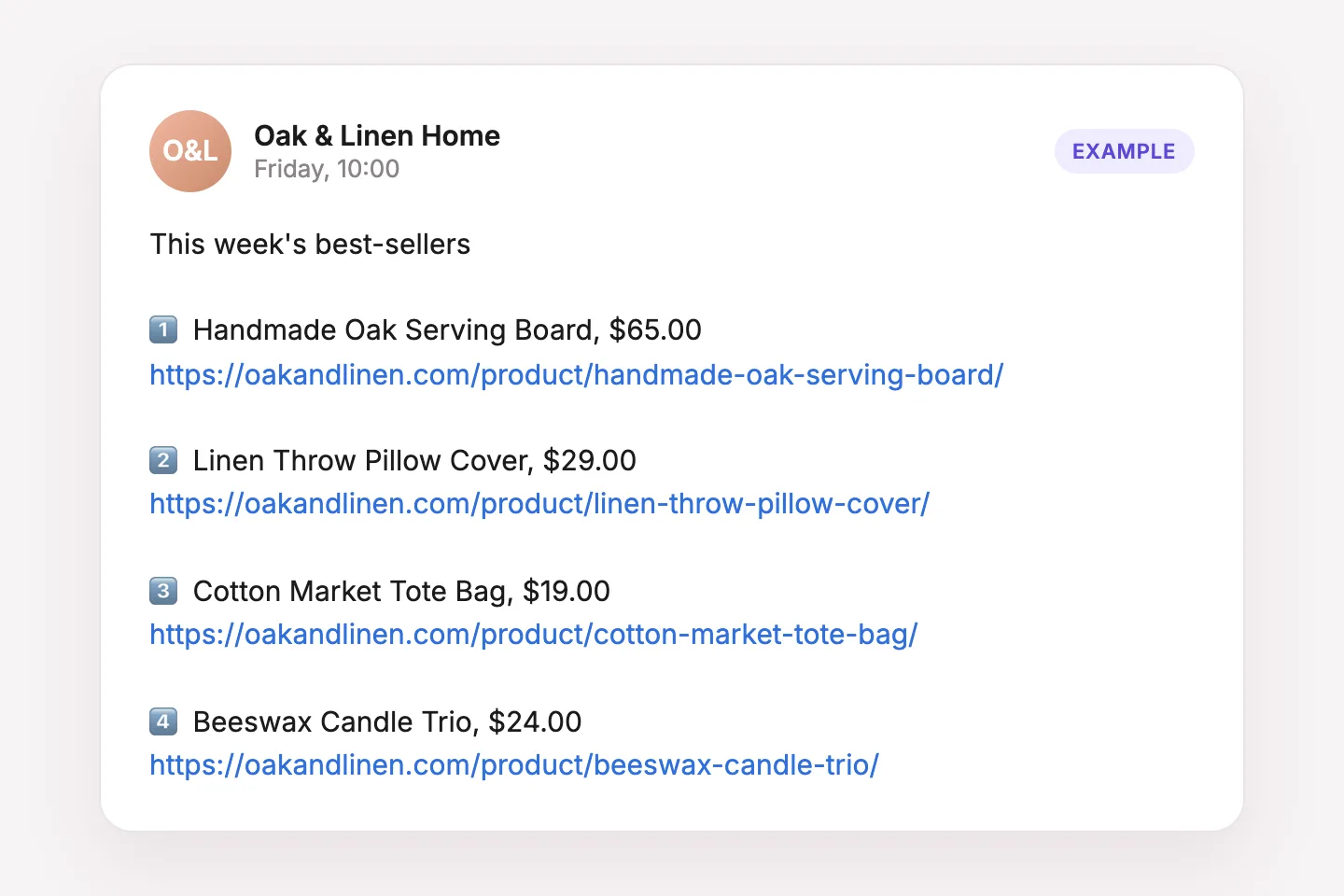
Create one in Planners > New Planner > Roundup. The steps are Filter, Share type, Source and Summary. Roundups are available on the Plus, Developer and Lifetime plans.
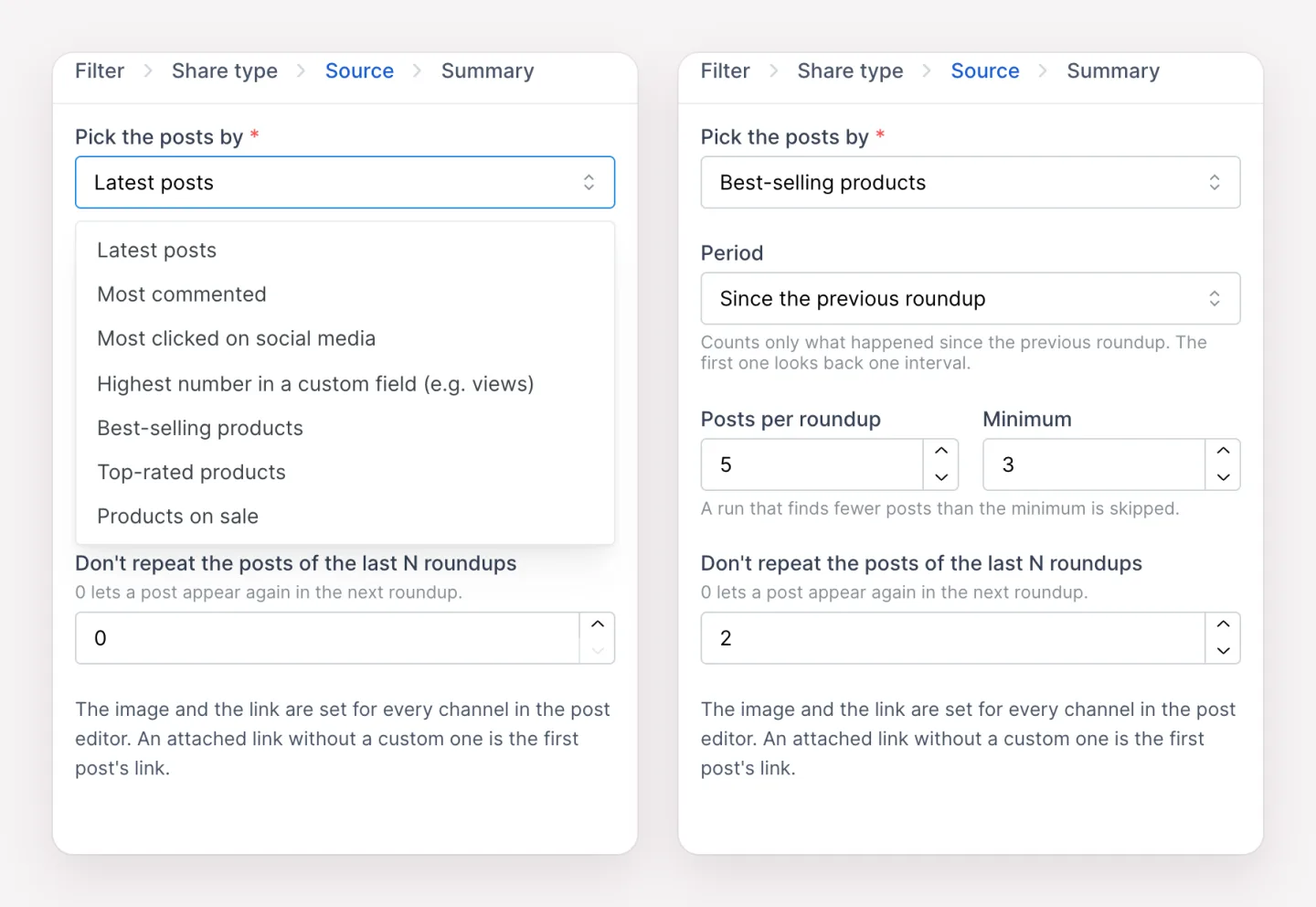
Source
- Latest posts: the newest posts published in the period.
- Most commented: approved comments written in the period.
- Most clicked on social media: clicks on the links FS Poster shared in the period.
- Highest number in a custom field: a numeric custom field, for example a view counter.
- Best-selling, Top-rated and Products on sale: WooCommerce sources, offered when the post type is Products. Best-selling uses WooCommerce Analytics data.
Period is Since the previous roundup (default) or All time. The first run looks back one interval of the share type. Posts per roundup is 1 to 20. A run that finds fewer posts than Minimum is skipped. Don't repeat the posts of the last N roundups leaves out recently picked posts.
Post content
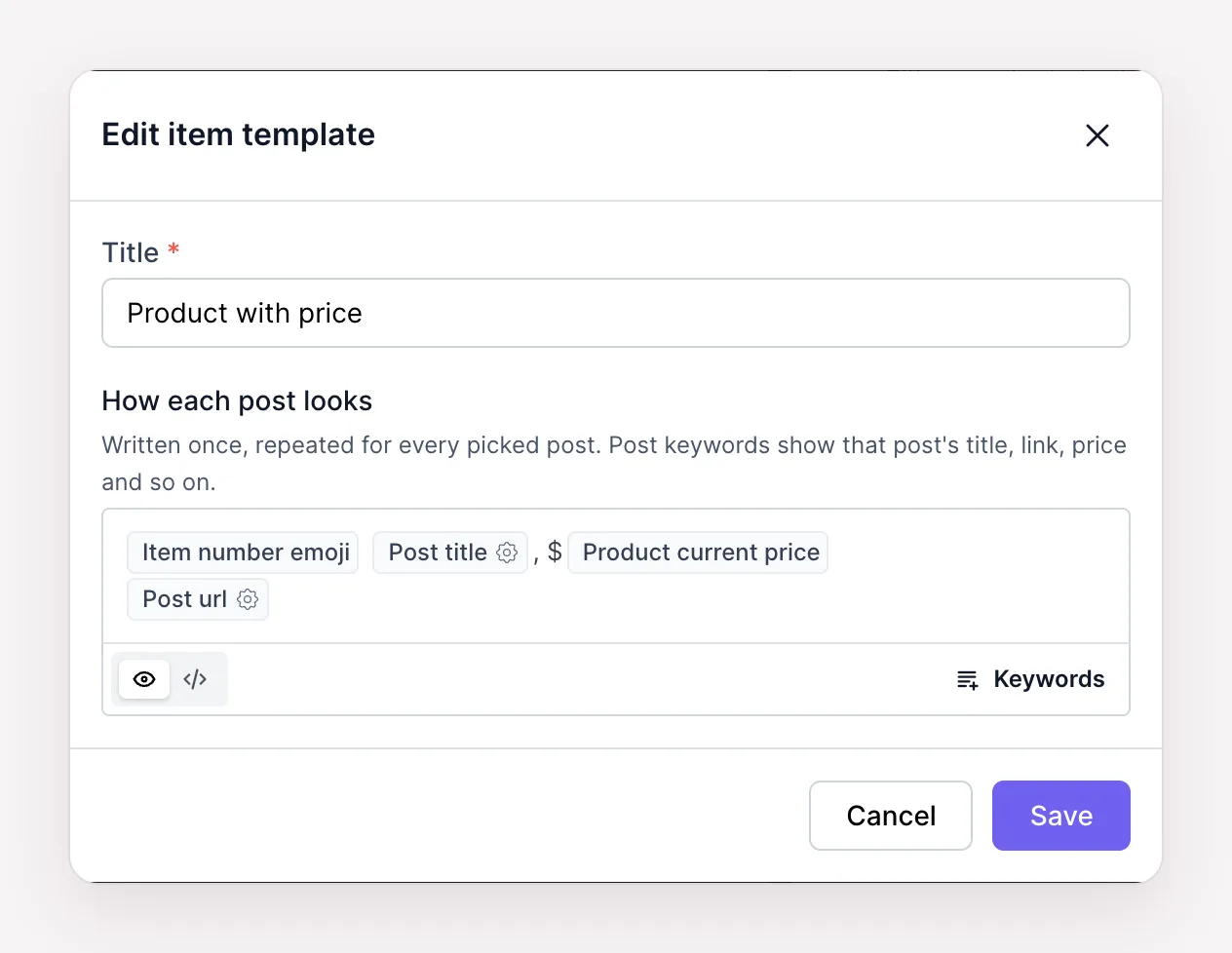
The post is written per channel with roundup keywords: Roundup title, Roundup posts, Roundup post count, Roundup period start and Roundup period end.
Roundup posts lists the picked posts with an item template. A template is a reusable snippet that takes any post keyword, plus Item number and Item number emoji. The keyword's options set the separator between posts and how many posts to skip or show.
Images and the link are set per channel. A roundup can share the featured image of the first post or the featured images of all the posts. The link is the first post's link unless a custom link is set.
History
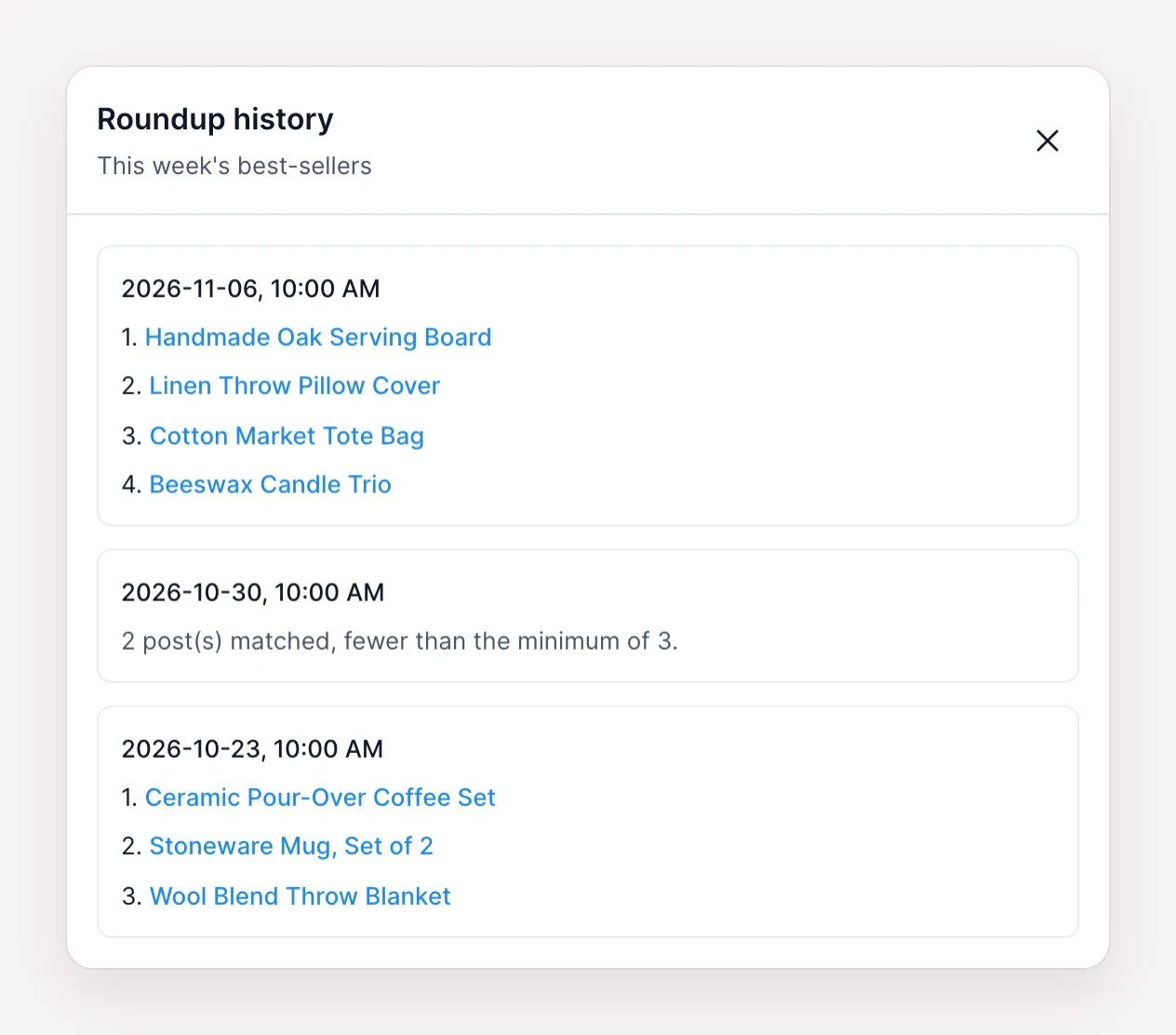
Each roundup has a History: the time of every run and the posts it picked, or the reason it was skipped. The shared posts appear in the Calendar and in Logs like any other post.
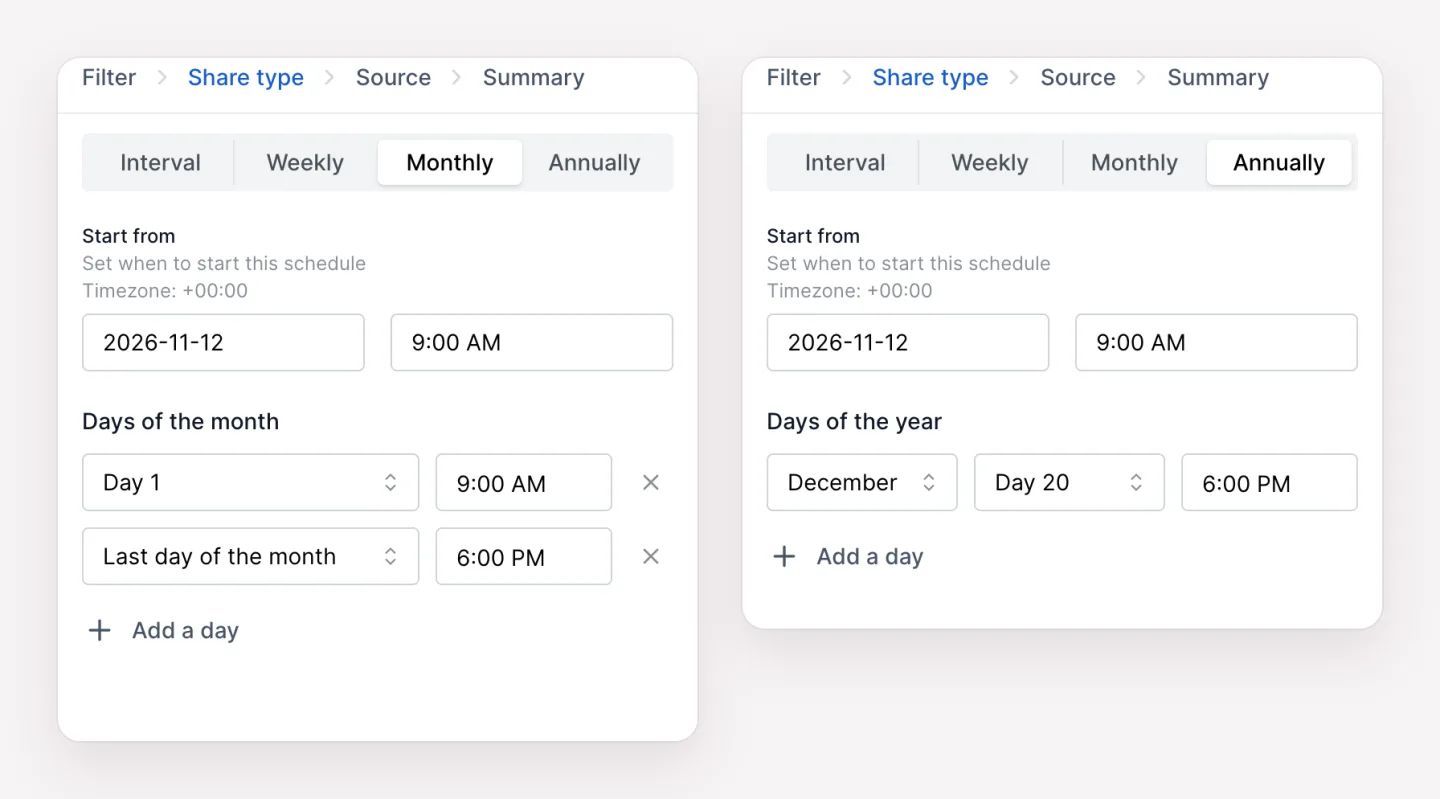
Monthly and Annually share types
Every planner, roundups included, can now run on days of the month or on dates of the year, each with its own time. Days are 1 to 28 or Last day of the month.
Fixes
- Composer: in Firefox, text can be typed again after a keyword at the end of a line.
- Weekly planners: a later Sunday time runs on the same Sunday. Before, the second Sunday time was skipped.
- Facebook: the first comment editor fits the planner window.
- Channels: "Manage labels" opens above the channel settings.
- CSV import: the warning uses the right verb for several networks.
Documentation
Roundups and Planner describe every option. Questions go to [email protected].
Write once. Post to 26 networks.
- 26 social networks
- Schedule & auto-repost
- Runs inside wp-admin


