
En
Some of the best social posts aren't about one article. They're lists: the five articles people missed this week, the products that sold best this month, the deals that end on Sunday. Followers like them because they get several good things in one post. They're also the posts nobody has time to put together by hand every week.
A roundup builds that post for you. On the schedule you set, it picks the posts that match your rules, writes one post that lists them and shares it to the channels you chose.
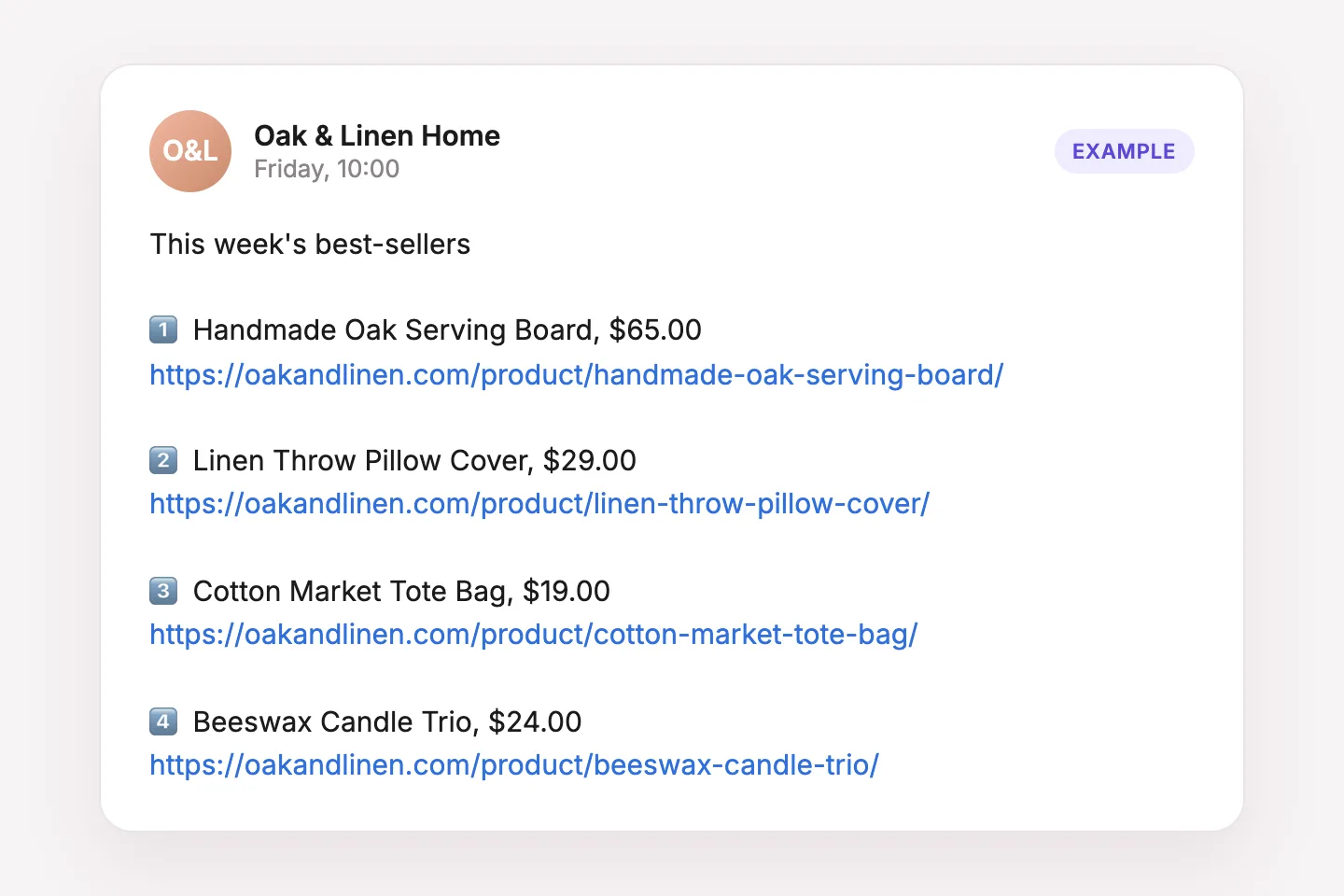
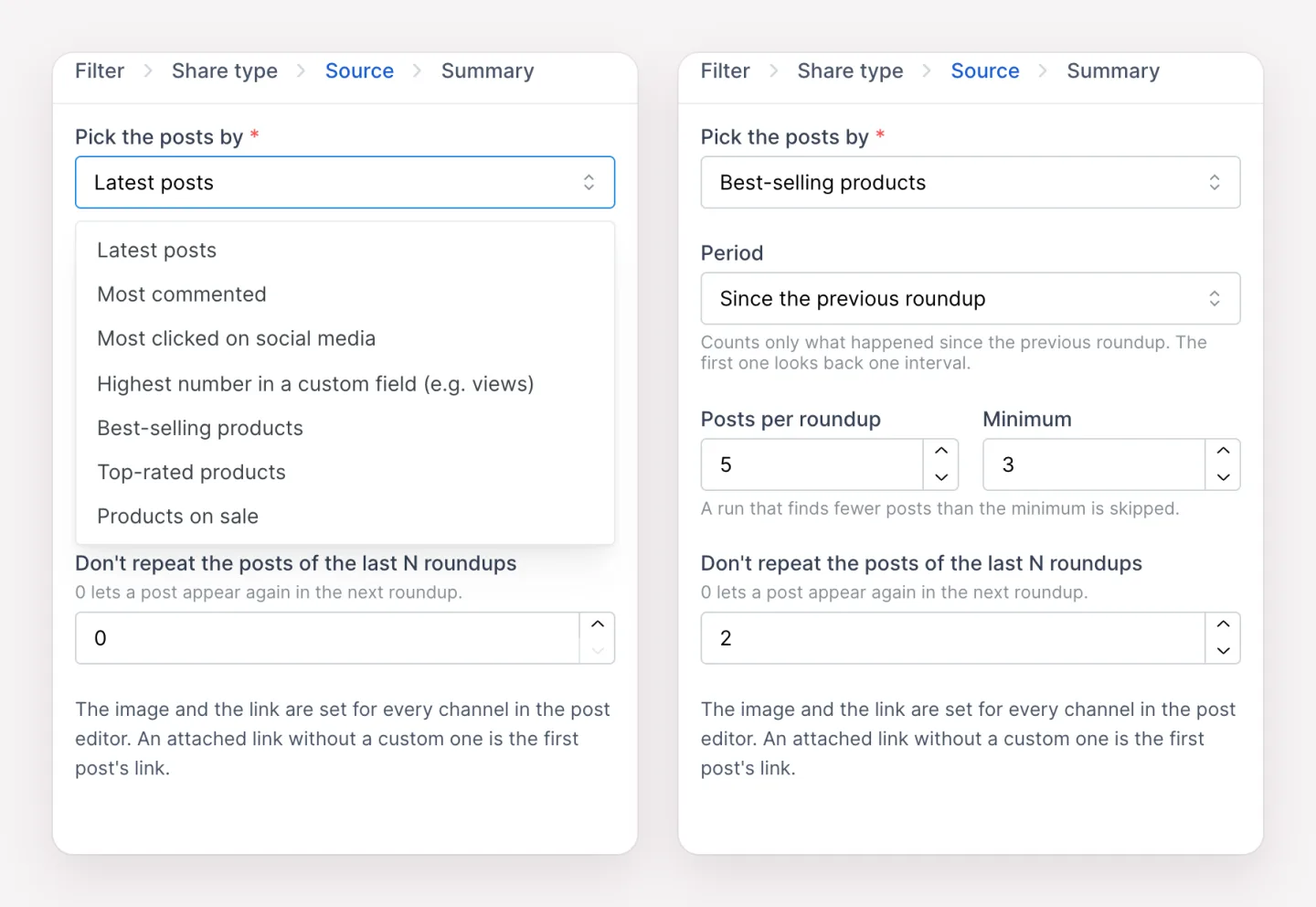
By default, each roundup counts only what happened since the previous one, so a weekly best-sellers post shows this week's best-sellers. Switch the period to All time for an all-time list. A minimum keeps thin posts out: if a week brings fewer posts than you set, the roundup is skipped instead of shared. You can also keep the same posts from coming back in the next few roundups.
You write the post in the composer you already use, for every channel. The Roundup title keyword adds the roundup's name, and Roundup posts adds the list. An item template decides how each post in the list looks, for example a number emoji, the product name, its price and its link. Write a template once and reuse it in every roundup and on every channel.
Each channel also sets its own image and link. A roundup can share the featured image of the first post, or the featured images of all the posts together, which turns a list of products into an Instagram carousel. The link goes to the first post unless you set your own, such as your shop page.
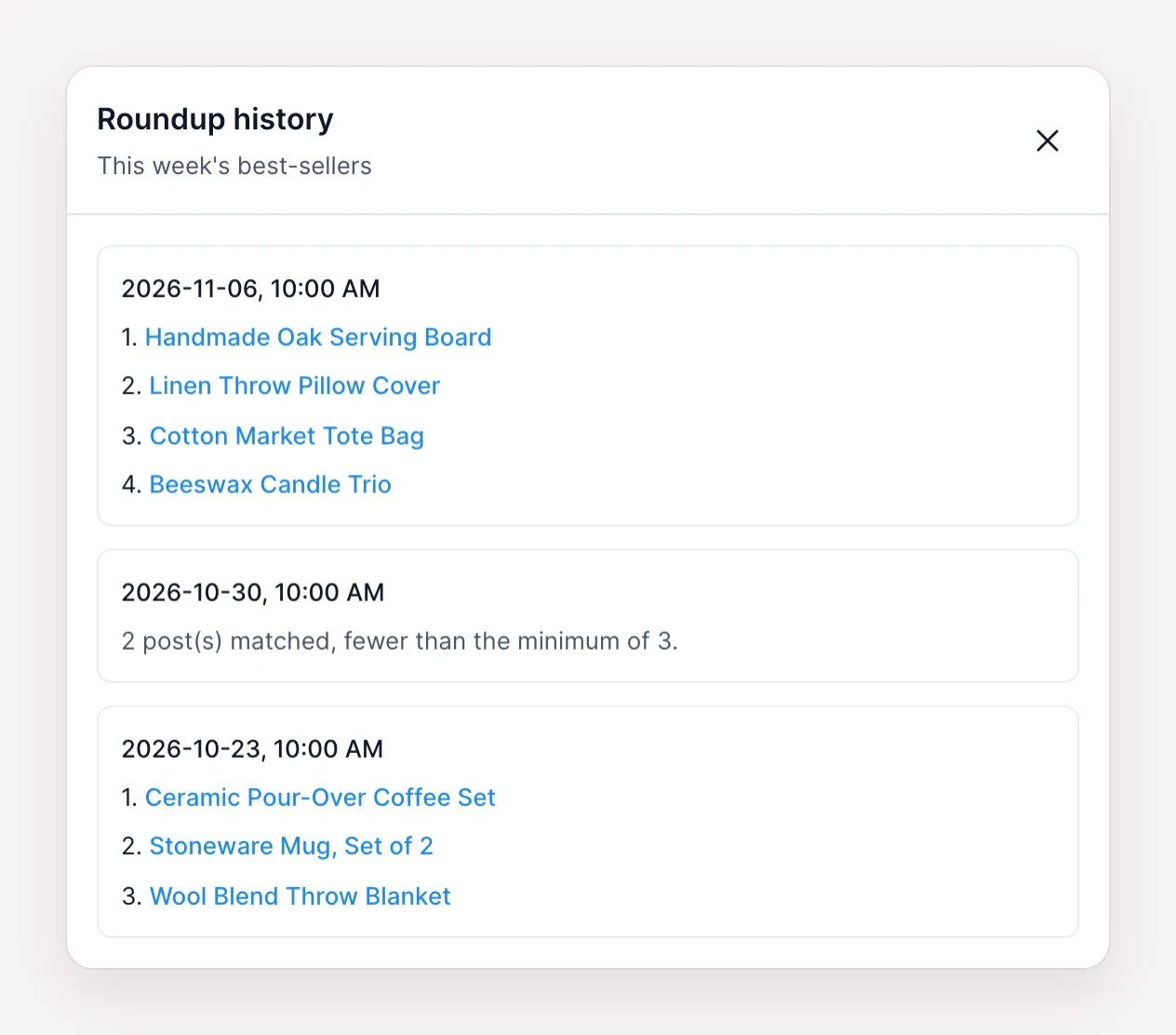
Every roundup keeps a history. It shows when each run happened and which posts it picked. A skipped run shows the reason, such as too few posts for the minimum. Each run also becomes a regular post in the Calendar and in Logs, so you can check how every channel shared it.
Roundups are available on the Plus, Developer and Lifetime plans. The Roundups documentation explains every option, and the FS Poster 8.4.0 release post walks through a full example.
Yes. Choose Products as the post type, then pick Best-selling, Top-rated or Products on sale. Best-selling counts the sales that WooCommerce Analytics records, so Analytics needs to be turned on.
No. A roundup picks posts by its rules on every run. To share posts you pick by hand, schedule them from the Calendar or use Bulk Scheduling.
If a run finds fewer posts than the minimum you set, it is skipped and nothing is shared. The history shows the reason.
They can, if they are still the best. Set "Don't repeat the posts of the last N roundups" to keep them out of the next N roundups.
All the networks FS Poster supports. Each channel gets its own text, image and link. Networks with a title field, such as Pinterest and Medium, use the roundup title there.
The Plus, Developer and Lifetime plans. On the Single plan, New Planner > Roundup shows an upgrade window.
Automatically share new WordPress posts to your connected social media accounts with FS Poster.
You will be able to create Schedules which allow you to share your blog posts within the determined interval and selected filters.
You will be able to share or schedule custom contents, images, links without creating any WordPress post.

By using this site, you agree to our Cookie Policy


