


Why most "best WordPress Facebook plugin" lists send you to the wrong plugin
If you search "best WordPress Facebook plugins" you get a single ranked list of ten or twelve plugins that quietly mix five completely different jobs: plugins that publish from WordPress to Facebook pages and groups, plugins that bring Facebook comments and engagement back into your site, plugins that embed your Facebook page feed on your site, plugins that put a Messenger chat button in the corner, and plugins that fire the Facebook Pixel for ad conversions.
Those five jobs need different products. An auto-poster will never embed your Facebook feed on your homepage. A feed plugin will never schedule a post to a Facebook group. A Messenger chat button will not fire Pixel events for a WooCommerce purchase. So before you compare specific plugins, decide which of the five jobs you actually need solved:
- Outbound publishing and scheduling, where every new WordPress post, WooCommerce product, or scheduled campaign lands on your Facebook page or group automatically.
- Comments and engagement, where you want Facebook engagement on the auto-shared post to roll back under your WordPress post.
- Feeds and page embeds, where your live Facebook page posts, photos, videos, or events render inside your WordPress pages.
- Messenger and chat, where Facebook Messenger acts as your live chat for visitors.
- Pixel and conversion tracking, where your WordPress site fires Meta Pixel and Conversions API events for Facebook Ads optimization.
The list below is grouped by exactly those jobs. Inside each category I picked the strongest WordPress Facebook plugins for 2026 based on current vendor pricing, WordPress.org install counts and ratings, the Facebook surfaces each plugin actually supports (pages, groups, comments, feed, Pixel events), and how well each plugin is maintained in 2025 and 2026. FS Poster sits at the top of the auto-posting category because it is the WordPress-native plugin in this list that publishes to Facebook pages and groups under one licence while also covering 25 other social networks. FS Poster also includes a Facebook comments sync feature that handles the comments-engagement job, which is why category 2 below is framed around that feature rather than a separate ranked plugin.
If your job is the opposite direction, embedding Facebook content on your WordPress pages, FS Poster will not solve it; that is what the feed category is for, and you will find Smash Balloon's Custom Facebook Feed, WP Social Ninja, and Easy Social Feed below.
Quick category chooser
| If your job is... | Pick this category | Best starting plugin |
|---|---|---|
| Publishing WordPress content to Facebook pages, groups, and first comment | Auto-posting and scheduling (incl. Groups) | FS Poster |
| Syncing Facebook engagement back into your WordPress comments | Comments and engagement | FS Poster (includes Facebook comments sync) |
| Embedding live Facebook page feed, photos, videos, or events on your site | Feeds and page embeds | Smash Balloon Custom Facebook Feed Pro |
| Adding a Facebook Messenger chat button to your site | Messenger and chat | Chaty multi-channel chat plugin |
| Firing Facebook Pixel and Conversions API events | Pixel and conversion tracking | PixelYourSite Pro |
A typical WordPress publisher needs one plugin from category 1 plus zero, one, or at most two of the remaining categories. Stacking all five categories is usually plugin bloat; pick the job first, then pick the plugin.
Comparison: top WordPress Facebook plugins at a glance
| Plugin | Category | Facebook surfaces supported | Starting paid price |
|---|---|---|---|
| FS Poster | Auto-posting and Groups | Pages, Groups, first comment, scheduled Facebook posts, comments sync back to WP | $58/year |
| Blog2Social | Auto-posting | Pages, Groups (paid tiers) | €72/year |
| Bit Social | Auto-posting | Pages, Profile | $49/year |
| Jetpack Social | Auto-posting | Pages only | €59.40/year |
| Smash Balloon Custom Facebook Feed Pro | Feeds | Page Timeline, Photos, Videos, Albums, Events | $49/year |
| WP Social Ninja | Feeds + reviews + chat | Page Timeline, Reviews, chat widgets, notification popups | $89/year |
| Easy Social Feed | Feeds | Page Timeline, Photos, Albums, Events (plus IG/YT/X under same Pro) | $89/year |
| Chaty | Messenger and chat | Facebook Messenger chat button (plus WhatsApp, Telegram, SMS, email) | Paid plans via vendor pricing |
| NinjaTeam WP Facebook Chat | Messenger and chat | Meta Customer Chat plugin embedded on WordPress | Pro on vendor surface |
| PixelYourSite Pro | Pixel | Meta Pixel + Conversions API, WooCommerce events, dynamic remarketing | $99/year |
Prices and feature notes here reflect the public vendor pricing pages and product pages at the time of writing. Treat the numbers as a directional snapshot and always reconfirm on the vendor checkout before buying.
Category 1: Best WordPress Facebook plugins for auto-posting, scheduling, and Groups
These plugins solve the outbound publishing job. When you publish a WordPress post, update a WooCommerce product, or queue a campaign, they push it to a Facebook page or group automatically. Use this category if your problem is "I want my new content to land on Facebook without opening Facebook."
1. FS Poster: the best WordPress Facebook auto poster and scheduler
Best for: WordPress agencies, publishers, WooCommerce stores, and community managers who want one plugin that auto-posts and schedules to Facebook pages, Facebook groups, and the first-comment field, alongside 25 other social networks, all from the WordPress dashboard.
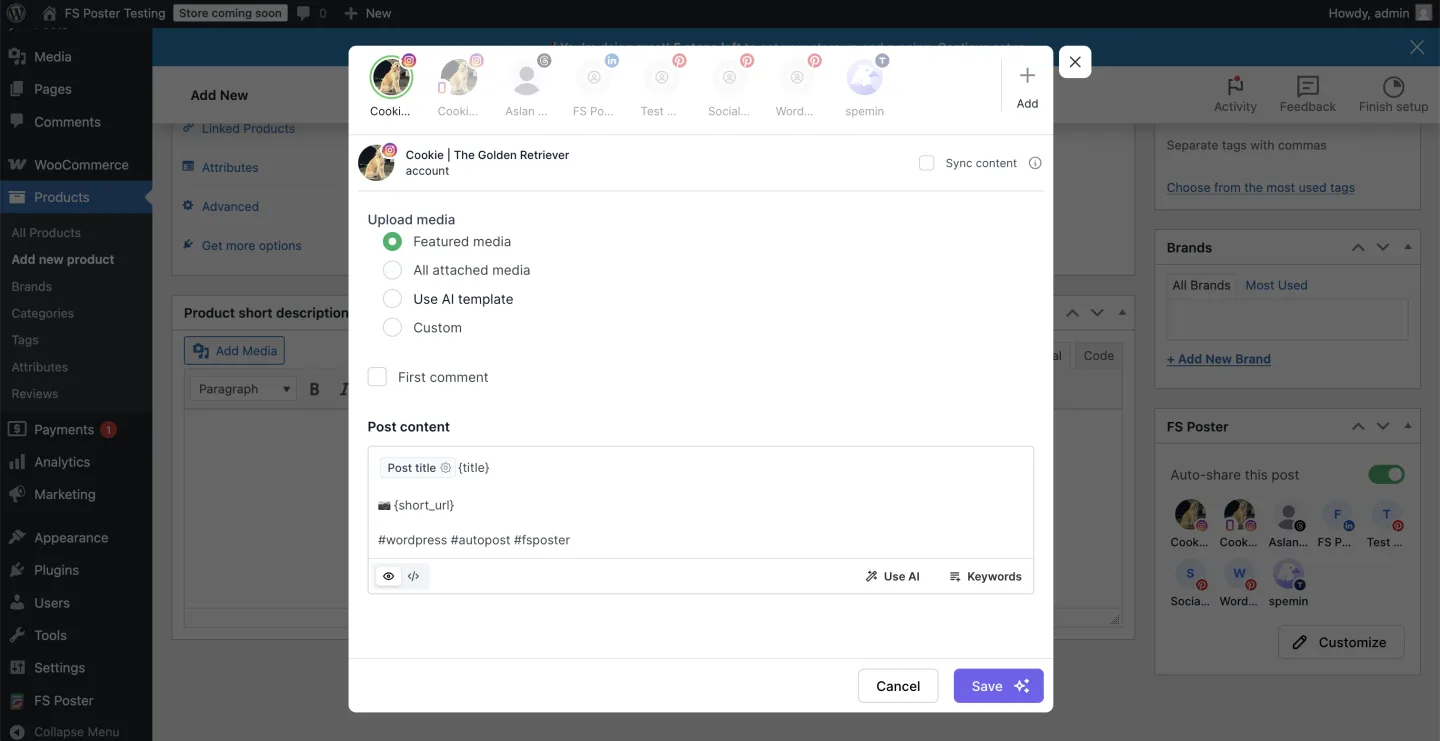
FS Poster is the WordPress-native Facebook plugin I always recommend first when the buyer needs Facebook automation to live inside WordPress, not inside another SaaS dashboard. The plugin connects through a maintained connection flow for Facebook pages and groups, so most site owners can connect in roughly two minutes without registering their own Meta developer app.
What makes FS Poster the top WordPress Facebook plugin for publishing is that it covers every Facebook surface that actually drives traffic for WordPress sites:
- Facebook page auto-posting triggered on WordPress publish, with custom captions, dynamic post-variable tokens (title, categories, author, tags rendered as hashtags), and a per-post caption override.
- Facebook group auto-posting, scheduled or instant, with the same caption tokens as the page channel. Group support depends on Meta's current rules and the role your Facebook page has in the target Group, so always confirm what is exposed in the FS Poster admin UI at the time of setup.
- Scheduled Facebook posts with daily, weekly, or custom interval queues, plus the ability to migrate old WordPress posts into a Facebook schedule so an archive can refeed the page without manual reposting.
- First comment for Facebook page posts so hashtag blocks, source links, or extended CTAs live in the first comment instead of inflating the visible caption.
- Facebook comments sync as a bundled feature that pulls engagement on the auto-shared Facebook post back under the WordPress post; the dedicated category 2 section below explains how this works and why it replaces the older Meta Comments Plugin pattern for most sites.
- AI captions and AI image templates that run on your own OpenAI key, with per-network template variants so the Facebook caption can read differently from the X or LinkedIn caption derived from the same WordPress post.
On top of the Facebook surface coverage, FS Poster handles the breadth job at the same time. The same licence publishes to 26 networks and services in total: Facebook (pages and groups), Instagram, Threads, X (Twitter), LinkedIn, Pinterest, TikTok, YouTube Community, YouTube Shorts, Truth Social, Telegram, Reddit, Discord, Bluesky, Mastodon, VK, OK.ru, Google Business Profile, Tumblr, Medium, Blogger, Xing, Plurk, Flickr, a WordPress-to-WordPress connector, and a generic Webhook destination. If you only want to solve Facebook today but might add Threads, Instagram, and Pinterest next quarter, you do not have to swap plugins.
Pricing. FS Poster uses a hybrid licence model. The Single plan starts at $58/year intro (renews at $65/year), with higher tiers covering more sites and a one-time Lifetime option available for long-term, multi-site buyers. There is no free tier, but a 14-day money-back guarantee applies to every plan.
Reputation. 25,000+ paid customers, 4.9/5 from 650+ reviews on the vendor surface, and 8+ years on the market (sourced from fs-poster.com).
Main drawback. FS Poster is an auto-poster, not a Facebook feed plugin. It does not embed your Facebook page timeline on your WordPress page. If you want both outbound publishing and on-site Facebook feed display, pair FS Poster with one of the feed plugins in category 3 below. Also, there is no free tier; the 14-day refund window is the equivalent.
Best fit for Facebook publishers because it auto-posts to Facebook pages and groups, supports the first-comment workflow, and covers 25 other networks under the same licence. For the deeper product breakdown see the WordPress to Facebook auto poster and scheduler page; for the step-by-step walkthrough see the Facebook auto-post from WordPress guide.
2. Blog2Social: best freemium pick with a real in-WordPress editorial calendar
Best for: Editorial teams who want a free tier, a real drag-and-drop calendar inside WordPress, and per-network captions including Facebook pages and groups.
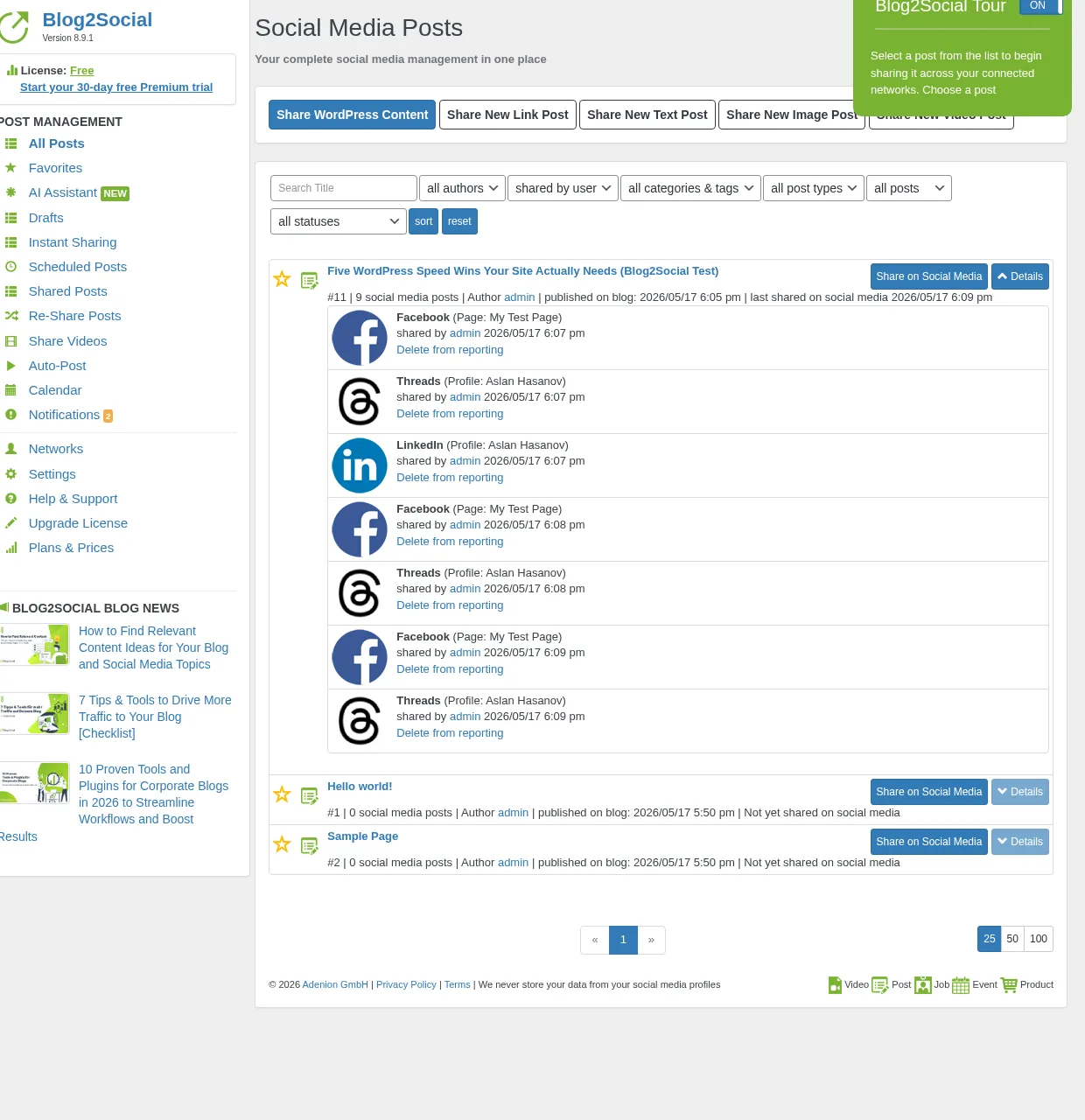
Blog2Social from Adenion is the freemium auto-poster with the highest WordPress.org trust signal in the category: 4.5/5 from 2,000+ reviews and 50,000+ active installs. The free tier ships manual sharing to 12 networks with per-network captions and an in-WordPress calendar. Auto-share on publish is locked to paid Smart and above. Smart starts at €72/year at checkout (16 networks, 3 accounts per network, 2 users, 2 sites). Pro and Business unlock 24 to 25 networks, more accounts, more users, and the deepest evergreen Re-Share rule builder in the freemium segment.
For Facebook specifically, Blog2Social supports Facebook pages, Facebook groups on the right paid tier, per-network captions, post-time presets through Best Time Manager, and a usable preview. Group support is sold on Pro and above, so check the active checkout description before buying if Groups are essential.
Main drawback. Auto-share on publish is paid-only, the network roster is fragmented across tiers, X (Twitter) and Video Posting are sold as separate add-ons, comments sync back to WordPress is not part of the product, and there is no lifetime SKU.
3. Bit Social: cheapest credible Facebook-capable lifetime licence
Best for: Budget-driven bloggers and small agencies who want auto-share to Facebook on a one-time lifetime licence with AI captions.
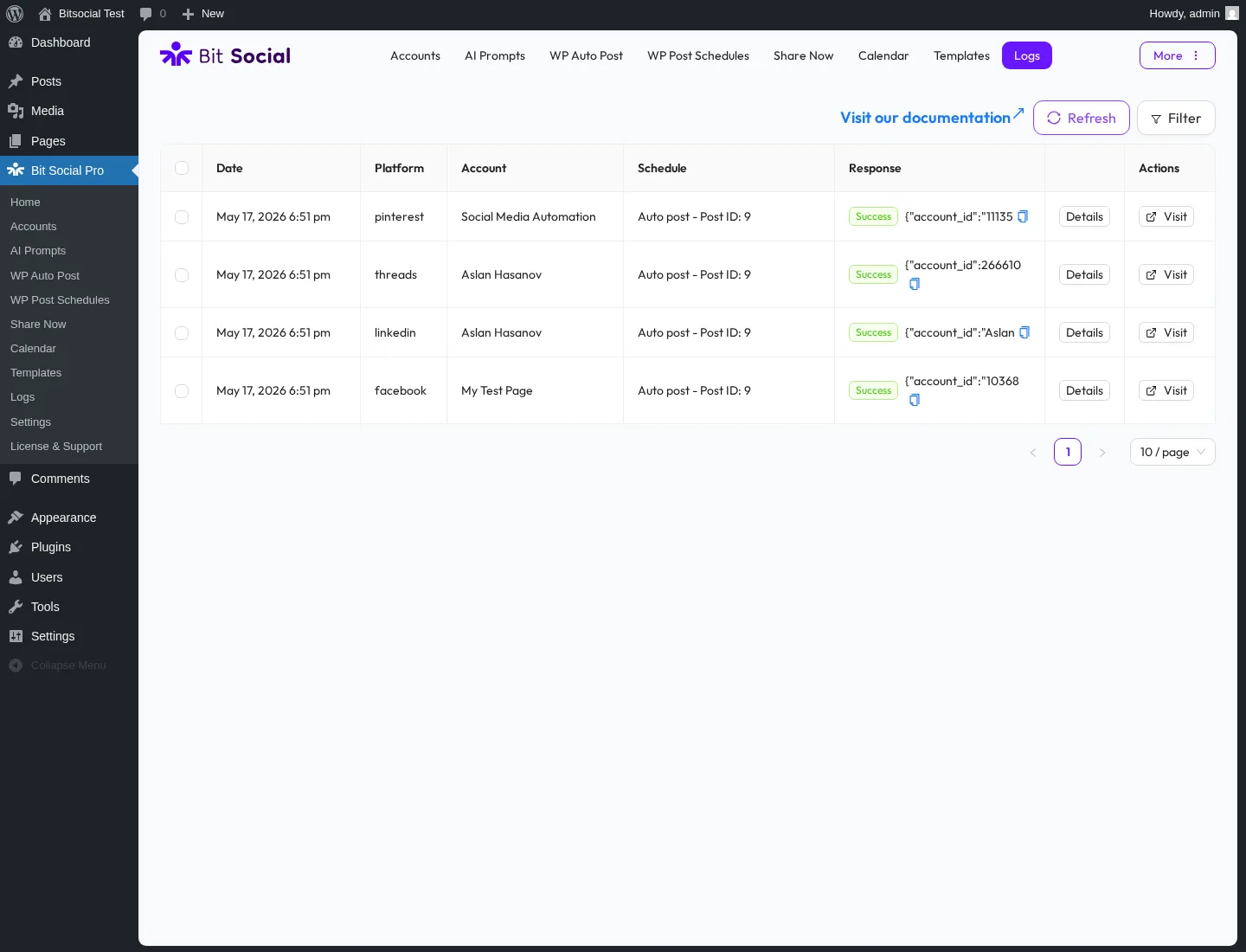
Bit Social from Bit Apps packages a modern admin UI, 13 networks on Pro (including Facebook page and Facebook profile), AI captions and AI images on your own OpenAI key, and the most aggressive lifetime price in the WordPress social-publishing niche. Annual entry is $49/year on Starter; Agency LTD is $149 one-time on unlimited sites. Facebook support covers page posts with the standard per-platform template editor.
Main drawback. Free tier is Facebook Profile and LinkedIn Profile only; Facebook Page and every other network are Pro-only. Facebook Group posting is not a first-class destination in the current Pro tier. The vendor surface still shows visible gaps on a few preview rows, so verify before relying on it for production.
4. Jetpack Social: simplest install for solo bloggers on Facebook Pages
Best for: Solo bloggers and small businesses already inside the Automattic stack who only need to push to a Facebook page plus a few mainstream networks.
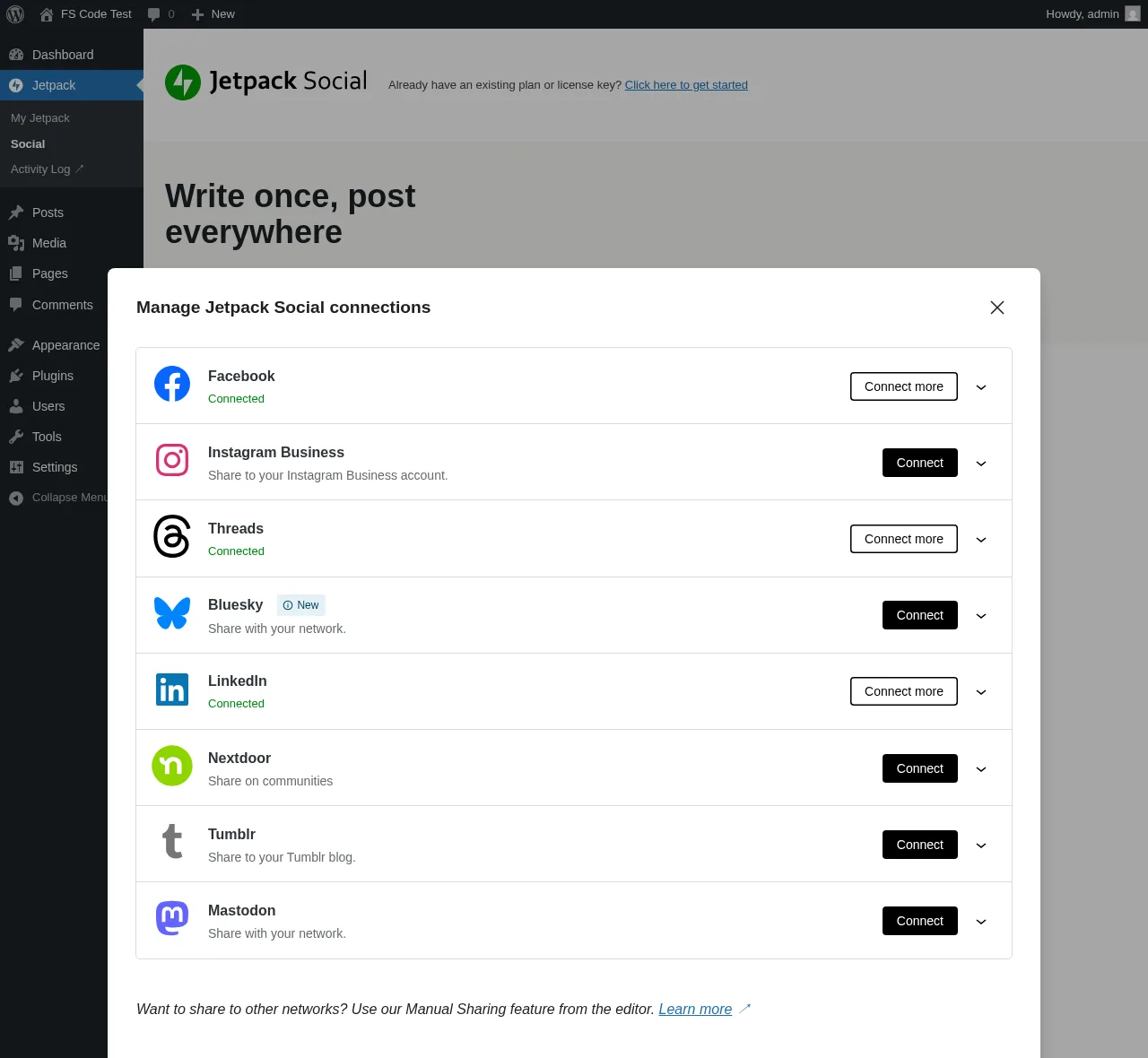
Jetpack Social from Automattic is the stripped-down auto-share plugin you reach for when simplicity beats breadth. It supports 8 networks: Facebook Pages, Instagram Business, Threads, LinkedIn, Bluesky, Nextdoor, Tumblr, and Mastodon, with a native Gutenberg-sidebar workflow and no separate admin. The Free tier has had unlimited shares since September 2024; the paid Social plan is €59.40 first year then €107.40/year on renewal. Facebook support is limited to Facebook Pages only; Facebook Groups, the first-comment workflow, and WordPress-side comments sync are not part of the product.
Main drawback. No Facebook Groups. No first-comment field. No Pinterest, X, TikTok, YouTube, Reddit, Discord, Telegram, or Google Business Profile. The WordPress.org rating is bimodal, with a recurring complaint about page reconnect cycles.
Going deeper on outbound publishing: see the broader shortlist of the best WordPress social media auto-posting plugins.
Category 2: WordPress Facebook plugins for comments and engagement
This category is narrow on purpose in 2026. The classic Facebook Comments Plugin path (third-party WordPress wrappers around the Meta Comments box, such as WPDevArt Facebook Comments and Lazy Social Comments) only renders for sites that already have a working Facebook App with the Comments product enabled; new Facebook App setups can run into friction on that path. For most WordPress sites in 2026, the simpler and more durable answer is to keep native WordPress comments and let a plugin sync Facebook engagement on the auto-shared post back under the source WordPress post. That is not a separate plugin you install on top of category 1; it is a feature included with FS Poster, which is why category 2 has no standalone ranked entry.
FS Poster includes Facebook comments sync
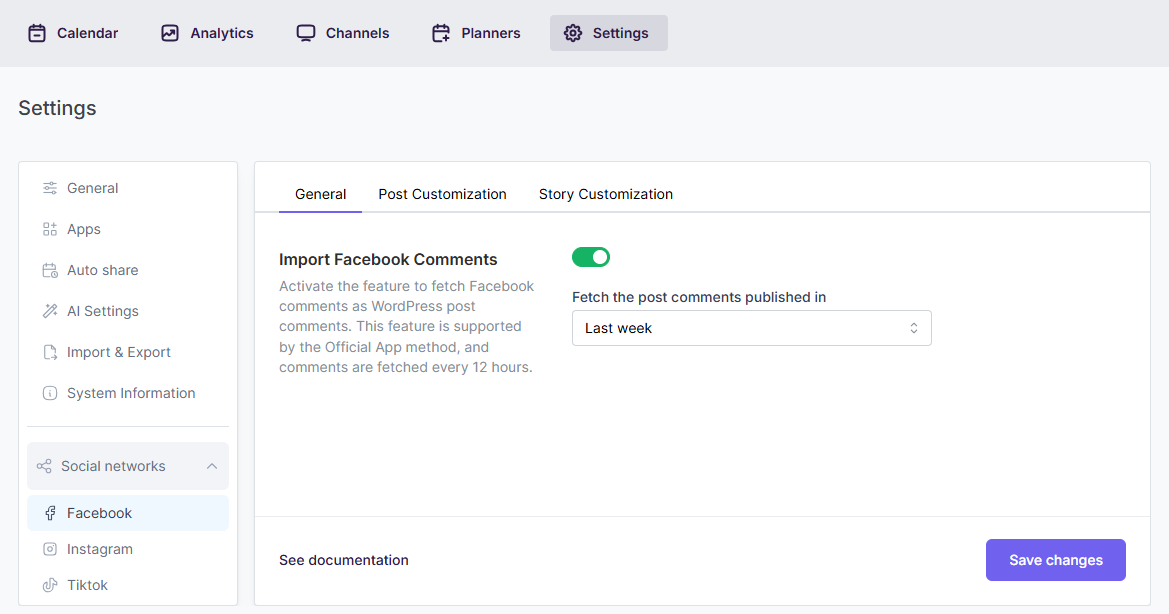
FS Poster's Facebook Comments feature is the WordPress-side commenting workflow that links the two-way relationship between the WordPress post and the auto-shared Facebook page post. When a visitor comments on the Facebook page post that FS Poster created from a WordPress publish, that comment is pulled back and appears alongside native WordPress comments under the source post. The conversation is no longer split between two URLs and your WordPress post gets visible social proof from Facebook engagement.
The feature is bundled with every FS Poster licence, so if you have already picked FS Poster from category 1 there is nothing extra to buy or install for this job. It is the practical 2026 answer for the engagement job because it works on the auto-shared post that FS Poster created and does not depend on a separately-approved Facebook App for the Comments product.
For the feature breakdown see the Facebook comments sync feature page on FS Poster.
If you specifically need the embedded Meta Comments Plugin instead of native WordPress comments, WPDevArt Facebook Comments and Lazy Social Comments are the two longest-running WordPress wrappers around the Meta Comments box. Both still ship on WordPress.org, both require a working Facebook App with the Comments product enabled, and both are sensible only for sites that already have an established App on that path.
Category 3: Best WordPress Facebook plugins for feeds and page embeds
These plugins solve the inbound display job. They embed your live Facebook page timeline, photos, videos, or events inside your WordPress pages. Use this category if your problem is "I want my Facebook page content to live on my site, not just a link to my profile."
5. Smash Balloon Custom Facebook Feed Pro: category leader for on-site Facebook feeds
Best for: Brands, creators, e-commerce, restaurants, and lifestyle sites that want the most polished Facebook page feed embed on WordPress, with Photos, Videos, Albums, and Events on Pro.
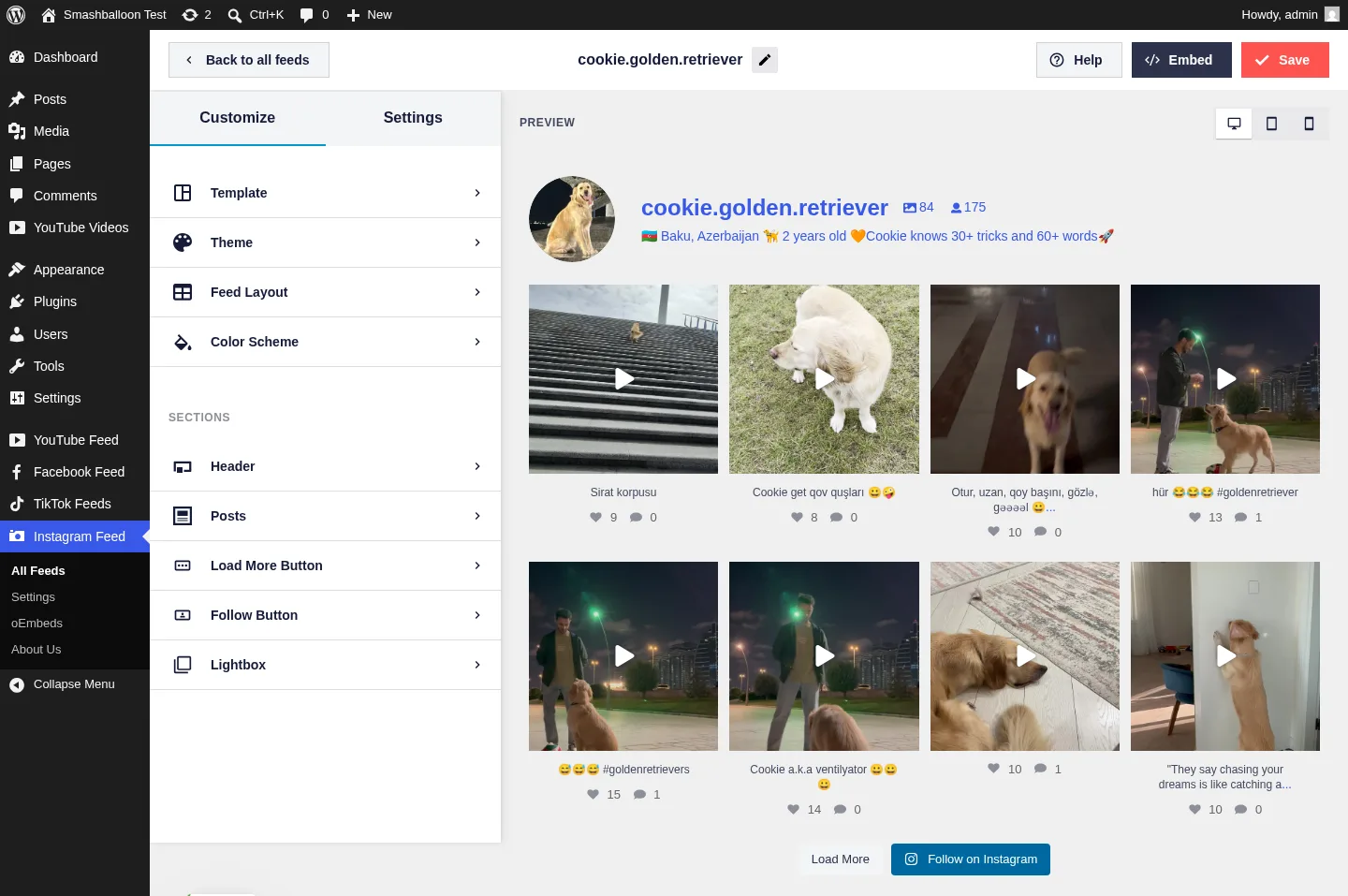
Custom Facebook Feed by Smash Balloon is the highest-volume on-site Facebook feed plugin on WordPress.org, with hundreds of thousands of active installs and a strong rating profile. The live customizer renders posts from the connected page the moment you pick a source, and advanced feed types (Photos, Videos, Albums, Events, multiple feeds in one page) sit deep on Pro. The free version ships a clean Facebook page timeline with basic styling. Pricing starts at $49/year intro for single-plugin Personal (renews $98/year); the All Access Bundle is $299/year intro and covers all seven Smash Balloon plugins (Facebook, Instagram, YouTube, TikTok, X, Reviews, Social Wall) on unlimited sites.
Main drawback. Pro is sold per network and renewals jump to full price after year 1. All Access becomes the right buy only when you genuinely need three or more networks. Also, Meta has progressively tightened third-party page-content access, so some legacy feed setups (showing other people's pages, hashtag pulls) may no longer be possible regardless of plugin.
6. WP Social Ninja: best all-in-one (Facebook feed plus reviews, chat, popups)
Best for: Small businesses, restaurants, hospitality, and WooCommerce stores that want one licence covering a Facebook feed plus business reviews, chat widgets, notification popups, and testimonials.
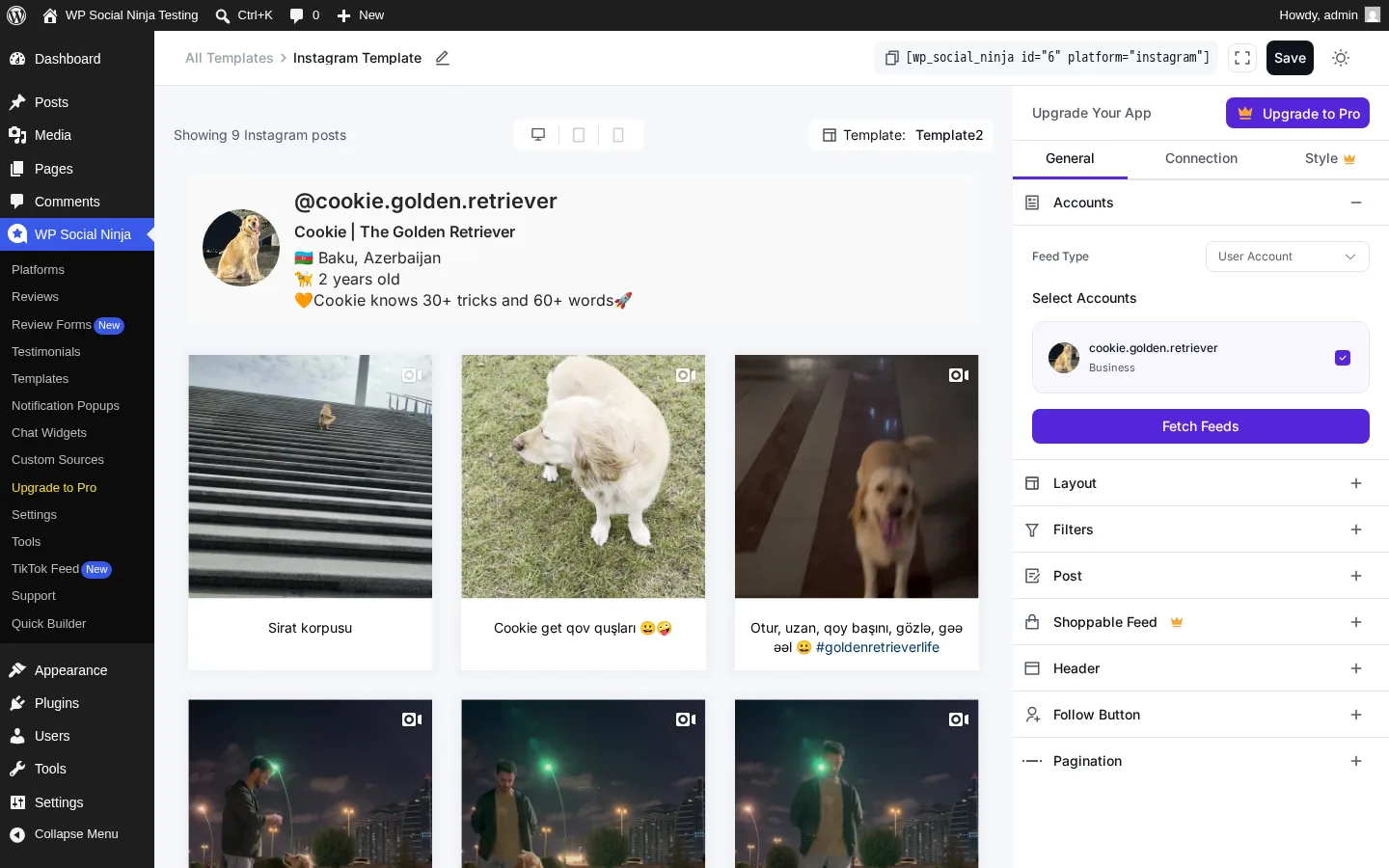
WP Social Ninja from WPManageNinja consolidates jobs that usually need three or four separate plugins: 5 social feed networks (Facebook, Instagram, YouTube, TikTok, X), 10+ review sources, 15+ chat-widget channels, notification popups, and a testimonial slider. The free tier already includes Google Business Profile reviews and Airbnb reviews. 4.8/5 from 69 reviews on WordPress.org and 30,000+ active installs. Single Site licence is $89/year regular.
Main drawback. Each individual module is "good enough" rather than best-in-class; if you only need the deepest Facebook feed, Smash Balloon will deliver more polish.
7. Easy Social Feed: cheapest credible Facebook-feed lifetime licence
Best for: Multi-network SMBs, budget-conscious agencies, GDPR-first European sites, and long-term WordPress sites that want a one-time Facebook-capable licence instead of an annual subscription.
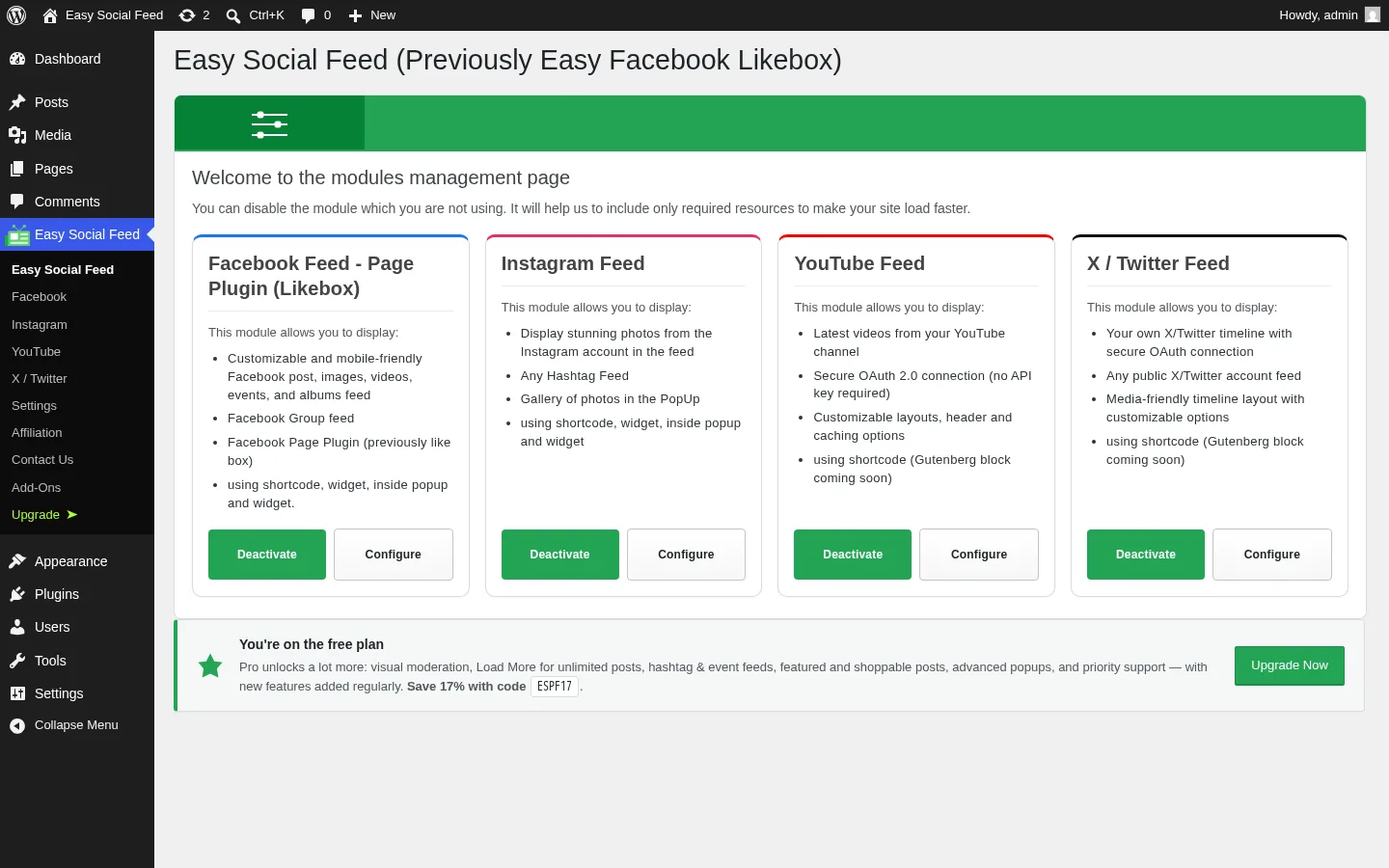
Easy Social Feed from Malta Themes is one of the cheapest credible "all four mainstream networks in one plugin" WordPress feed displays: Facebook, Instagram, YouTube, and X / Twitter under one admin menu, one licence, and one update cadence. The $89/year COMBO bundles all four mainstream networks under one Pro licence, and a one-time COMBO Lifetime is one of the few real lifetime SKUs in the niche. Native GDPR consent integration with several popular cookie plugins ships at the free tier.
Main drawback. Only two free Facebook skins (Grid and Row); Masonry and Carousel grids require an upgrade, and the in-admin upsells are visible.
Other credible Facebook feed plugins worth knowing exist (Feed Them Social by SlickRemix is a long-running multi-network alternative on WordPress.org), but Smash Balloon, WP Social Ninja, and Easy Social Feed cover the three most common 2026 buyer profiles between them.
Going deeper on inbound display: see the broader shortlist of the best WordPress social media feed plugins.
Category 4: Best WordPress Facebook Messenger plugins for chat
These plugins put a Facebook Messenger chat experience on your WordPress site. Use this category if your problem is "I want my Facebook page inbox to also be my website live chat."
8. Chaty: best multi-channel WordPress chat button with Facebook Messenger
Best for: SMBs, ecommerce stores, and service businesses that want a floating chat button on every WordPress page that includes Facebook Messenger plus other channels (WhatsApp, Telegram, SMS, email, Viber, Skype, and more) without writing code.
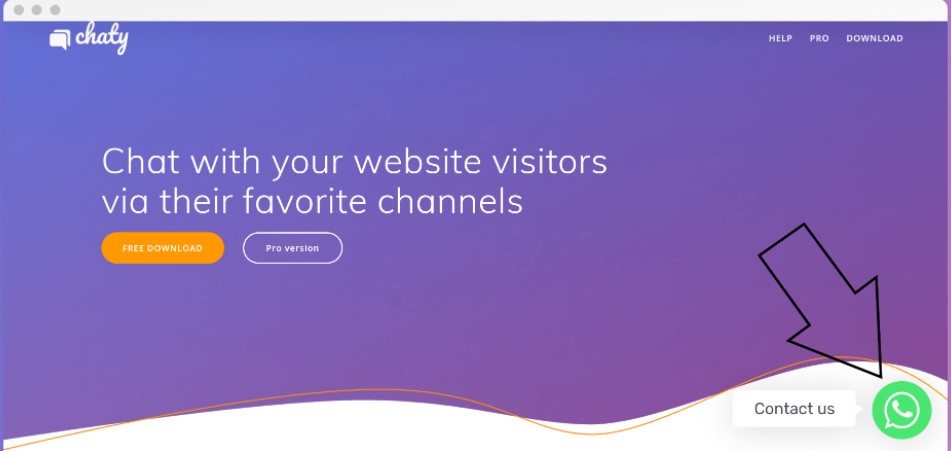
Chaty from Premio is the most-installed multi-channel chat button plugin on WordPress.org, with 70,000+ active installs and a strong rating profile. The free tier ships the floating chat button with Facebook Messenger and the other major channels, channel ordering, position controls, and basic display rules. Paid tiers unlock advanced display targeting (per-page, per-device, per-country, by traffic source), analytics, multiple agents per channel, custom widgets, and the deeper integration stack. For WordPress sites that want Facebook Messenger to live alongside WhatsApp, Telegram, SMS, and email under one floating chat button without managing five separate plugins, Chaty is the cleanest path.
Main drawback. Chaty is a button-and-redirect product, not a unified inbox. Clicking the Facebook Messenger channel opens m.me on the visitor side; Chaty does not replace Meta's Business Suite or pipe Messenger conversations into a Chaty inbox. If you specifically need a SaaS-style unified inbox routing Messenger plus on-site chat plus AI bots, look at standalone live-chat suites instead.
9. NinjaTeam WP Facebook Chat: simplest Customer Chat embed
Best for: Sites that only need Meta's official Customer Chat plugin embedded on every WordPress page without a third-party SaaS bot layer.

WP Facebook Chat by NinjaTeam is the long-running WordPress wrapper for Meta's official Customer Chat plugin. The free version covers a single Facebook page and the standard Messenger greeting flow, basic display rules, and the official Meta SDK loader. Pro features add per-page display rules, scheduling, language detection, and reply triggers. For WordPress sites that want the real Meta Customer Chat embed and prefer a WP-native admin instead of a SaaS dashboard, NinjaTeam is one of the cleanest picks.
Main drawback. Meta's Customer Chat is the surface most affected by Messenger policy changes; some sites have seen reduced visibility for logged-out users. The plugin is also tied to whatever Meta does with the Customer Chat product roadmap, so reconfirm that the embed is still active when you set it up.
Category 5: Best WordPress Facebook Pixel plugins for ads and conversion tracking
These plugins do not auto-post and they do not render a feed. They fire Meta Pixel events and (on Pro tiers) Conversions API events for Facebook Ads. Use this category if your problem is "I want clean Pixel and CAPI events for my Facebook Ads, especially on WooCommerce."
10. PixelYourSite Pro: best WordPress Facebook Pixel plugin
Best for: WooCommerce stores, lead-gen sites, and publishers running Facebook Ads who need a deep, well-maintained Meta Pixel and Conversions API setup without writing JavaScript.
PixelYourSite is the de-facto WordPress Facebook Pixel plugin in 2026, with hundreds of thousands of active installs and a strong rating profile on WordPress.org. The free plugin covers Meta Pixel install, standard events, and basic WooCommerce mapping. Pro at $99/year adds Conversions API (server-side events with the access token and event ID), dynamic remarketing for WooCommerce, AddPaymentInfo, ViewCategory, Search, and the deeper event customization that Facebook Ads actually requires for proper attribution since iOS 14.5.
Main drawback. Pricing for the full ecosystem (Pinterest, Google, Bing pixels) adds up quickly if you want all networks in one plugin; PixelYourSite Pro alone is fine for Facebook only.
For the broader Pixel-specific comparison see the best WordPress plugin for Facebook Pixel shortlist; for the Messenger-only deep dive see the best Facebook Messenger plugin WordPress shortlist.
Compatibility notes worth knowing before you install
Before installing any WordPress Facebook plugin in 2026, four Meta-side facts trip up the most setups. Treat the points below as general guidance; always reconfirm the current status with the relevant plugin docs and Meta's developer notes at the time of setup.
- Facebook App access. Meta has progressively tightened third-party Facebook App permissions, especially for reading public page content. Plugins that bundle a maintained Meta connection for the user (FS Poster, Smash Balloon, Easy Social Feed, Chaty, NinjaTeam) reduce setup friction; plugins that require your own Facebook App with specific products enabled (the classic Facebook Comments Plugin wrappers, some legacy Messenger embeds) have higher setup cost in 2026.
- Facebook Groups posting. Third-party posting to Facebook Groups depends on Meta's current rules and on the role your Facebook page has in the target Group. FS Poster and Blog2Social support Group posting where the current connection flow allows it; confirm the live admin behavior before standardizing on Groups as your main distribution channel.
- Comments box App friction. The Meta Comments Plugin only renders for users with a working Facebook App that has the Comments product enabled. Some net-new App setups have seen more friction than older ones, so verify your App can serve the Comments product before relying on WPDevArt Facebook Comments, Lazy Social Comments, or any other Meta Comments Box wrapper. Sites that already have an established Facebook App can keep using either without issue. Sites that do not can keep native WordPress comments and use FS Poster's bundled Facebook comments sync to pull engagement back from the auto-shared Facebook post instead.
- Pixel and iOS 14.5. Browser-side Pixel events alone under-report conversions on iOS traffic. If Facebook Ads is a real revenue channel for the WordPress site, the Pro tier with Conversions API is no longer optional; the free Pixel tier is fine only for low-stakes retargeting.
How to choose the right WordPress Facebook plugin
Work the decision in this order:
- Pick the job first. Auto-posting and Groups, comments sync, feed display, Messenger chat, or Pixel and conversion tracking. The categories above map directly to those jobs and the same plugin will rarely do two of them well.
- Pick the Facebook surfaces you actually use. Groups, first comment, comments sync, Events feed, Messenger chat button, Conversions API. Each plugin shortlist above tells you which surfaces are supported on which tier.
- Pick the licence model that matches your timeline. If you plan to run the same WordPress site for years, a lifetime tier (FS Poster, Easy Social Feed, Bit Social Agency LTD) is usually cheaper after year 2. If you are still validating a project, start with a free tier or an annual entry plan.
- Pair, do not duplicate. Most serious WordPress Facebook setups in 2026 are FS Poster on the publishing side plus one feed plugin (Smash Balloon, WP Social Ninja, or Easy Social Feed) on the display side. Add PixelYourSite Pro only if you actually run Facebook Ads. Skip Messenger plugins unless live chat is a real channel for you.
FAQ
What is the best WordPress Facebook plugin overall?
There isn't one, and any list that gives a single answer is glossing over the five-job split. The honest answer is best-in-job: FS Poster is the best WordPress Facebook plugin for auto-posting, scheduling, Facebook Groups, and the first-comment workflow, and it bundles Facebook comments sync to roll engagement back into WordPress; Smash Balloon's Custom Facebook Feed Pro is the best for embedding a Facebook page feed on your WordPress pages; Chaty is the best for a multi-channel Facebook Messenger chat button; PixelYourSite Pro is the best for Meta Pixel and Conversions API. Pick the job before comparing products.
What is the best free WordPress Facebook plugin?
Different free picks depending on the job. For outbound publishing, Blog2Social Free is the strongest free auto-poster that includes Facebook on the right paid tier (manual share is free, auto-share is paid). For on-site Facebook feed display, the free versions of Smash Balloon Custom Facebook Feed and Easy Social Feed both ship a usable Facebook page timeline. For Facebook Messenger chat, Chaty Free ships the chat button with Facebook Messenger plus other channels on every page. For Meta Pixel, the free PixelYourSite plugin covers Pixel install and standard events; Pro is only needed for CAPI. There is no good free Facebook Groups auto-poster in 2026.
Can I auto-post WordPress posts to a Facebook group?
Yes, Facebook group auto-posting is supported by a small number of WordPress plugins. FS Poster supports Facebook Groups natively with the same caption tokens and scheduling as the page channel. Blog2Social supports Facebook Groups on Pro and above. Most other auto-posters (Jetpack Social, Bit Social) do not support Facebook Groups as a first-class channel. Group support depends on Meta's current rules and on the role your Facebook page has in the target Group, so always confirm what is currently exposed in the plugin's admin UI before you build a workflow around it.
Do I need a Facebook Developer App to connect WordPress to Facebook?
For the major auto-posters in category 1, no. FS Poster ships a maintained connection flow for Facebook pages and groups, so most users connect in roughly two minutes through the standard Sign in with Facebook flow. Smash Balloon's Custom Facebook Feed and Easy Social Feed also ship maintained connection flows for feed reading. Chaty and NinjaTeam WP Facebook Chat use the standard Messenger embed flow. The setups that still benefit from your own Facebook App are the classic Meta Comments Plugin wrappers and some legacy Messenger embeds.
Will a Facebook feed plugin hurt my Core Web Vitals?
It depends on the plugin. Feed plugins that cache feed responses and lazy-load images (Smash Balloon, Easy Social Feed, WP Social Ninja) have a manageable footprint on a normally configured site. Plugins that hot-link Facebook CDN images on every request or load the Facebook SDK synchronously can show up as Largest Contentful Paint and Total Blocking Time issues in PageSpeed Insights. Auto-posting plugins run only in the WordPress admin and on publish hooks, so they do not move Core Web Vitals at all.
Can a WordPress Facebook plugin embed my feed AND auto-post to Facebook?
Not well in 2026. The two jobs require completely different Meta API scopes (publish-out OAuth scopes versus read-only feed APIs), and every plugin that tries to do both does at least one badly. Use FS Poster for outbound publishing and Facebook Groups, and a dedicated feed plugin (Smash Balloon, WP Social Ninja, or Easy Social Feed) for inbound display. Two specialized plugins outperform one overloaded compromise.
Is the Facebook Comments Plugin still worth using on WordPress in 2026?
It depends on whether you have a working Facebook App with the Comments product enabled. If yes, the long-running Meta Comments Plugin wrappers like WPDevArt Facebook Comments or Lazy Social Comments still work. If you do not, expect setup friction on net-new App setups. The lower-friction alternative for WordPress sites is to keep native WordPress comments and let FS Poster's bundled Facebook comments sync pull comments left on the auto-shared Facebook page post back under the WordPress post.
Do I need Conversions API or is Meta Pixel enough?
If Facebook Ads is a real revenue channel for the WordPress site, Conversions API is no longer optional. Browser-side Pixel events alone under-report iOS traffic since iOS 14.5, and Meta's Aggregated Event Measurement caps the number of events the Pixel can deduplicate. PixelYourSite Pro is the cleanest WordPress-side way to ship both Pixel and CAPI with a single token, especially on WooCommerce. The free Pixel tier is fine only for very low-stakes retargeting.
Final recommendation: by job, not by single winner
There is no single "best WordPress Facebook plugin" because there is no single Facebook job being solved. Match the plugin to the job:
- If your job is outbound (publish to Facebook from WordPress, including Groups and first comment): start with FS Poster. It auto-posts to Facebook pages and groups, supports the first-comment workflow, and covers 25 other social networks under one licence. Blog2Social is the freemium fallback with Facebook Groups on paid tiers, Bit Social is the cheapest lifetime, and Jetpack Social is the simplest install for solo bloggers who do not need Groups.
- If your job is comments and engagement: the practical 2026 answer is FS Poster's bundled Facebook comments sync, which rolls engagement on the auto-shared post back under your WordPress post without depending on a separately-approved Facebook App. The classic Meta Comments Plugin wrappers (WPDevArt Facebook Comments, Lazy Social Comments) are still options for sites that already have a working Facebook App with the Comments product enabled.
- If your job is inbound (embed a Facebook page feed on your WordPress site): start with Smash Balloon's Custom Facebook Feed Pro if you want the most polished customizer and may add other networks later; WP Social Ninja if you also want reviews and chat; Easy Social Feed if you want a one-time multi-network feed licence.
- If your job is Messenger live chat: start with Chaty for a multi-channel chat button that includes Facebook Messenger alongside WhatsApp, Telegram, SMS, and email; NinjaTeam WP Facebook Chat if you specifically want the official Meta Customer Chat embed.
- If your job is Facebook Ads tracking: PixelYourSite Pro for Meta Pixel plus Conversions API on WooCommerce. The free tier is enough only for low-stakes retargeting.
Most serious WordPress sites pair one plugin from category 1 (FS Poster) with one plugin from category 3, and add PixelYourSite Pro only when ads are a real channel. Stacking all five categories at once is usually a sign of plugin bloat. Pick the job first, install one plugin per job, not five.
Write once. Post to 26 networks.
- 26 social networks
- Schedule & auto-repost
- Runs inside wp-admin


