


Why most WordPress Instagram plugins solve the wrong job
If you search "best WordPress Instagram plugins" you get a single ranked list of ten or fifteen plugins that quietly mix three completely different jobs: plugins that publish to Instagram from your WordPress dashboard, plugins that pull your Instagram feed back onto your site, and plugins that turn your Instagram audience into website actions like giveaways, follow buttons, or shoppable widgets.
Those three jobs need three different products. A feed plugin will never auto-post your blog content to Instagram. An auto-poster will never embed your Instagram grid on your homepage. A giveaway plugin will not schedule your Reels. So before you compare specific plugins, decide which of the three jobs you actually need solved:
- Outbound publishing, where you want every new WordPress post, WooCommerce product, or scheduled campaign to appear on your Instagram feed, Stories, Reels, or carousels automatically.
- Inbound display, where you want your live Instagram posts, Reels, Stories, hashtag content, or tagged photos to render on your WordPress pages as a feed, gallery, slider, or shoppable widget.
- Marketing and CTA, where you want Instagram to do real work on your website: drive giveaways, social proof, follow CTAs, or multi-platform aggregator widgets that capture attention.
The list below is grouped the same way. Inside each category I picked the strongest WordPress Instagram plugins for 2026 based on current vendor pricing pages, public WordPress.org install counts and ratings, supported Instagram surfaces (feed, Stories, Reels, carousels), and how well each plugin is maintained in 2025 and 2026. FS Poster sits at the top of the auto-posting category because it is the most complete WordPress-native plugin in this list for publishing to Instagram feed posts, Stories, Reels, and carousels from a single dashboard while also covering 25 other social networks at the same time.
If your job is the opposite direction, embedding Instagram content on your WordPress pages, FS Poster will not solve it; that is what the feed and gallery section is for, and you will find Smash Balloon, Spotlight, Instagram Feed Gallery, WP Social Ninja, and Easy Social Feed below.
Choose by need: WordPress Instagram plugin quick-pick
| Need | Best plugin | Why |
|---|---|---|
| Auto-post WordPress posts to Instagram | FS Poster | The most complete WordPress-native Instagram auto poster in this list, covering feed, Stories, Reels, and carousels under one licence |
| Schedule Instagram content from WordPress | FS Poster | Built-in WordPress Instagram scheduler with a visual planner, custom captions, and AI caption templates |
| Display your Instagram feed on WordPress | Smash Balloon Instagram Feed Pro | Category leader for on-site Instagram embed: 1M+ installs, live customizer, Reels and Stories support on Pro |
| Run Instagram giveaways or grow followers | RafflePress | WordPress-native giveaway builder with Instagram follow, visit, and view post actions built in |
| Embed a social wall or Instagram gallery widget | Tagembed Instagram Widget | Multi-platform aggregator that pulls Instagram alongside 20+ networks into one embeddable widget |
Quick category chooser
| If your job is... | Pick this category | Best starting plugin |
|---|---|---|
| Publishing WordPress content to Instagram feed, Stories, Reels, carousels | Auto-posting and scheduling | FS Poster |
| Embedding live Instagram posts, Reels, Stories, hashtags, or galleries on your site | Feeds, galleries, widgets | Smash Balloon Instagram Feed Pro |
| Running Instagram giveaways, follow CTAs, or multi-platform social walls | Marketing and CTA | RafflePress |
A typical serious WordPress publisher needs one plugin from the first category plus one plugin from either the second or the third, not all three. Pick the job first, then pick the plugin.
Comparison: top WordPress Instagram plugins at a glance
| Plugin | Category | Instagram surfaces | Starting paid price | Best for |
|---|---|---|---|---|
| FS Poster | Auto-posting | Feed, Stories, Reels, Carousel, first comment, pin | $58/year (Single) | WordPress publishers, agencies, and WooCommerce stores |
| Blog2Social | Auto-posting | Feed, Reels, Stories on paid tiers | From €72/year (Smart) | Editorial teams that want an in-WordPress calendar |
| Bit Social | Auto-posting | Feed, Reels, Stories | $49/year (Starter); $149 lifetime (Agency LTD) | Budget buyers who want a lifetime licence with AI captions |
| Jetpack Social | Auto-posting | Instagram Business feed | €59.40 first year (Social plan) | Solo bloggers on 2 to 4 mainstream networks |
| Smash Balloon Instagram Feed Pro | Feed and gallery | Feed, Reels, Stories, Hashtag, Tagged, Shoppable | $49/year (Basic); $299/year (All Access bundle) | Multi-platform brands wanting polished Instagram feeds |
| Spotlight Social Media Feeds | Feed and gallery | Feed, Reels, Stories in lightbox | From $59/year (Essentials) | Single-account brands and hospitality sites |
| Instagram Feed Gallery (Social Feed Gallery by QuadLayers) | Feed and gallery | Feed, Carousel, Highlight | From $49/year; lifetime from $99 one-time | Cost-sensitive sites wanting a lifetime Instagram feed licence |
| WP Social Ninja | Feed and CTA combo | Feed, Reels, plus reviews, chat, popups | From $89/year (Single Site) | SMBs that want feeds, reviews, and chat in one plugin |
| Easy Social Feed | Feed and gallery | Feed (also Facebook, YouTube, X) | $89/year (COMBO); $259 COMBO Lifetime | Multi-network SMBs and GDPR-first European sites |
| RafflePress | Marketing and CTA | Follow, Visit, and View an Instagram post actions | From $39.50/year (Plus) | Giveaway-driven traffic and follower growth |
| Tagembed Instagram Widget | Aggregator and CTA | Feed, hashtag, mention, multi-network social wall | From around $13/month on entry plan | Multi-platform social walls that feature Instagram |
Pricing can change, so check each vendor's pricing page before buying.
Category 1: Best Instagram auto poster and scheduler plugins for WordPress (Stories, Reels, Carousel)
These plugins solve the outbound publishing job. When you publish a WordPress post, update a WooCommerce product, or schedule a campaign, they push it to Instagram automatically. Use this category if your problem is "I want my new content to land on Instagram without opening the Instagram app."
1. FS Poster: best Instagram auto poster and scheduler for WordPress
Best for: WordPress agencies, WooCommerce stores, publishers, and creators who need a reliable Instagram auto poster for WordPress that schedules and publishes to feed, Stories, Reels, and carousels alongside 25 other social networks, all from the WordPress dashboard.
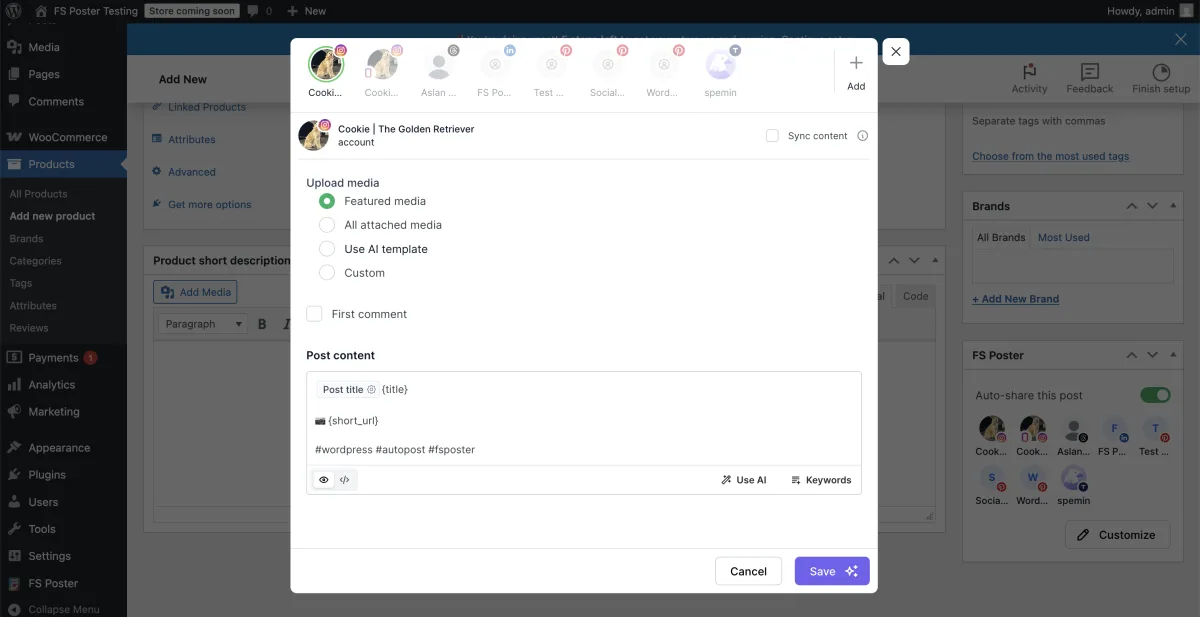
FS Poster is the WordPress-native Instagram auto poster and scheduler I always recommend first when the buyer needs Instagram automation to live inside WordPress, not inside another SaaS dashboard. The plugin connects through a maintained Standard App for Instagram Business and Creator accounts, so most site owners can connect a channel in roughly two minutes without registering their own Meta developer app. An advanced Login and password connection method is also available for setups that need the extra Story-side stickers and link controls.
What makes FS Poster the top Instagram auto poster for WordPress is that it covers every Instagram surface that actually drives traffic, not just the basic feed:
- Instagram feed posts with custom captions, dynamic post-variable tokens (post title, categories, author, tags rendered as hashtags), and the optional first-comment workflow so hashtag blocks live in the first comment rather than the caption.
- Instagram Stories with image and video Stories, scheduled in advance and exported through the dedicated Story channel. With the Login and password connection method, Stories can also carry a story link sticker and an in-Story hashtag attachment.
- Instagram Reels with native video Reels publishing scheduled from WordPress, including the option to use the WordPress featured image, attached media, or AI image template alongside the Reel.
- Instagram carousel posts with multi-image carousel scheduling that reads the WordPress post's attached images, so a WordPress post with several attached images can fan out as a carousel of up to 10 photos without manual reupload.
- First comment and pin post controls so a tight caption can ship hashtags as the first comment and key messages can stay anchored to the top of the profile where the connection method supports pinning.
- AI captions and AI image templates that run on your own OpenAI key, with per-network template variants so the Instagram caption can read differently from the X or LinkedIn caption derived from the same WordPress post.
On top of the Instagram surface coverage, FS Poster handles the breadth job at the same time. The same licence publishes to 26 networks and services in total: Facebook, Instagram, Threads, X (Twitter), LinkedIn, Pinterest, TikTok, YouTube Community, YouTube Shorts, Truth Social, Telegram, Reddit, Discord, Bluesky, Mastodon, VK, OK.ru, Google Business Profile, Tumblr, Medium, Blogger, Xing, Plurk, Flickr, a WordPress-to-WordPress connector, and a generic Webhook destination. So if you only want to solve Instagram today but might add Threads, TikTok, and Pinterest next quarter, you do not have to swap plugins.
Pricing. FS Poster uses a hybrid licence model. Single is $58/year intro and renews at $65/year, Plus is $109/year covering 3 sites, Developer is $229/year for 15 sites, and a Lifetime tier is available at $490 one-time for 30 sites. There is no free tier, but a 14-day money-back guarantee applies to every plan. The Lifetime SKU is one of the few real lifetime licences in the WordPress Instagram automation niche and is the cleanest answer for long-term, multi-site buyers.
Reputation. 4.9/5 from 650+ reviews on the vendor surface, 50,000+ active installs, 25,000+ paid customers, and 8+ years on the market.
Main drawback. FS Poster is an auto-poster, not an Instagram feed plugin. It does not embed your Instagram grid on your WordPress page. If you want both outbound publishing and on-site Instagram feed display, pair FS Poster with one of the feed plugins in category 2 below. Also, there is no free tier; the 14-day refund window is the equivalent.
Best fit for Instagram publishers because it is the most complete plugin in this list for scheduling Instagram feed posts, Stories, Reels, carousels, and first comments natively inside WordPress while also covering 25 other networks under the same licence. For a step-by-step setup walkthrough, see how to auto post from WordPress to Instagram; for the full feature breakdown, pricing tiers, and a 14-day money-back guarantee, see the Instagram auto poster for WordPress page.
2. Blog2Social: best freemium pick with a real in-WordPress editorial calendar
Best for: Editorial teams who want a free tier, a real drag-and-drop calendar inside WordPress, and per-network captions including Instagram.
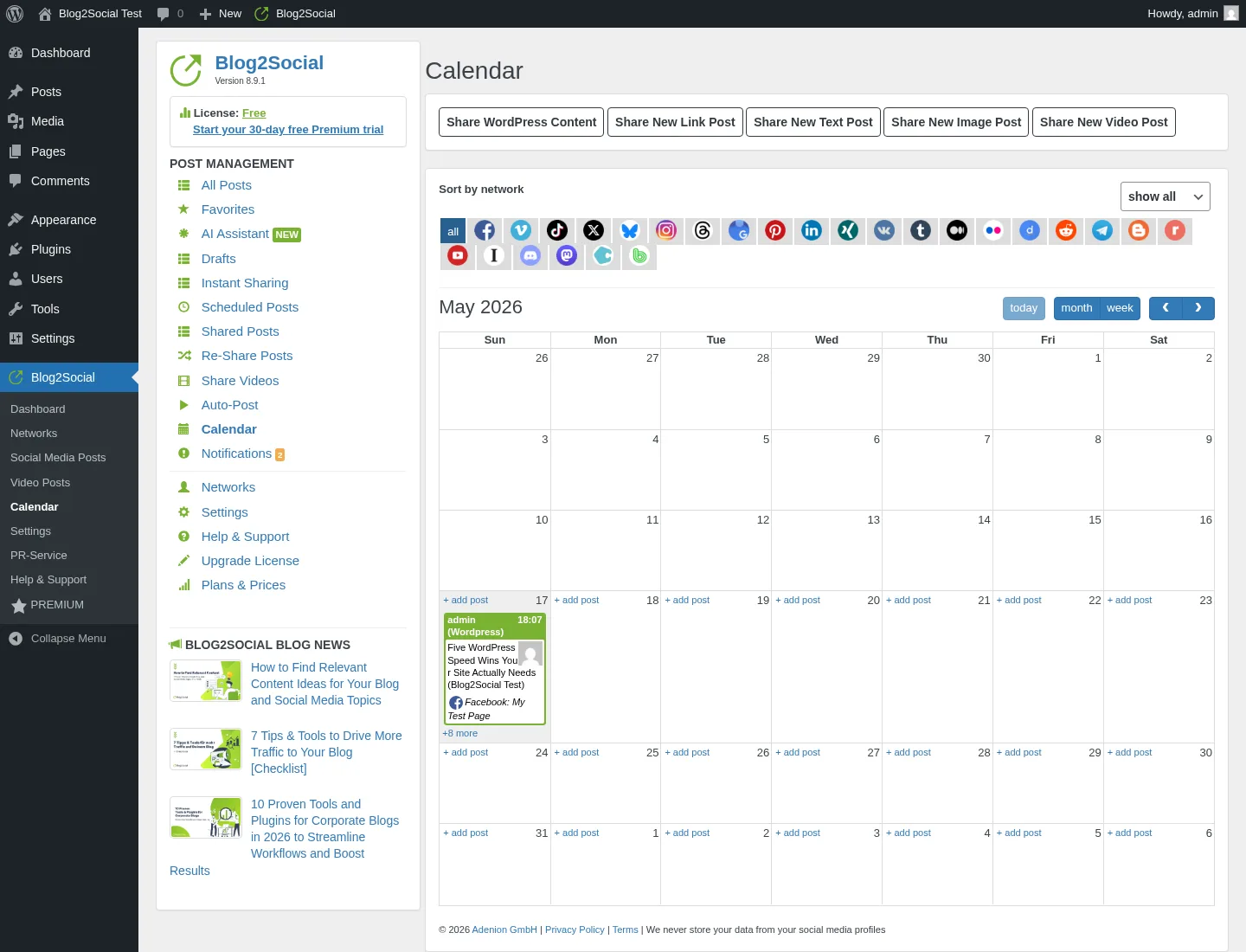
Blog2Social from Adenion is the freemium auto-poster with the highest WordPress.org trust signal in the category: 4.5/5 from 2,000+ reviews and 50,000+ active installs. The free tier ships manual sharing to 12 networks with per-network captions and an in-WordPress calendar. Auto-share on publish is locked to paid Smart and above. Smart starts at €72/year at checkout (16 networks, 3 accounts per network, 2 users, 2 sites). Pro and Business unlock 24 to 25 networks, more accounts, more users, and the deepest evergreen Re-Share rule builder in the freemium segment.
For Instagram specifically, Blog2Social supports feed posts and Reels on the right paid tier with per-network captions, post-time presets through Best Time Manager, and a usable preview. Stories support depends on the connected Instagram account type and the current plan, so read the active checkout description before buying if Stories are essential.
Main drawback. Auto-share on publish is paid-only, the network roster is fragmented across tiers, X (Twitter) and Video Posting are sold as separate add-ons, and there is no lifetime SKU.
For more on how Blog2Social compares to FS Poster on Instagram, see the parent shortlist of best WordPress social media auto-posting plugins.
3. Bit Social: cheapest credible Instagram-capable lifetime licence
Best for: Budget-driven bloggers and small agencies who want auto-share to Instagram on a one-time lifetime licence with AI captions.
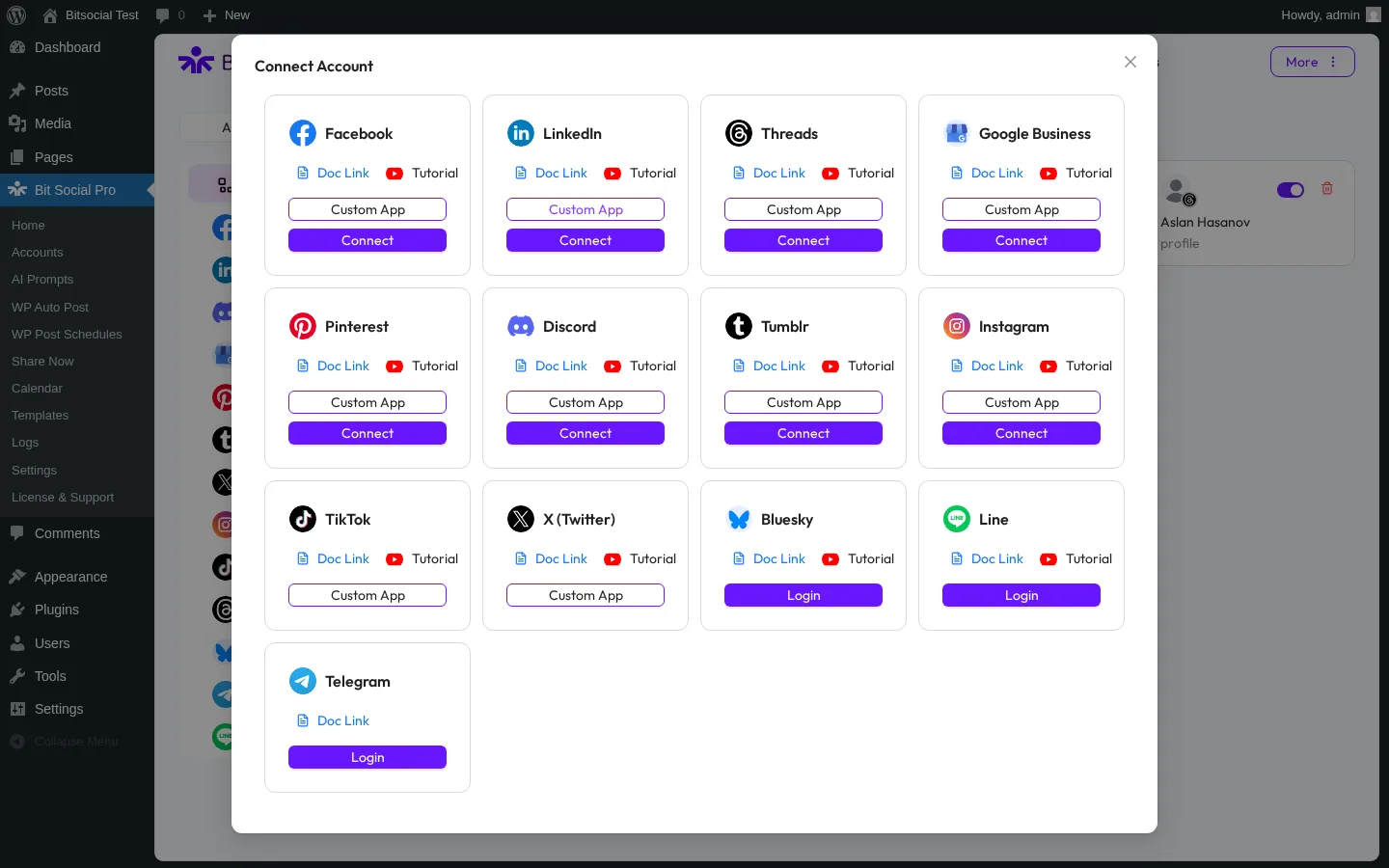
Bit Social from Bit Apps packages a modern admin UI, 13 networks on Pro (including Instagram), AI captions and AI images on your own OpenAI key, and the most aggressive lifetime price in the WordPress social-publishing niche. Annual entry is $49/year on Starter; Agency LTD is $149 one-time on unlimited sites. Instagram support covers feed and Reels with the standard per-platform template editor.
Main drawback. Free is only Facebook and LinkedIn Profile; Instagram and every other network are Pro-only. Bit Social still has visible product-surface gaps, so verify its Instagram support and documentation before relying on it for production.
4. Jetpack Social: simplest install for solo bloggers using Instagram Business
Best for: Solo bloggers and small businesses already inside the Automattic stack who only need Instagram Business plus a few mainstream networks.
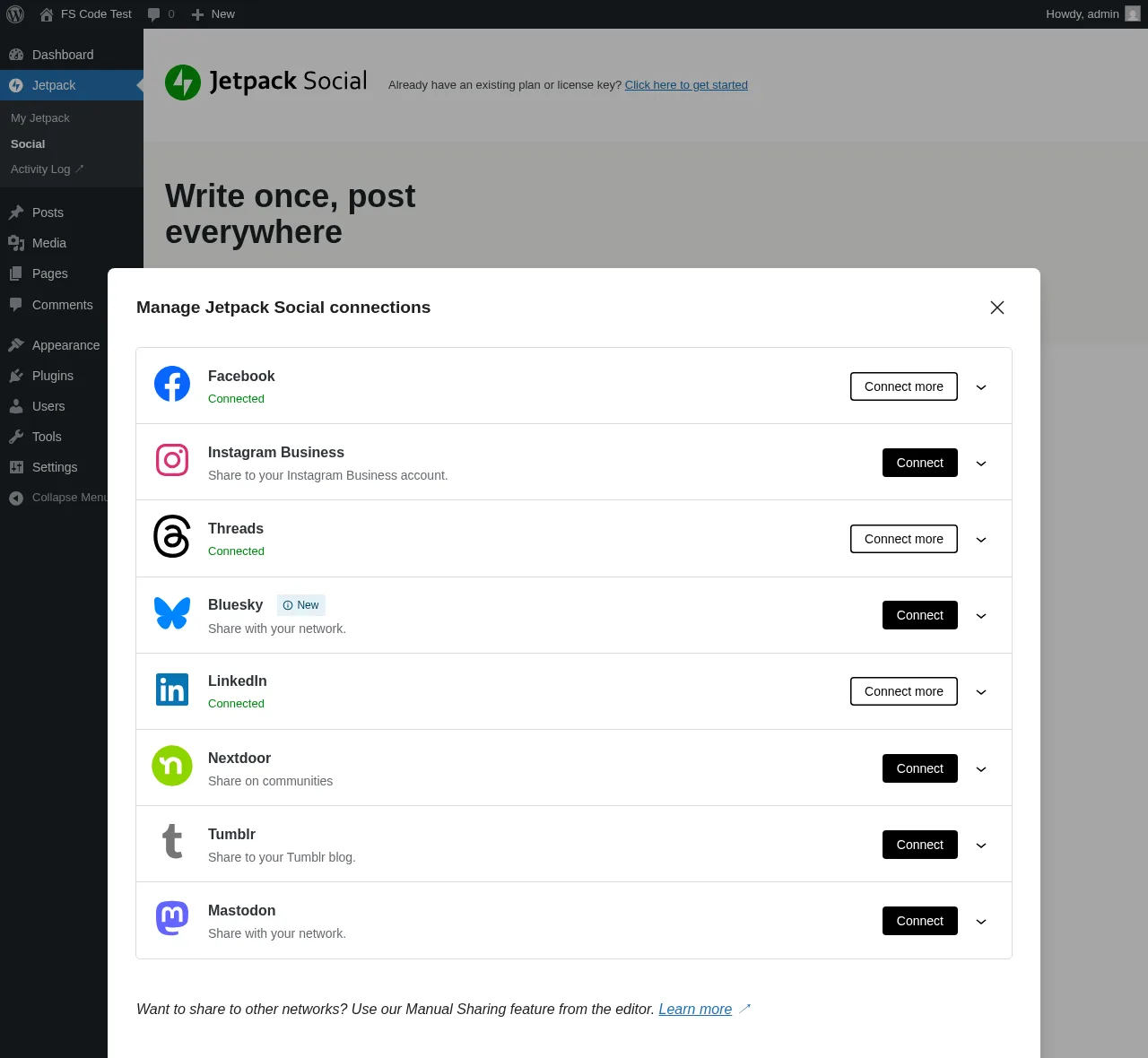
Jetpack Social from Automattic is the stripped-down auto-share plugin you reach for when simplicity beats breadth. It supports 8 networks: Facebook Pages, Instagram Business, Threads, LinkedIn, Bluesky, Nextdoor, Tumblr, and Mastodon, with a native Gutenberg-sidebar workflow and no separate admin. The Free tier has had unlimited shares since September 2024; the paid Social plan is €59.40 first year then €107.40/year on renewal. Instagram support is limited to Instagram Business feed posts, not Stories, Reels, or carousels with the full editorial workflow you get in FS Poster or Blog2Social.
Main drawback. No Pinterest, X, TikTok, YouTube, Reddit, Discord, Telegram, or Google Business Profile. The WordPress.org rating is bimodal, with a recurring complaint about account reconnect cycles.
Going deeper on outbound publishing: see the broader shortlist of best WordPress social media auto-posting plugins.
Category 2: Best WordPress Instagram feed plugins (galleries and widgets)
These plugins solve the inbound display job. They embed your live Instagram posts, Reels, Stories, hashtag content, or tagged photos inside your WordPress pages as a feed, gallery, slider, or shoppable widget. Use this category if your problem is "I want my Instagram content to live on my site, not just a link to my profile."
5. Smash Balloon Instagram Feed Pro: category leader for on-site Instagram feeds
Best for: Brands, creators, e-commerce, and lifestyle sites that want the most polished Instagram feed embed on WordPress, with Reels, Stories, Hashtag, Tagged, and Shoppable feeds on Pro.
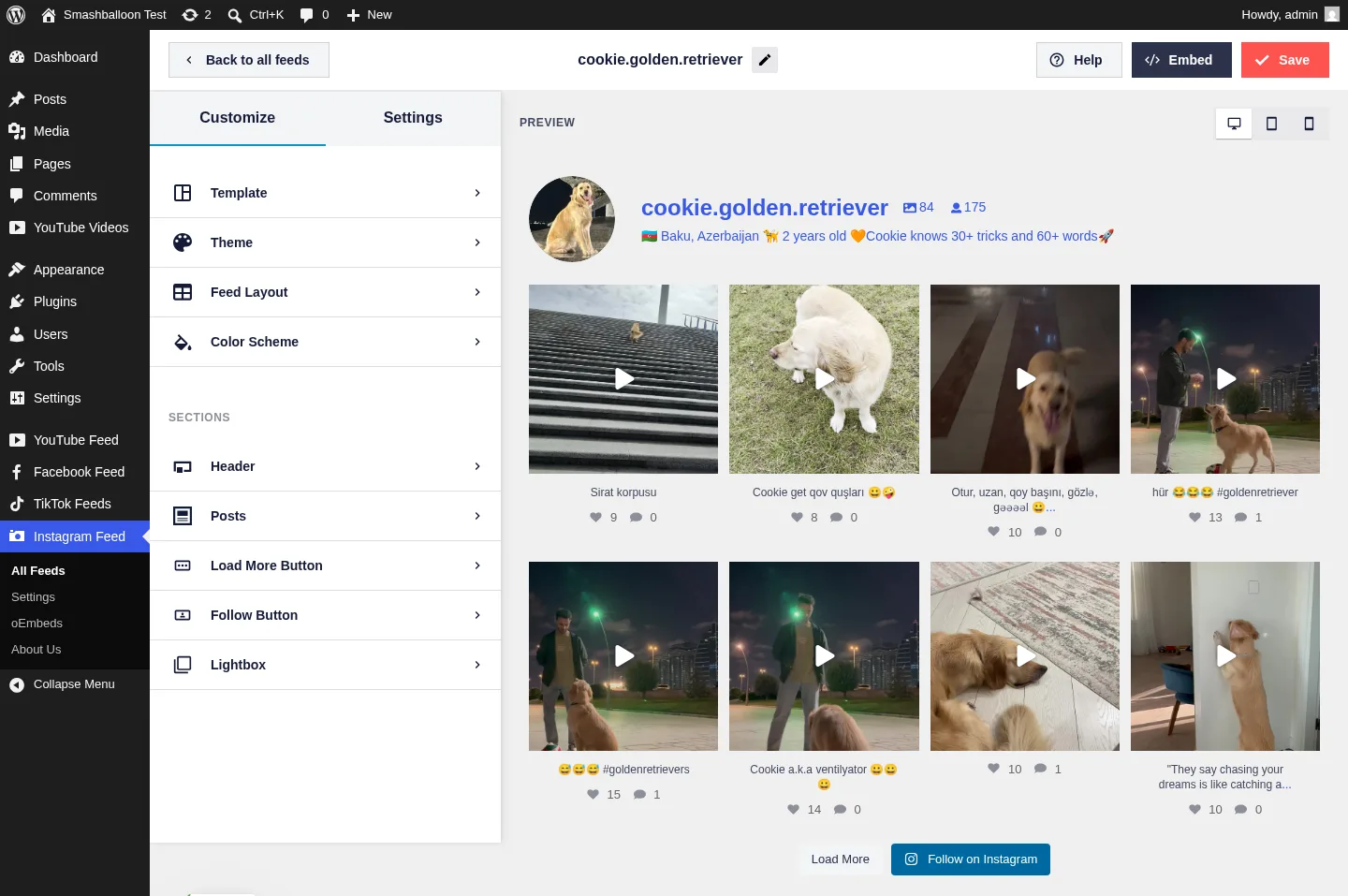
Smash Balloon Instagram Feed (Pro) is the highest-volume on-site Instagram feed plugin on WordPress.org: 1,000,000+ active installs and 4.9/5 from 4,000+ reviews on Instagram Feed alone. The live customizer renders posts from the connected account the moment you pick a source, and advanced feed types (Reels, Stories, Hashtag, Tagged, Shoppable) sit deep on Pro. The free version ships a clean Instagram grid with basic styling. Pricing starts at $49/year intro for single-plugin Basic (renews $98/year); the All Access Bundle is $299/year intro and covers all seven Smash Balloon plugins (Instagram, Facebook, YouTube, TikTok, X, Reviews, Social Wall) on unlimited sites. Read the full breakdown in the Smash Balloon review, and compare it against Spotlight, Instagram Feed Gallery, WPZOOM, Easy Social Feed, and WP Social Ninja in the Smash Balloon alternatives shortlist.
Main drawback. Pro is sold per network and renewals jump to full price after year 1. All Access becomes the right buy only when you genuinely need three or more networks.
6. Spotlight Social Media Feeds: strongest single-Instagram-account pick
Best for: Single-Instagram-account brands, hospitality and lifestyle businesses, photographers, and WooCommerce stores that want shoppable Instagram feeds without a multi-network bundle price.
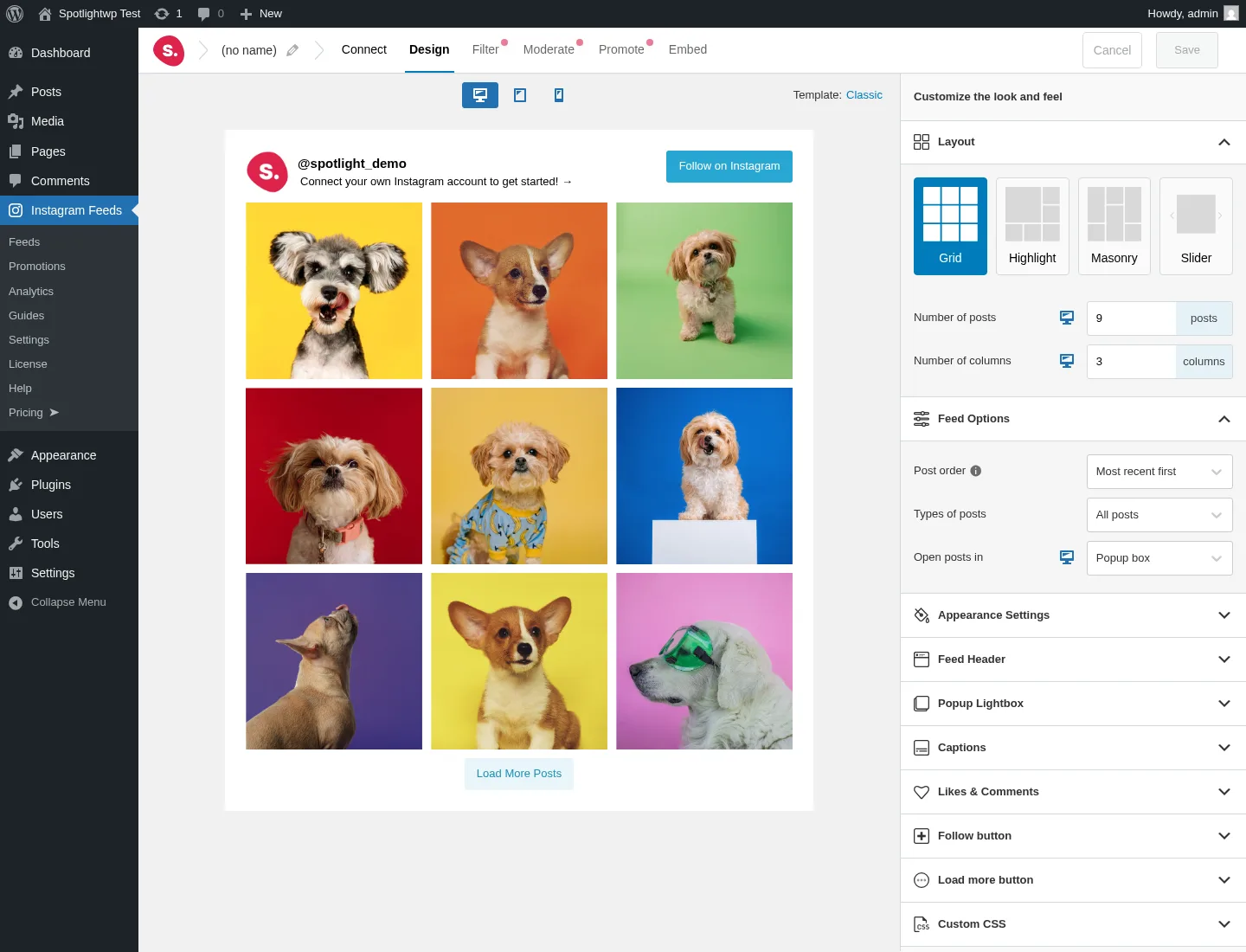
Spotlight from RebelCode (the team behind WP Mayor) is one of the strongest credible alternatives to Smash Balloon's Instagram Feed Pro inside the WordPress Instagram-display niche. The three-step wizard, generous free tier (unlimited connected Instagram accounts, unlimited feeds, four layouts, popup lightbox with Reels playback, per-device responsive controls, per-feed custom CSS), and the Promotions automation feature on Pro (map a hashtag in your Instagram captions to a WordPress page, post, or custom URL, so any post with that hashtag becomes a Buy this product CTA inside the lightbox) make it a strong CTA-aware Instagram feed plugin. Pricing: Essentials $59/year, Pro $99/year, Agency $199/year (up to 20 sites). 4.7/5 from 169 reviews on WordPress.org and 60,000+ active installs. Full deep dive in the SpotlightWP review.
Main drawback. Instagram-only despite the "Social Media Feeds" rebrand: no Facebook, X, TikTok, YouTube, Pinterest, LinkedIn, or Reviews feeds.
7. Instagram Feed Gallery (Social Feed Gallery by QuadLayers): cheapest credible Instagram Lifetime
Best for: Single-account brands, photography portfolios, and cost-sensitive agencies that want a one-time lifetime Instagram feed licence on WordPress.
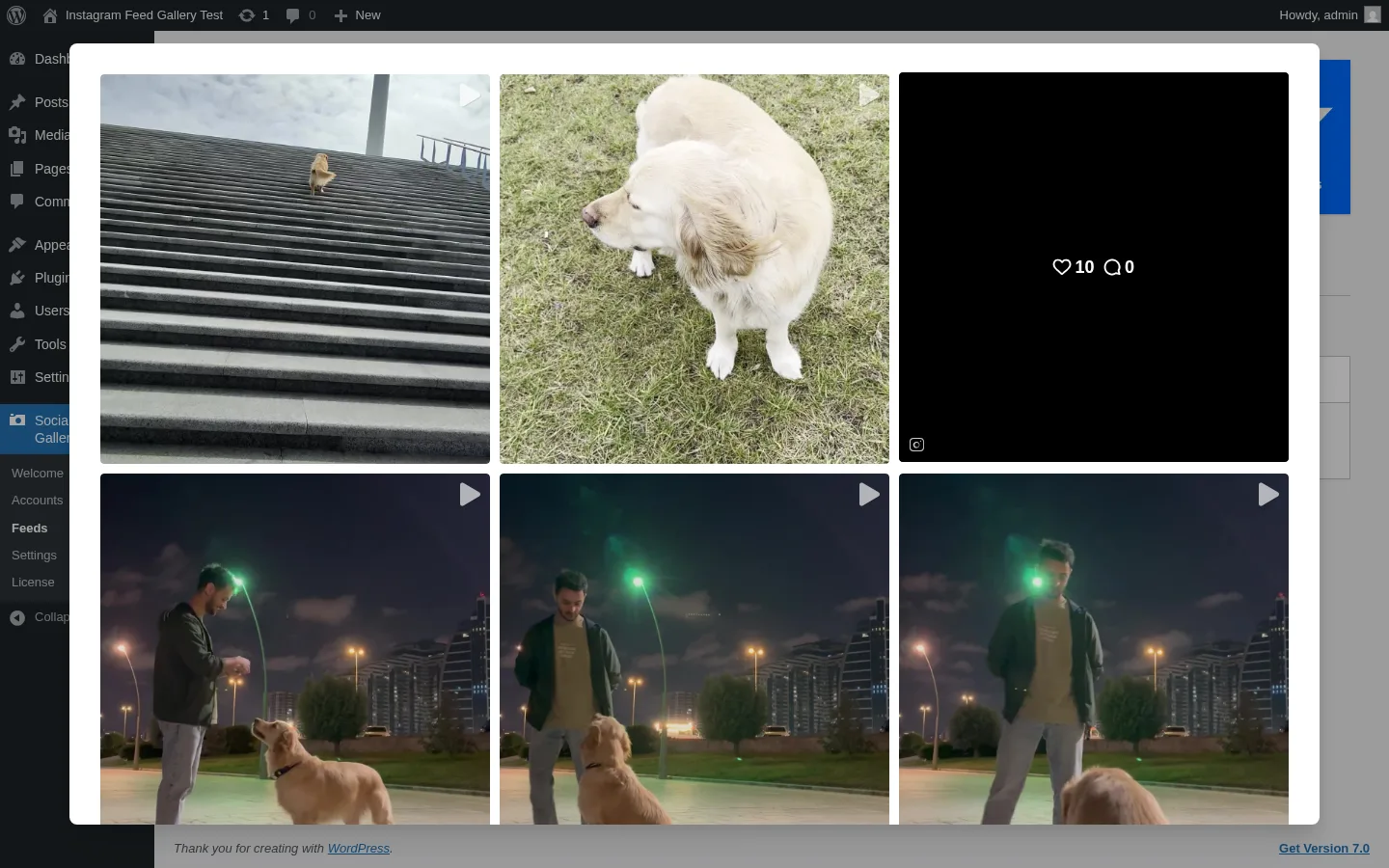
Instagram Feed Gallery, listed on WordPress.org as Social Feed Gallery by QuadLayers, is the only WordPress Instagram-feed plugin with publicly priced per-plugin lifetime tiers starting at $99 one-time. The free tier already covers Gallery and Carousel layouts, native Gutenberg and Elementor blocks, a lightbox with profile and engagement counts, and per-device responsive controls. The one-click Instagram token flow does not require creating a Facebook Developer App, which is one of the lowest-friction setup paths in this category. 4.5/5 from 301 reviews on WordPress.org and 80,000+ active installs. Read the full breakdown in the Instagram Feed Gallery review.
Main drawback. Instagram-only despite the "Social Feed Gallery" rebrand, and the Highlight layout's first paint can take 10 to 15 seconds.
8. WP Social Ninja: best all-in-one (Instagram feed plus reviews, chat, popups)
Best for: Small businesses, restaurants, hospitality, and WooCommerce stores that want one licence covering an Instagram feed plus business reviews, chat widgets, notification popups, and testimonials.
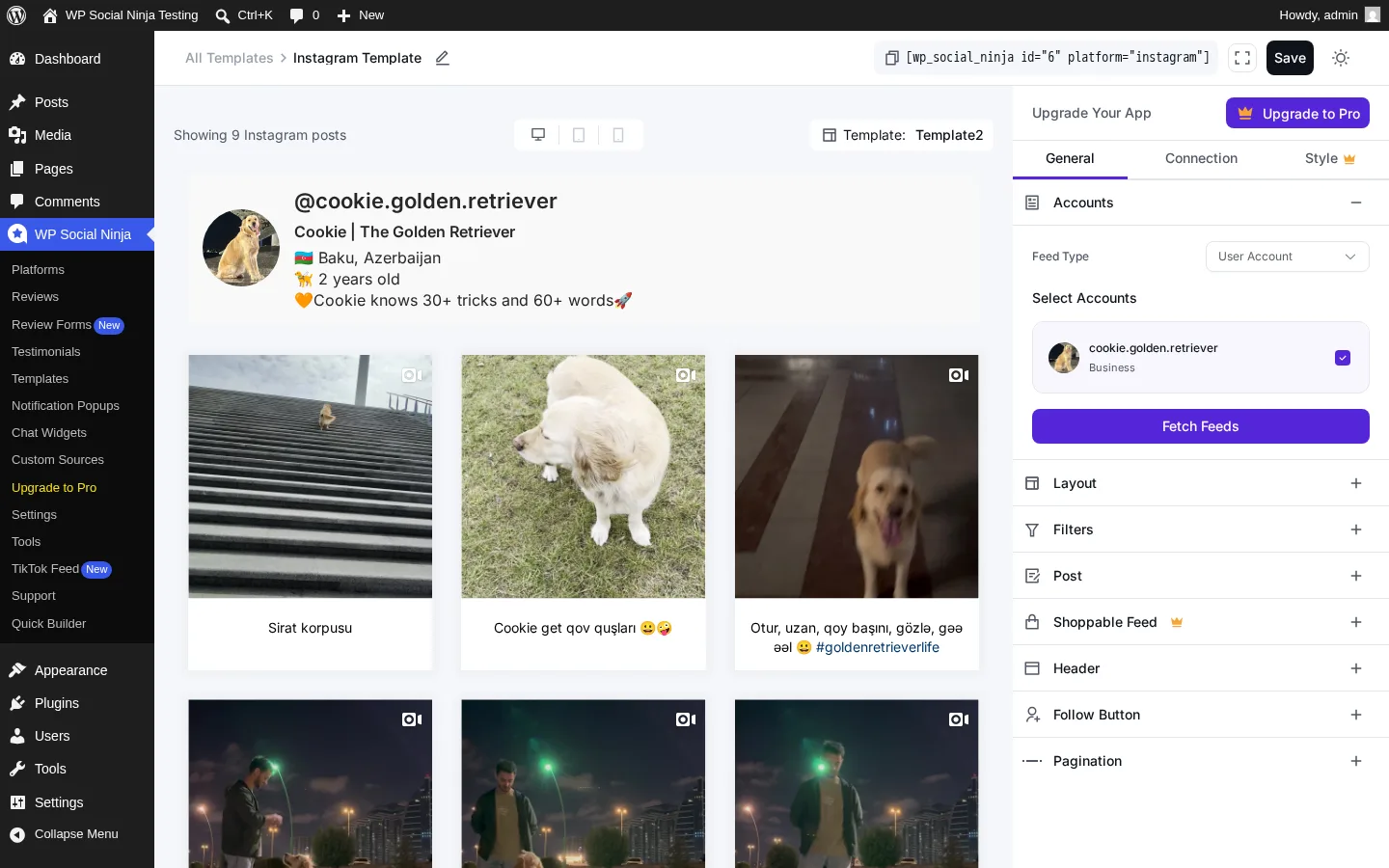
WP Social Ninja from WPManageNinja consolidates jobs that usually need three or four separate plugins: 5 social feed networks (Instagram, Facebook, YouTube, TikTok, X), 10+ review sources, 15+ chat-widget channels, notification popups, and a testimonial slider. The free tier already includes Google Business Profile reviews and Airbnb reviews. 4.8/5 from 69 reviews on WordPress.org and 30,000+ active installs. Single Site licence is $89/year regular.
Main drawback. Each individual module is "good enough" rather than best-in-class; if you only need the deepest Instagram feed, Smash Balloon or Spotlight will deliver more polish.
9. Easy Social Feed: all four mainstream networks under one Instagram-capable licence
Best for: Multi-network SMBs, budget-conscious agencies, GDPR-first European sites, and long-term WordPress sites that want a one-time Instagram-capable licence instead of an annual subscription.
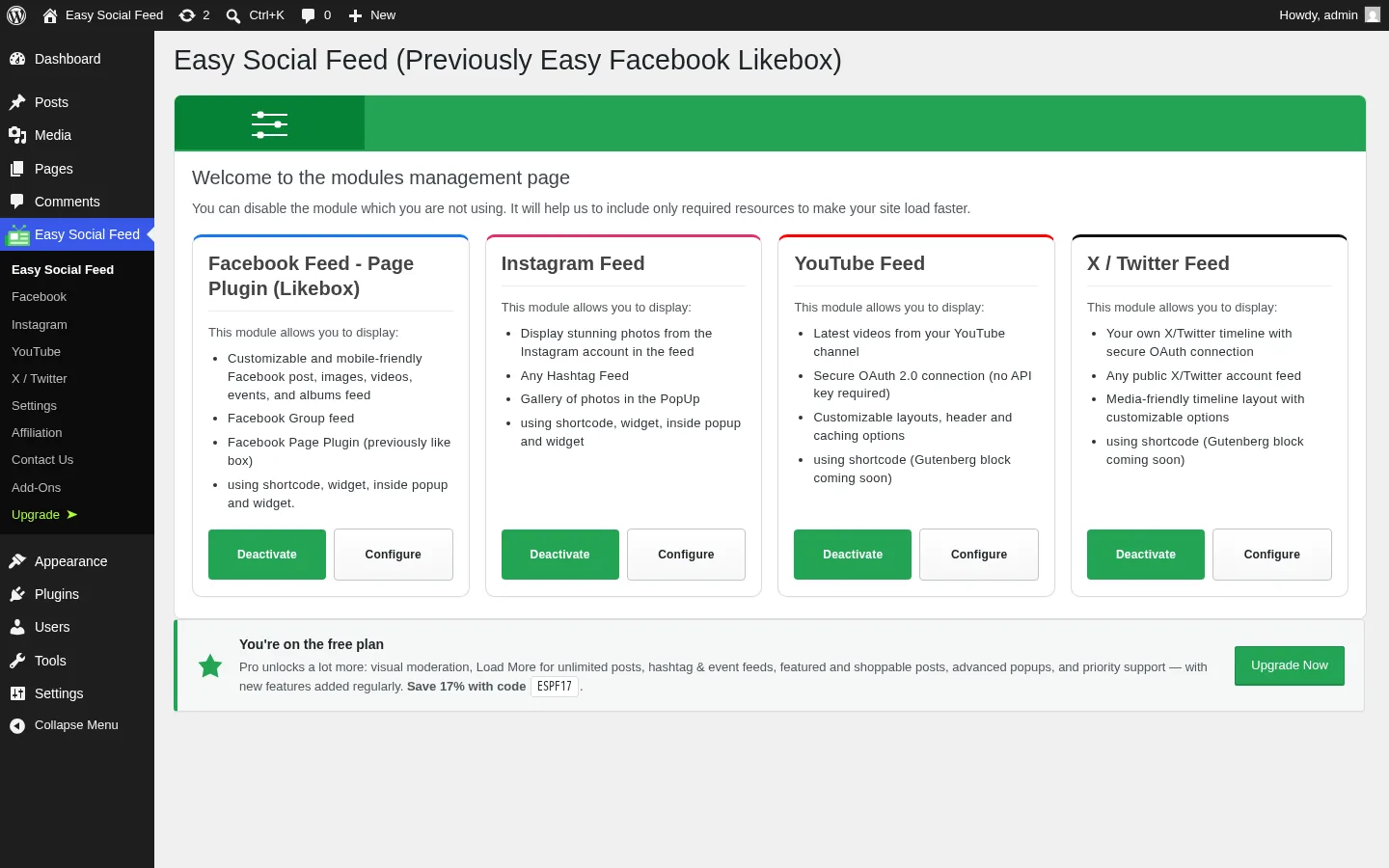
Easy Social Feed from Malta Themes is one of the cheapest credible "all four mainstream networks in one plugin" WordPress feed displays: Facebook, Instagram, YouTube, and X / Twitter under one admin menu, one licence, and one update cadence. The $89/year COMBO bundles all four mainstream networks under one Pro licence, and the $259 one-time COMBO Lifetime is one of the few real lifetime SKUs in the niche. Native GDPR consent integration with nine popular cookie plugins ships at the free tier. 4.6/5 from 500 reviews on WordPress.org.
Main drawback. Only two free Instagram skins (Grid + Row); Masonry and Carousel grids require an upgrade, and the in-admin upsells are visible.
Going deeper on inbound display: see the broader shortlist of best WordPress social media feed plugins.
Category 3: Best WordPress Instagram plugins for marketing and CTA
These plugins do not auto-post and they do not render a basic feed. They turn Instagram into website actions. Use this category if your problem is "I want my Instagram presence to drive giveaways, follow CTAs, or a multi-platform social wall on my site."
10. RafflePress: best WordPress Instagram giveaway plugin
Best for: Bloggers, creators, and SMBs that want to grow Instagram followers, email subscribers, and viral website traffic from a single WordPress-native giveaway builder.
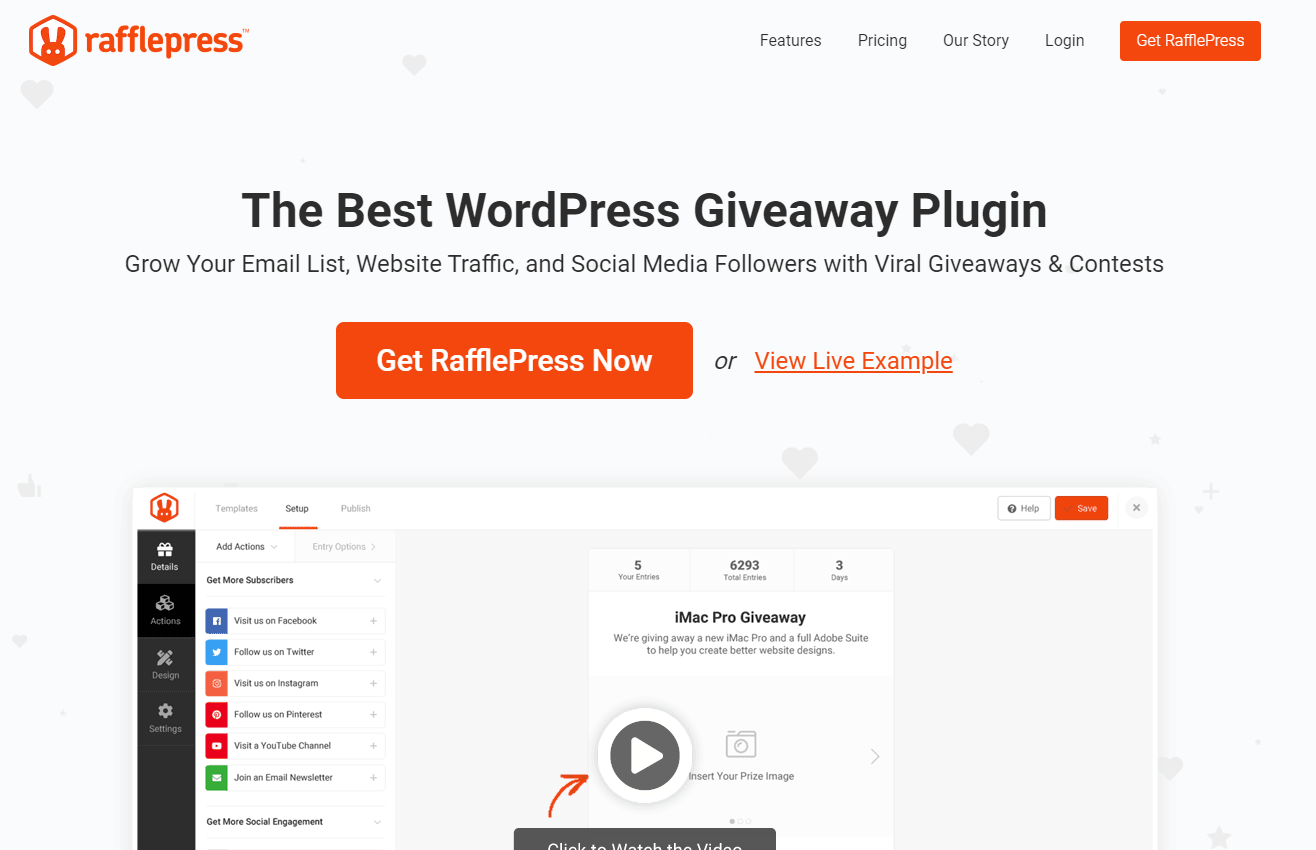
RafflePress is the most polished WordPress giveaway plugin and the cleanest way to attach Instagram actions to a website contest: Follow on Instagram, Visit Instagram, and View an Instagram post are first-class entry actions. The drag-and-drop giveaway builder, pre-built templates, viral sharing mechanics, refer-a-friend bonus actions, and CRM integrations are designed to convert visitors into Instagram followers and email subscribers at the same time. The free Lite version on WordPress.org ships the core giveaway builder and a usable feature set; paid plans unlock viral sharing, additional integrations, and advanced verification.
Main drawback. RafflePress is a giveaway plugin first, an Instagram tool second; if you do not run contests, this is not the right pick.
11. Tagembed Instagram Widget: best multi-platform Instagram aggregator widget
Best for: Multi-platform brands that want an Instagram-anchored social wall that also includes X, Facebook, TikTok, YouTube, and reviews in one widget.
.png)
Tagembed is a social media aggregator with a dedicated Instagram Widget for WordPress. The plugin aggregates Instagram alongside 20+ other social networks into a single widget, with moderation tools, profanity filtering, custom CSS, custom CTAs, and basic analytics. It is the cleanest "social wall" path when Instagram is your main channel but you also want to surface mentions, hashtags, and content from X, TikTok, YouTube, or review sites in the same widget.
Main drawback. It is a hybrid SaaS-plus-plugin model; pricing and feature gating depend on the active Tagembed plan, not on the WordPress plugin alone. Verify the current Instagram quota on the Tagembed pricing page before standardizing on it.
Compatibility notes worth knowing before you install
Before installing any WordPress Instagram plugin in 2026, three Meta-side facts trip up the most setups:
- Instagram account type. Auto-posting plugins (FS Poster, Blog2Social, Jetpack Social, Bit Social) require an Instagram Business or Creator account. Personal Instagram accounts cannot be published to from third-party tools. Switching account type is free in the Instagram mobile app under Settings, then Account, then Switch to professional account.
- Stories, Reels, and carousel quirks. Stories work most reliably on plugins that ship a dedicated Story channel and accept landscape-cropped or 9:16 source media. Reels expect vertical 9:16 video. Carousel mode in FS Poster reads the WordPress post's attached images, so structure your WordPress post media accordingly.
- Instagram captions and link rules. Instagram does not render clickable links inside feed captions. Keep the caption focused on a hook plus a "link in bio" CTA; the hashtag block lives in the first comment when the plugin supports it. FS Poster, Blog2Social, and Bit Social all support the first-comment workflow on Instagram.
If you are still narrowing down the WordPress Instagram automation step itself, the deeper walkthrough is how to auto post from WordPress to Instagram, and the full product feature breakdown and pricing are on the Instagram auto poster for WordPress page.
How to choose the right WordPress Instagram plugin
Work the decision in this order:
- Pick the job first. Outbound publishing, inbound display, or marketing CTA. The categories above map directly to those three jobs and the same plugin will rarely do two of them well.
- Pick the Instagram surfaces you actually use. If Reels and Stories are core to your editorial calendar, you need a plugin that ships those surfaces natively (FS Poster on the publishing side, Smash Balloon Instagram Feed Pro or Spotlight on the display side). If you only do still feed posts, your shortlist is wider.
- Pick the licence model that matches your timeline. If you plan to run the same WordPress site for years, a lifetime tier (FS Poster, Easy Social Feed, Instagram Feed Gallery, Bit Social Agency LTD) is usually cheaper after year 2. If you are still validating a project, start with a free tier or an annual entry plan.
- Pair, do not duplicate. Most serious WordPress Instagram setups in 2026 are FS Poster on the publishing side plus one feed plugin (Smash Balloon, Spotlight, Instagram Feed Gallery, WP Social Ninja, or Easy Social Feed) on the display side. Skip the third category unless you genuinely run giveaways or social walls.
FAQ
What is the best WordPress Instagram plugin overall?
There isn't one, and any list that gives a single answer is glossing over the category split. The honest answer is best-in-job: FS Poster is the best Instagram auto poster for WordPress, covering scheduling, Stories, Reels, and carousels; Smash Balloon Instagram Feed Pro is the best for embedding Instagram content on your WordPress pages; RafflePress is the best for Instagram-driven giveaways. Pick the job before comparing products.
What is the best free WordPress Instagram plugin?
Three different free picks depending on the job. For on-site Instagram feed display, the free version of Smash Balloon Instagram Feed and Spotlight Social Media Feeds both ship a usable Instagram grid. For outbound publishing, Blog2Social Free is the strongest free auto-poster that includes Instagram on the right paid tier (manual share is free). For giveaways, RafflePress Lite on WordPress.org is the strongest free Instagram-aware giveaway builder.
Can I auto-post WordPress posts to Instagram Stories, Reels, and carousels?
Yes, but only with plugins that ship those Instagram surfaces natively. FS Poster supports Instagram feed posts, Stories, Reels, carousels, and first-comment publishing under one licence. Blog2Social and Bit Social cover feed and Reels with per-tier limits. Jetpack Social is limited to Instagram Business feed publishing. Plugins built for inbound display (Smash Balloon, Spotlight, Instagram Feed Gallery) do not publish out to Instagram at all.
Do I need a Facebook Developer App to connect Instagram to WordPress?
For the major auto-posters covered above, no. FS Poster ships a maintained Standard App for Instagram Business and Creator accounts, so most users connect in roughly two minutes through the Sign in with Instagram Business flow. Some feed plugins (notably Instagram Feed Gallery) also ship a one-click Instagram token flow that avoids creating a Facebook Developer App. The advanced custom-app path remains available for power users who want their own Meta app.
Why is my Instagram account not connecting through a WordPress plugin?
The most common cause in 2026 is account type. Instagram only allows third-party tools to publish to Business or Creator accounts. Personal Instagram accounts cannot be connected through any WordPress Instagram auto-poster. The second most common cause is an expired or revoked Meta access token; reconnect the channel in the plugin and reauthorize the connection.
Can a WordPress Instagram plugin embed my feed AND auto-post to Instagram?
Not well in 2026. The two jobs require completely different Meta API scopes (publish-out OAuth scopes versus read-only feed APIs), and every plugin that tries to do both does at least one badly. Use FS Poster for outbound publishing and a dedicated feed plugin (Smash Balloon, Spotlight, Instagram Feed Gallery, WP Social Ninja, or Easy Social Feed) for inbound display. Two specialized plugins outperform one overloaded compromise.
Will an Instagram feed plugin hurt my Core Web Vitals?
It depends on the plugin. Feed plugins that cache feed responses and lazy-load images (Smash Balloon, Spotlight, Instagram Feed Gallery) have a manageable footprint on a normally configured site. Feed plugins that hot-link Instagram CDN images on every request can show up as Largest Contentful Paint and Total Blocking Time issues in PageSpeed Insights. Auto-posting plugins run only in the WordPress admin and on publish hooks, so they do not move Core Web Vitals.
Final recommendation: by job, not by single winner
There is no single "best WordPress Instagram plugin" because there is no single Instagram job being solved. Match the plugin to the job:
- If your job is outbound (publish to Instagram from WordPress): start with FS Poster. It is the best Instagram auto poster for WordPress in this list: it handles feed, Stories, Reels, carousels, and first comments natively while covering 25 other social networks under one licence. Blog2Social is the freemium fallback, Bit Social is the cheapest lifetime, and Jetpack Social is the simplest install for solo bloggers on a tight network roster.
- If your job is inbound (embed Instagram on your WordPress site): start with Smash Balloon Instagram Feed Pro if you want the most polished customizer and may add other networks later; Spotlight for a generous free tier and single-account focus; Instagram Feed Gallery for a real lifetime licence; WP Social Ninja if you also want reviews and chat; Easy Social Feed if you want a one-time multi-network feed licence.
- If your job is Instagram-driven website marketing: start with RafflePress for giveaways and follow CTAs; Tagembed Instagram Widget for a multi-platform Instagram social wall.
Most serious WordPress sites pair one plugin from category 1 (FS Poster) with one plugin from category 2. The third category is optional, and adding all three at once is usually a sign of plugin bloat. Pick the job first, install one plugin per job, not three.
Write once. Post to 26 networks.
- 26 social networks
- Schedule & auto-repost
- Runs inside wp-admin


