


Selling a ticket through WordPress is a different job than running an event calendar. A calendar plugin lists what's happening and when. A ticketing plugin has to take payment, generate proof of purchase, cap capacity, and give someone at the door a fast way to confirm that the person in front of them paid. Some plugins do all of that with no platform commission. Others charge a small percentage on top of your card processor's own fee until you upgrade. A few require WooCommerce as a foundation; others run standalone.
This roundup compares nine actively maintained WordPress event ticketing plugins on the things that change how much a ticketed event costs to run. Those are the ticket sales workflow, payment gateways and commission, QR check-in, seating, recurring events, WooCommerce dependency, how useful the free tier really is, and price. Every plugin, price, and feature below was checked against the vendor's own pricing page, documentation, or WordPress.org listing as of September 2026.
How These Plugins Were Evaluated
A plugin only qualifies for this list if it can take payment at checkout and issue something the buyer can present at the door, whether that's a PDF, a QR code, or a booking reference tied to their name. Pure RSVP or free-registration plugins without a payment workflow were left out, and so were general appointment-booking plugins that route a client to a staff member and a time slot rather than selling access to a fixed-capacity event. If you're weighing that distinction for your own site, the FAQ below covers it in more detail.
Each plugin was scored on:
- Ticketing and event creation: Can you create multiple ticket types at different prices, cap quantity per type, and see who bought what?
- Payments and commission: Which gateways are supported, at what plan tier, and does the plugin take a cut on top of the payment processor's own fee?
- QR check-in: Is there a way to scan a ticket at the door, and is it included or a paid add-on?
- Seating: Can you sell specific seats or sections instead of one general-admission pool?
- Recurring events: Can a weekly class or monthly meetup be set up once instead of rebuilt for every date?
- WooCommerce dependency: Does the plugin require a WooCommerce store to function, or does it run on its own? A hard WooCommerce dependency (see our WooCommerce plugins for WordPress roundup for what that stack typically looks like) adds real setup and maintenance overhead if you don't already run WooCommerce.
- Free-plan usefulness: Does the free tier let you sell a ticket, or is it calendar/RSVP only until you pay?
- Pricing and value: What does the realistic entry price look like, and what does it unlock?
Quick Comparison: Top WordPress Event Ticketing Plugins
| Plugin | Free ticket sales | Entry paid plan | Platform fee | QR check-in | Seating | Recurring events | WooCommerce required |
|---|---|---|---|---|---|---|---|
Event Tickets (The Events Calendar) |
Yes, Stripe/ |
Essentials $259/ |
2% on Stripe/ |
Pro $399/ |
Elite $599/ |
Essentials $259/ |
No (optional at Pro) |
Tickera |
No |
Standard $149/ |
None |
Yes, all plans |
Bundle $199/ |
Limited |
No (optional Bridge add-on) |
FooEvents for WooCommerce |
No |
Basic Bundle $169/ |
None (WooCommerce gateway fees only) |
Yes, all bundles |
Premium Bundle $249/ |
No (multi-day events via add-on) |
Yes, hard requirement |
Eventin |
Yes, WooCommerce/ |
Standard $89/ |
None |
Yes, all plans, including free |
Yes, all paid plans |
Yes, including free |
No (optional) |
Event Espresso |
Yes, PayPal only (Decaf) |
Core $129/ |
3% on Decaf, 0% on Core/ |
All Access $399/ |
Via add-on |
Yes |
No |
Sugar Calendar |
Yes, Stripe (Lite) |
Basic $49.50/ |
3% on Basic, removed at Plus $99.50/ |
No native scanner |
No |
Yes, all tiers |
No |
Events Manager |
Registration only, unlimited |
Pro $129/ |
None |
Pro |
No |
Yes, free |
No (optional WooCommerce add-on) |
EventPrime |
Calendar and RSVP only |
Essential $69/ |
None |
Attendee Check In ext., $39.95 |
Live Seating ext., $49.95 |
Included free |
No (optional WooCommerce Checkout ext.) |
WP Event Manager |
Listings only, no payments |
Sell Tickets add-on, $49/ |
None |
Yes, Sell Tickets add-on |
No |
Core supports it |
Yes, for payment processing |
The 9 Best WordPress Event Ticketing Plugins (Ranked)
1. Event Tickets (The Events Calendar)
Best for: sites that want the most widely used WordPress event ecosystem, a functional free ticket-selling tier, and a clear paid path to remove commission and add QR check-in.
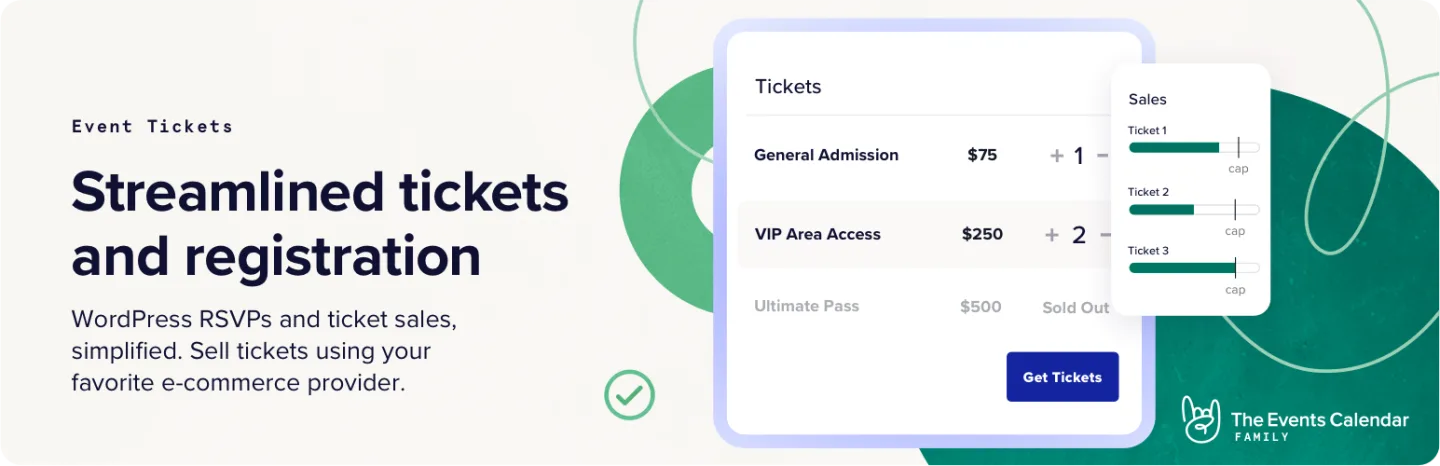
Event Tickets is the free ticketing companion to The Events Calendar, built by StellarWP and now sold as part of Nexcess/Liquid Web's events product line. On its own, the free Event Tickets plugin has 90,000+ active installs and a 3.5-star rating from 234 WordPress.org reviews (69 of them one star), and it lets you create ticket types, take payment through Tickets Commerce (Stripe, PayPal, or Square), and manage attendees at no cost. The Events Calendar core plugin, which most people pair it with, has 600,000+ active installs and a 4.2-star rating from 2,454 reviews, making this the single most widely deployed event plugin family in WordPress by a wide margin.
The catch on the free tier is a 2% commission that Tickets Commerce applies on top of Stripe's or Square's own processing fee (PayPal's standard fees apply with no added platform cut). The free plugin's confirmation email does give attendees a ticket to present at the door for scanning, but the free tier does not include a dedicated QR check-in app; that's part of Event Tickets Plus, which is now sold inside the paid bundle. That commission goes away once you move to the paid product line, which Liquid Web now sells as three annual bundles rather than a-la-carte add-ons. Essentials covers unlimited events, tickets, and RSVPs, ticket sales through Stripe/PayPal/Square, recurring events and series, and virtual and hybrid event support. Pro removes the ticket commission entirely and adds WooCommerce ticket checkout, custom attendee registration forms, and ticket QR codes with a dedicated check-in app. Elite adds a custom seating map builder, assigned seating and seat selection, hold timers, and Promoter, its built-in event email marketing tool.
For a site that just wants to sell tickets to a single event without recurring dates or a seating chart, the free Event Tickets plugin plus Tickets Commerce is a legitimate zero-cost starting point, with the 2% fee as the tradeoff. For anything with QR check-in, no commission, or a seating chart, budget for the Pro or Elite bundle.
Key features:
- Free ticket sales via Stripe, PayPal, and Square through Tickets Commerce
- 2% platform commission on Stripe/Square in the free tier, removed at Pro
- Unlimited events, tickets, and RSVPs on every tier
- Recurring events and series (Essentials and up)
- WooCommerce ticket checkout and custom attendee forms (Pro)
- QR ticket codes with a dedicated check-in app (Pro)
- Custom seating map builder with assigned seating and hold timers (Elite)
- Promoter built-in email marketing for event promotion (Elite)
- 600,000+ installs on the core calendar plugin, the largest install base of any plugin in this list
Pricing: Free Event Tickets plugin with Stripe/PayPal/Square via Tickets Commerce (2% fee on Stripe and Square). Paid bundle: Essentials $259/year, Pro $399/year (removes commission, adds QR check-in and WooCommerce checkout), Elite $599/year (adds seating). Check theeventscalendar.com for current bundle terms, since this pricing structure changed during this research pass and may change again.
Limitations: The free tier's 2% commission on Stripe/Square adds up on high ticket volume. Reaching QR check-in or a seating chart now means buying the Pro or Elite bundle rather than a single lower-cost add-on, which raises the entry price compared to the plugin's older a-la-carte model. Its 3.5-star rating, with 29% one-star reviews, is also the lowest of any plugin in this list.
2. Tickera

Best for: organizers who want zero commission from their first ticket sold, the widest built-in gateway selection of any plugin here, and a one-time lifetime license option.
Tickera does not take a cut of ticket revenue on any plan. Every payment goes straight to your own gateway account, and Tickera's role stops at issuing the ticket. It has 2,000+ active installs and a 4.5-star rating from 289 WordPress.org reviews. The Standard plan includes 19 built-in payment gateways without needing WooCommerce, unlimited sites, events, and attendees, PDF tickets, and the free Checkinera check-in app for iOS and Android. The Bundle plan adds all 25 official add-ons, including Seating Charts for assigned-seat events and a Bridge add-on that connects WooCommerce for access to hundreds more gateway options. A Lifetime license includes every add-on permanently with no renewal.
Tickera doesn't ship a public event calendar for browsing multiple upcoming events, so if you need both a searchable listing page and ticket checkout, pair it with a calendar plugin or use its basic shortcode listing.
Key features:
- 19 built-in payment gateways, no WooCommerce required
- Zero platform commission on every plan
- Unlimited sites, events, and attendees
- PDF tickets and free Checkinera check-in apps (iOS/Android)
- Seating Charts add-on (Bundle and Lifetime)
- WooCommerce Bridge for additional gateways (Bundle and Lifetime)
- Lifetime license option with no renewal
Pricing: Standard $149/year first year, renews at $99/year. Bundle $199/year first year, renews at $149/year (all 25 add-ons). Lifetime $399 one-time. 7-day money-back guarantee.
Limitations: No built-in public event calendar for browsing multiple events. Recurring events are limited compared to dedicated event-management plugins. The 7-day refund window is shorter than most competitors on this list.
3. FooEvents for WooCommerce
Best for: WooCommerce stores that want to turn existing product pages into ticketed events without paying a per-ticket commission.
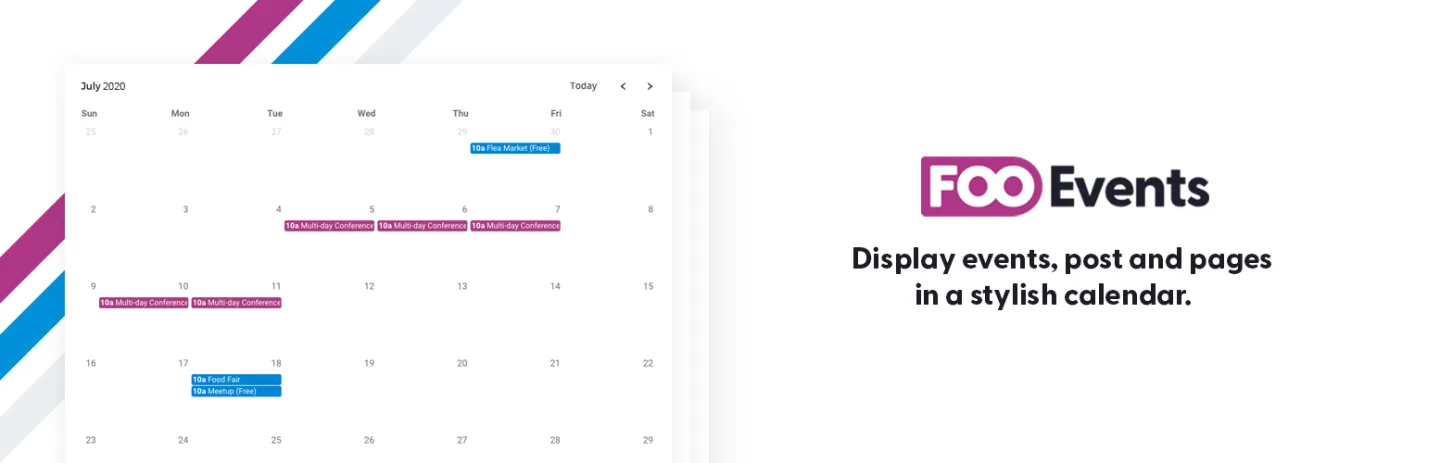
FooEvents is built specifically on top of WooCommerce, and that's a hard requirement, not an option. Because it inherits your store's checkout, buyers can pay through whatever gateway your WooCommerce setup already supports, which covers well over 100 options including Stripe, PayPal, and Square, and FooEvents itself takes no commission. Every bundle includes unlimited ticket sending, branded PDF tickets with embedded QR codes, and free iOS/Android check-in apps.
The entry point is the Basic Bundle, which covers the core plugin, PDF tickets, a calendar display, and the check-in app. The Bookings Bundle adds bookings and custom attendee fields. The Premium Bundle adds seating maps for numbered, reserved-seat events. The Point of Sale Bundle adds a box-office style walk-up sales terminal, useful for venues selling tickets in person alongside online sales.
If you don't already run WooCommerce, adding it purely to support FooEvents brings real overhead in setup, hosting load, and ongoing plugin maintenance that a standalone ticketing plugin avoids.
Key features:
- Converts WooCommerce products into ticketed events
- 100+ payment gateways via WooCommerce, no FooEvents commission
- Branded PDF tickets with embedded QR codes
- Free iOS/Android check-in apps on every bundle
- Multi-day events and custom attendee forms
- Seating maps for numbered, reserved-seat events (Premium Bundle and up)
- Point-of-sale terminal for walk-up ticket sales (Point of Sale Bundle)
Pricing: Basic Bundle $169/year, Bookings Bundle $199/year, Premium Bundle $249/year, Point of Sale Bundle $399/year. WooCommerce required and not included. 12 months of support and updates, 14-day money-back guarantee.
Limitations: WooCommerce is a hard dependency, which is real overhead for a site that doesn't already run it. There's no free tier at all. Seating requires at least the Premium Bundle, and there are no recurring events; multi-day events need the Multi-day add-on, included from the Premium Bundle.
4. Eventin
Best for: conferences and workshops that need speaker profiles, session schedules, and multi-tier ticket pricing bundled into a single plan.
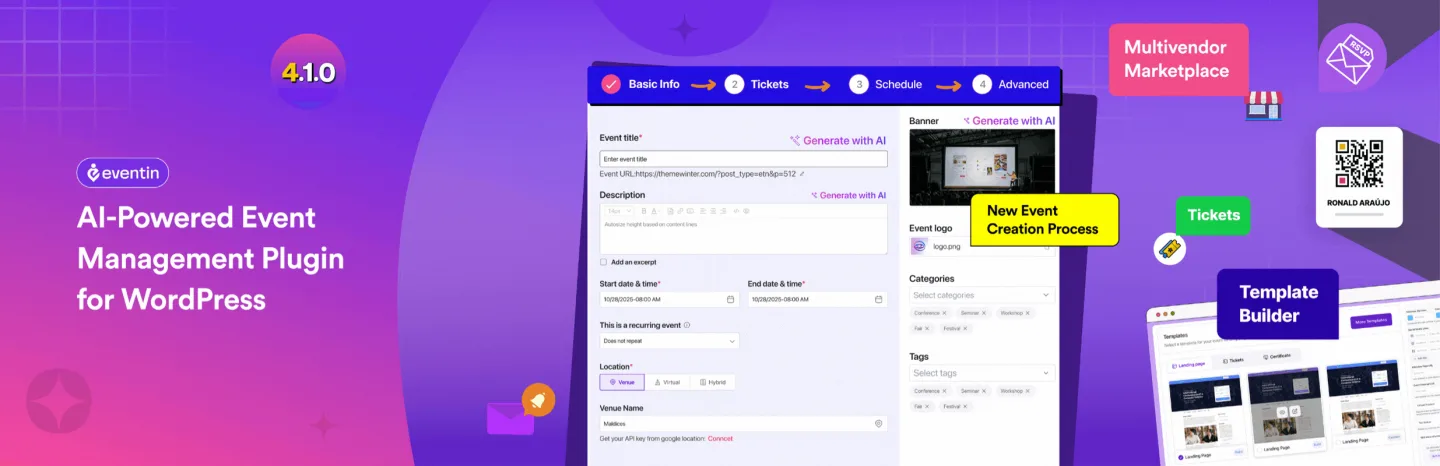
Eventin (developed by Arraytics/ThemeWinter, with 10,000+ active installs on WordPress.org) is the strongest option here for structured, multi-session events. Every plan, including the free one, covers multi-tier ticket types (Early Bird, VIP, General Admission, and custom tiers with independent capacity), speaker profiles with session assignments, QR code check-in, and recurring events. The paid plans add the visual seat map, AI event generation, and a landing-page builder, all in the same license rather than spread across separate add-ons. Built-in payment options cover PayPal, Stripe, and WooCommerce.
The free version on WordPress.org already sells tickets through WooCommerce, Stripe, or PayPal with no platform fee and puts a QR code on every ticket, which makes it the most complete free tier in this list. It carries a 4.7-star rating from 399 reviews. Paid licenses add the seat map, AI tools, and landing-page builder, and differ only by domain count: Standard covers 2 domains, Premium 100, and Agency unlimited, with lifetime licenses available for each.
For events that don't need a speaker roster or a multi-track schedule, Eventin's conference-oriented feature set is more than most simple ticketed events need.
Key features:
- Multi-tier ticket types with independent capacity per tier
- Speaker profiles, session scheduling, and event tracks
- QR code check-in included on every plan, including free
- Recurring events on every plan; visual seat map on paid plans
- PayPal, Stripe, and WooCommerce payment options
- Zoom and Google Meet integration for hybrid/virtual sessions
Pricing: Standard $89/year (2 domains), Premium $149/year (100 domains), Agency $299/year (unlimited domains); promotional prices, list $99/$299/$599. Lifetime plans from $119 (1 domain) to $399 (500 domains). 15-day money-back guarantee.
Limitations: The visual seat map, AI event generation, and landing-page builder are paid-only. The conference-oriented feature set (speakers, tracks, sessions) is unnecessary complexity for a simple one-off ticketed event.
5. Event Espresso

Best for: organizations running complex, multi-day programs that want a mature plugin with a large add-on ecosystem behind it.
Event Espresso is one of the longest-running dedicated ticketing plugins for WordPress. The free Decaf plan includes unlimited events and registrations with PayPal payments, but applies a 3% commission per transaction; it has 600+ active installs and a 4.4-star rating from 135 WordPress.org reviews under its current listing. The Core plan removes that commission entirely and unlocks compatibility with 30+ official add-ons, multi-day event support, and advanced registration form customization. The All Access plan unlocks every add-on, including mobile app ticket scanning, promo codes, waitlists, social media integration, additional gateways (Stripe, Square, Authorize.net), and Mailchimp/Keap syncing.
The interface reflects the plugin's age; it's functional but more configuration-heavy than newer, simpler tools on this list. For organizations that need the depth of a 30-plus add-on catalog and multi-day event structures, that tradeoff is usually worth it.
Key features:
- Unlimited events and registrations on every plan
- PayPal on Decaf (free); Stripe, Square, Authorize.net, and more on All Access
- Multi-day event support and advanced registration forms (Core and up)
- Mobile app ticket scanning (All Access, via add-on)
- Waitlists, promo codes, and Mailchimp/Keap integration (All Access)
- 0% commission on Core and All Access
Pricing: Decaf free (PayPal only, 3% per-transaction fee). Core $129/year (0% commission). All Access $399/year (all add-ons, premium support). 14-day money-back guarantee.
Limitations: The Decaf plan's 3% fee applies to every transaction until you upgrade. The admin interface is more complex than newer competitors. All Access is a meaningful price jump from Core for teams that only need one or two of the extra add-ons.
6. Sugar Calendar
Best for: sites that want the lowest-cost way to start selling Stripe tickets today, with a per-order fee they can either accept or quickly remove.
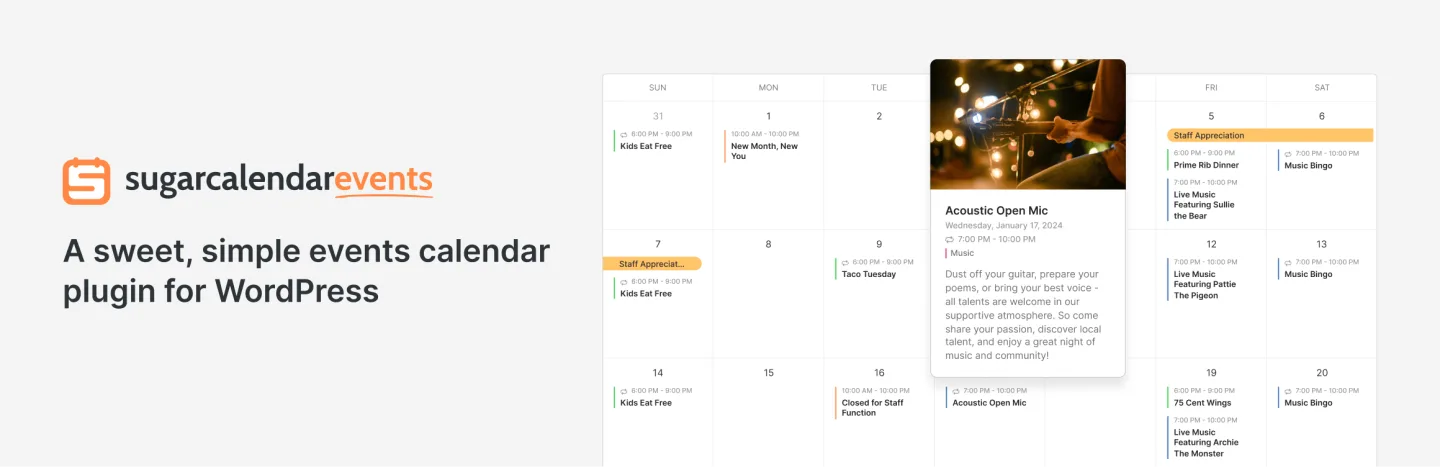
Sugar Calendar offers Stripe ticket selling in its free Lite version (10,000+ active installs, 4.5-star rating from 24 WordPress.org reviews) and its Basic plan, one of the cheapest ways to accept card payments for a WordPress event. The tradeoff is a 3% platform fee applied per order on top of Stripe's own processing fee. That fee disappears once you add the Event Ticketing add-on, available starting on the Plus plan.
Beyond the fee structure, every tier supports flexible recurring event patterns (weekly, monthly, or custom rules like "last Friday of the month"), Google Maps venue display, and calendar views built for the block editor, Elementor, or shortcodes. One-click migration from The Events Calendar makes switching straightforward for sites already in that ecosystem. Sugar Calendar has no native QR scanner or PDF ticket delivery built in.
Key features:
- Free Stripe ticket selling in the Lite version (3% platform fee applies)
- Fee removed with the Event Ticketing add-on (Plus and up)
- Flexible recurring event patterns on every tier
- Google Maps venue display and block-editor calendar views
- One-click migration tool from The Events Calendar
- iCal/ICS feeds and add-to-calendar buttons
Pricing: Lite free (Stripe with 3% fee). Basic $49.50/year (promotional, regular $99). Plus $99.50/year (regular $199, removes the fee via the Event Ticketing add-on). Pro $199.50/year (3 sites). Elite $299.50/year (10 sites). 14-day money-back guarantee.
Limitations: The 3% fee on Basic/Lite applies on top of Stripe's own fee until you upgrade. No native QR scanner or PDF ticket delivery is built in. Smaller install base than The Events Calendar means fewer third-party integrations.
7. Events Manager

Best for: community groups and recurring class programs that mainly need free registration and unlimited recurring events, with paid ticketing as a secondary requirement.
Events Manager has the most generous free registration workflow on this list. The free core plugin (60,000+ active installs, 4.2-star rating from 549 WordPress.org reviews) includes unlimited events and bookings, unlimited recurring events with daily/weekly/monthly patterns, Google Maps integration, attendee limit controls, and Zapier/webhook automation for CRM sync, all at no cost.
What the free version doesn't include is payment processing. Events Manager Pro is licensed by site count, from a single site up to unlimited sites, adding premium features including payment gateways and PDF ticket delivery, with priority support. An optional WooCommerce add-on extends checkout and ticket formatting further for sites that want it.
For organizers who mainly need registration and attendee tracking, with payment as an occasional add-on rather than the core workflow, Events Manager's free tier goes further than any other plugin in this list. For a seat map or a QR scanner as a core requirement, look elsewhere.
Key features:
- Unlimited events and bookings on the free plugin
- Unlimited recurring events with daily/weekly/monthly patterns (free)
- Google Maps venue integration and attendee limit controls (free)
- Zapier and webhook automation for CRM sync (free)
- Payment gateways and PDF ticket delivery (Pro)
- Optional WooCommerce add-on for extended checkout (Pro)
Pricing: Free core plugin. Events Manager Pro lists at $129/year (1 site) up to $599/year (unlimited sites), with tiers at 3, 5, and 10 sites in between; a limited-time sale currently shows $99 to $499, and renewals are at list price.
Limitations: No payment gateways or PDF/QR tickets without Pro. No seating chart feature at any tier. The admin interface is visually dated compared to newer plugins on this list.
8. EventPrime

Best for: sites that want a free calendar and RSVP core, then prefer to buy only the specific paid extensions they need instead of one large bundled plan.
EventPrime (7,000+ active installs, 4.5-star rating from 84 WordPress.org reviews) takes an a-la-carte approach that's unusual among the plugins on this list. The free core plugin includes a full calendar, RSVP, and basic booking framework, plus WooCommerce, Zapier, and Elementor integrations, with no cost and no time limit. From there, you buy only the extensions your event needs: Stripe Payments, Square Payments, Event Tickets, Live Seating, an Advanced Seat Plan Builder, Discount Coupons, and an Attendee Check In extension for QR-based scanning, among others. Bundled site-license plans (Essential and Professional) are also available.
This structure is an advantage if you only need, say, Stripe payments and QR check-in and nothing else, since you're not paying for a seating module or advanced reporting you'll never use. It becomes a disadvantage the moment you need several extensions at once, since the individual prices add up faster than a single bundled plan from a competitor.
Key features:
- Free core calendar, RSVP, and basic booking with no time limit
- A-la-carte extensions for payments, seating, tickets, coupons, and check-in
- Stripe and Square payment extensions that don't require WooCommerce
- Optional WooCommerce Checkout extension for stores that prefer it
- Live Seating and Advanced Seat Plan Builder extensions for reserved seating
- Zapier and Elementor integrations included free
Pricing: Core plugin free. Individual extensions (single site): Square Payments $29.95, Event Tickets $29.95, Stripe Payments $39.95, Discount Coupons $39.95, Attendee Check In $39.95, Live Seating $49.95, Advanced Seat Plan Builder $99.95. Bundled plans: Essential from $69/year (single site), Professional from $99/year (single site), with higher unlimited-site pricing available. All purchases include 1 year of updates.
Limitations: Assembling a full ticketing setup (payments, seating, check-in, coupons) through individual extensions can cost more than a single competitor bundle once you add up several pieces. Smaller install base and third-party ecosystem than the market leaders on this list.
9. WP Event Manager
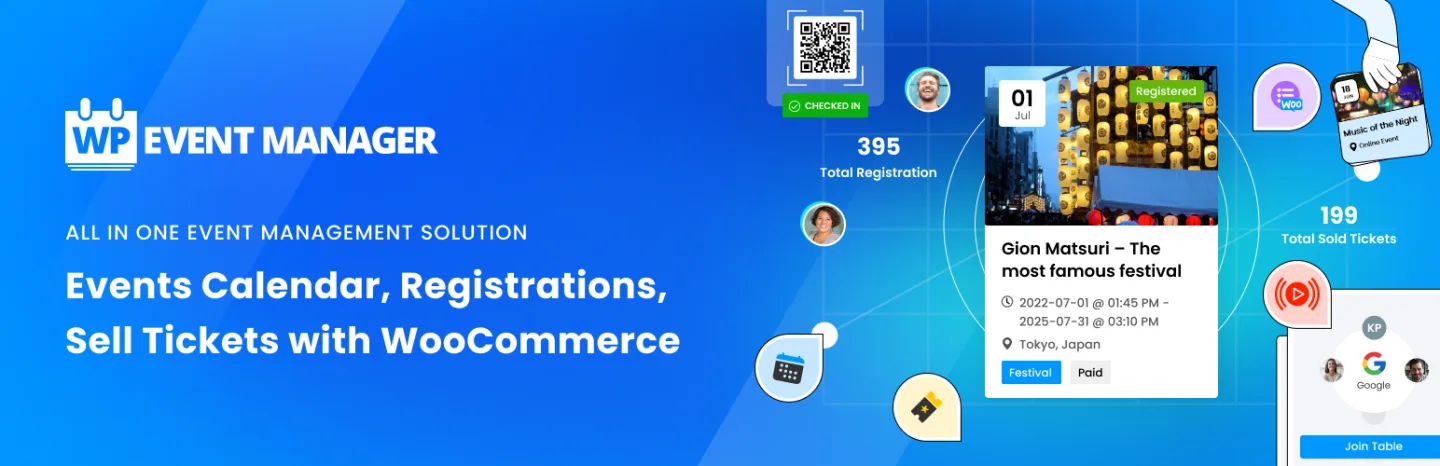
Best for: WordPress sites already running a job-board-style event listing directory that want to add ticket sales as a modular add-on rather than switch to a dedicated ticketing plugin.
WP Event Manager (20,000+ active installs, 4-star rating from 249 WordPress.org reviews) is built around a directory/listing model rather than a single-event ticketing workflow; think a searchable board of community events rather than a single event's checkout page. The free core plugin handles event listings and submissions. Ticket sales require the separate Sell Tickets add-on, licensed by site count from a single site up to unlimited sites. That add-on supports paid, donation, and free ticket types, QR code check-in, PDF e-tickets delivered by email, and payment processing through WooCommerce's 100+ supported gateways.
Because payment processing runs through WooCommerce, a WooCommerce store is effectively required to collect money, even though the core event-listing plugin itself does not require it. For a site built around a directory of many events from different organizers rather than one flagship ticketed event, this modular structure fits naturally. For a single event needing a dedicated checkout flow, a purpose-built ticketing plugin is usually simpler to set up.
Key features:
- Free event listing and directory framework with no payment requirement
- Sell Tickets add-on for paid, donation, and free ticket types
- QR code check-in and PDF e-tickets via email (Sell Tickets add-on)
- Payment processing through WooCommerce's 100+ gateways
- Multilevel ticket pricing and customizable ticket templates
- Attendee registration forms
Pricing: Free core plugin. Sell Tickets add-on from $49/year (1 site) to $399/year (unlimited sites), with 3/5/10-site tiers in between.
Limitations: WooCommerce is effectively required to process payments, even though it's not required for the base plugin. No native seating chart feature. Built around a listings/directory model, which is more setup than needed if you're only running one ticketed event.
Which Plugin Fits Your Situation
- You want the biggest install base and the widest theme compatibility: Event Tickets / The Events Calendar. The free tier works for a single ticketed event; the paid bundle scales up as your needs grow.
- You want zero commission from ticket one, with no ongoing subscription required: Tickera's Lifetime license.
- You already run a WooCommerce store: FooEvents turns your existing product catalog into ticketed events without a new checkout system.
- You're running a conference with speakers, sessions, and multiple ticket tiers: Eventin bundles all of that into one plan.
- You need a multi-day program with a deep add-on catalog: Event Espresso.
- You want the cheapest possible way to start taking Stripe payments today: Sugar Calendar's Basic plan, accepting the 3% fee until you can justify Plus.
- You mostly need free registration and recurring events, with payment as a secondary concern: Events Manager.
- You want to pay only for the exact features you use: EventPrime's a-la-carte extensions.
- You're running a listings-style directory of community events, not one flagship event: WP Event Manager.
Promote Your Event After Ticketing Is Live
Selling the ticket is only half the job; filling the seats is the other half. Once your ticketing plugin is configured, the next practical step is getting the event in front of people who'll buy. Using Facebook Events to market your event and boost attendance is one of the more effective free channels for a local or single-city event. Pairing that with building a social media content calendar keeps reminder posts, countdown content, and last-call announcements going out on schedule instead of getting forgotten in the final week before doors open.
If you're publishing event announcements and updates across more than one social account, doing that manually for every ticket tier release or schedule change gets repetitive fast. FS Poster, a WordPress auto-posting plugin, handles that by scheduling and cross-posting your event updates to your connected social profiles directly from the WordPress editor, so the ticketing side and the promotion side don't have to be managed in two completely separate workflows.
Frequently Asked Questions
What is the best WordPress event ticketing plugin overall?
Event Tickets, paired with The Events Calendar, is the safest general-purpose starting point: by far the largest install base and a usable free tier. If zero commission from day one matters more than ecosystem size, Tickera is the strongest pick, especially with its lifetime license option. No single plugin wins on every dimension, which is why the comparison table above is organized by the features that decide the choice: commission, QR check-in, seating, and WooCommerce dependency.
Which WordPress ticketing plugins charge no commission on sales?
Tickera, FooEvents, Eventin, EventPrime, Events Manager Pro, and WP Event Manager's Sell Tickets add-on all take zero platform commission. Event Espresso and The Events Calendar's Event Tickets both take a percentage on their free/entry tiers (3% and 2% respectively) that goes away on a paid upgrade. Sugar Calendar's Lite and Basic tiers apply a 3% fee that's removed starting on the Plus plan. In every case, your payment processor's own fee still applies regardless of which plugin you use, since that fee goes to the processor, not the plugin. Stripe's published US pricing, for example, lists 2.9% plus $0.30 per transaction for standard online card payments to a US business; rates differ by country and payment method, so check your processor's own pricing page for your specific market.
Can I sell tickets on WordPress without using WooCommerce?
Yes. Tickera, Eventin, Event Espresso, Sugar Calendar, Events Manager, and Event Tickets/The Events Calendar all process payments through their own built-in gateways (typically Stripe and PayPal) without requiring WooCommerce. EventPrime also supports Stripe and Square directly through its own extensions. FooEvents and WP Event Manager's Sell Tickets add-on are the two plugins on this list that do require WooCommerce for checkout to function. If you're comparing options for a WooCommerce-based stack more broadly, our WooCommerce plugins for WordPress roundup covers what else typically runs alongside it.
Which plugin is strongest for QR code check-in at the door?
Tickera (Checkinera app, included on every plan), FooEvents (included on every bundle), Eventin (every plan, including free), and WP Event Manager's Sell Tickets add-on all include QR check-in without an extra purchase on top of the base license. Event Tickets requires the Pro bundle ($399/year), EventPrime requires its Attendee Check In extension ($39.95), and Event Espresso requires the All Access plan. Sugar Calendar and Events Manager's free tier do not include a native QR scanner at all.
Is there a free way to sell event tickets on WordPress?
Yes. Eventin's free version sells tickets through WooCommerce, Stripe, or PayPal with no platform fee and includes a QR code on every ticket. The other free tiers come with tradeoffs. Event Tickets' free plugin processes real payments through Stripe, PayPal, or Square with a 2% fee on Stripe/Square, and its order confirmation includes a ticket attendees can present at the door. Sugar Calendar Lite takes free Stripe payments with a 3% fee. Event Espresso's Decaf plan takes free PayPal payments with a 3% fee. Apart from Eventin, none of these free tiers include QR check-in, and a seating chart requires a paid upgrade across every plugin in this list.
What's the difference between an event ticketing plugin and an appointment booking plugin?
A ticketing plugin sells access to a fixed-capacity event at a set date, time, and price; the buyer receives a ticket and presents it at the door. A booking plugin routes an individual customer to a specific staff member and an available time slot, which is the model used by salons, clinics, and consulting services rather than concerts or conferences. If your site needs both, the two workflows are usually run by two separate plugins. Our WordPress appointment booking plugins comparison covers the booking side in more depth if that's what you need.
Which WordPress event ticketing plugin supports recurring events in its free version?
Eventin, Sugar Calendar, and Events Manager all support recurring events on their free tiers, though Sugar Calendar's free Stripe checkout carries the 3% fee noted above, and Events Manager's free tier doesn't include payment processing at all. Eventin's free version is the one plugin here that combines recurring events with commission-free ticket sales at no cost; for the others, one or the other requires a paid plan.
Final Verdict
For most WordPress sites setting up ticket sales for the first time, Event Tickets / The Events Calendar is the safest starting point. It has the largest install base of any plugin here, a usable free tier, and a clear (if now bundle-priced) upgrade path once you need QR check-in or seating. If zero commission matters more than brand recognition, Tickera earns its place at number two, particularly with its lifetime license removing the recurring-cost question entirely.
Past that, match the plugin to what your event needs rather than to whichever name is most familiar. A WooCommerce store selling merchandise alongside tickets gets more value from FooEvents than from bolting on a separate ticketing system. A conference with a printed schedule and named speakers needs Eventin's session tools more than it needs a bigger install-base number. A weekly community class needs Events Manager's free recurring registration more than it needs a seating chart it will never use. Pick based on the workflow you'll run, not the plugin with the longest feature list.
Whichever plugin you choose, remember that selling the ticket is the first half of a successful event, not the whole job. The plugins above handle checkout and check-in; getting people to that checkout page in the first place is a separate, ongoing task worth planning for alongside it.
Write once. Post to 26 networks.
- 26 social networks
- Schedule & auto-repost
- Runs inside wp-admin


