



Buffer and IFTTT both show up on "best automation tool" lists, but they are not in the same category. Buffer is a social media scheduler built around queues, calendars, and analytics. IFTTT is a no-code automation platform built around triggers and actions across more than a thousand apps and devices. Neither one is a full replacement for the other.
This guide compares both tools by use case, with current 2026 pricing, what each is genuinely good at, what each is not, and where a WordPress-native option is a better fit than either. The goal is a clear answer to one question: which workflow matches the job you are trying to automate?
Buffer vs IFTTT: Quick Verdict
Choose Buffer if the job is scheduled social publishing. You want a calendar, per-network previews, an AI Assistant, basic analytics, and a queue your team can fill once a week. Buffer is built for that workflow and is priced per channel rather than per seat.
Choose IFTTT if the job is connecting apps and devices through automation rules. RSS to a Telegram channel, smart-home triggers, Google Sheets to Slack, Webhook-triggered updates, AI summarization on inbound emails. IFTTT thrives on lightweight "if this then that" recipes that bridge tools that do not talk to each other natively.
Choose FS Poster if WordPress is the source of your content and you want new posts, pages, custom post types, or WooCommerce products to publish to social on save without copy-pasting into a SaaS composer.
There is no single overall winner because Buffer and IFTTT are solving different problems. Pick the tool that matches the trigger that starts your workflow.
Quick Comparison Table
| Category | Buffer | IFTTT |
|---|---|---|
| Core purpose | Scheduled social media publishing | Cross-app and cross-device automation |
| Starting price | $5 per channel per month (Essentials, annual) | $2.99 per month (Pro, annual at $35.88/ |
| Free plan | Yes (3 channels, 10 scheduled posts per channel, AI Assistant) | Yes (up to 2 Applets, unlimited runs, standard speed) |
| Supported channels or services | 11 social networks | 1,000 plus apps, services, and smart devices |
| Calendar and queue | Yes, per-channel queues with calendar view | No editorial calendar |
| Multi-step automation | No | Yes (multi-action Applets on Pro and above) |
| Webhooks and custom HTTP | No | Yes (Pro and above) |
| AI features | Buffer AI Assistant for captions and ideas | AI services (summarize, proofread, transform) on Pro+ |
| Built-in analytics | Yes, social media analytics | Minimal, Applet run history only |
| Best for | Social teams who publish on a calendar | Anyone wiring apps and devices together |
Prices checked in June 2026 from each vendor's public pricing page.
Buffer Overview
Buffer is a social media management platform built around publishing. The mental model is a queue: connect a network, build a posting schedule, drop content into the queue, and Buffer publishes in slot order. Around that queue sit a calendar, per-network composer previews, basic engagement, analytics, and an AI Assistant that drafts variants tuned to each platform.
In 2026 Buffer supports eleven channels: Bluesky, Facebook, Google Business Profile, Instagram, LinkedIn, Mastodon, Pinterest, Threads, TikTok, X, and YouTube. The free plan covers up to three channels with ten scheduled posts per channel, 100 ideas, basic analytics with 30-day history, one API key with 3,000 monthly requests, and integrations with Canva, Google Drive, and Dropbox. Essentials unlocks unlimited scheduled posts per channel at $5 per channel per month on annual billing. Team adds unlimited users and approval-style collaboration at $10 per channel per month on annual billing.
What Buffer is not is also worth noting. It is not a general automation engine. It does not read your inbox, trigger smart-home actions, or wire third-party SaaS tools together. WordPress publishers can use the third-party WordPress to Buffer plugin to send new posts to Buffer queues on publish, but the editorial work, per-network captions, and scheduling still happen in the Buffer composer rather than inside the WordPress admin. Inside its category, however, Buffer is one of the cleanest tools in the market, and the per-channel pricing is friendly to creators and small teams.

IFTTT Overview
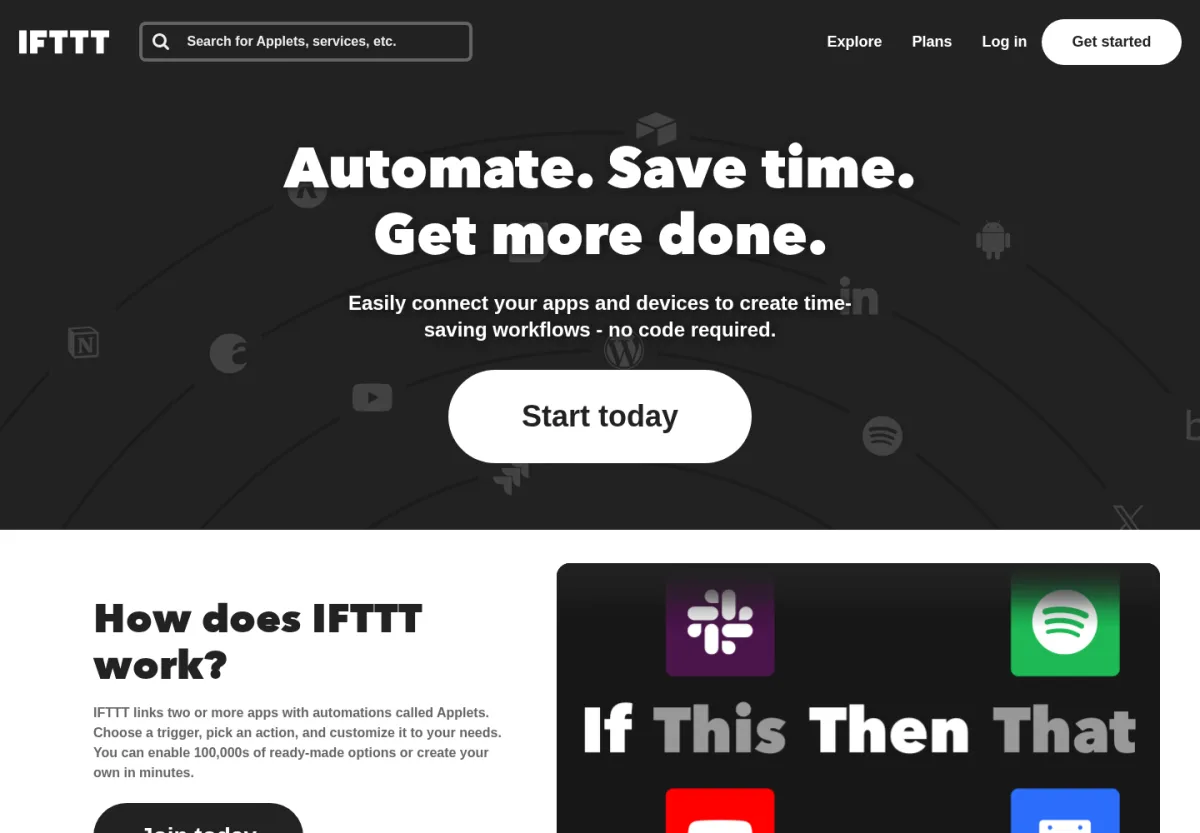
IFTTT is a no-code automation platform. The product is built around Applets: a trigger from one service starts an action in another. The catalogue advertises more than a thousand connected services, from Gmail, Slack, Spotify, and Google Calendar to Philips Hue, smart locks, weather alerts, RSS feeds, Webhooks, and a growing AI tool set that includes ChatGPT and Claude integrations.
IFTTT's free plan limits the account to two Applets with unlimited runs and standard execution speed. Pro adds twenty Applets, multi-action Applets (where one trigger fires several actions), Webhooks, Twitter Applets, the fastest execution speed, and access to exclusive triggers and actions, at $2.99 per month or $35.88 per year. Pro+ removes the Applet cap, adds filter code and query functionality for conditional logic, AI services for summarization and content transformation, multiple account connections per service, developer tools, and prioritized support, at $8.99 per month or $107.88 per year.
What IFTTT is not is also worth noting. It does not give you a social media calendar, a per-network composer, post analytics across platforms, or an approval workflow for a marketing team. Social posts triggered by an Applet share the same content across destinations unless you build separate Applets per channel. For straight social publishing, IFTTT can do basic cross-posting, but it does not replace a real scheduler.
Head-to-Head Comparison
Core Purpose and Use Case
The single most important fact in this comparison is that Buffer and IFTTT solve different problems.
Buffer answers the question "how do I publish content to social media on a planned schedule across multiple networks?" IFTTT answers the question "how do I trigger an action in one tool when something happens in another tool?" Both tools can touch social media, and both can technically post to a network on a schedule, but they approach that overlap from opposite directions.
If your weekly workflow looks like "write five posts on Monday, queue them for Tuesday to Saturday, look at engagement on Sunday," Buffer is the right shape for that. If your workflow looks like "every time my RSS feed publishes a new post, push it to a Telegram channel, log it to a spreadsheet, and notify Slack," IFTTT is the right shape for that.
Winner: depends entirely on the use case. No tie, no overall winner, just two different jobs.
Pricing and Plans
Buffer charges per channel, not per seat. Essentials at $5 per channel per month adds up predictably: a five-network plan is $25 per month, a ten-network plan is $50 per month, and Team at $10 per channel adds unlimited users on top of the same per-channel structure. Volume discounts kick in above ten channels.
IFTTT charges per account, with Applet limits as the gate. Free covers two Applets, Pro covers twenty at $2.99 per month, and Pro+ removes the cap at $8.99 per month. For an individual stitching together personal automations, IFTTT is cheaper than almost any paid tool on the market. Pro+ stays under $9 per month even when you run hundreds of Applets.
The two pricing models are not interchangeable. Buffer is priced around social channels; IFTTT is priced around automation capacity. A team publishing to eleven channels pays Buffer for eleven channels. An individual running eleven Applets pays IFTTT a flat $8.99 per month.
Winner: IFTTT for raw price. Buffer for fair value per social channel published.
Supported Channels and Integrations
Buffer is a social-first product with eleven officially supported networks: Bluesky, Facebook, Google Business Profile, Instagram, LinkedIn, Mastodon, Pinterest, Threads, TikTok, X, and YouTube. The composer is tuned per network, with image-size hints, character counters, hashtag support, and AI-generated variants.
IFTTT covers thousands of services and devices. Inside the social slice, it can post to many of the same networks Buffer supports, but the integration depth is shallower: no per-network composer, no preview, no carousel builder, no Pinterest-style image cropping. Posts triggered from an Applet usually share the same caption and media across destinations.
IFTTT wins on breadth far outside social. Gmail, Slack, Notion, Google Sheets, Trello, smart-home devices, weather services, voice assistants, GPS triggers, Webhooks, and AI services from OpenAI and Anthropic all sit in the catalogue.
Winner: Buffer for social publishing depth. IFTTT for general integration breadth.
Scheduling, Calendar, and Planner
Buffer has a real calendar. The composer supports a posting schedule per channel, queues that auto-fill with scheduled content, calendar views by week and month, and a drag-and-drop rearrange. Drafts, approval (on Team), and reschedule flows are part of the core product.
IFTTT does not give you an editorial calendar. Scheduling in IFTTT is a side effect of the trigger: an Applet can fire at a specific time, on a recurring schedule, or in response to an event. You can build a "post to X every Tuesday at 9 am" workflow, but you will not see a month of upcoming content in a single view.
For social teams that plan content visually, this is one of the largest practical differences. Buffer is built around the calendar; IFTTT is built around the rule.
Winner: Buffer. No real contest in this category.
Automation Depth and Rule Building
This is the category where IFTTT lives. The platform's core unit is the Applet: a trigger from one service, a filter or query (on Pro+), and one or more actions in other services. Multi-action Applets on Pro can fire several actions from a single trigger. Filter code on Pro+ lets you write conditional logic in a JavaScript-flavoured editor, so an Applet can branch on time of day, payload values, or external data.
Webhooks on Pro and above turn IFTTT into a hub for custom HTTP triggers, which is how power users connect IFTTT to in-house tools, server events, or services that are not in the public catalogue. Pro+ adds queries that pull data from a service before the action runs, plus AI services that summarize, proofread, transform, or generate content as part of the workflow.
Buffer has none of this. It is a publishing tool, not an automation engine. Even the Buffer API is scoped to publishing actions, not to general "if this then that" workflows.
Winner: IFTTT. Buffer does not compete in this category.
Content Customization and AI
Buffer's AI Assistant generates social variants by network, helps rewrite captions in a different tone, and is available on the free plan. Inside the composer, you can fine-tune copy per channel before scheduling, attach images and videos, and preview how the post will render on Instagram or X.
IFTTT's AI services on Pro+ work earlier in the flow: summarize a long email before sending it to Slack, proofread a draft, transform a blog excerpt into a social-ready caption, or hand off content to ChatGPT or Claude as part of an Applet. There is no composer to tune the caption afterwards, so platform-specific touches like Twitter-length text or hashtag rules have to be set up in the Applet logic.
Winner: Buffer for editorial workflows. IFTTT for pipeline-style content generation.
Analytics and Reporting
Buffer ships post-level analytics, engagement charts, audience growth, and a clean dashboard with 30-day history on the free plan and longer history on paid tiers. It is not a full reporting suite, but it is enough for solo creators and small marketing teams to see which posts performed and when to publish next.
IFTTT does not provide social analytics. The closest thing it offers is an activity log: which Applet ran, when it ran, and whether it succeeded. That is operational telemetry, not marketing reporting. If you need to know engagement, reach, or audience demographics, you will need to layer another tool on top.
Winner: Buffer. No comparable feature exists in IFTTT.
Ease of Use
Both tools are friendly to new users, but in different ways.
Buffer's onboarding is "connect a channel, build a queue, write your first post." A new user can publish their first scheduled post inside fifteen minutes, and the interface is consistent across networks. There is almost no learning curve.
IFTTT's onboarding is "pick a trigger service, pick an action service, customise the connection." Browsing pre-built Applets is the fastest start. Building a custom Applet takes a little longer, especially if multi-action or filter code is involved, but the underlying model is simple enough that most users can learn it in an hour.
Winner: Buffer for first-time social publishing. IFTTT for first-time automation building. Inside their own categories, both are among the easiest tools to learn.
Support, Docs, and Reputation
Buffer has a long-standing reputation for honest pricing, a strong help centre, a public roadmap, and a friendly support team. It is one of the most recognised brands in social media management.
IFTTT has a large user community, a documented catalogue, and developer tools for Pro+ users. Support is included on paid plans, with prioritized support on Pro+. Reputation is strongest among power users and smart-home enthusiasts.
Winner: tie. Both are mature products with a track record.
Buffer vs IFTTT Scorecard
| Category | Winner | Why |
|---|---|---|
| Core purpose and use case | Tie | Different jobs, no overall winner |
| Pricing and plans | IFTTT | Cheapest at the entry tier and not priced per channel |
| Channels and integrations | Split | Buffer for social depth, IFTTT for general breadth |
| Scheduling and calendar | Buffer | Real editorial calendar with queues |
| Automation depth | IFTTT | Multi-action Applets, Webhooks, filter code, queries |
| Content and AI | Split | Buffer for editorial composer, IFTTT for pipeline AI |
| Analytics | Buffer | Social analytics by default |
| Ease of use | Tie | Both easy inside their own category |
| Support and reputation | Tie | Both mature, well-supported products |
There is no overall winner because Buffer and IFTTT are not direct competitors. The scorecard rewards each tool inside its own category.
Use-Case Decision Guide
Choose Buffer if
- You publish to social media on a planned schedule.
- You want a calendar, per-network previews, and an AI Assistant for captions.
- You need basic social analytics inside the same tool.
- Your team values approval-style collaboration on a Team plan.
- You publish to five to ten channels and want the cost to track the channels you actually use.
Choose IFTTT if
- You want to wire apps and devices together with simple trigger-and-action rules.
- You need Webhooks, RSS triggers, smart-home actions, or cross-app automations.
- You want multi-action Applets, filter code, queries, or AI services inside the pipeline.
- You are running personal automations, productivity workflows, or developer-oriented integrations.
- You do not need a real social media calendar or platform analytics.
Use both together if
- Buffer schedules and publishes your editorial content on a calendar, and IFTTT fills the gaps Buffer does not cover, such as RSS to a Telegram channel, Webhook-triggered notifications, smart-home automations, or AI summarization inside the workflow.
This combination is often the right answer, because each tool stays in its lane instead of being forced to do the other's job.
Where FS Poster Fits as a WordPress-Native Alternative
Both Buffer and IFTTT can connect to WordPress. Buffer lists WordPress as an active publishing integration through the WordPress to Buffer plugin, which sends new blog posts to Buffer queues automatically when they are published. IFTTT offers a native WordPress service with "Any new post" and "New post with tag or category" triggers plus "Create a post" and "Create a photo post" actions. WordPress publishers do have starting points with both tools.
What neither one offers is a CMS-first publishing workflow. Buffer relies on the WordPress to Buffer plugin to push new posts into Buffer queues, but the per-network captions, image cropping, editorial scheduling, and channel groups still happen inside Buffer's own composer. IFTTT's WordPress triggers are powerful for cross-app rules, yet the actions on the social side reuse the same content across destinations unless you build a separate Applet per channel, and the planning still lives outside WordPress.
For sites where WordPress is the source of truth, that means an extra layer of round-tripping. A blog publishing three posts a week across six networks is either editing eighteen Buffer drafts to make them platform-specific or accepting that IFTTT will fan out an identical caption to every destination.
A WordPress-native auto-poster keeps the workflow inside the CMS. FS Poster is the WordPress plugin built around this idea: new posts, pages, custom post types, and WooCommerce products can auto-publish to 26 networks on save, with per-network captions and templates, image control, AI-assisted text, account groups, and a Planner inside the WordPress admin. Pricing is a flat per-site licence (Single at $58 per year, Plus at $109 per year, Developer at $229 per year, or Lifetime at $490 one-time), not per-channel SaaS billing, so the cost stays the same whether the site publishes to two networks or twenty.
FS Poster is not a replacement for IFTTT's general automation breadth or Buffer's brand-friendly composer. It is the WordPress-native option that keeps auto-posting, per-network templates, scheduling, WooCommerce and custom-post-type support, and channel management inside the WordPress admin instead of round-tripping through a SaaS scheduler or an Applet. For a broader shortlist of plugins in this category, the best WordPress social media auto-posting plugins roundup is a good next stop, and the best Buffer alternatives for WordPress post is the most direct follow-up if you are leaving Buffer specifically.
FAQ
Is Buffer better than IFTTT?
Only for social media publishing. Buffer is built around a queue, a calendar, and per-network composer previews. For automation between apps and devices, IFTTT is in a different league because Buffer does not compete there. The honest answer is that they solve different problems.
Can IFTTT replace Buffer for social media scheduling?
For a single channel and a simple posting rule, yes. For multi-channel scheduling with per-network captions, an editorial calendar, and analytics, no. IFTTT does not provide a real social media calendar or post analytics.
Can Buffer replace IFTTT for automation?
No. Buffer does not run cross-app or cross-device automations. It publishes to social media on a schedule. If you need RSS to Telegram, smart-home triggers, or Webhook-driven workflows, Buffer cannot do that.
Which one is cheaper?
IFTTT is cheaper at the entry tier. Free covers two Applets, Pro is $2.99 per month at twenty Applets, and Pro+ is $8.99 per month with unlimited Applets. Buffer is cheaper per social channel published if you only need a small number of networks. For ten channels, Buffer Essentials would cost around $50 per month on annual billing.
Do either of them publish from WordPress automatically?
Yes, but not natively inside WordPress. Buffer connects through the WordPress to Buffer plugin, which sends new posts to Buffer queues automatically when they are published, and IFTTT has a WordPress service with "Any new post" and "New post with tag or category" triggers and "Create a post" actions. Both options live outside the WordPress admin, and per-network captions, scheduling, and channel groups still happen in Buffer or in each Applet. For a CMS-first workflow with per-network templates, planner, WooCommerce and custom-post-type support, and channel management inside the WordPress admin, a WordPress-native plugin such as FS Poster, Blog2Social, or Jetpack Social is the closer fit.
Does Buffer or IFTTT have better AI?
Buffer's AI Assistant is tuned for captions and per-network variants. IFTTT's AI services on Pro+ are tuned for pipeline tasks like summarization, proofreading, and content transformation. Different jobs, different AI scope. For social copywriting, Buffer's composer is the more direct workflow.
What about Hootsuite, Sprout Social, or Later?
They are scheduler-side competitors to Buffer rather than to IFTTT. If you want to compare Buffer to its closest SaaS competitors, the Buffer vs Hootsuite vs Later comparison covers the trade-offs across that group.
Final Verdict
Buffer and IFTTT do not compete head to head. Buffer is a social media scheduler with a calendar, per-network composer, AI Assistant, basic analytics, and per-channel pricing. IFTTT is a no-code automation platform with more than a thousand connected services, Webhooks, multi-action Applets, filter code, and pipeline AI services.
The right pick is the one that matches the trigger that starts your workflow. Pick Buffer if the trigger is "a content calendar." Pick IFTTT if the trigger is "an event in one app." Pick both if you need each side. Pick FS Poster if the trigger is "a new WordPress post or product on save" and you would rather keep the publishing workflow inside WordPress than copy content into a SaaS composer or wire it through an Applet.
Start with the workflow, then choose the tool.
Write once. Post to 26 networks.
- 26 social networks
- Schedule & auto-repost
- Runs inside wp-admin


