


The day a backup actually matters is never the day you planned for. So when I reviewed BlogVault for FS Poster, I treated it like a real recovery drill: log into the dashboard, let it remotely install itself onto a real WordPress site, run real backups, edit a live post, and watch the dashboard report what had been captured.
I tested on a WordPress site with WooCommerce installed and 18 sample products imported — the kind of marketing-focused store where products could later be promoted through tools like FS Poster. Every claim below is labeled either as verified end-to-end on my stack or as vendor-claimed.
What I Personally Verified in BlogVault
- BlogVault-first auto-install. I gave the dashboard my WP site URL plus admin username and password. BlogVault authenticated against
wp-adminover HTTPS, installed the agent through WordPress's own plugin installer, and brought the site online inside the dashboard with no clicks on the WordPress side. - WooCommerce backup plan active throughout testing, with hourly schedule, Backup Now, staging, migration, restore, and download surfaces all available.
- 13 successful incremental backups, 0 failed. Two manual runs on a vanilla WP install (76 MB / about 3,400 files / 12 tables each), then 11 more scheduled runs after WooCommerce + 18 products (latest snapshot 130 MB / about 9,300 files / 48 tables).
- Change detection. I edited a published post between two manual backups; BlogVault surfaced a real-time-updates counter while the next run was in progress, then completed cleanly.
- Pricing was cross-checked between the public pricing page and the in-app pricing screen.
What Stayed Vendor-Claimed
Successful production restores, full migrations to another host, real-time WooCommerce order capture, malware-cleanup outcomes, multisite restore, and lower server load than PHP-side backup plugins are vendor claims in this review. I inspected the UX and documentation, but did not run those final production-impacting actions.
What is BlogVault?
BlogVault is a managed WordPress backup, staging, migration, and security platform. A small WordPress agent plugin lives on your site; the dashboard handles incremental backups, encrypted offsite storage, malware scans, staging clones, and migrations on BlogVault infrastructure rather than on your server.
The credibility numbers are meaningful: 400,000+ active sites, 4 million+ sites backed up over a 10-year history, 80,000+ active installs of the standalone backup plugin, and a recent changelog with PHP 8.4 support, two-factor improvements, and core-update flow updates. This is not a ghost-town product.
BlogVault Review Quick Verdict
- Best for: business-critical WordPress sites, agencies, and WooCommerce stores that want offsite, incremental, set-and-forget backups with a real restore story.
- Strengths I observed: modern dashboard, working auto-install via WP admin credentials, transparent pricing, complete backup/staging/migration UX, and 13 successful backups with 0 failures.
- Vendor-claimed strengths I did not directly drive: server-side restore, selective WooCommerce merge, free one-click migration end-to-end, real-time WooCommerce order capture, and malware-scan outcomes.
- Weaknesses: annual-only pricing, expensive top tiers, and no permanent free backup tier.
| Item | What I observed | Verification |
|---|---|---|
| Auto-install difficulty | Very low — enter URL and admin credentials, then wait | Verified |
| Backup execution | 2 manual + 11 scheduled = 13 successful, 0 failed | Verified |
| Change detection | Real-time-updates counter incremented after a WP post edit | Verified |
| Restore | 3-step wizard with selective restore and Test Restore option | Verified UX, not run |
| Staging | 2-step wizard with PHP-version picker | Verified UX, not run |
| Migration | 3-step wizard with selective migration | Verified UX, not run |
| Download / Export | Available from the active backup record | Verified UX, archive not pulled |
| Pricing transparency | Public and in-app pricing matched | Verified |
How BlogVault Auto-Install Actually Went
I never logged into wp-admin to install or activate the plugin. From the Add Site flow I entered the WordPress URL, picked Auto as the installation method, and entered WP-Admin Username and Password. BlogVault's reassurance copy said it borrows the credentials only to set up the plugin and then wipes them, which is the right message for a non-technical owner handing over an admin password.
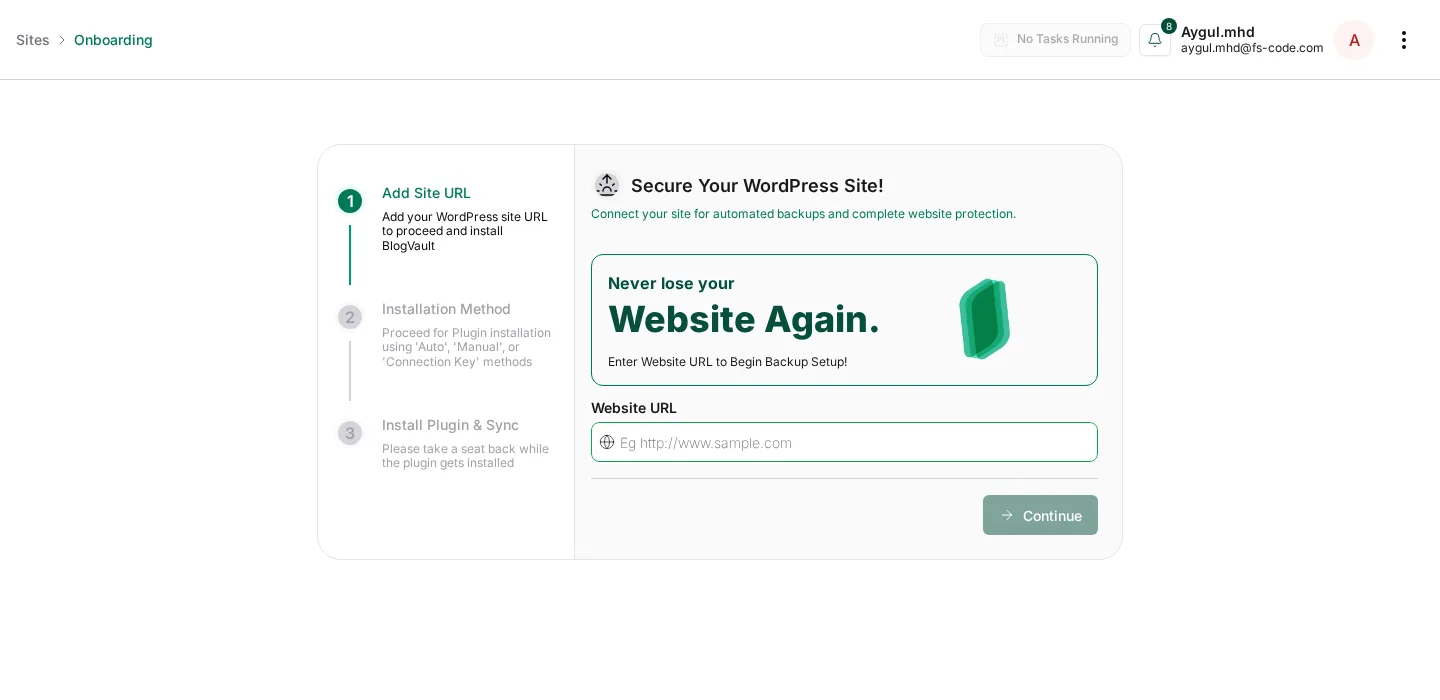
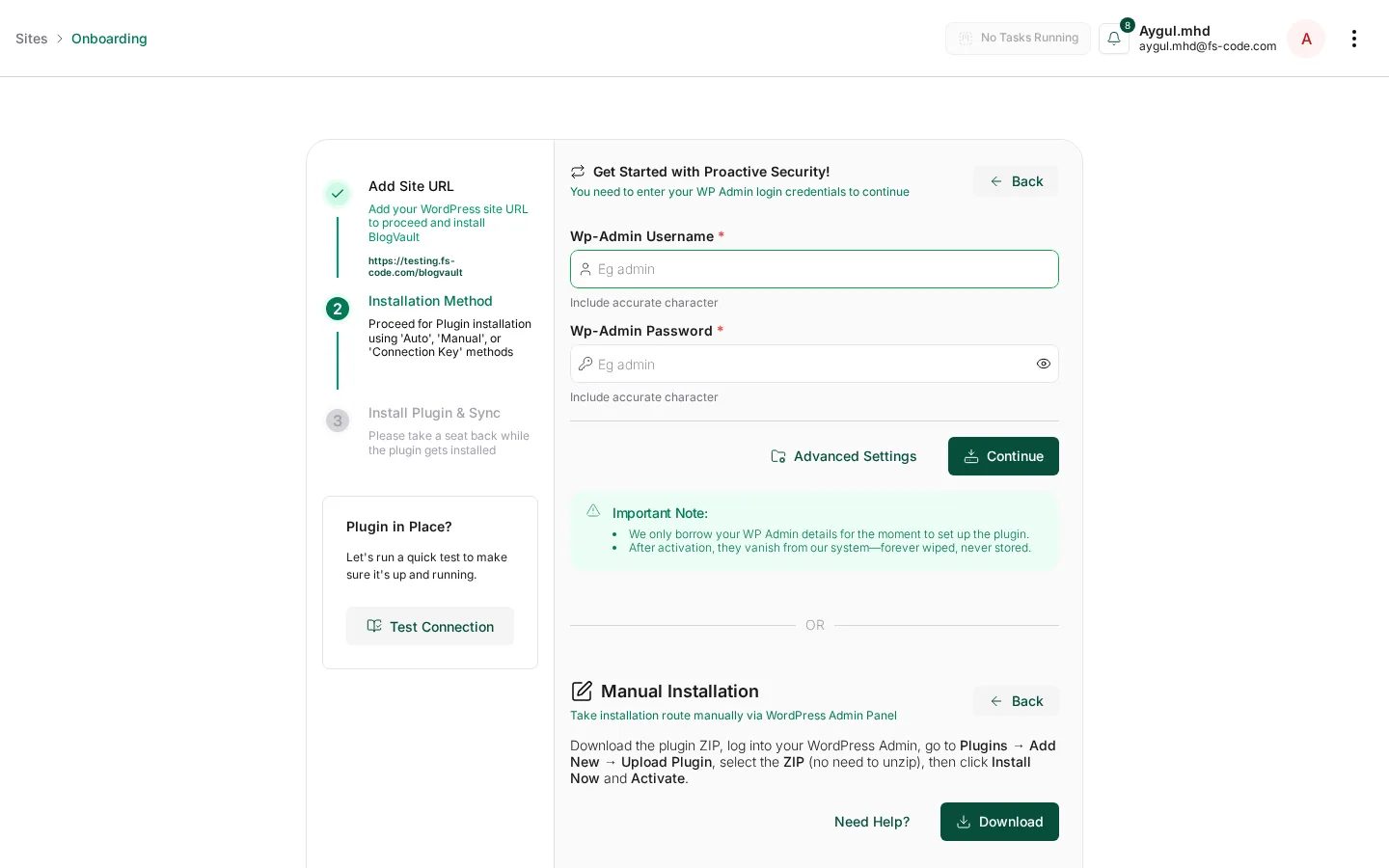
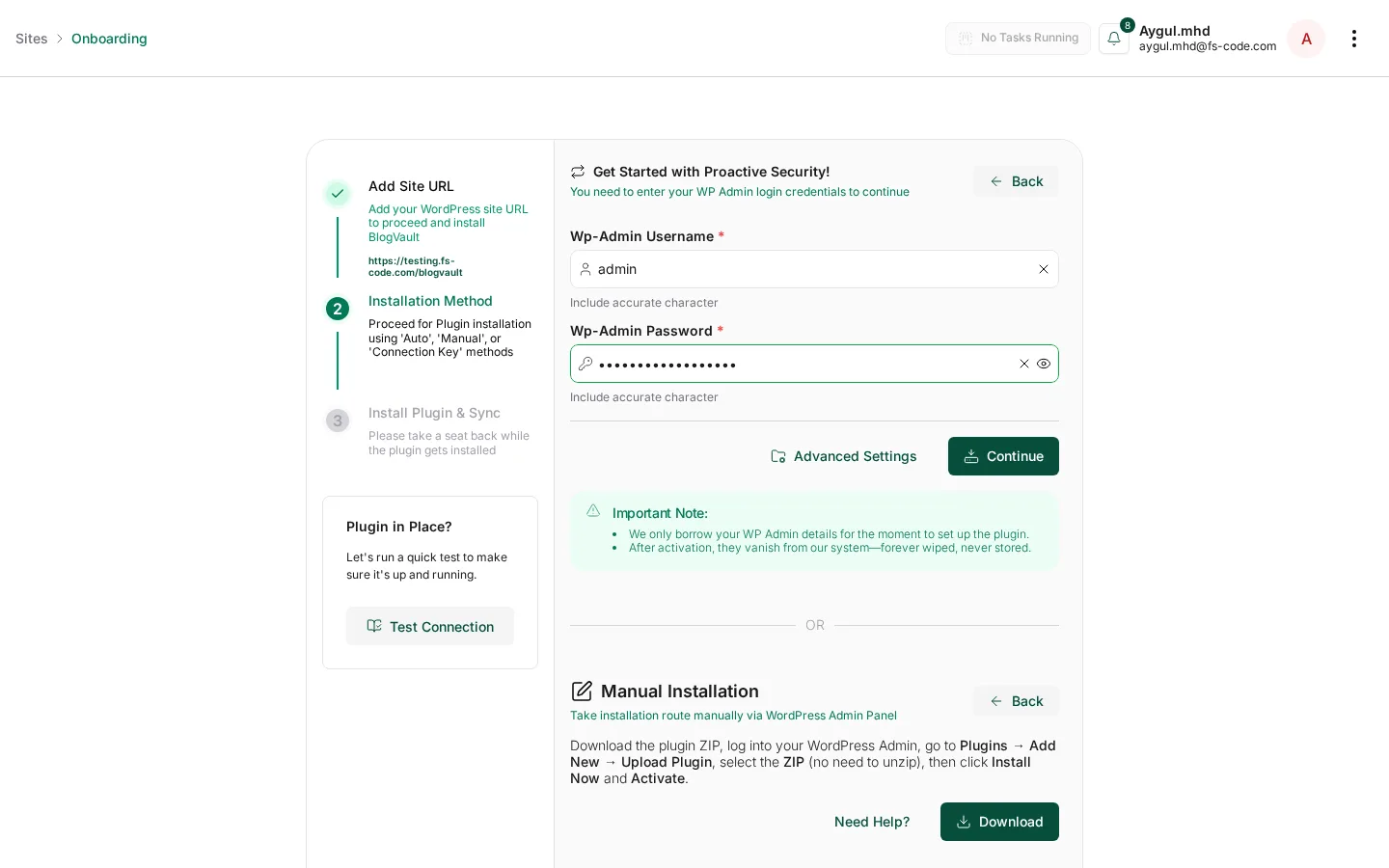
Within roughly a minute the dashboard had provisioned the site, installed and activated the BlogVault site agent, read back WP Core 6.9.4 and PHP 8.3, and reported "Site is Online" / "All Clear!".
The BlogVault Dashboard
The dashboard is opinionated rather than cluttered. The Sites list is the agency-friendly part: status badges, quick filters for Hacked / Disconnected / Down / Vulnerable, and a deeper filter sidebar for tags, clients, plugin and theme presence, WP / PHP versions, uptime, vulnerabilities, and per-feature toggles.
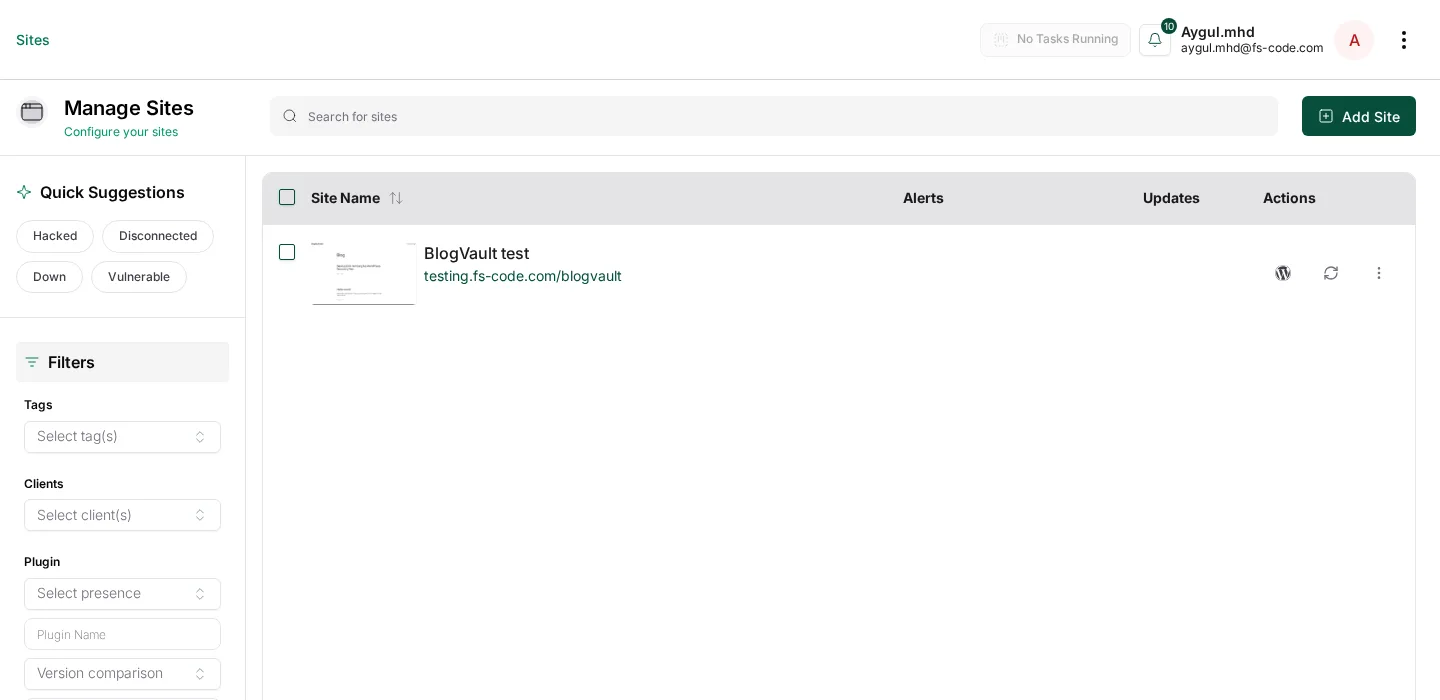
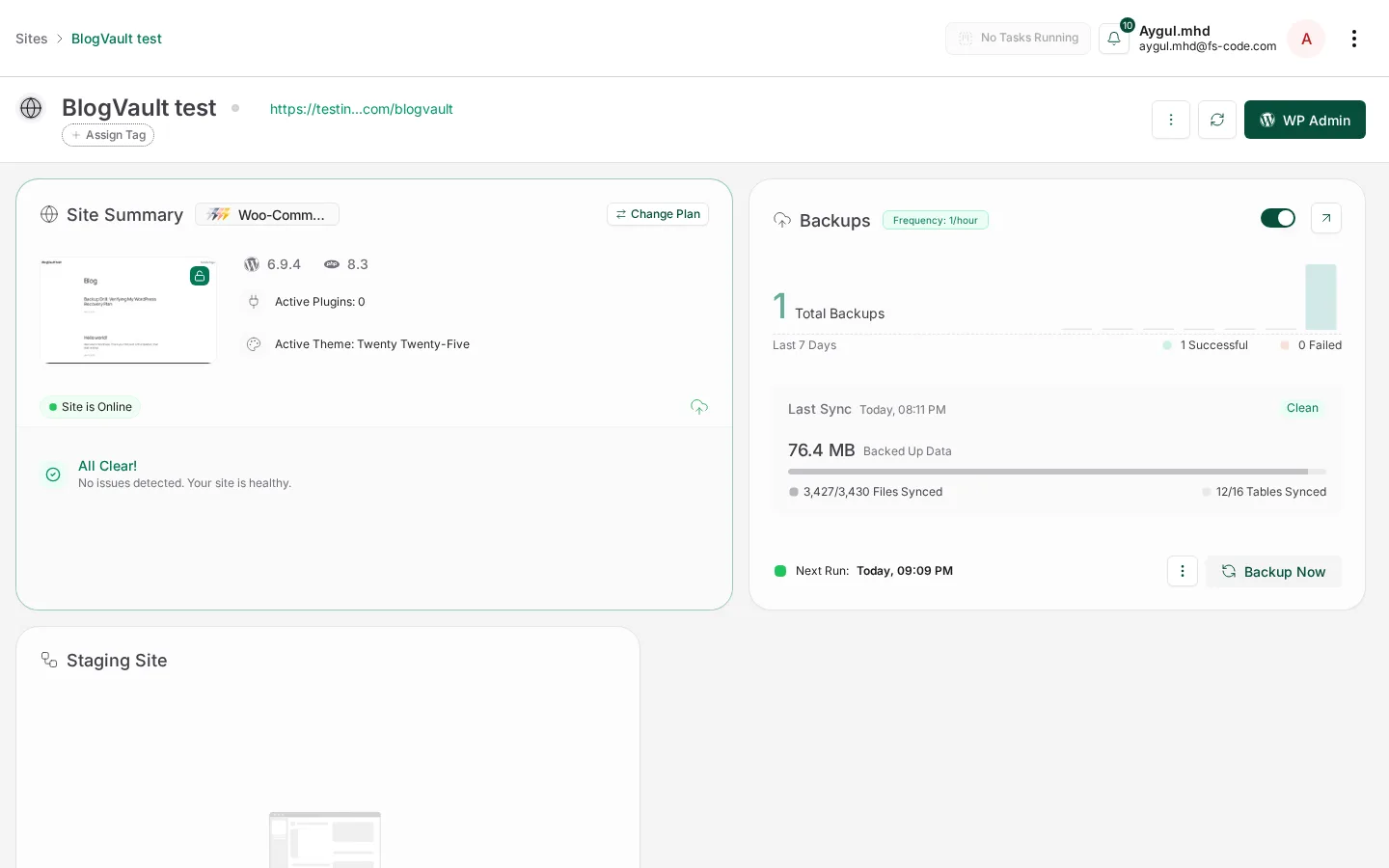
The visual language feels like a modern SaaS rather than an old WordPress admin screen, which matters when an agency has to trust the dashboard during a real incident.
BlogVault Backup and Change-Detection Test
Backup Now opens a small modal with an optional Note field — useful for snapshots such as "before plugin update" or "before migration".
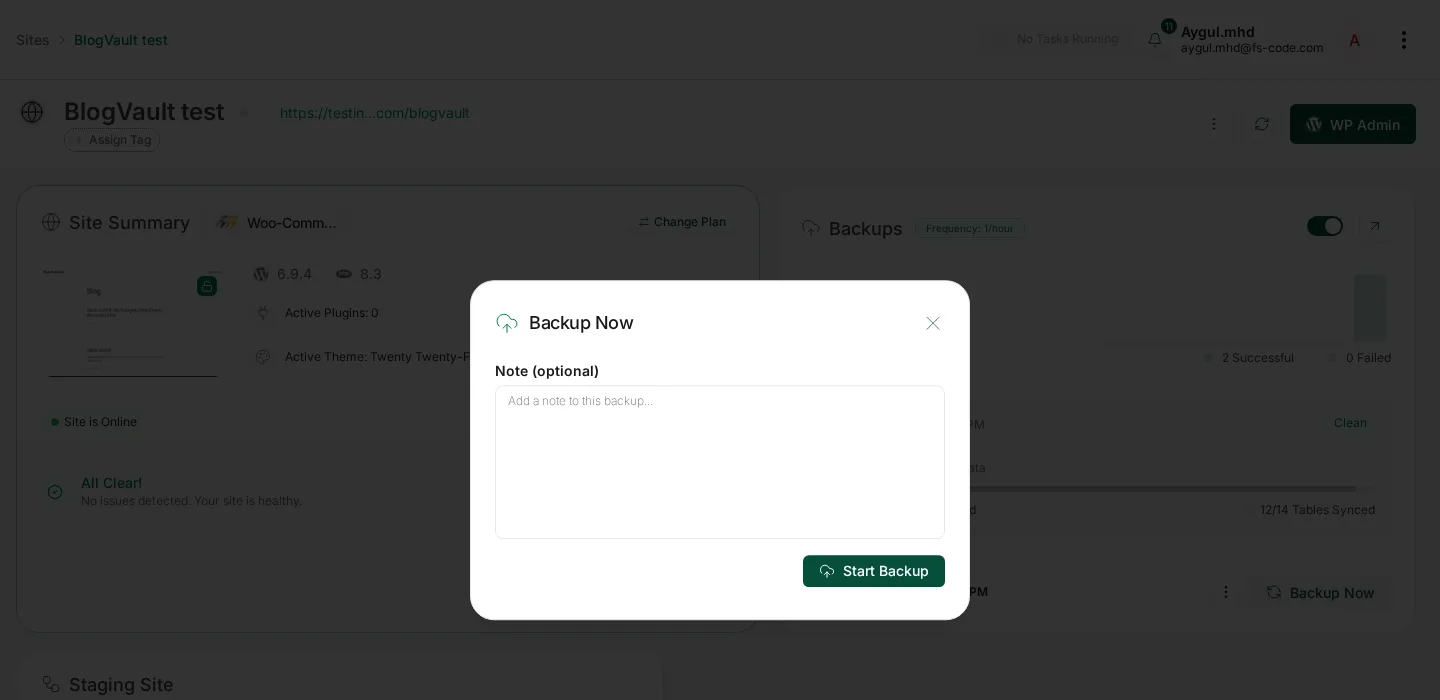
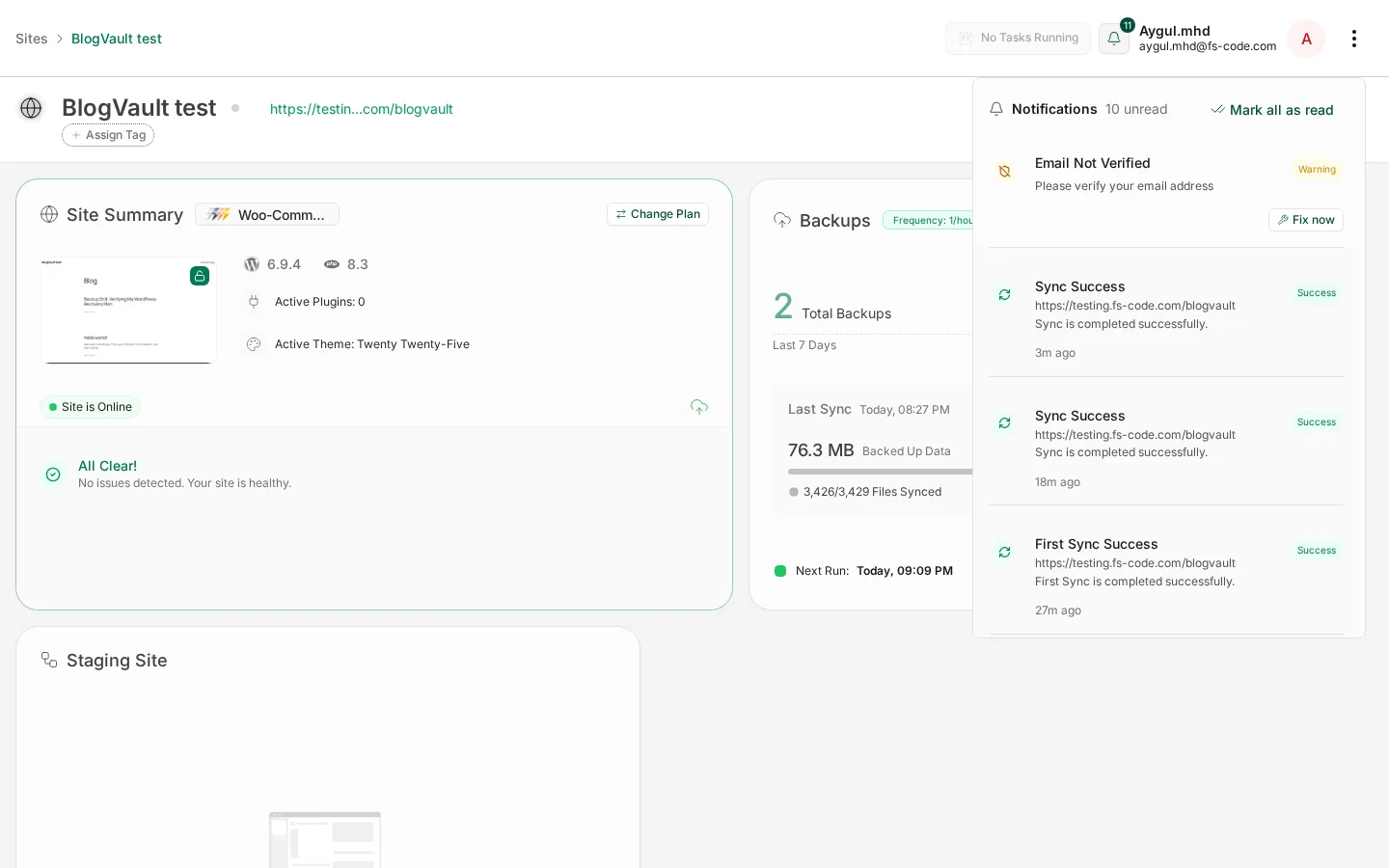
I tagged the first run as a fresh setup test and clicked Start Backup. About four minutes later: 1 Total Backup, 1 Successful, 0 Failed, last sync Clean, 76.4 MB / 3,427 of 3,430 files / 12 of 16 tables synced. A Sync Success notification appeared.
To test change detection, I quick-edited a published WordPress post and renamed it with "updated for change-detection test", then ran another Backup Now.
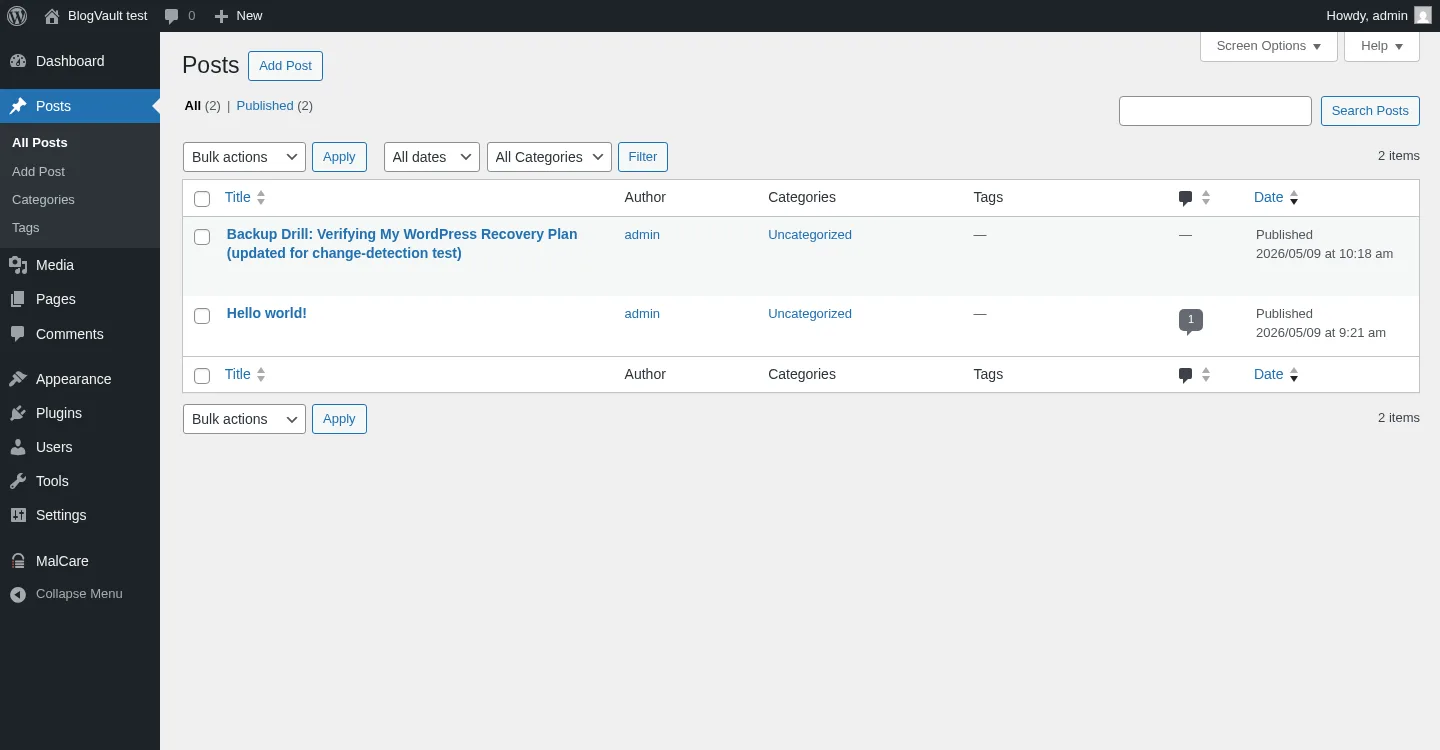
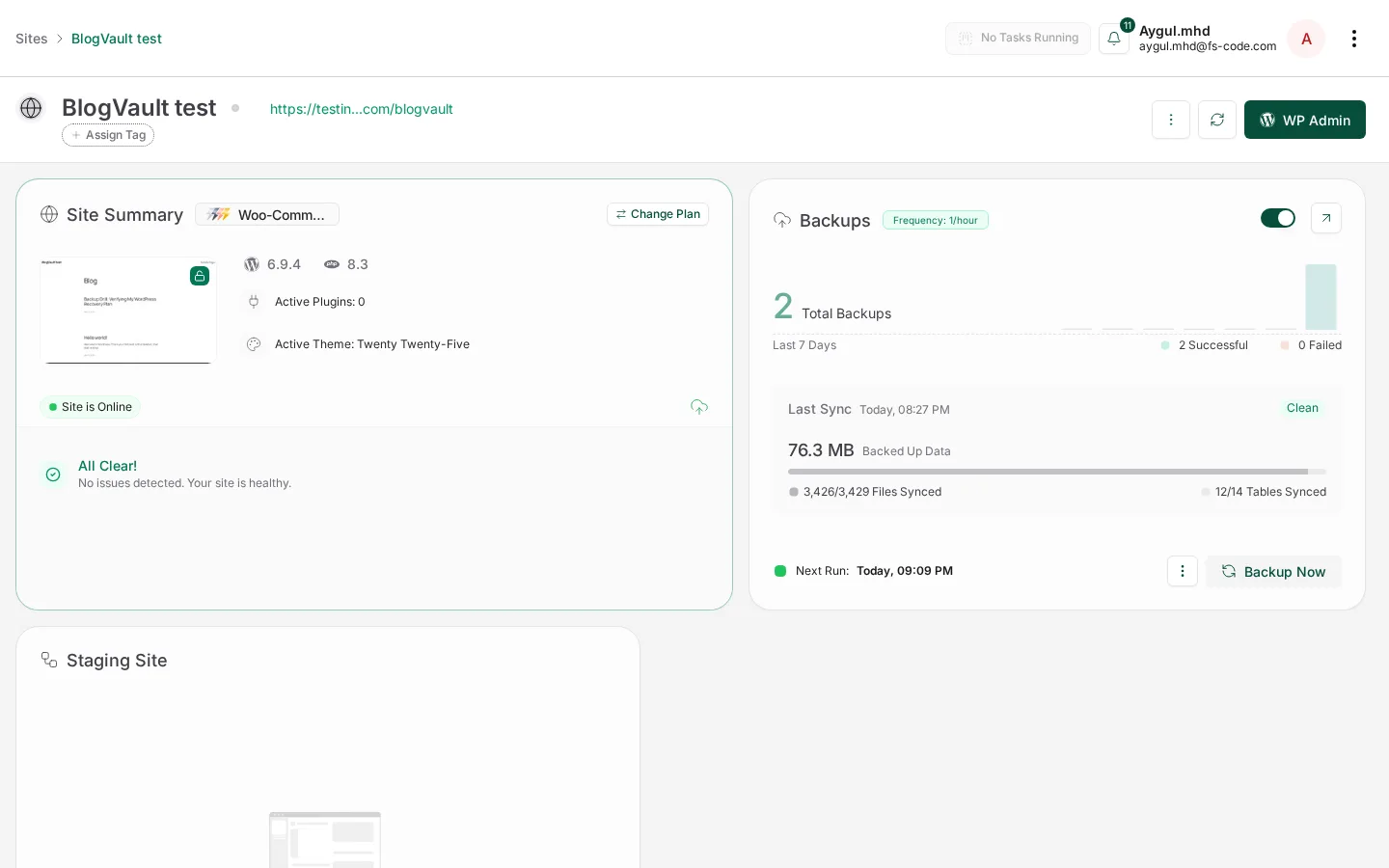
While running, the Backups card showed a Real-Time Updates counter. About three minutes later: 2 Total Backups, 2 Successful, 0 Failed. Both runs were clean.
Testing BlogVault with WooCommerce + 18 Sample Products
A vanilla WordPress install is a soft test, so I activated WooCommerce and imported the bundled 18-product sample catalog, then left the hourly schedule running.
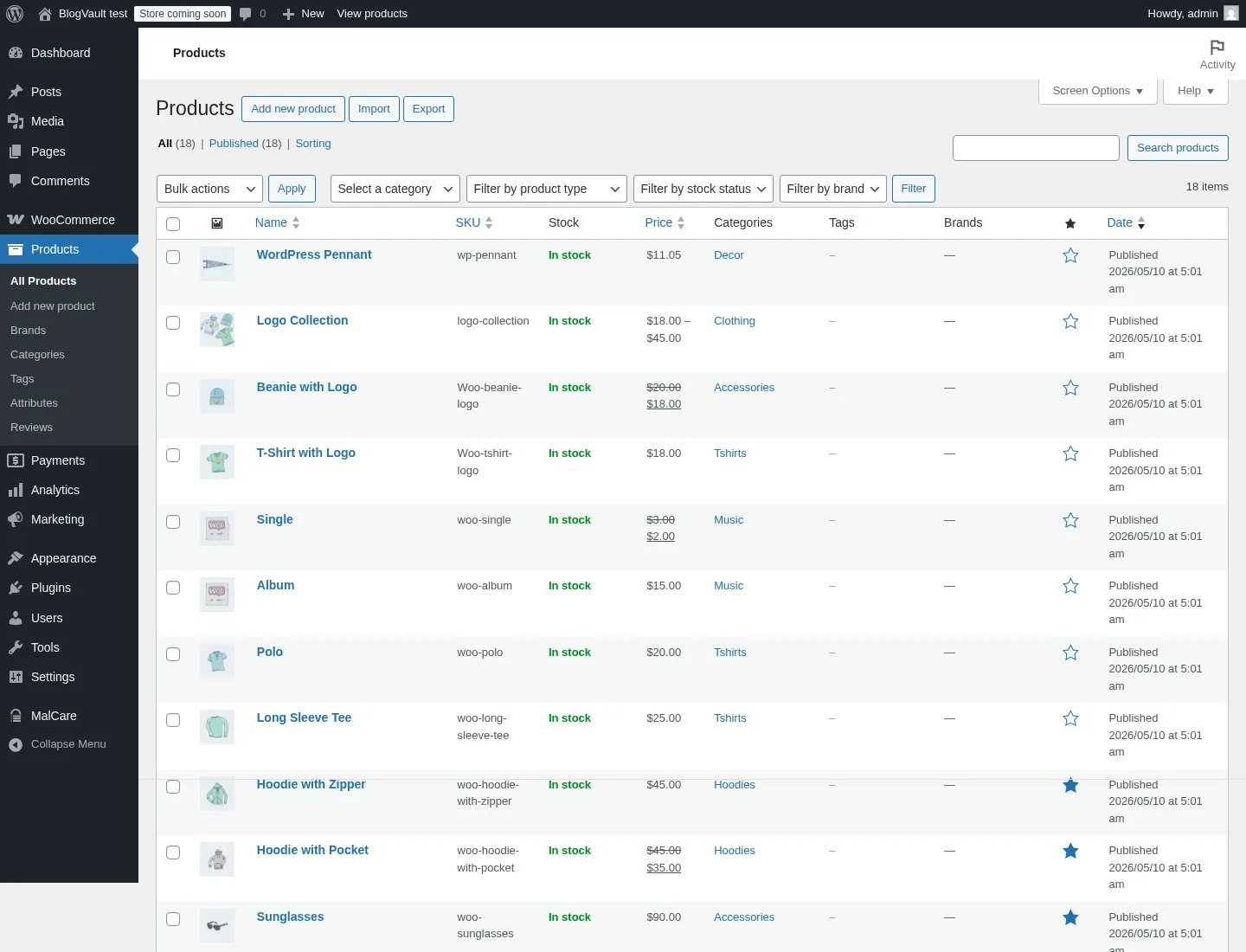
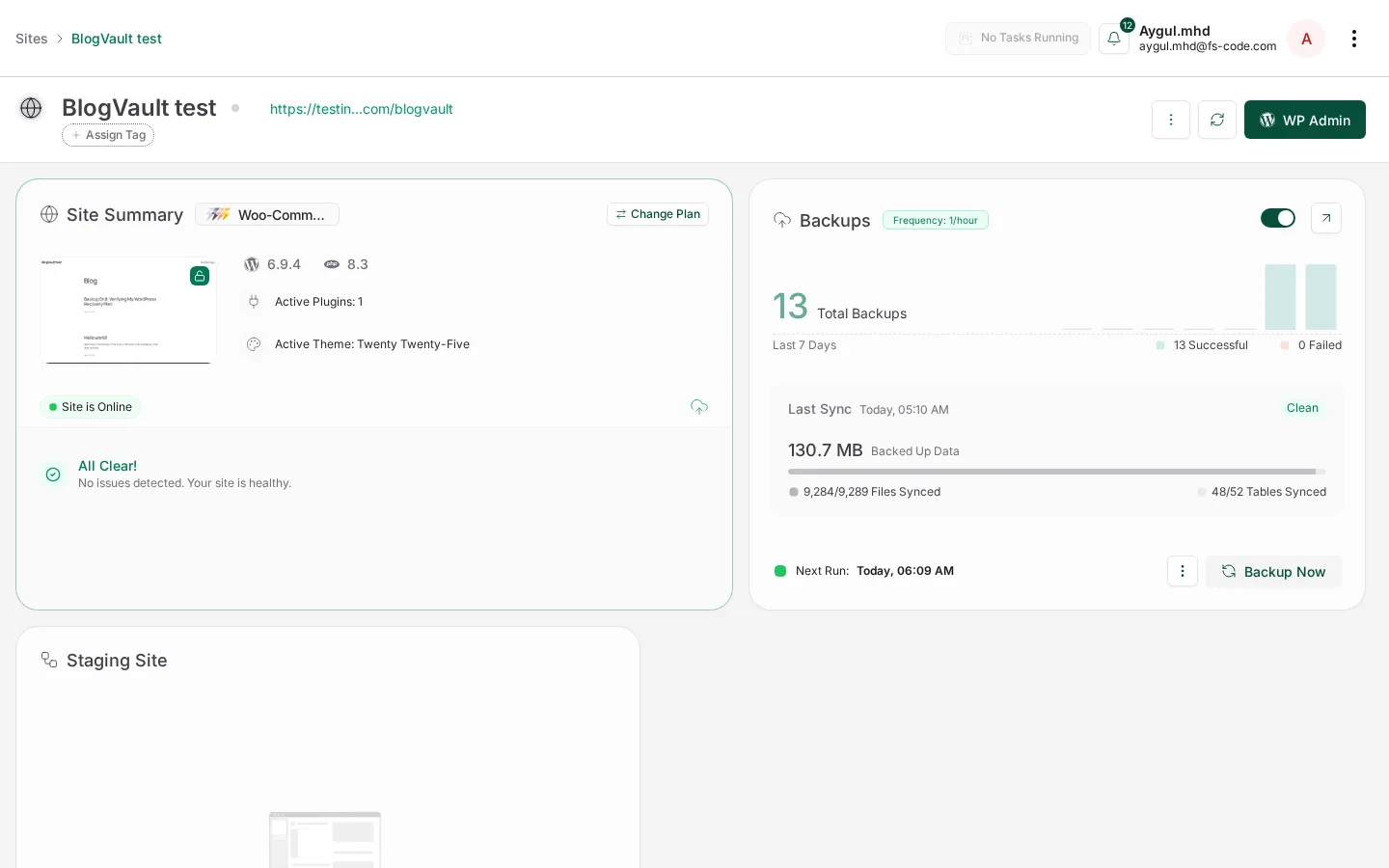
By the next morning, the dashboard showed 13 Total Backups, 13 Successful, 0 Failed, with the latest snapshot at 130.7 MB / 9,284 of 9,289 files / 48 of 52 tables synced. That jump from 76 MB / 12 tables to 130 MB / 48 tables is the difference between backing up a blog and backing up a store, product catalog, plugin configuration, and order schema.
I did not run real WooCommerce orders or fake checkouts. The vendor's real-time order-level capture claim stays vendor-claimed; what I can verify is that WooCommerce plugin code, settings, and the 18-product catalog moved through successive snapshots cleanly.
Backup Details, Restore, Staging, Migration and Download
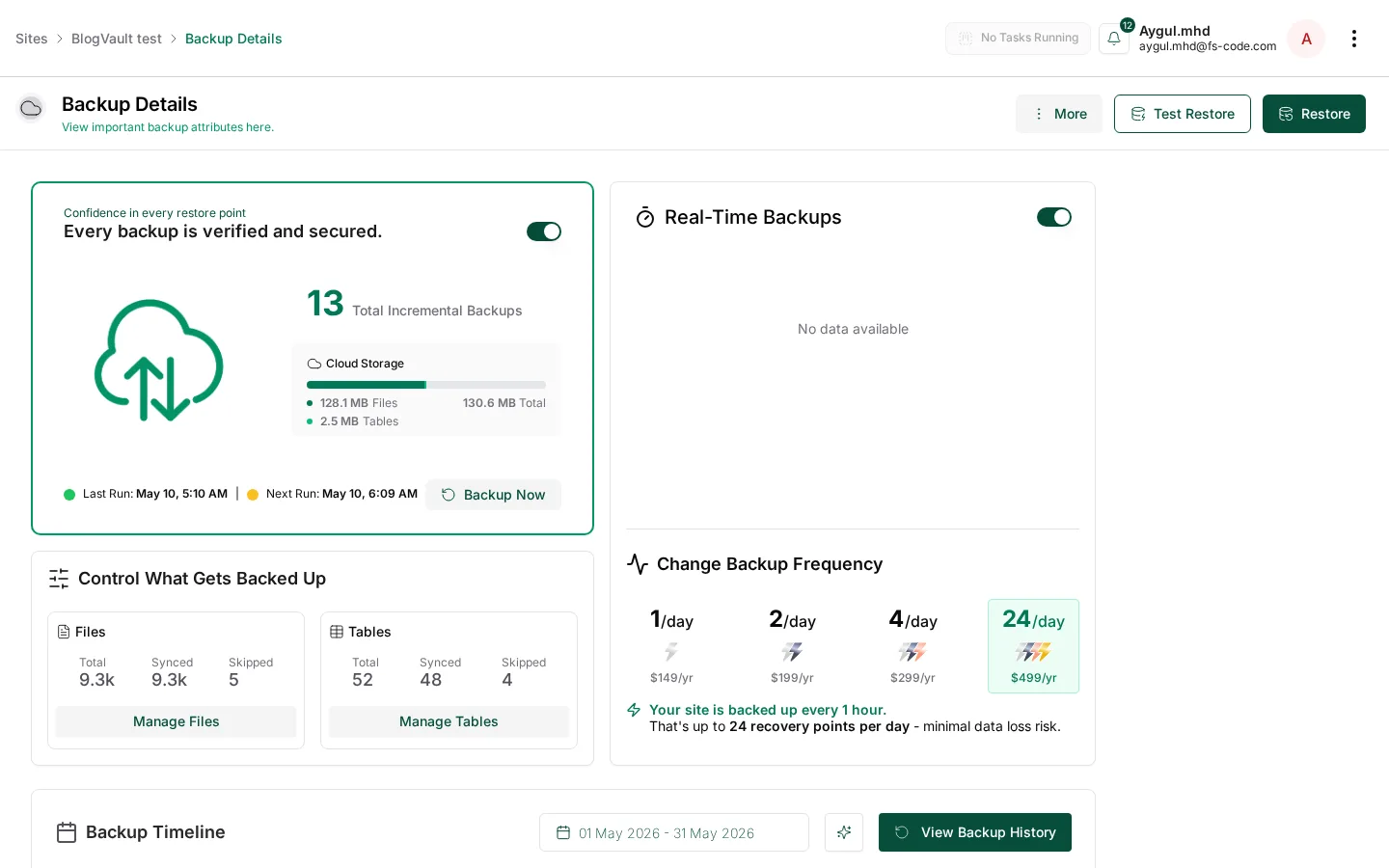
The Backup Details page is the operational view: total backups, cloud storage, file/table inclusion controls, a Backup Timeline calendar, and an upgrade ladder for backup frequency. Test Restore and Restore are surfaced at the top of an active backup.
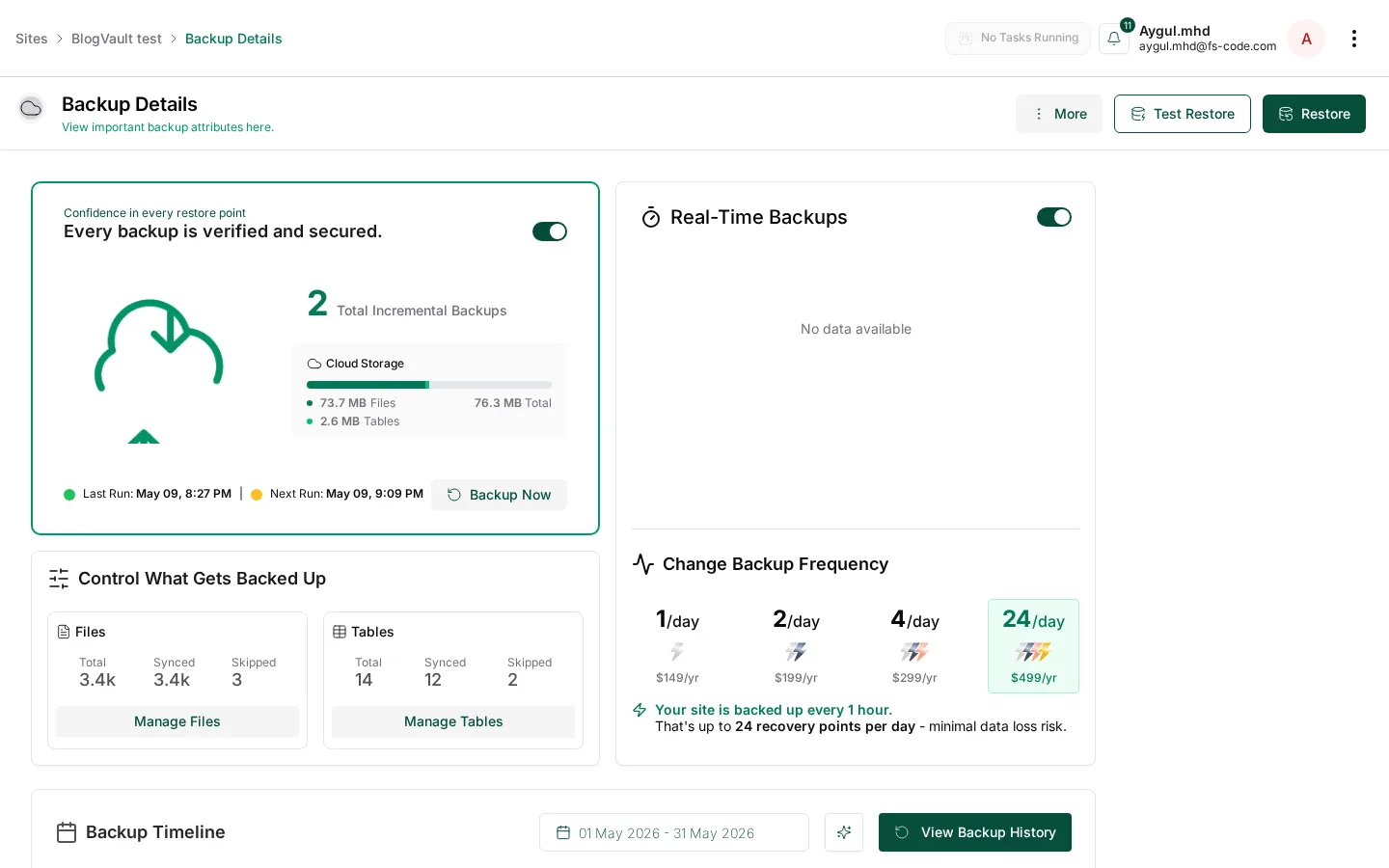
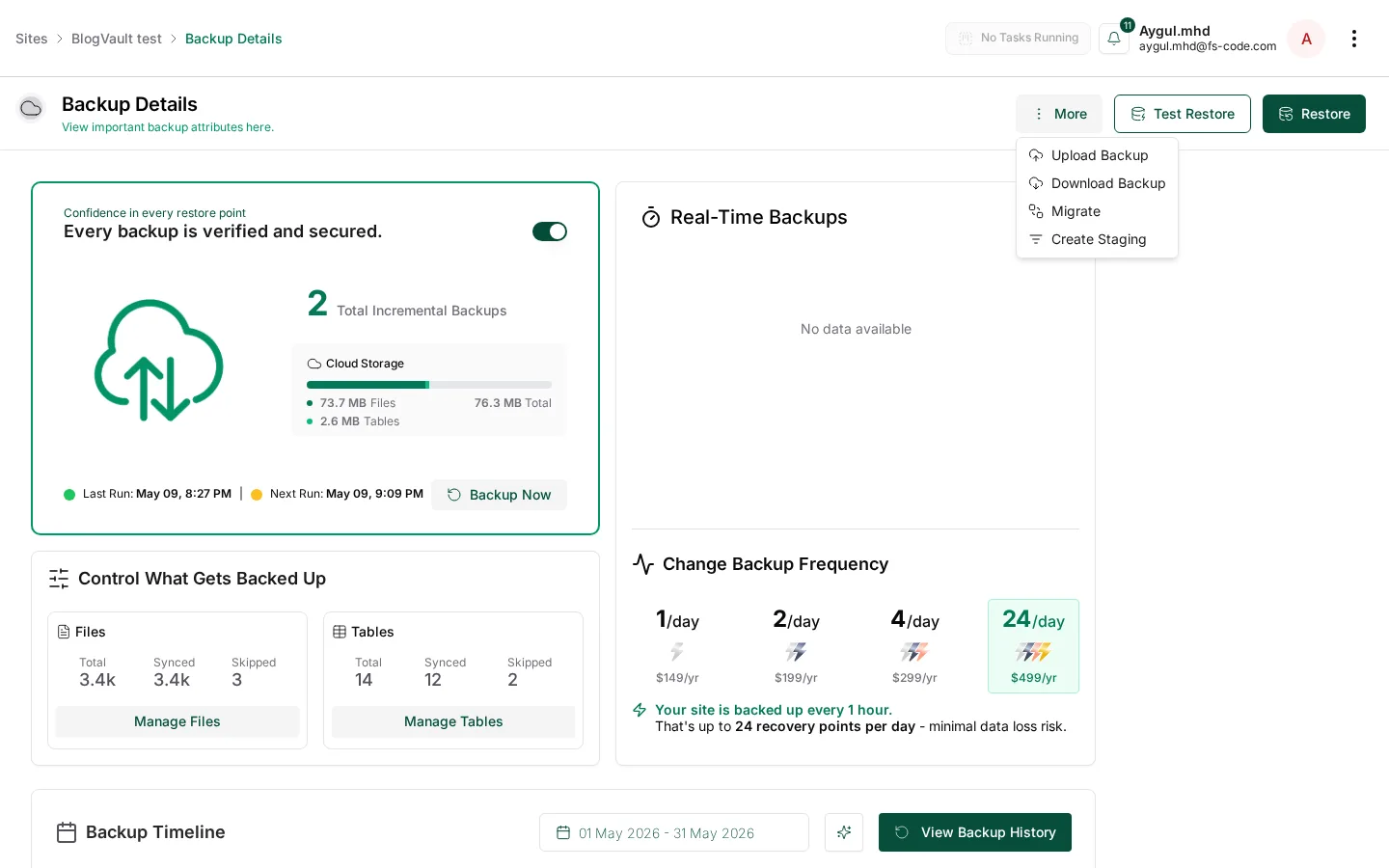
A More menu exposes Upload Backup, Download Backup, Migrate, and Create Staging. I did not pull the archive; the surface is verified, while the actual download should be validated on a production-shaped trial.
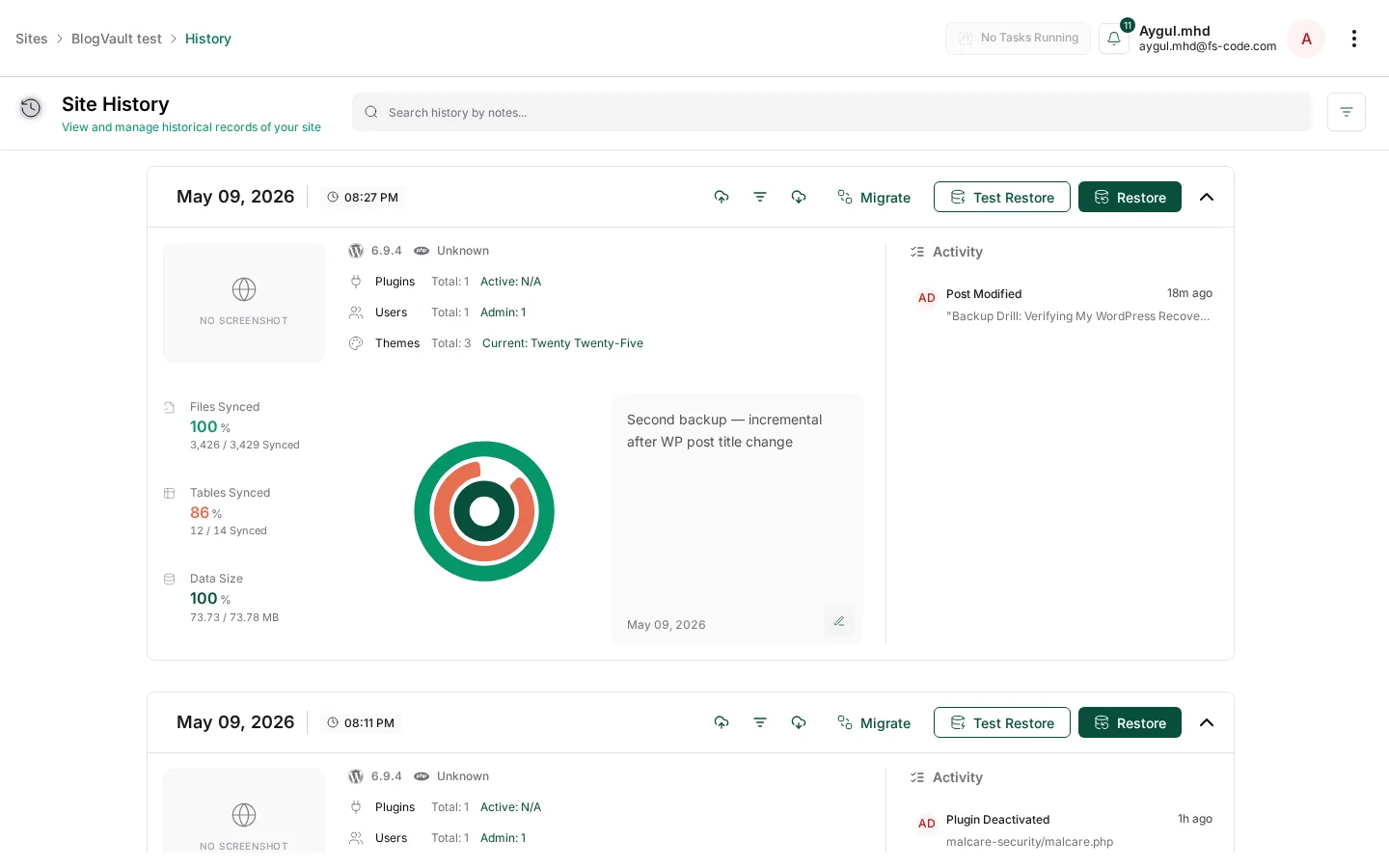
Backup History lists snapshots chronologically with inline Migrate / Test Restore / Restore actions and captured WP Activity, including the modified post from the change-detection test.
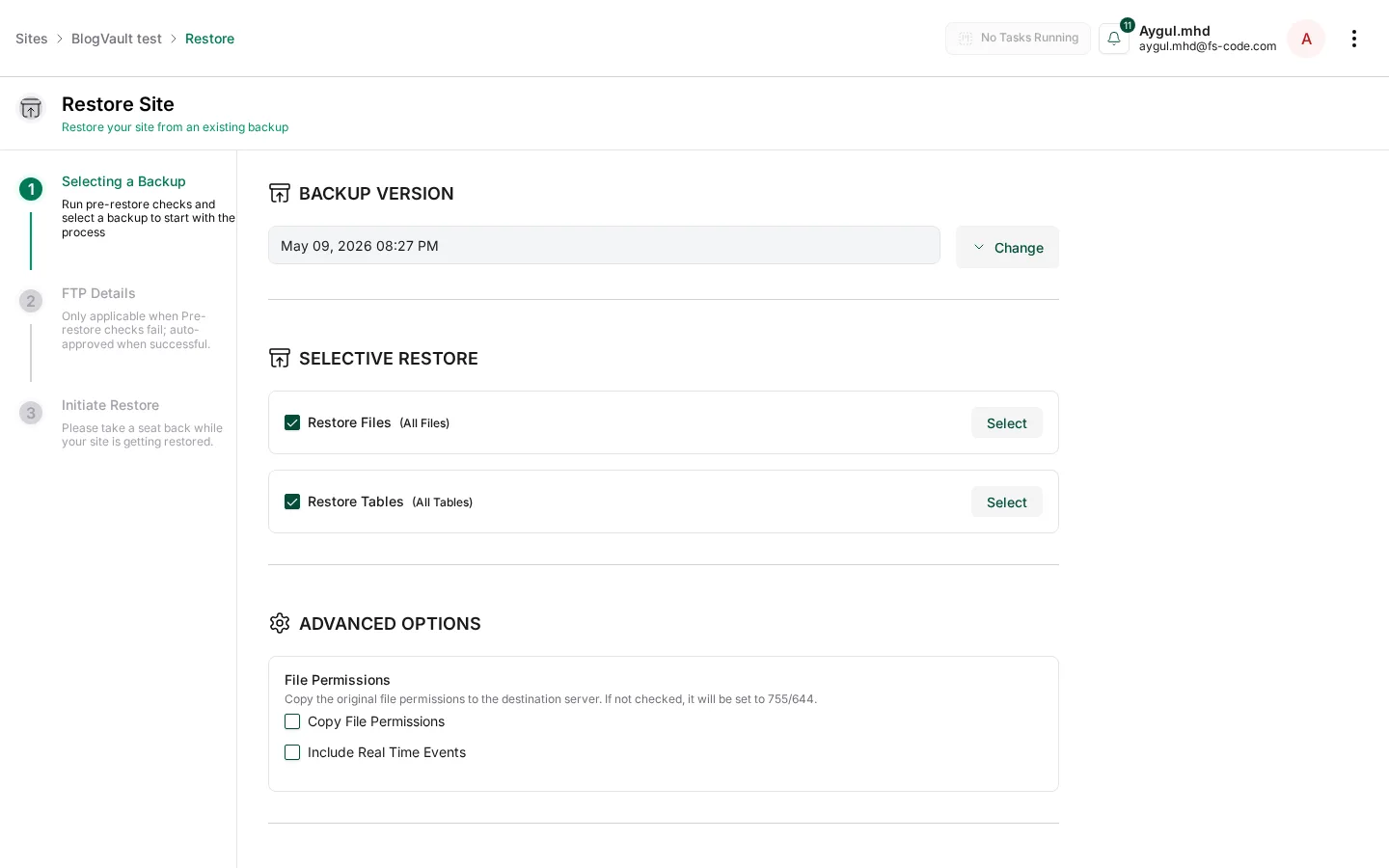
Restore is a 3-step wizard with selective files/tables and advanced options. Test Restore runs the restore into a temporary BlogVault-hosted environment first.
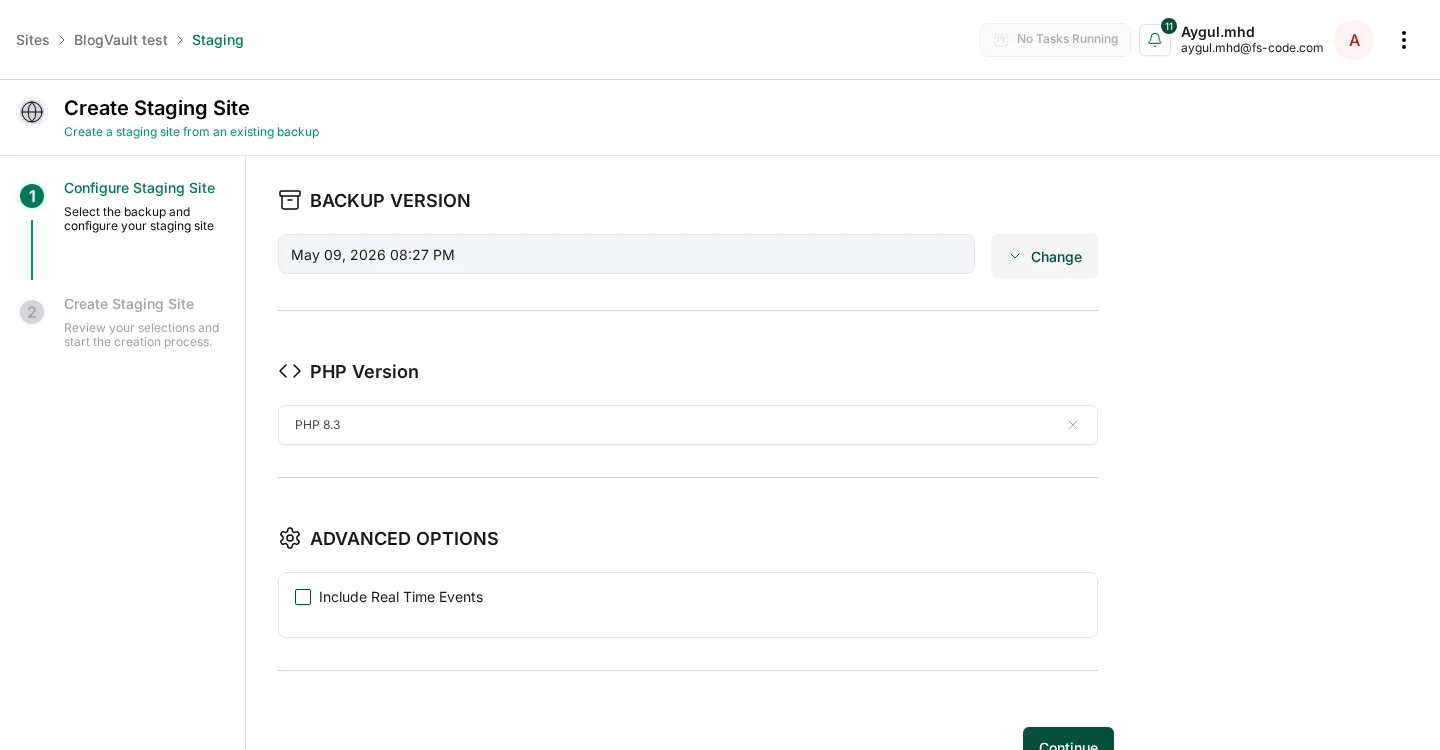
Staging is a 2-step wizard: choose backup version and PHP version, then create a clone on BlogVault infrastructure.
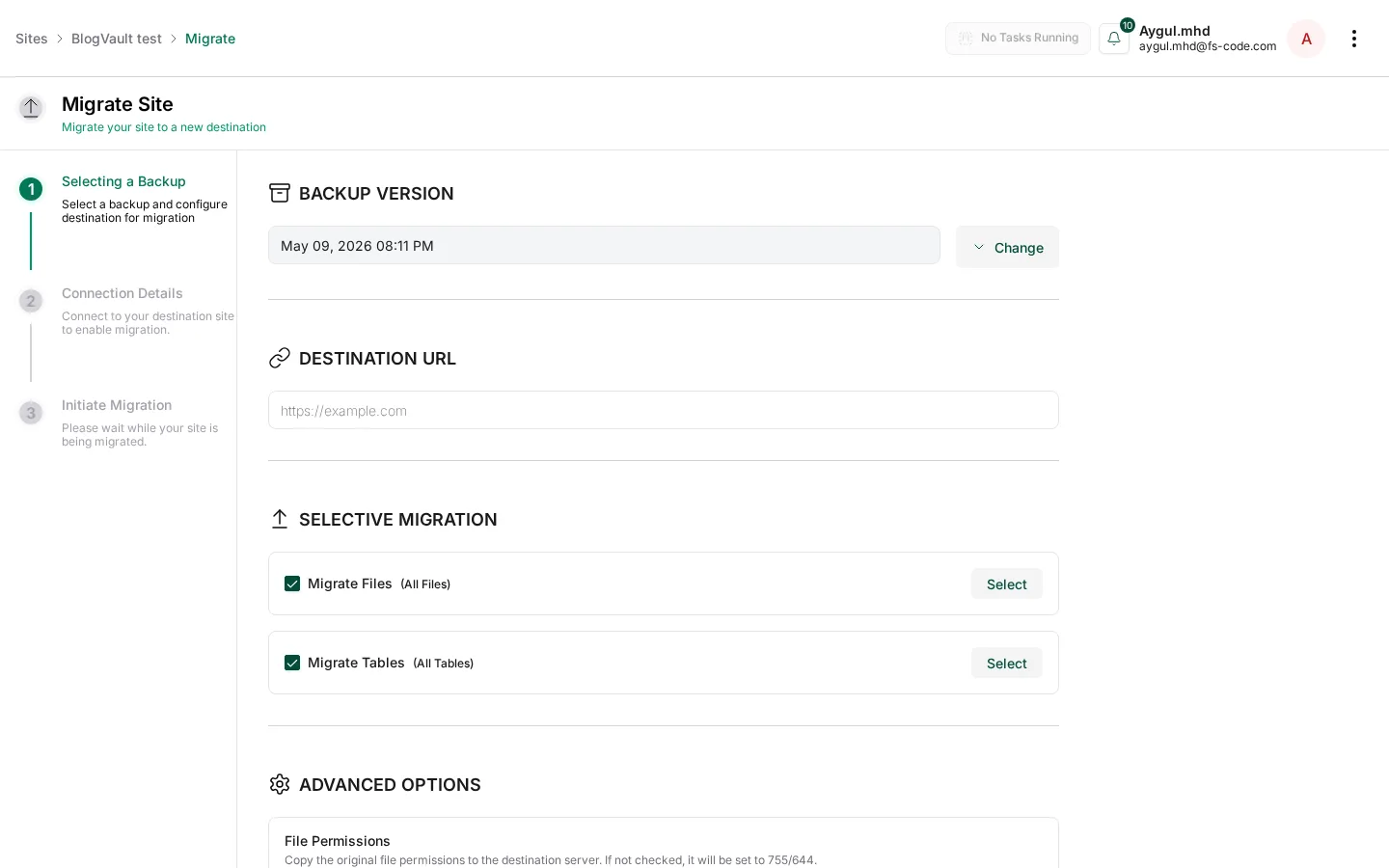
Migration is a 3-step wizard with selective migration of files and tables plus advanced server-config options. It is related to BlogVault's free Migrate Guru plugin.
BlogVault Pricing
Annual-only pricing was cross-checked between BlogVault's public pricing page and the in-app pricing screen.
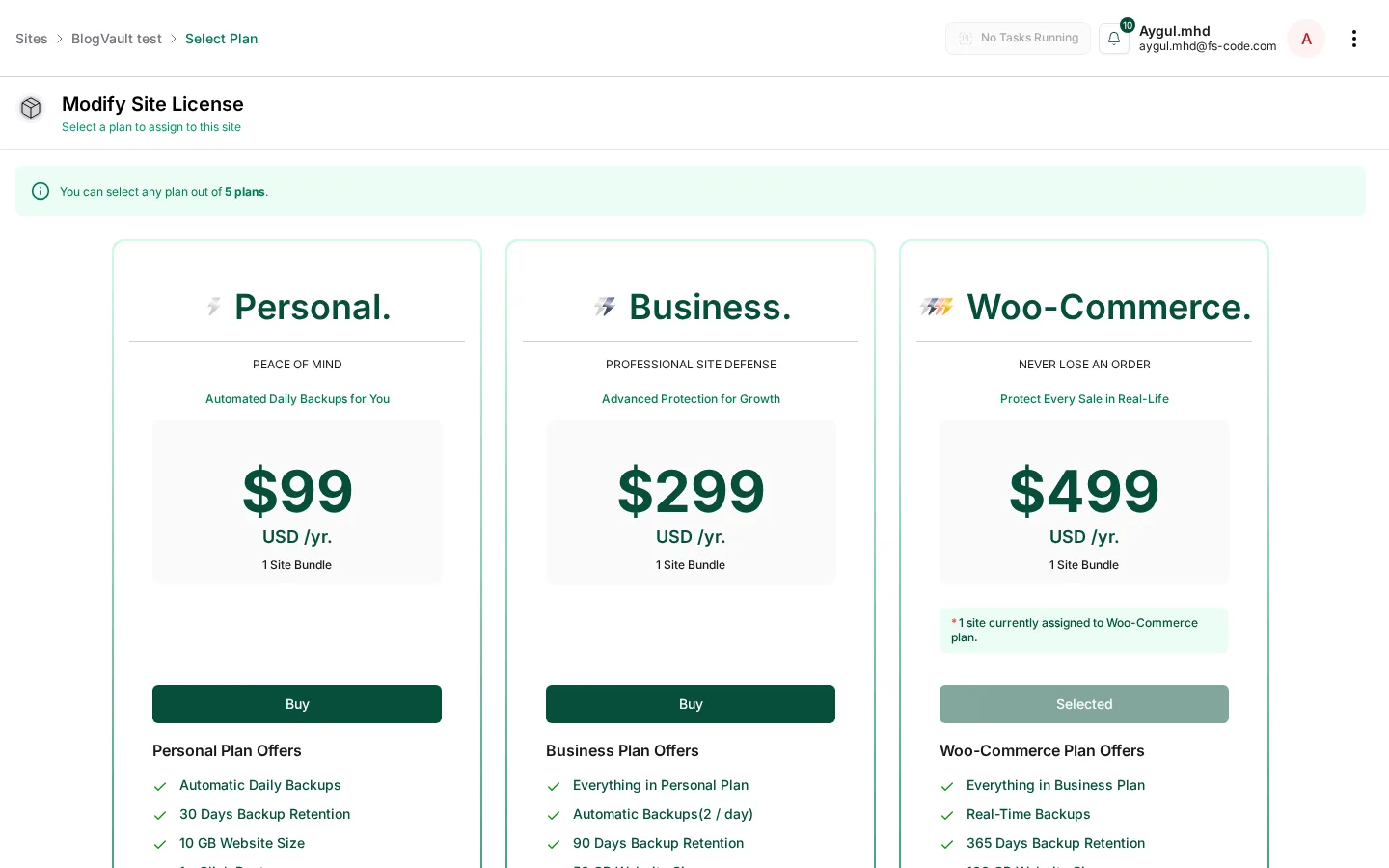
- Personal — $99/yr. Automatic daily backups, 30-day retention, 20 GB site size, staging, one-click restore, one-click migration, secure cloud storage, emergency connector, and standard support.
- Business — $299/yr. Adds backups twice per day, 90-day retention, 50 GB, multisite up to 25 subsites, longer staging, fast staging, and priority support.
- WooCommerce — $499/yr. Adds real-time backups, 365-day retention, 100 GB, multisite up to 100 subsites, longer staging, and personal support. This is the plan I tested.
- Free Fortify — $0. AI malware scan every 7 days, basic firewall, login protection, and vulnerability alerts.
- Fortify — $499/yr per site. Hourly malware scan, instant cleanup, redirection scanner, host-suspension recovery, and expert response.
Trial is 7 days with no credit card. Refund window is 14 days. There is no monthly billing.
My take: Personal is fair for a serious small site. Business is the likely agency sweet spot. WooCommerce makes sense when real-time order capture is non-negotiable. The biggest weakness for hobbyists is the lack of a permanent free backup tier.
Documentation, Support and Reputation
The official documentation and WordPress.org listing are unusually thorough, covering FTP errors, staging email behavior, WooCommerce restore semantics, multisite restore, geo-blocking, and Elementor database updates. Support is email-based, with response speed increasing by plan.
The reputation signals match that: a maintained product, a live changelog, and third-party long-form reviews that generally praise reliability and support while criticizing price. That mix is what I expect from a mature 10-year-old backup platform.
Best BlogVault Alternatives
If you are comparing BlogVault with the wider field, shortlist it against these common options:
- UpdraftPlus — real free tier, runs inside WordPress, bring-your-own remote storage.
- Jetpack VaultPress Backup — Automattic's offsite backup, real-time on every plan, polished UI.
- Duplicator — strong for one-off migrations and developer workflows.
- Solid Backups — comparable feature set with an older feel.
- WPvivid — solid free tier and premium add-ons.
Who Should Use BlogVault — and Who Shouldn't
Use BlogVault if you run business-critical or WooCommerce sites, manage several client sites as an agency, or use shared hosting where PHP-side backups time out. Skip it if you are a zero-budget hobbyist, only need migration, or require monthly billing.
Final Verdict: Is BlogVault Worth It?
BlogVault is the kind of product I would put on a shortlist for a serious WordPress site owner. The architecture is the right shape for 2026, the dashboard is clean, pricing is transparent, and the in-product reporting gives useful file and table counts.
For buyers who do not want to fight their own hosting, the headline from my test is simple: the auto-install worked end-to-end, the WooCommerce backup plan ran cleanly, and 13 successive backups completed across vanilla WordPress and a WooCommerce + 18-product store with 0 failures. The 7-day trial without a credit card is the best next step if you want to verify the same on your own site.
— Hands-on by Emily Carter, SEO Content Specialist · Tested with WordPress 6.9.4, BlogVault auto-install + WooCommerce backup plan, May 2026.
Write once. Post to 26 networks.
- 26 social networks
- Schedule & auto-repost
- Runs inside wp-admin


