


Finding the right keyword research tool for YouTube makes it easier to optimize videos around topics your audience is already searching for and put your content in front of the right viewers. In this article, we’ll compare practical YouTube keyword tools and explain how they help you plan videos with a better chance of ranking.
With more than 2 billion active users, YouTube is the second most-used social platform after Facebook. It gives bloggers and brands a strong channel to share expertise, promote products, and reach a larger audience through video. Branded video also influences buying behavior: 46% of viewers said they made a purchase after watching a branded video.
Like Google and Pinterest, YouTube works as a search engine, so it needs its own keyword and marketing strategy. Its algorithm and policies also change over time to surface better content for viewers and create better promotion opportunities for advertisers.
Before filming a new video, remember that quality alone does not always determine success, especially at the beginning. You need YouTube SEO analysis to optimize your title, description, tags, and metadata so the platform can understand and recommend your video.
If you upload random videos every now and then, it is hard to build a reliable YouTube presence. Growth requires consistent work: idea generation, content creation, and publishing content at the right time for your audience.
To gain subscribers and appear in search results, you need to publish new videos consistently. Fresh videos attract subscriber attention and create early engagement opportunities, and YouTube may favor recently uploaded content in some search contexts. The first 48 to 72 hours after publishing can be important for momentum.
After keyword research: turn ideas into a consistent YouTube publishing workflow
Creating content is one part of the job; publishing it at the right time is another. Once you use keyword research tools to choose video or Shorts ideas, the next step is execution: preparing, scheduling, and publishing content consistently instead of uploading everything manually.
If your site runs on WordPress, FS Poster can help turn keyword-backed ideas into a practical publishing workflow. FS Poster supports scheduling and publishing YouTube Shorts from WordPress, and it also lets you publish WordPress posts to YouTube Community. That does not make FS Poster a keyword research tool; it makes it the next workflow step after research: organizing your Shorts and Community posts for the times you choose.
Metadata is a major part of YouTube SEO. YouTube metadata includes the information that describes a video on the platform: channel name, video title, description, thumbnail, tags, and duration. It helps viewers, creators, and YouTube itself understand what the video is about.
Your video title and description are critical for discovery and clicks. Use relevant keywords that describe the content accurately, add useful tags, and organize videos into playlists where it makes sense.
In other words, you need to find the terms people use when searching for videos, then optimize your content around those terms to increase your chances of appearing near the top of YouTube search results.
How to research keywords for YouTube?
When it comes to YouTube keyword research, there are many free and paid tools you can test depending on your needs and the stage of your channel.
YouTube autocomplete
YouTube autocomplete shows suggested searches based on what people commonly look for on the platform. When you type a topic into YouTube search, the dropdown suggestions can reveal popular keywords related to your niche, products, or audience interests.
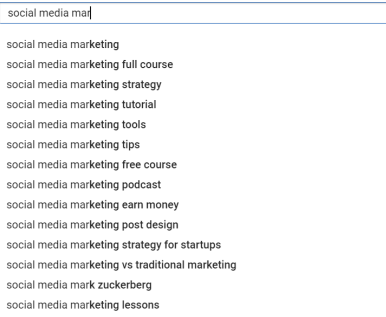
Beyond keyword ideas, autocomplete can also show angles and subtopics for your video content. The downside is that many autocomplete suggestions are competitive, so targeting them directly in your title or description can make it harder to rank higher.
If you are new to YouTube or not ready for advanced marketing tools, YouTube autocomplete is a useful free starting point. It gives you ideas straight from the platform without a complicated setup.
YouTube Analytics
You can also use your own channel data for keyword research. YouTube Analytics is one of the best free sources because it shows real performance from your audience. Sign in to YouTube Studio and open the Reach tab to see the search terms viewers used to find your videos.
During this analysis, you may discover keywords you did not intentionally target but that already bring viewers to your channel.
Competitor analysis
If you want to understand which keywords work in your niche, review competitors with a similar channel size, audience, and content category. Start with their most-viewed videos, then examine titles, descriptions, visible tags, and repeated topics.
For a more technical check, you can inspect the HTML source of selected video pages.
- Press CTRL + U to open the page source.
- Press CTRL + F and search for “keyword”.
You may find additional keyword signals that are not obvious from the video title alone.
This is a useful free method for understanding how competitors optimize their videos. It is not the most precise keyword research method, though, because it usually does not show keyword difficulty, search volume, or expected clicks. Those metrics matter before creating a video because they help you decide what kind of content to make and which keywords are worth targeting.
Best keyword tools for YouTube
Google and YouTube offer different search experiences, so they prioritize different types of content and results. That is why a dedicated keyword planning tool can help with YouTube SEO. Below are free and paid keyword tools that can provide better data for YouTube keyword research.
1. Keyword Tool Dominator
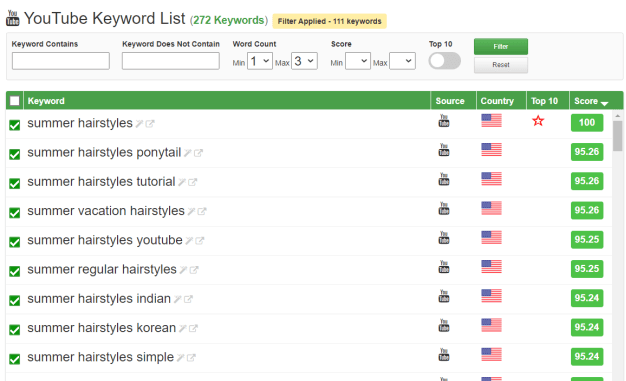
Keyword Tool Dominator, or KTD, is a multi-purpose keyword generator for several platforms. Its YouTube keyword research feature uses YouTube autocomplete to show frequently searched phrases. In addition to YouTube suggestions, KTD lists the most common related words around your seed keyword.
It also shows popular keyword suggestions around the main keyword. For a one-time payment of $49.99, you can access unlimited YouTube keyword searches and video ideas. If you are just starting on YouTube and are not sure how much you will invest in the channel yet, it can be a practical entry-level option.
2. Keyword Tool
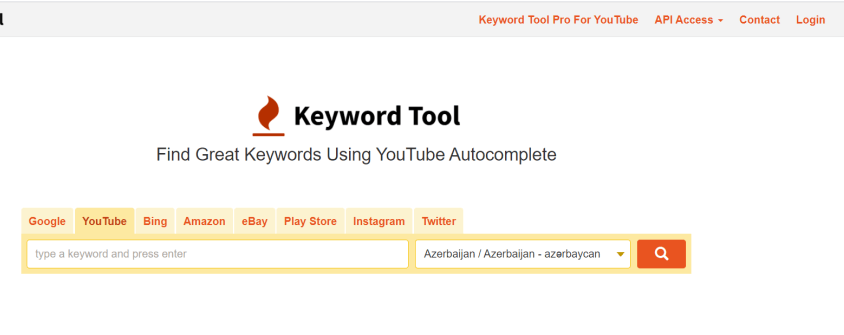
Keyword Tool uses YouTube autocomplete to collect popular search terms. By returning up to 750 long-tail keywords, it is one of the strongest free options for YouTube keyword research. It can also support YouTube ad planning by helping you optimize paid video campaigns. You can localize results for 100 countries and more than 80 languages, and the free version does not require an account.
With the suggested keywords, you can generate video ideas, add terms to tags and hashtags, and use them for YouTube ads. Depending on the paid plan, the tool provides more keyword suggestions together with search volume, CPC, and ad competition data. If you want search volume data and a fuller YouTube keyword planner, this tool is worth testing.
3. Ahrefs
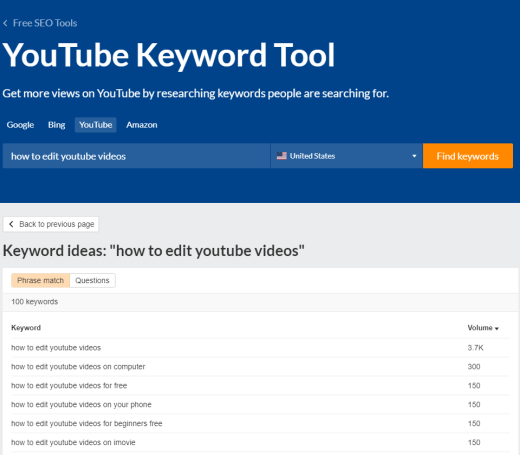
Ahrefs is known as a strong SEO tool, and it also offers a dedicated YouTube keyword tool. In the free version, you can get matching keyword ideas and search volume data across up to 229 countries.
Ahrefs provides different reports for keyword ideas, newly generated keywords, and audience questions. It also shows keyword difficulty, clicks, clicks per search, and return rate, with options to include or exclude specific words for more precise results.
Paid Ahrefs plans start at $99, and the tool can fit into a broader SEO strategy that covers both YouTube and your website. It is a good fit if you need deeper keyword analysis and a clearer view of estimated performance.
4. TubeBuddy
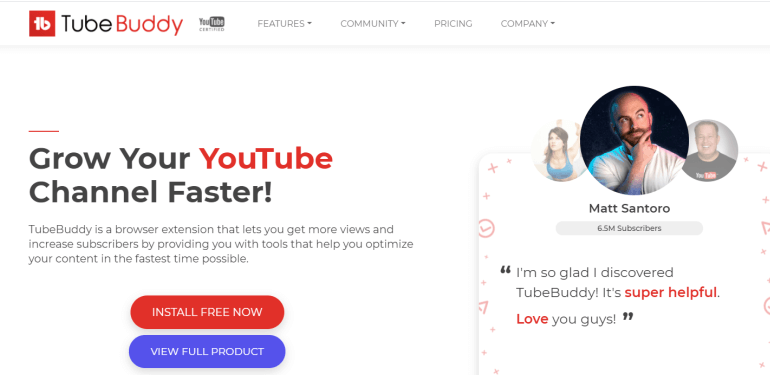
TubeBuddy is a browser extension and mobile app that integrates with YouTube to provide optimization data. It includes tools such as a keyword explorer, social media publishing features, an auto translator, and thumbnail tools. Its keyword checker shows data such as the number of videos for a keyword, search volume, competitiveness, and optimization strength.
To use the extension, you need to connect your YouTube account. The free account gives limited access, including 25 keyword searches and 3 results per day. Advanced features such as A/B testing, search rank tracking, and publishing to Facebook require a paid plan starting at $15.20 per month.
Overall, TubeBuddy is useful if YouTube is your main platform and you want extra optimization features inside your workflow.
5. vidIQ
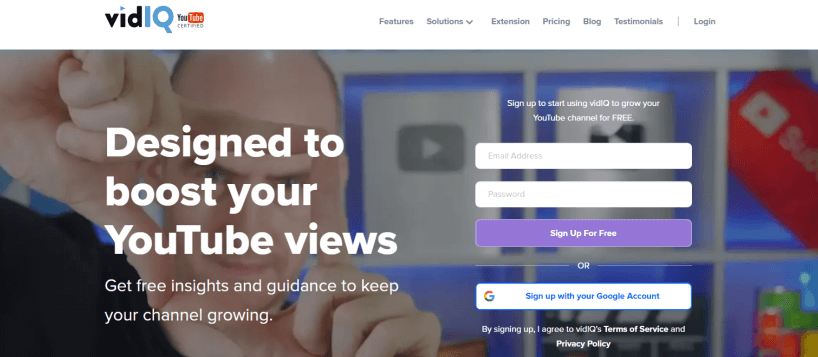
vidIQ is a dedicated SEO tool for YouTube videos. Its keyword features show what audiences search for and which keywords help competitors create better-performing content. Users can research YouTube keywords and see average and top views per keyword, search volume, competition score, and subscriber data tied to results.
The keyword inspector analyzes the root keyword, pulls related videos, and helps evaluate whether a keyword looks promising. With inline keywords, you can view competitor tags automatically and copy the relevant ones for your own content. It also includes a keyword planner and translation features to help reach larger audiences.
To use keyword research, you need at least a Pro account at $7.50 per month. If you are investing in YouTube to grow your business, vidIQ may be one of the best YouTube keyword research tools for your needs.
Wrap up
YouTube video optimization starts before the video is uploaded. You need to prepare a keyword list, write titles and descriptions, and then create or refine the video around what your audience is searching for. To choose the best YouTube keyword research tool, compare each product’s features, pricing, and data quality.
Pick the tool that helps you understand search intent, create stronger content, and improve your chances of appearing in YouTube search results.
Write once. Post to 26 networks.
- 26 social networks
- Schedule & auto-repost
- Runs inside wp-admin


