


"What's the best social media plugin for WordPress?" is the wrong question, and it's why so many buyers end up with three plugins that overlap and still don't do the job they actually needed. There isn't one plugin that auto-posts your new content to ten networks, embeds your live Instagram feed in your homepage, and adds polished share buttons to every blog post, and shows a clean row of follow icons in your footer. Those are four different products solving four different problems.
So before you pick a plugin, pick a job:
- Auto-posting: publish a WordPress post and have it automatically appear on your own Facebook, LinkedIn, Pinterest, X, Threads, Bluesky, Instagram, TikTok, and so on. This is outbound. You publish, it shares.
- Social media feeds (widgets): pull posts from your social accounts back onto your WordPress site (Instagram grids, Facebook timelines, YouTube channel feeds, X timelines, review walls). This is inbound display.
- Share buttons: let your visitors share your content to their social accounts with a click. Passive, visitor-facing.
- Profile icons and follow widgets: render a clean set of icon links that send visitors to your social profiles so they can follow you. Visitor-facing too, but the click goes to your profile, not to a sharing dialog.
Most WordPress sites need one plugin from one of these four categories, and the more serious ones eventually pair an auto-poster with either a feed plugin, a share-buttons plugin, or a follow-widget plugin to close the loop.
To make this hub useful, I reviewed and tested 22 WordPress social media plugins across the four jobs: 7 auto-posters, 6 feed plugins, 6 share-button plugins, and 3 social profile icon / follow-widget plugins. For each one I installed the plugin on a real WordPress test site, connected real social accounts where the network APIs allowed it, exercised the share, feed, button, or follow-icon workflow, walked every pricing page (including checkout where needed), captured admin and frontend screenshots, and cross-checked WordPress.org install counts, review patterns, and recent maintenance. From those 22 I narrowed the field to the 18 strongest picks: five per category for the first three categories, plus three picks in the social profile icons / follow widgets category. Each entry is compressed into a buyer-friendly snapshot below.
It's not a single ranked list of eighteen products fighting each other; that would compare a share-button plugin against an auto-poster, which makes no sense. The 18 plugins below are the strongest picks inside each of the four categories, with concise entries and a clear handoff to the deeper category guide whenever a per-plugin comparison is needed.
Quick category chooser
Use this as a 30-second triage before scrolling further:
| If you need… | Pick this category | Best starting plugin |
|---|---|---|
| New WordPress posts to auto-share to your own social accounts | Auto-posting / scheduling | FS Poster |
| To embed your live Instagram, Facebook, YouTube, TikTok, or X content on your site | Social media feed / widget | Smash Balloon |
| Polished share buttons so your visitors share your posts to their own social accounts | Share buttons | AddToAny |
| A clean row of icon links to your own social profiles so visitors can follow you | Profile icons / follow widgets | Social Icons Widget & Block |
Inbound display, visitor-facing share buttons, and profile-icon widgets don't post anything out to your social accounts. If you also publish out, pair them with an auto-poster; the two halves of the stack are complementary, not interchangeable.
How the 18 were evaluated and selected
This list sits on top of four separate category guides I wrote and tested for this blog: one for auto-posting, one for social media feeds, one for share buttons, and one for social profile icons / follow widgets, for a combined 22 plugins evaluated end to end. The scoring grid was the same across all four jobs:
- Hands-on testing: every plugin was installed on a real WordPress test site, real social accounts were connected where the network APIs allowed it, and the core workflow (share, feed render, button placement, follow-icon render) was exercised before judging it.
- Pricing reality: every public pricing page was walked, and checkout was opened where the displayed monthly equivalent didn't match the real annual amount, so the prices in each entry are what a buyer actually pays.
- Network and feature coverage: outbound network rosters, supported feed sources, share-button libraries, follow-icon libraries, free vs. paid limits, and adjacent extras (calendars, planners, AI captions, analytics, GDPR posture) were mapped side by side.
- Admin and frontend evidence: admin flows and visitor-facing renders were captured in screenshots; the screenshot you see under each entry below is taken from those tests.
- Reputation signals: WordPress.org install counts, average ratings, review-count totals, recent 1★ themes, and last-released-version cadence were cross-referenced, not as the deciding factor, but as a sanity check on the hands-on findings.
Each category section below opens with the testing scope for that job, then ranks the top picks (five in the first three categories, three in the new profile-icons category). Use this hub to decide which category fits the job, then click into the category guide at the end of the section for the deeper, per-plugin comparison.
Best WordPress social media auto-posting plugins
These are outbound publishing plugins. When you publish a WordPress post (or update a WooCommerce product), they push it to your connected Facebook Pages, LinkedIn, X, Pinterest, Instagram, Threads, Bluesky, Mastodon, TikTok, Telegram, Reddit, Discord, Google Business Profile, and so on. Choose one of these if your problem is "my new posts should appear on every channel without me opening every social tab."
For this section I tested 7 WordPress social media auto-posting plugins and selected the top 5 below. For each one I scheduled and shared real WordPress posts to connected accounts, checked the in-product logs or share-activity surfaces where they existed, compared network coverage (and how much of the roster is gated to paid tiers or paid add-ons), walked the calendar and recurring-planner UX, exercised category filters and WooCommerce/post-type support, and tracked every pricing tier through to checkout. The five entries below are the picks that earned their slot; the complete 7-plugin ranking with pricing matrices and network coverage tables lives in the deeper category guide linked at the end of this section.
1. FS Poster: best overall WordPress social media automation plugin
Best for: WordPress agencies, WooCommerce stores, serious publishers, and teams managing one or more WordPress sites who need one tool that covers 26 social networks.
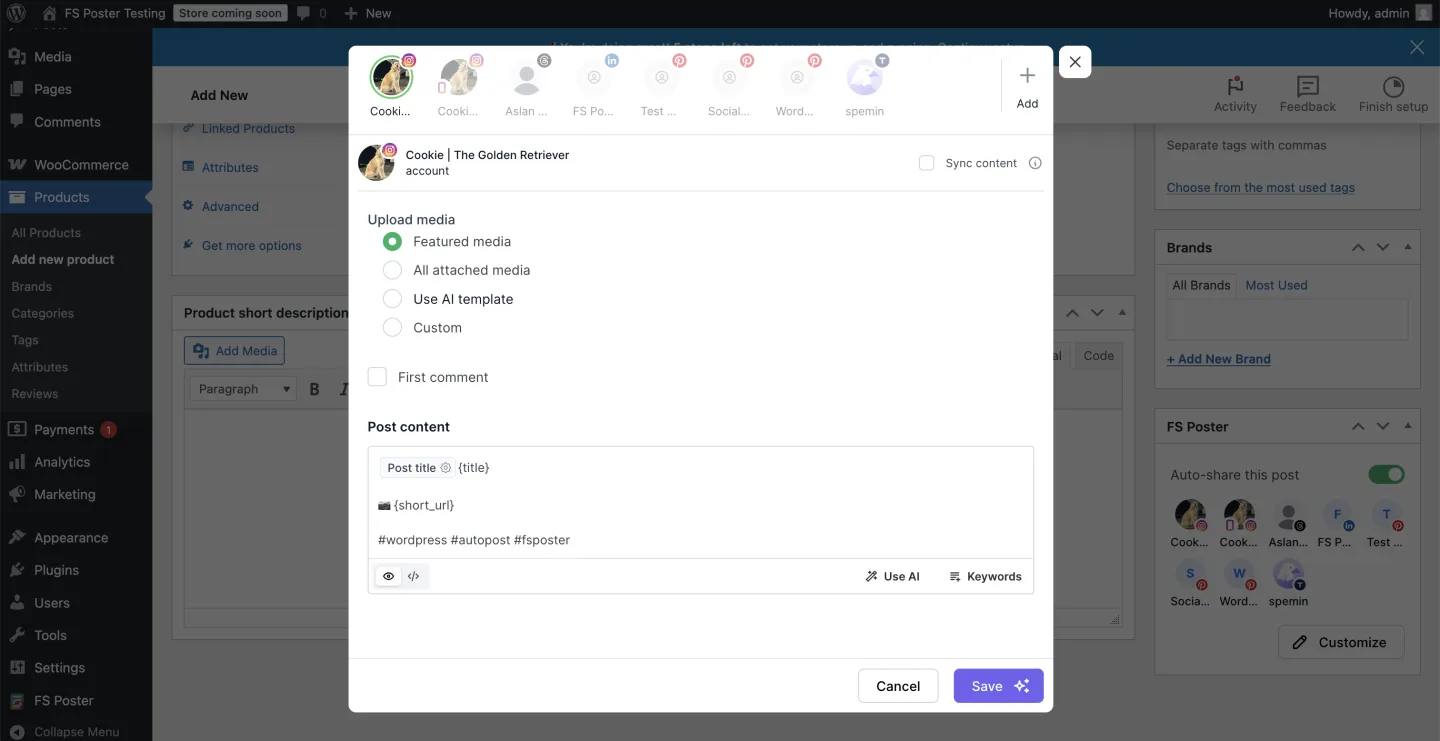
FS Poster ships the broadest WordPress-native network roster in the category: 26 networks on a single licence, including Facebook, Instagram, Threads, X, LinkedIn, Pinterest, TikTok, YouTube Community, YouTube Shorts, Truth Social, Telegram, Reddit, Discord, Bluesky, Mastodon, VK, OK.ru, Google Business Profile, a WordPress-to-WordPress connector, and a generic Webhook destination. It pairs a modern v7 admin app with a real Calendar, a recurring Planner for evergreen reshares, a WordPress Posts-list bulk-schedule action, per-channel category filters that route products and posts by collection or tag, and AI captions on your own OpenAI key. Pricing starts at $58/year intro on Single (renews $65/year) with an optional Lifetime tier covering 30 websites for long-term/multi-site buyers. WooCommerce auto-share works out of the box. 4.9/5 from 650+ reviews on the vendor surface; 25K+ paid customers, 50K+ active installs. No free tier; the answer to that is a 14-day money-back guarantee that applies to every plan.
Main drawback: No free tier and no public WordPress.org listing; buyers who insist on "free to start" will reach for a freemium plugin first.
Full review: FS Poster review
2. Jetpack Social: simple/basic option for solo bloggers on 2–4 mainstream networks
Best for: Solo bloggers and small businesses who only need a handful of mainstream networks and value the Automattic brand.
 For the full Instagram-focused comparison, see the best WordPress Instagram plugins list.
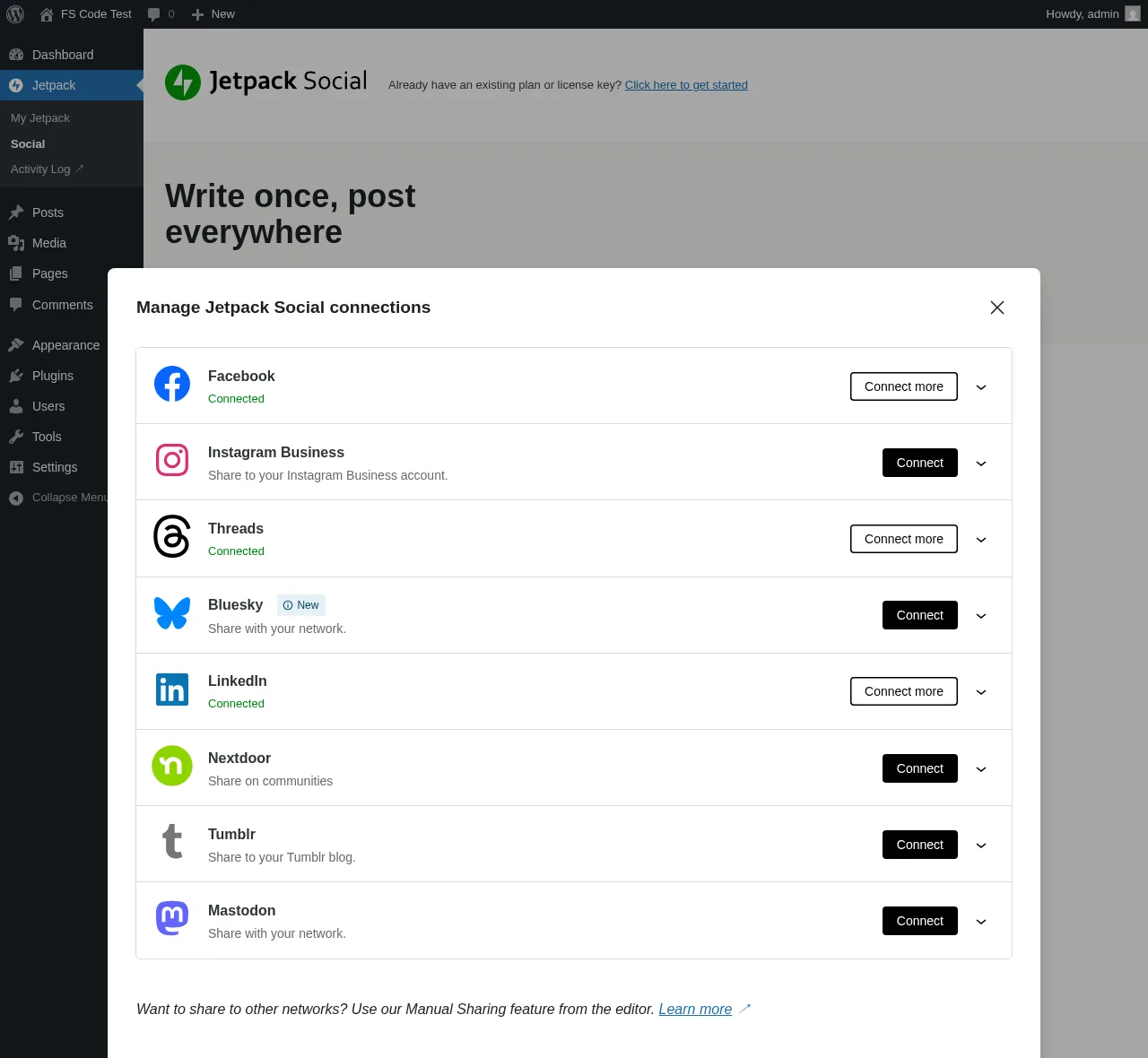
Jetpack Social is Automattic's stripped-down publishing plugin and the simplest auto-share install in the category, from the same company behind WordPress.com, WooCommerce, Tumblr, and Akismet, with a native Gutenberg-sidebar workflow and no separate admin to learn. It supports 8 networks: Facebook Pages, Instagram Business, Threads, LinkedIn, Bluesky, Nextdoor, Tumblr, and Mastodon. The Free tier has had unlimited shares since September 2024 (any review citing the old 30-share-per-month cap is stale), and the paid Social plan is €59.40 first year then €107.40/year on renewal. The in-editor Sharing Activity dialog is the cleanest in-product evidence surface in the auto-posting category; a re-share or recycle from the same sidebar takes four clicks.
Main drawback: Only 8 networks: no Pinterest, X/Twitter, TikTok, YouTube, Reddit, Discord, Telegram, or Google Business Profile, and the WordPress.org rating is a strongly bimodal 3.3/5 (53% 5-star vs 36% 1-star) on tokens that won't stay connected.
Full review: Jetpack Social review
Comparison: FS Poster vs Jetpack Social
3. SchedulePress: editorial calendar with basic social sharing
Best for: Editorial teams, multi-author blogs, and price-sensitive publishers who need a drag-and-drop calendar plus 8-network auto-share.
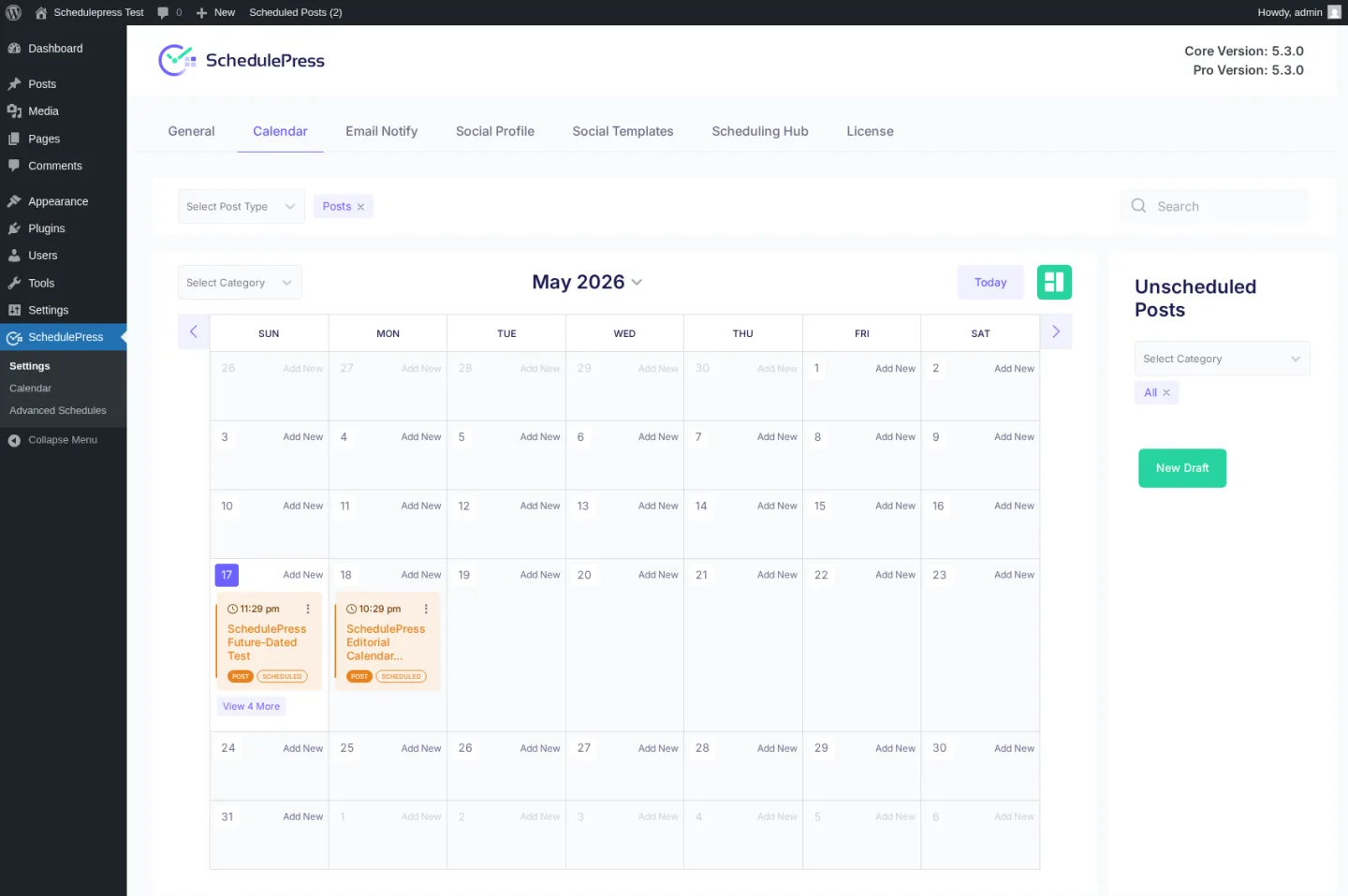
WPDeveloper's calendar-first plugin (formerly "WP Scheduled Posts") is the only pick in this section whose primary surface is a drag-and-drop calendar planner of every scheduled, published, and draft WordPress post, with an Auto Scheduler weekday × time × post-count matrix, a Manual Scheduler per-day queue, a Missed Schedule Handler, and the unique Advanced Schedule for scheduling an update to an already-published post. It auto-shares to 8 networks (Facebook, X, LinkedIn Profile + Page, Pinterest, Instagram, Medium, Threads, Google Business Profile on Pro). Pricing is the lowest annual entry on this list at $39/year on Individual; Lifetime Unlimited sits at $299 one-time. 4.6/5 from 198 reviews on WordPress.org and 10,000+ active installs, with same-day point releases on both the Free and Pro channels.
Main drawback: No Reddit, Bluesky, TikTok, Discord, Tumblr, Mastodon, VK, or webhook dispatch, and no in-product Activity Log to verify auto-share dispatch end-to-end.
Full review: SchedulePress review
Comparison: FS Poster vs SchedulePress
4. Bit Social: budget lifetime challenger with AI captions
Best for: Budget-driven bloggers and small agencies who want auto-share + AI captions on a one-time licence with unlimited sites.
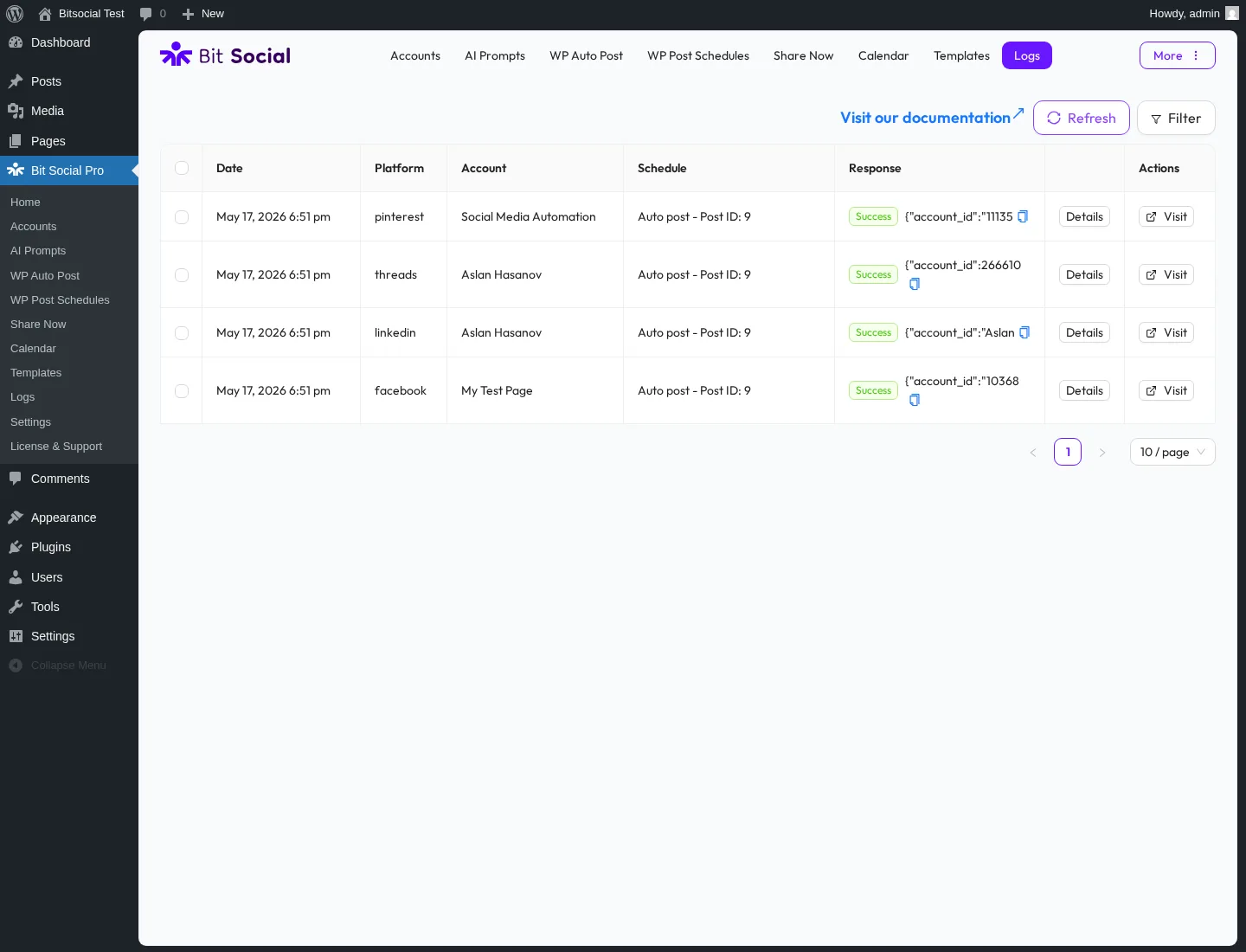
Bit Apps's challenger plugin packages a modern admin UI, 13 networks on Pro (Facebook, LinkedIn, Threads, Google Business Profile, Pinterest, Discord, Tumblr, Instagram, TikTok, X, Bluesky, Line, Telegram), AI Prompts driven by ChatGPT and DALL·E on your own OpenAI key, an open-source codebase on GitHub, and the most aggressive lifetime price in the entire WordPress social-publishing category: $149 one-time for unlimited sites on the Agency LTD tier. Annual entry is $49/year on Starter. The per-platform Templates page autosaves silently as you type and persists across reload, and the WP Post Schedule module ships a 3-tab Create modal for recurring evergreen reshares with a live "posts matched by current filters" counter.
Main drawback: Free is only 2 networks (Facebook + LinkedIn Profile), every other network is Pro-only, and the build still has visible gaps: the License & Support page returns a 404 and several per-platform Previews say "Coming Soon."
Full review: Bit Social review
Comparison: FS Poster vs Bit Social
5. Blog2Social: older freemium option with a familiar calendar
Best for: Users who specifically want a familiar freemium WordPress tool and are comfortable with a more dated workflow, fragmented pricing, and paid upgrades for serious automation.
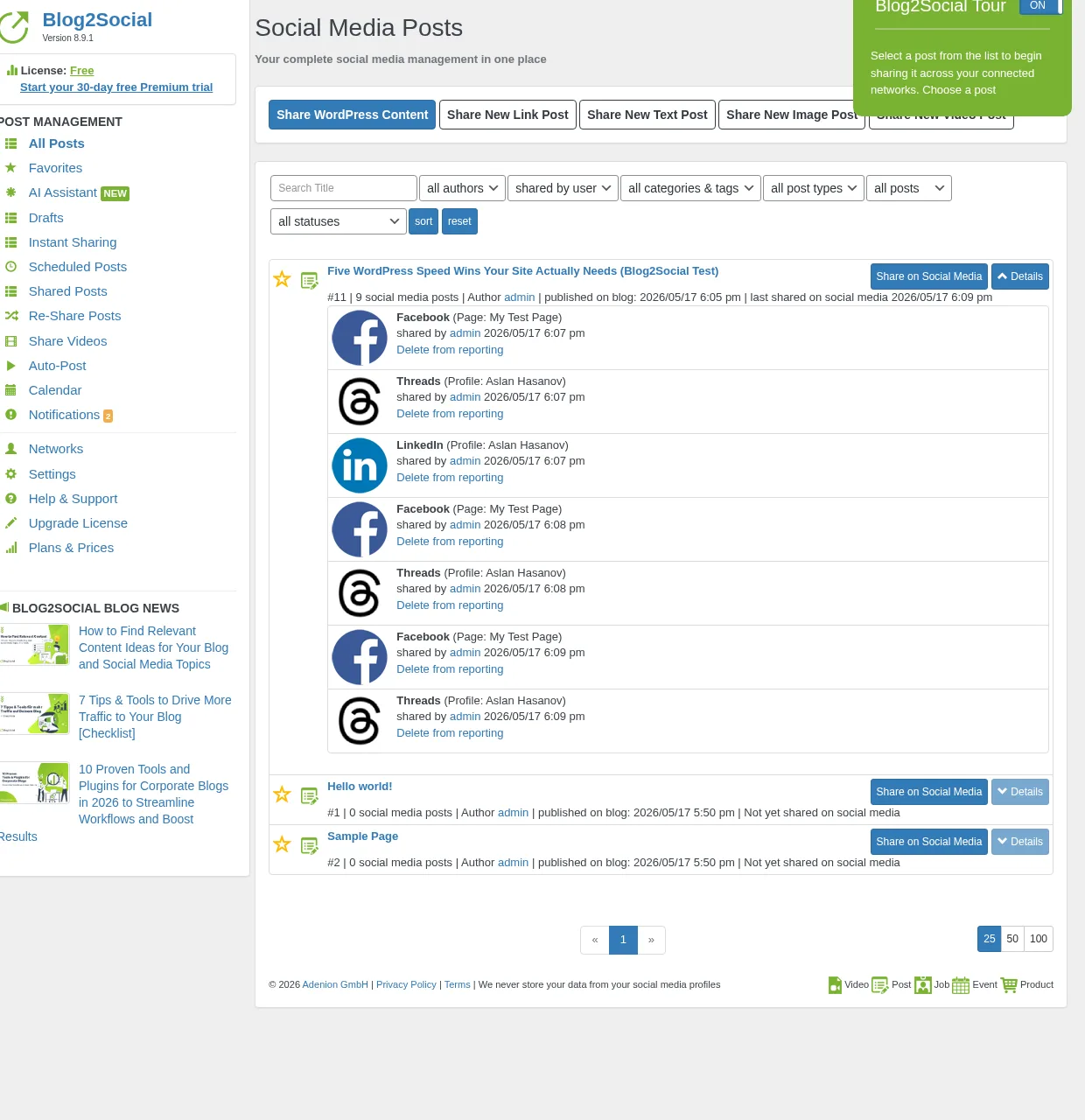
Blog2Social is one of the older WordPress social media plugins in this category. That history may appeal to users who want a familiar freemium tool with manual sharing, per-network captions, a calendar, and Best Time Manager presets. However, the product feels more dated than modern automation-first plugins, and product development and innovation feel slower compared with newer tools built around streamlined auto-posting workflows. If you need serious auto-posting, advanced scheduling, and broader network coverage, you will usually run into paid plans and add-ons quickly: auto-share on publish is a Smart-tier feature, X (Twitter) is sold as a separate monthly subscription, and Video Posting is a paid add-on. Free still gives a way to start manually, but it should not be treated as the main alternative to FS Poster for full automation.
Main drawback: The pricing model is fragmented across plans, network/account/user/site limits, and add-ons, so the real cost can become harder to compare once you need automated publishing instead of manual sharing.
Full review: Blog2Social review
Comparison: FS Poster vs Blog2Social
Going deeper: seven auto-posting plugins compared hands-on, with auto-share results, pricing matrices, and Lifetime vs annual maths → Best WordPress social media auto-posting plugins.
Best WordPress social media feed plugins (widgets)
These plugins do the opposite of an auto-poster: they pull posts from your social accounts and render them inside your WordPress pages. Instagram grids on a homepage, Facebook timelines in a sidebar, YouTube channel feeds on a video page, X timelines on a community page, review walls on a landing page. Choose one of these if your problem is "I want my live social content to appear on my site, not just a link to my profile."
For this section I reviewed and tested 6 WordPress social media feed plugins and selected the top 5 below. For each one I connected real social sources where the platform allowed it (and used vendor demo content where it didn't), built a feed inside the plugin admin, exercised the live preview or customizer, rendered the saved feed on a real WordPress page at desktop and mobile, walked the available layouts and lightbox behavior, looked at caching, image delivery, and Core Web Vitals posture, checked GDPR/consent handling, and tracked every pricing tier, including any real Lifetime SKUs, through to checkout. The five entries below are the picks that earned their slot. The complete 6-plugin, feature-by-feature ranking lives in the deeper category guide linked at the end of this section.
6. Smash Balloon: category leader across Instagram, Facebook, YouTube, TikTok, X & Reviews
Best for: Multi-platform brands, creators, e-commerce stores, agencies, and local businesses that want polished feeds across two or more networks under one customizer.
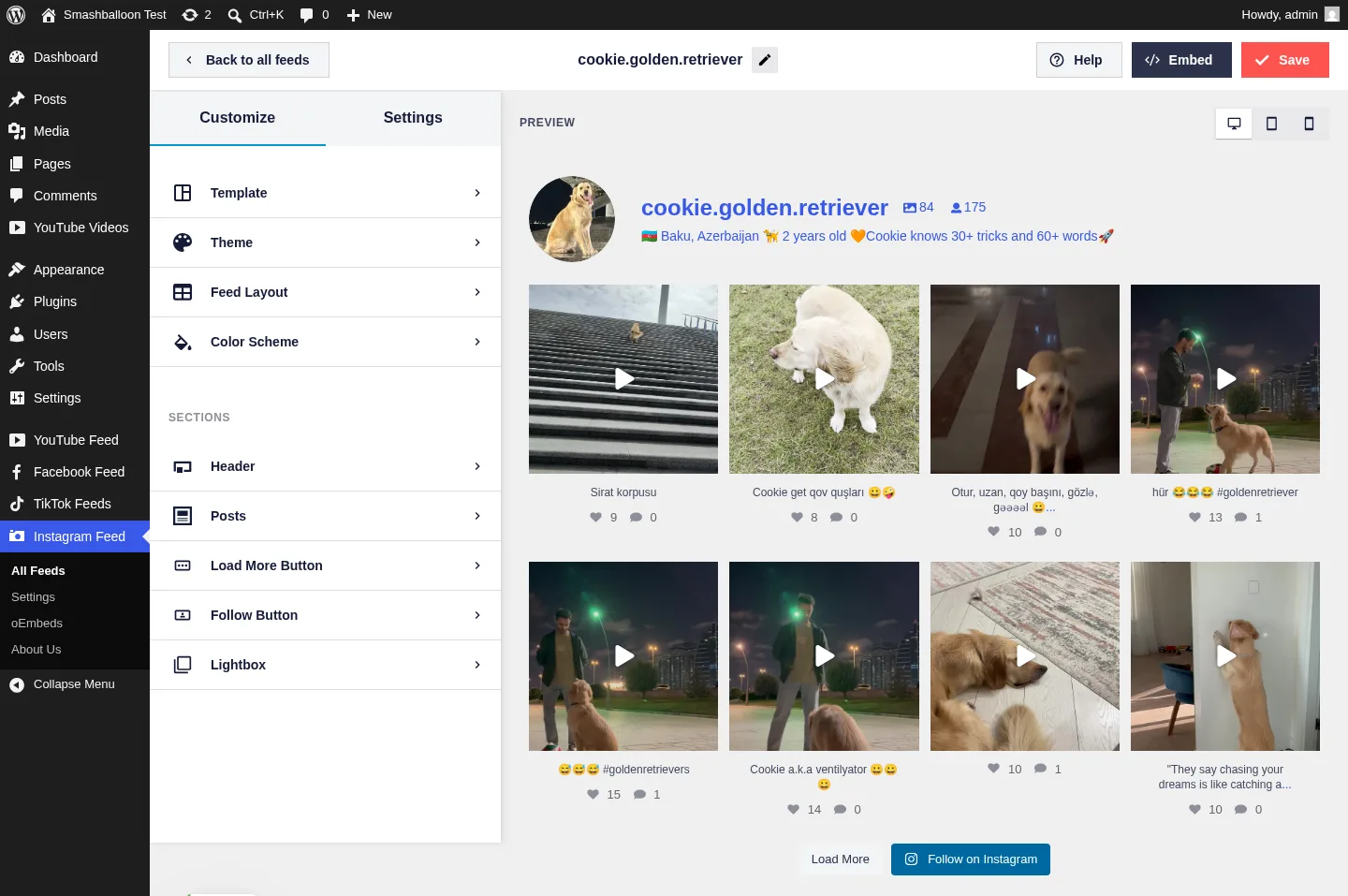
Smash Balloon is the only product in this category that ships a full family of seven plugins: Instagram Feed Pro, Custom Facebook Feed Pro, X (Twitter) Feed Pro, Feeds for YouTube Pro, TikTok Feeds Pro, Reviews Feed Pro, and Social Wall, under one customizer, one brand, and one licence bundle. The live customizer renders real posts from the connected account the moment you pick a source; advanced feed types (Reels, Stories, Hashtag, Tagged and Shoppable Instagram; Albums and Events on Facebook; Playlists and Live Streams on YouTube) are deep on Pro. WordPress.org evidence is overwhelming: Instagram Feed alone has 1,000,000+ active installs and 4.9/5 from 4,340 reviews. Pricing starts at $49/year intro for single-plugin Basic (renews $98/year); the All Access Bundle is $299/year intro for all seven plugins on unlimited sites.
Main drawback: Pro is sold per-network and renewals jump to full price after year 1; All Access becomes the right buy only once you genuinely need three or more networks.
Full review: Smash Balloon review
7. WP Social Ninja: best all-in-one (feeds + reviews + chat + popups)
Best for: Small businesses, hospitality, restaurants, and WooCommerce stores that want one licence covering social feeds, business reviews, chat widgets, notification popups, and testimonials.
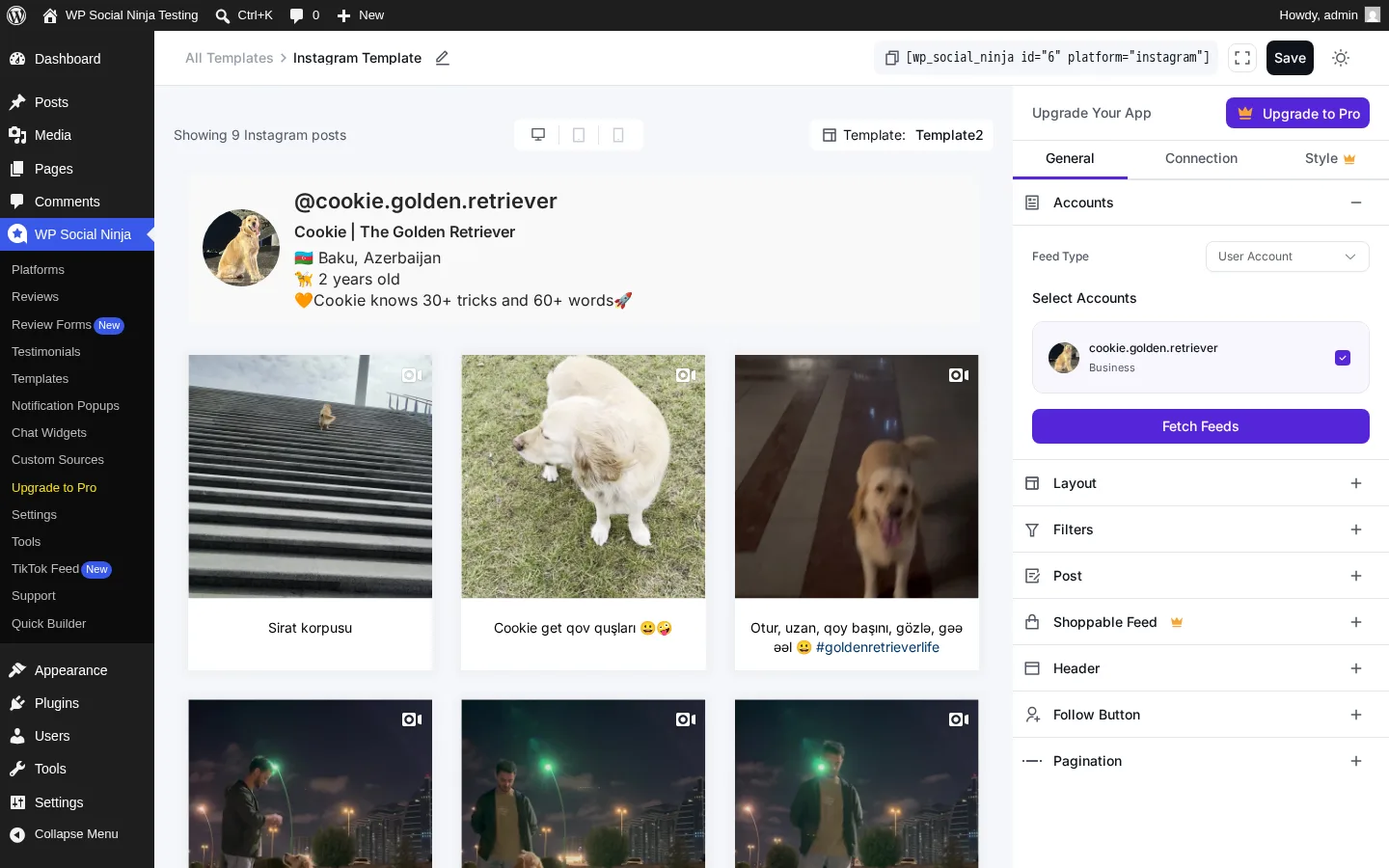
WP Social Ninja from WPManageNinja (Fluent Forms, FluentCRM, FluentCart) consolidates jobs that usually require three or four separate plugins: 5 social feed networks (Instagram, Facebook, YouTube, TikTok, X), 10+ business review sources (Google Business Profile, Facebook, Yelp, Tripadvisor, Airbnb, Booking.com, AliExpress, Amazon, WooCommerce, FluentCart, Judge.me import), 15+ chat-widget channels (WhatsApp, Messenger, Telegram, SMS, Microsoft Teams, Instagram DM, LinkedIn, Slack, Viber, WeChat, Snapchat, and more), notification popups, and a testimonial slider. The Free tier already includes Google Business Profile reviews (up to 200 locations with schema snippet output) and Airbnb reviews, both usually behind a paywall elsewhere. 4.8/5 from 69 reviews on WordPress.org and 30,000+ active installs. Single Site licence is $89/year regular, currently $44/year at the 50% sitewide promo.
Main drawback: Each individual module is "good enough" rather than best-in-class; if you only need the deepest Instagram feed, Smash Balloon or Spotlight will deliver more polish.
Full review: WP Social Ninja review
8. Easy Social Feed: all four mainstream networks in one Lifetime licence
Best for: Multi-network SMBs, budget-conscious agencies, GDPR-first European sites, and long-term WordPress sites that want a one-time licence instead of an annual subscription.
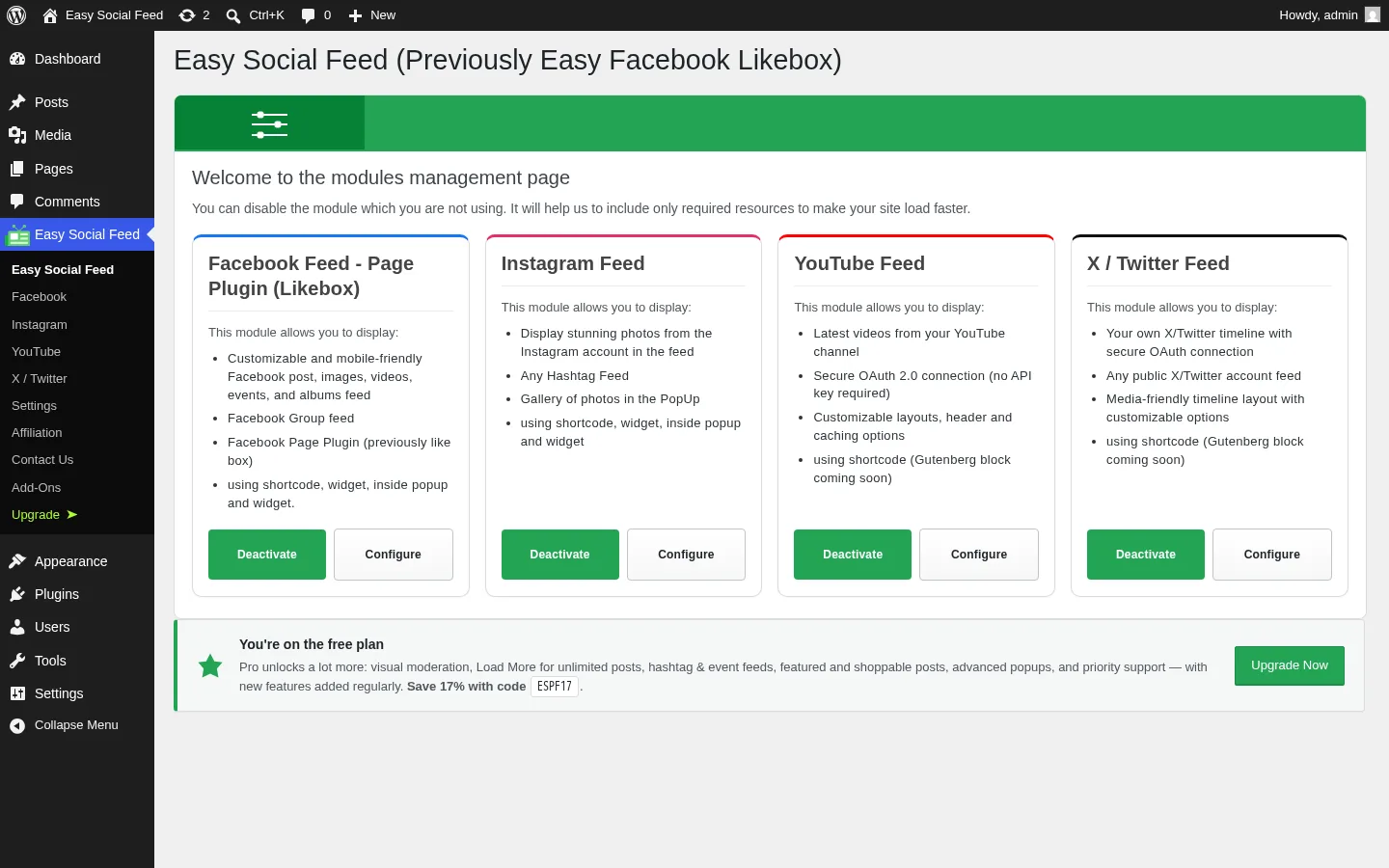
Malta Themes's plugin is one of the cheapest credible "all four mainstream networks in one plugin" WordPress feed displays in the niche: Facebook, Instagram, YouTube, and X / Twitter under one admin menu, one licence, and one update cadence. The YouTube and X modules both shipped in 2025–2026, so the vendor is actively widening the plugin rather than coasting. The $89/year COMBO bundles all four mainstream networks under one Pro licence; the $259 one-time COMBO Lifetime is one of the few real lifetime SKUs in the niche. Native GDPR consent integration with nine popular cookie plugins (Real Cookie Banner, CookieYes, Cookiebot, Complianz, Borlabs, and more) ships at the free tier. 4.6/5 from 500 reviews on WordPress.org gives it the second-largest review denominator in the category. Still ships the official Facebook Page Plugin (Like Box) generator with 75+ Facebook locales, a use case Smash Balloon and WPZOOM dropped years ago.
Main drawback: Only two free Instagram skins (Grid + Row); buyers who want Masonry or Carousel grids need to upgrade, and the in-admin upsells are loud.
Full review: Easy Social Feed review
9. Spotlight Social Media Feeds: strongest single-Instagram-account pick
Best for: Single-Instagram-account brands, hospitality and lifestyle businesses, photographers, and WooCommerce stores wanting shoppable Instagram feeds.
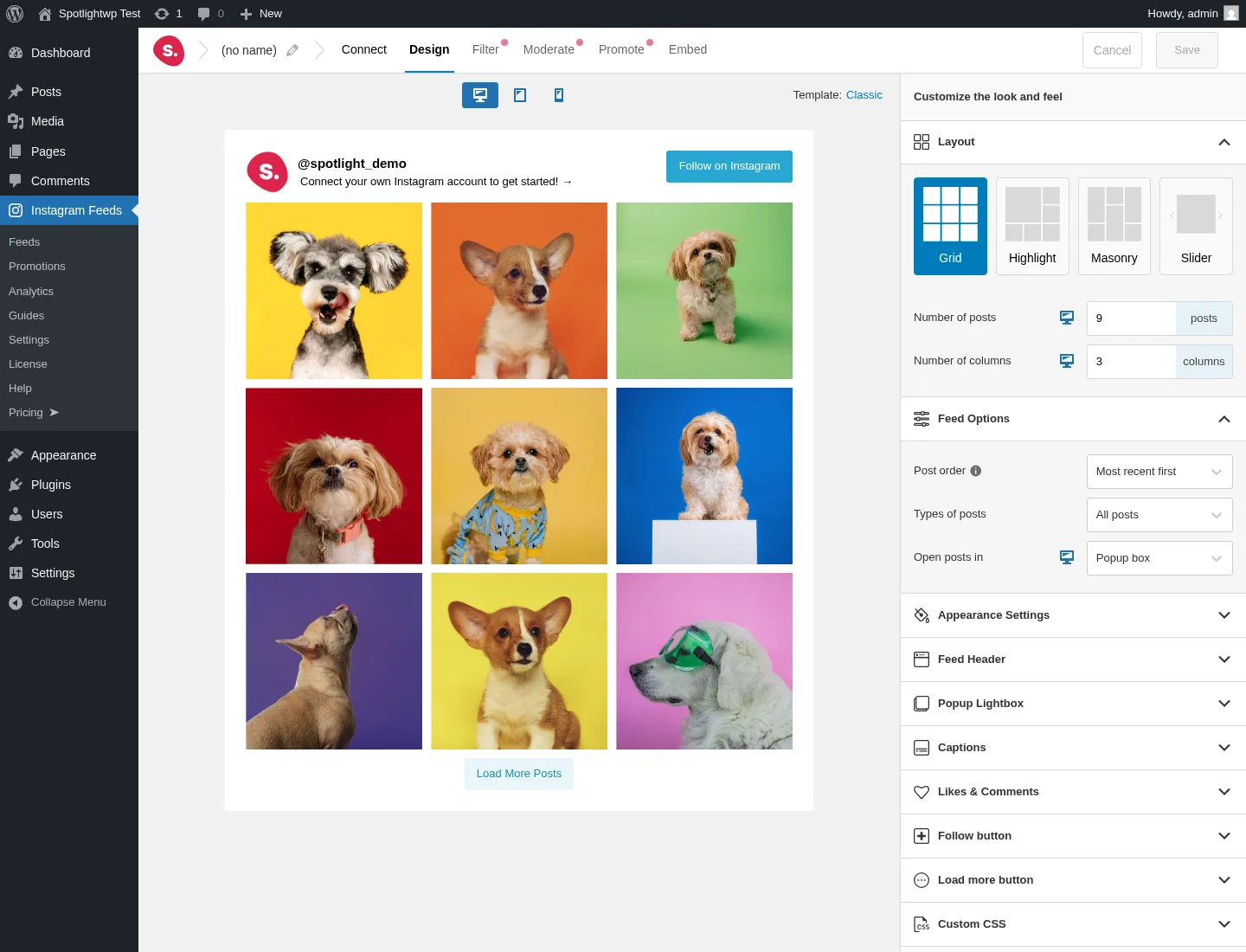
Spotlight from RebelCode (the team also behind WP Mayor) is one of the strongest credible alternatives to Smash Balloon's Instagram Feed Pro inside the WordPress Instagram-display niche: a slick three-step wizard, a generous free tier (unlimited connected Instagram accounts, unlimited feeds, four layouts, popup lightbox with Reels playback, per-device responsive controls, per-feed custom CSS), and one genuinely differentiated Pro feature: Promotions automation, which maps a hashtag in your Instagram captions to a WordPress page, post, or custom URL so any post containing that hashtag becomes a "Buy this product" CTA inside the lightbox. 4.7/5 from 169 reviews on WordPress.org and 60,000+ active installs, with "price locked for life" renewals (no surprise step-up after year 1). Pricing: Essentials $59/year, Pro $99/year, Agency $199/year (up to 20 sites). 30-day money-back guarantee, the longest refund window of any plugin in the feed category.
Main drawback: Instagram-only, despite the "Social Media Feeds" rebrand: no Facebook, X, TikTok, YouTube, Pinterest, LinkedIn, or Reviews feeds.
Full review: SpotlightWP review
10. Instagram Feed Gallery: cheapest credible Instagram Lifetime licence
Best for: Single-Instagram-account brands, photography portfolios, and cost-sensitive agencies that want a one-time Lifetime payment on an Instagram feed plugin.
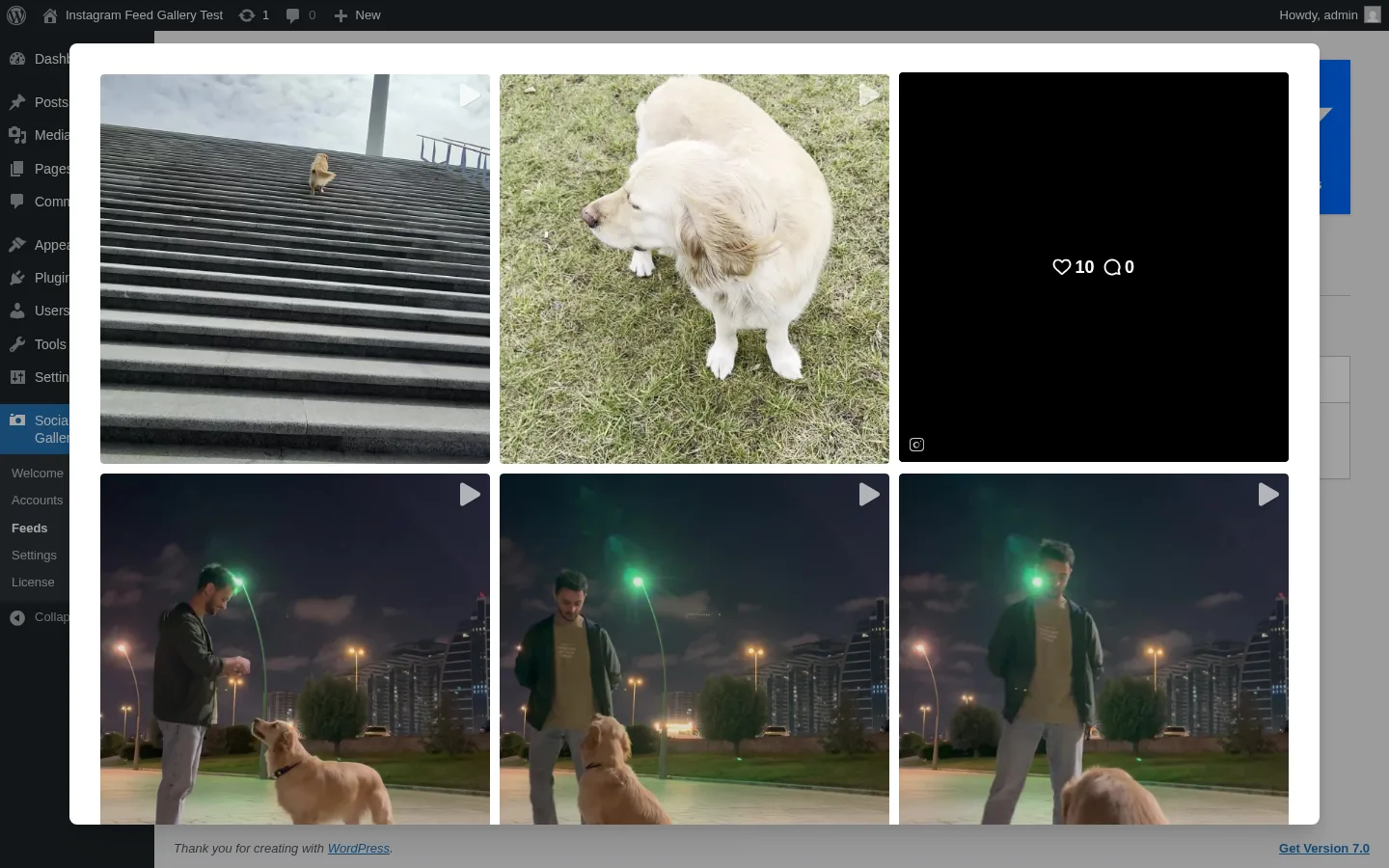
QuadLayers's plugin (listed on WordPress.org as Social Feed Gallery) is the only WordPress Instagram-feed plugin with publicly priced per-plugin Lifetime tiers starting at $99 one-time; Smash Balloon doesn't sell Lifetime at all for Instagram Feed Pro, and Spotlight's Lifetime isn't publicly priced. The free tier already covers Gallery and Carousel layouts, native Gutenberg and Elementor blocks, a lightbox with profile and engagement counts, and per-device responsive controls. The one-click Instagram token flow doesn't require creating a Facebook Developer App, one of the lower-friction setup paths in the category. 4.5/5 from 301 reviews on WordPress.org and 80,000+ active installs.
Main drawback: Instagram-only despite the "Social Feed Gallery" rebrand, and the Highlight layout's first paint can take 10–15 seconds.
Full review: Instagram Feed Gallery review
Going deeper: six feed plugins compared, including layouts, performance posture, GDPR notes, and Lifetime maths → Best WordPress social media feed plugins.
Best WordPress social share buttons plugins
These plugins are visitor-facing. They add share buttons to your posts and pages so the people reading your content can share it to their social accounts in a click. They don't post anything out to your accounts; that's an auto-poster's job. Choose one of these if your problem is "I want my readers to share my content more easily."
For this section I reviewed and tested 6 WordPress share-buttons plugins and selected the top 5 below. For each one I installed the plugin on a clean WordPress test site, exercised the default placement, configured floating and inline buttons, opened a real post and confirmed how the buttons render to a visitor, walked the network library (modern set: Bluesky, Mastodon, Threads, WhatsApp, Telegram, Microsoft Teams; AI cluster: ChatGPT, Claude, Perplexity, Grok, Google AI where supported), looked at privacy posture and any cloud-account dependency, checked analytics and click-tracking hooks, and reviewed asset loading and Core Web Vitals impact. The five entries below are the picks that earned their slot. The full 6-plugin ranked comparison with privacy posture and Core Web Vitals notes lives in the deeper category guide linked at the end of this section.
11. AddToAny Share Buttons: safe default for ~80% of WordPress sites
Best for: Any WordPress site: blog, magazine, restaurant, small store that wants the cleanest, fastest, most reliable free share buttons with no upsell, no account, and no cloud dependency.
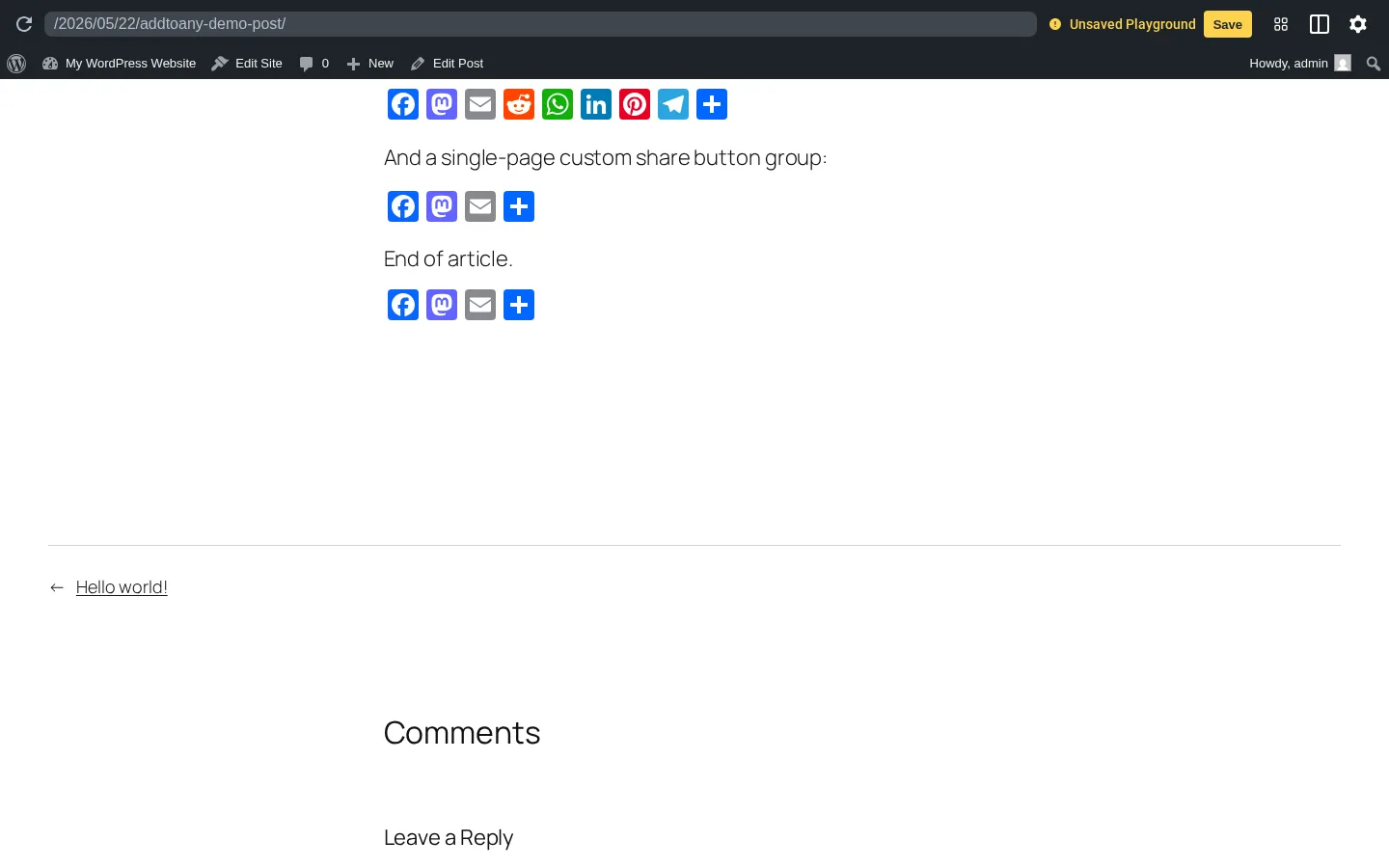
AddToAny is the default-recommended free social share buttons plugin for WordPress. It has been on WordPress.org continuously since 2007, has 300,000+ active installs (the most in the category), and is rated 4.7/5 from 1,113 reviews. The install-to-rendered-buttons flow is under three minutes, and the admin UI has just two tabs (Standard and Floating) with no nag screens, no paid-tier teasers, and no upgrade sidebar eating the right rail. Out of the box it supports ~95 networks including the modern set (Bluesky, Mastodon, Threads, WhatsApp, Telegram, WeChat, Microsoft Teams), automatic GA4 / Universal Analytics / GTM event integration without manual tagging, a Gutenberg block, shortcode, sidebar widget, PHP template tag, and a documented JavaScript API. Privacy-first defaults: ≤30-day server log retention, no cross-site tracking cookies, GDPR/CCPA-compatible. Free, with no paid tier sold today.
Main drawback: No drag-and-drop visual designer and no in-WP click analytics dashboard.
Full review: AddToAny Share Buttons review
12. Sassy Social Share: best free, includes share-to-AI buttons
Best for: Bloggers and small stores that want deeper free customization than AddToAny offers, and that specifically want share-to-AI buttons.
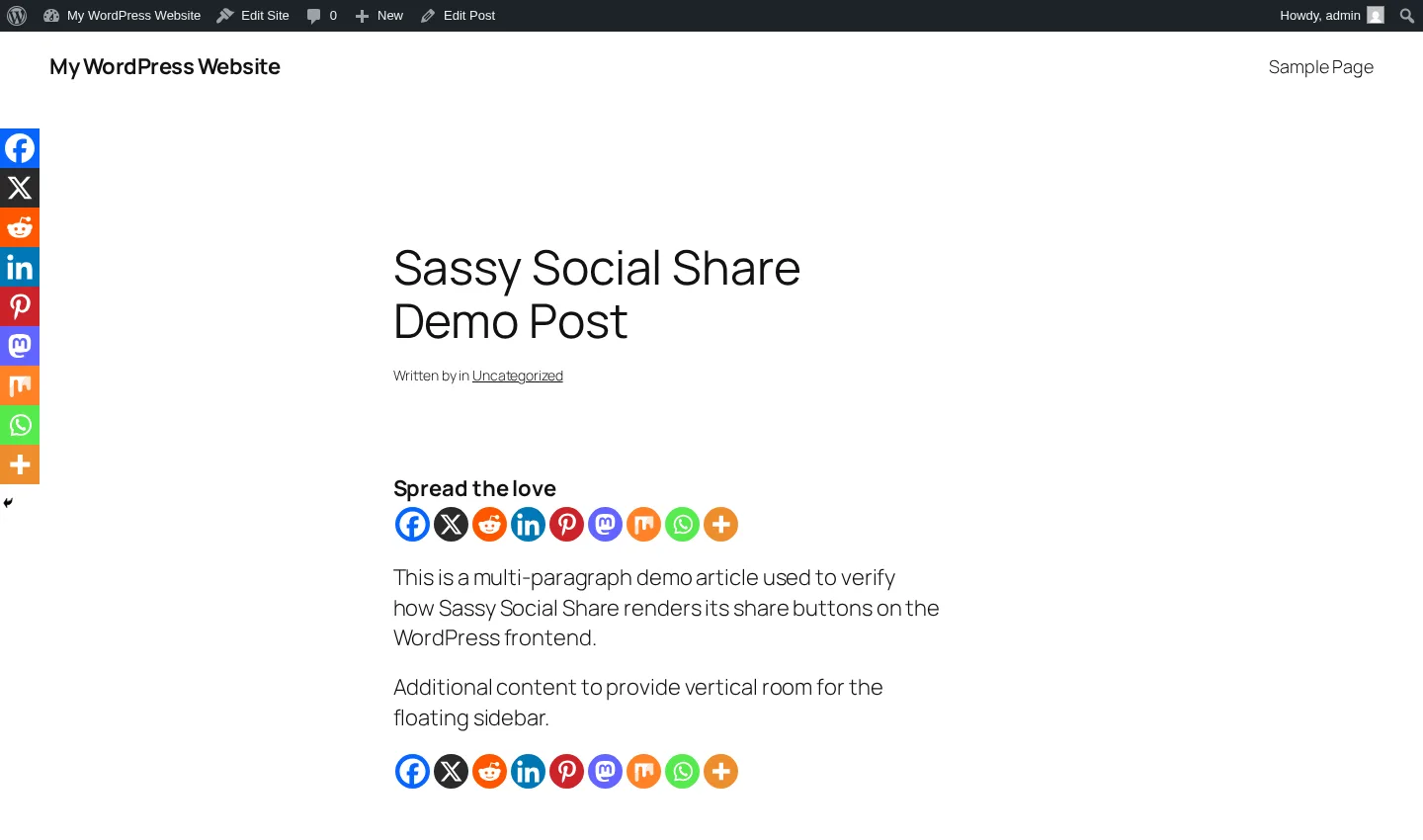
Sassy Social Share is the #2 free WordPress share-button plugin on WordPress.org, with 100,000+ active installs, 4.8/5 from 520 reviews (the highest average rating in the share-button category), and continuous maintenance through 2025. It ships ~95 networks including a brand-new AI cluster (ChatGPT, Grok, Perplexity, Google AI, Claude) added in August 2025; no other share-button plugin in this category covers AI natively. Share clicks go directly to each network's official endpoint with no third-party redirector and no tracking cookies on the visitor's browser. Free customization is deep: shape (Round / Square / Rectangle), pixel size, default and hover logo/background/border colors, 8 counter placements, AMP toggle, Bitly integration, mobile Web Share API trigger. One caveat: the Heateor brand site is offline at the moment, so paid add-ons aren't directly purchasable today; the free WordPress.org plugin is still actively maintained and is the version most buyers should use.
Main drawback: Dense seven-tab admin compared with AddToAny's two-tab layout, and the paid editions aren't currently purchasable.
Full review: Sassy Social Share review
13. Hubbub Lite: only free share plugin with a per-post share dashboard
Best for: Food, recipe, and lifestyle bloggers who want a polished share-button plugin with in-WP analytics and deep Pinterest tooling on Pro.
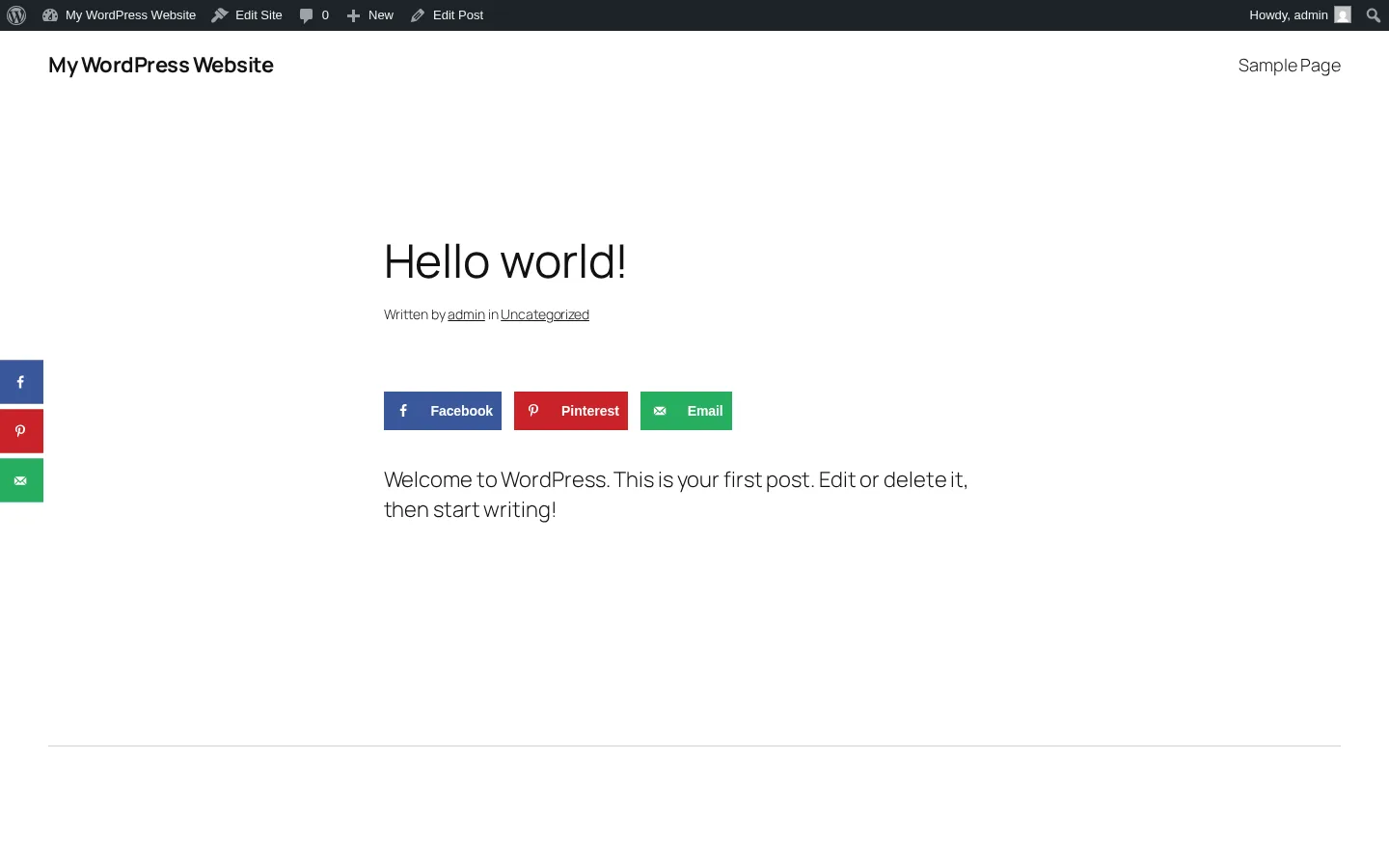
Hubbub Lite (formerly Grow Social by Mediavine) is a 30,000+ install, 4.7/5 free share-button plugin maintained by NerdPress, Inc., a US-based, B Corp-certified WordPress maintenance company that acquired the plugin from Mediavine in 2023. The standout feature on this list is the in-WP Hubbub Dashboard introduced in v1.35.0: per-post share counts, sortable Engagement Stats, and a Missing Information preview that flags posts missing social-card data. No other free share-button plugin matches that out of the box. Free ships 7 networks until you register a free email with the vendor (which expands the library to ~22 networks). Pro at $99/year adds Sticky mobile bar, Click-to-Tweet, Pinterest hover and hidden images, custom colors, Bitly, and GA UTM tagging. 30-day satisfaction guarantee.
Main drawback: The free-tier email-registration wall costs a star, and Pro at $99/year is materially higher than other commercial share-button plugins in the same category.
Full review: Hubbub Lite review
14. Social Warfare: strongest Pinterest workflow at one-time pricing
Best for: Pinterest-heavy bloggers (food, lifestyle, DIY) who specifically want per-post custom Pin images, an Image Hover Pin button, and in-content Click-to-Tweet boxes.
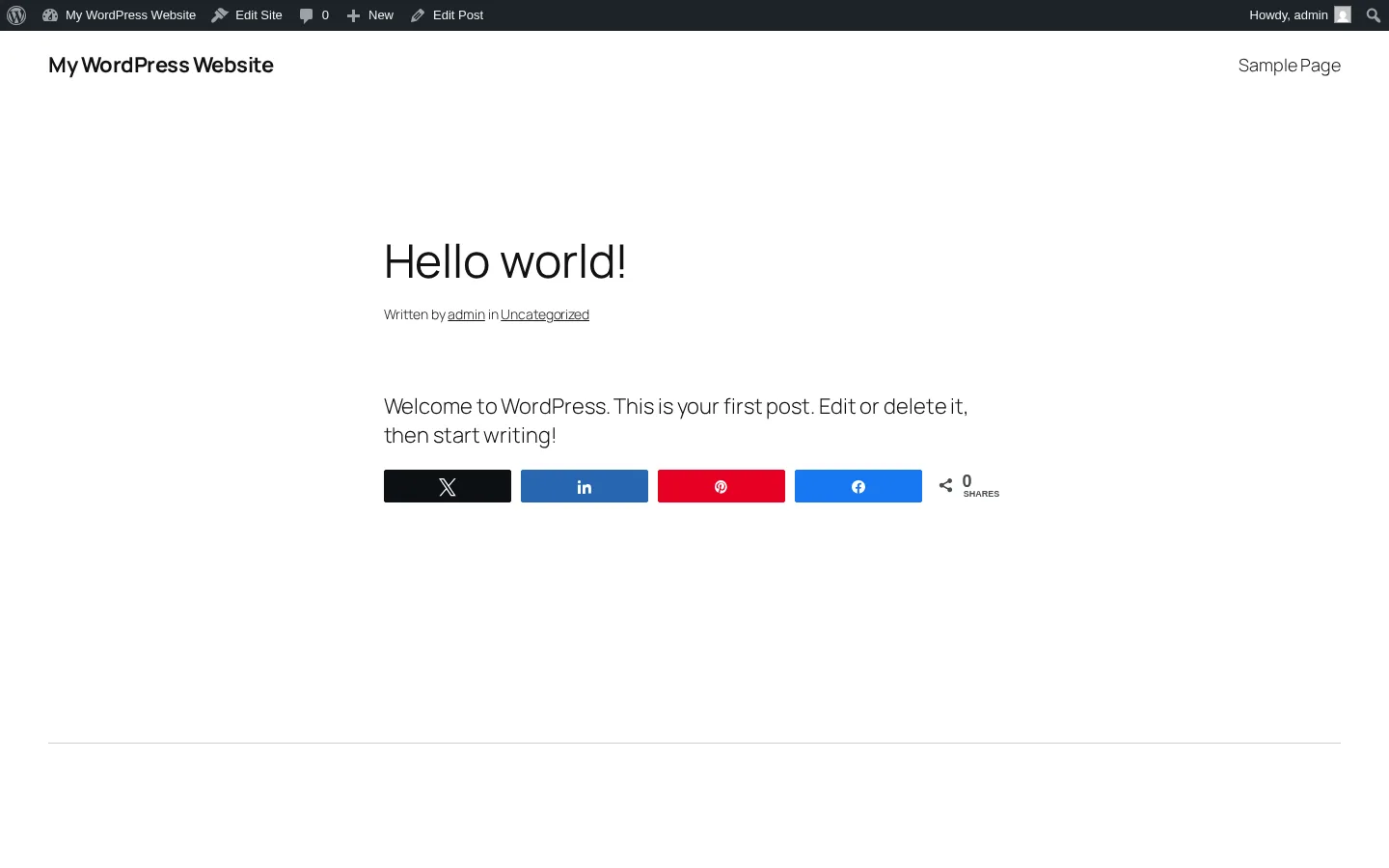
Social Warfare from Warfare Plugins is a freemium share-button plugin with one of the strongest Pinterest workflows in the category. Free ships 5 default networks (Facebook, X, LinkedIn, Pinterest, Mix, though Mix's destination service has been offline since June 2022); Pro at $29 one-time on a single site adds 9 extra networks, the Image Hover Pin button, per-post custom Pinterest images and tweets, Twitter Cards, Rich Pins, Bitly, GA UTM tagging, and Share Recovery. Click-to-Tweet TinyMCE button plus [click_to_tweet] shortcode is included in the free tier, which most competitors gate. Self-hosted assets, Frame Buster anti-content-hijack on by default. 20,000+ active installs and 3.3/5 from 186 reviews (the most polarized rating on this list).
Main drawback: No release in 14+ months as of writing, intermittent vendor-site availability, and a 36.6% 1-star tail; Pinterest-heavy publishers may still find the value, but treat the maintenance risk seriously.
Full review: Social Warfare review
15. Shareaholic: all-in-one toolkit (share + related content + URL shortener)
Best for: Image-heavy and Pinterest-leaning publishers who want one plugin that bundles share buttons, related-content recommendations, and optional native-ad monetization, and who accept a mandatory cloud account.
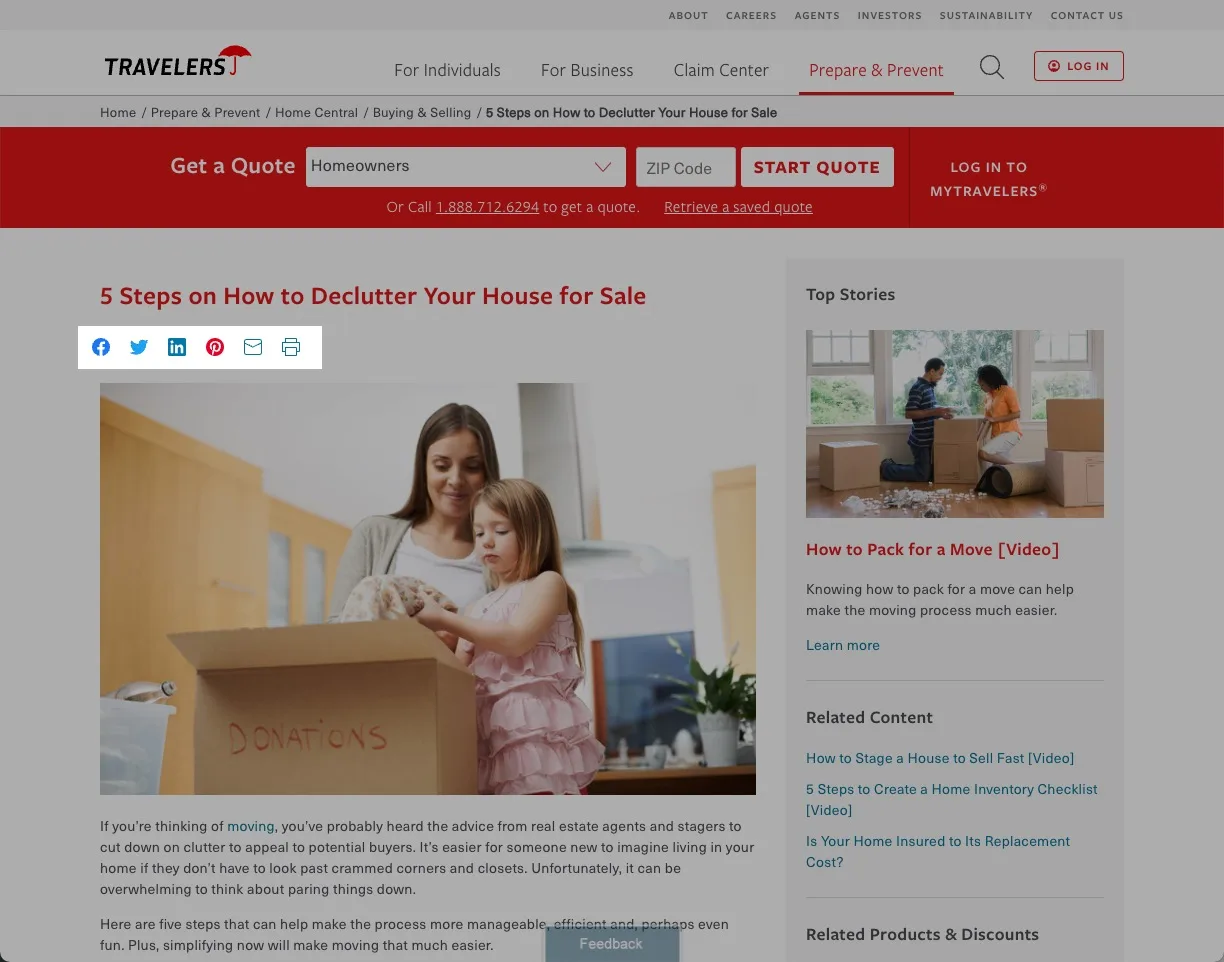
Shareaholic is the closest spiritual successor to the old AddThis: a cloud-gated all-in-one social toolkit from Shareaholic, Inc. It has 10,000+ active installs, 4.4/5 from 1,051 reviews (the largest review base in the share-button category after AddToAny), and 14 years of history on WordPress.org. The single plugin bundles share buttons, follow buttons, related-content recommendations, a URL shortener, basic content analytics, and optional revenue-share monetization apps (Promoted Content, Native In-Feed Ads, Auto Affiliatize Links). Around 95 share networks plus follow buttons. The "Share Buttons for Images" overlay: Pin It and share icons on in-content images is well-executed and uncommon among competitors; strong fit for Pinterest-heavy and recipe sites. Pricing: free with optional Professional at $96/year; the Cloud dashboard propagates button design across WordPress + 40+ other CMS / platform integrations (Shopify, Wix, Weebly, Squarespace, BigCommerce, Drupal).
Main drawback: No release in roughly 18 months and a mandatory Cloud account that auto-registers your site the first time you click "Get Started"; privacy-strict publishers should default to AddToAny or Hubbub Lite.
Full review: Shareaholic review
Going deeper: six share-button plugins compared, with privacy posture, Core Web Vitals notes, and a 30-second decision flow → Best WordPress social share buttons plugins.
Best WordPress social profile icons and follow widgets
These plugins solve a fourth, very specific job: rendering a small, clean row of icon links to your own social profiles so visitors can find and follow you. They are not feed plugins (they don't embed your Instagram grid), not share buttons (they don't open a share dialog for the current post), and not auto-posters (they don't publish anything to social networks). Choose one of these if your problem is "I want a tidy set of Facebook, Instagram, YouTube, LinkedIn, TikTok icons in my header, footer, sidebar, or About page that links straight to my profiles."
For this section I tested 3 WordPress social profile icons and follow widgets plugins, each scoped to the same job. For each one I installed the plugin on a clean WordPress test site, added the widget or block to a header, sidebar, and footer area, plugged in real profile URLs across Facebook, Instagram, YouTube, LinkedIn, TikTok, and X, walked the icon-set library and style controls (color, hover, size, alignment, padding, shape), checked Gutenberg block vs. widget vs. shortcode placement, confirmed GDPR posture, and tracked free vs. paid features through to the vendor checkout where one exists. None of these plugins try to be a feed or a share-button plugin; that scope discipline is exactly why they belong in their own category rather than being shoehorned into the share-button or feed sections above.
16. Social Icons Widget & Block: deepest icon library and most active maintenance
Best for: WordPress sites that want a polished, GDPR-compliant follow-icon widget with the broadest icon library and the most consistently maintained codebase in the category.
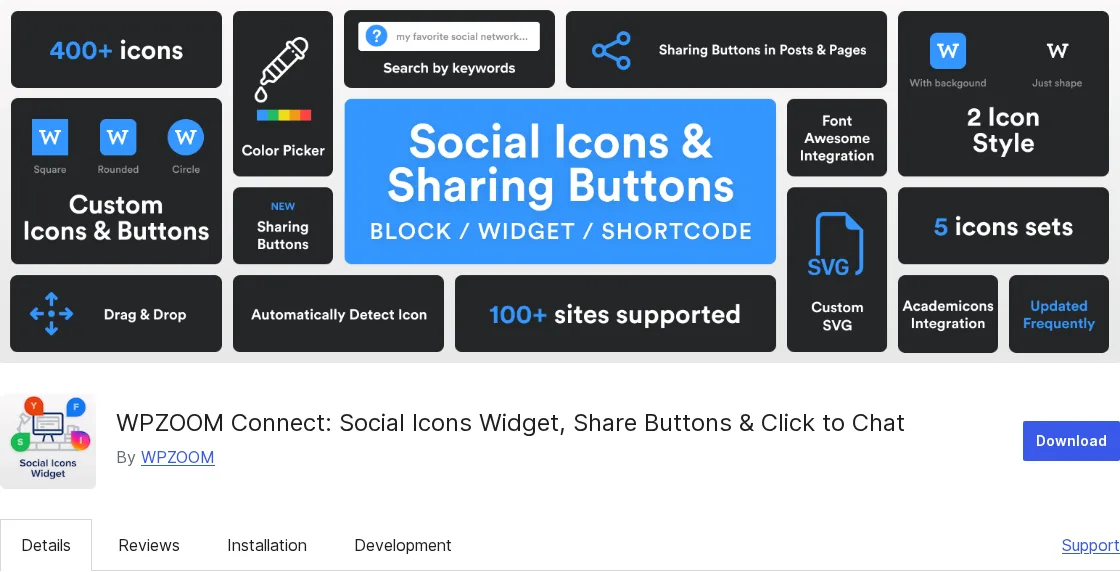
Social Icons Widget & Block (now listed on WordPress.org under the umbrella name WPZOOM Connect) ships a Gutenberg block, a classic widget, and a shortcode that render a clean row or grid of icons linking to your social profiles. Out of the box it supports 100+ social networks and other digital destinations (Mailchimp, GitHub, RSS, Podcasts, and so on), 5 built-in icon sets, and 400+ custom icons searchable by keyword. Free covers every core scenario; the paid tier (priced from $49 / year on a single site at vendor) unlocks Global Color Picker, hover-color picker, icon roundness, padding, and alignment controls. The plugin is 100% GDPR-compliant by default (no visitor data collected), tested up to WordPress 7.0, last updated 2026-05-29, and rated 4.9 / 5 across 144 reviews on WordPress.org. It is the most actively maintained plugin in this category and the safe default for almost every WordPress site that needs follow icons. The recent WPZOOM Connect rebrand bundles optional share-button and click-to-chat modules in the same install, so leave those modules off if you only want profile-icon output.
Main drawback: The deepest free icon library can feel overwhelming for sites that only need five icons; if you want a stripped-down, set-and-forget plugin, picks 17 and 18 below are simpler.
Vendor: Social Icons Widget & Block on WordPress.org
17. Easy Social Icons: simplest free pick with custom-icon upload
Best for: Bloggers, small businesses, and non-technical site owners who want a minimal, no-fuss free follow-widget that supports their own uploaded icon files.
Easy Social Icons from CyberNetikz is exactly what the name says: a simple, lightweight follow-widget plugin that adds icons via a widget, a shortcode, or a PHP template tag. You can use the built-in font-awesome icons or upload your own PNG / SVG files, set display order, alignment, link target (new tab or same tab), and an optional short description above the icons. It also exposes a Google Social Profile Links field so search-engine knowledge panels can pick up your social profiles. Free covers every core scenario; an optional Pro add-on extends styling. Tested up to WordPress 6.8.5 with a 4.4 / 5 average across 84 reviews and steady release cadence (last updated 2025-11-09). Easy Social Icons is the right pick when Social Icons Widget & Block feels too feature-dense and you just want a quick, predictable widget.
Main drawback: The icon library is smaller than Social Icons Widget & Block, and styling controls are basic on the free tier; design-heavy sites will outgrow it.
Vendor: Easy Social Icons on WordPress.org
18. Simple Social Icons: cleanest classic widget for Genesis-style themes
Best for: Magazine and blog sites (especially on Genesis-style themes) that want a clean, classic widget with predictable typography and color controls and no upsells.
Simple Social Icons, originally built by the StudioPress / Genesis team and now actively maintained by OsomPress, is the smallest, most focused plugin in this category. It renders a single widget with icon size, alignment, and color (background, hover, border) controls, plus per-network profile URL fields for Facebook, Instagram, YouTube, LinkedIn, X, TikTok, Threads, Pinterest, RSS, and the other mainstream networks. There is no paid tier, no cloud account, and no upsell sidebar. Tested up to WordPress 7.0, last updated 2026-05-27, and rated 4.3 / 5 across 92 reviews on WordPress.org, with continuous quarterly maintenance since the OsomPress acquisition. It is the pick when you want one Classic-style widget that drops into a sidebar or footer and stays out of the way.
Main drawback: Classic widget only (no native Gutenberg block as of writing), and the icon library is smaller than Social Icons Widget & Block.
Vendor: Simple Social Icons on WordPress.org
Going deeper: ten WordPress social profile icons and follow widgets plugins compared in detail, with screenshots, icon-set coverage, and free vs. paid scope: read our best WordPress social media icons widget plugins guide.
How to choose: it's a category decision first, not a product decision
The most common mistake in WordPress social-plugin buying is picking a product before picking a job. So work the decision in this order:
1. Decide what job you actually need done.
- "I want my posts to auto-share to my social accounts when I publish." → Auto-posting plugin. Read the auto-posting section above.
- "I want my Instagram, Facebook, YouTube, TikTok, or X content to appear on my WordPress pages." → Feed plugin. Read the feed plugins section above.
- "I want my readers to share my posts more easily." → Share-buttons plugin. Read the share buttons section above.
- "I want a tidy set of icon links to my social profiles so visitors can follow me." → Profile icons / follow widgets plugin. Read the profile icons section above.
2. Decide whether you need one job or two.
A typical serious WordPress publisher actually needs two:
- An auto-poster (so new content reaches your audiences automatically) plus a share-buttons plugin (so visitors can amplify it). Examples: a news blog, a B2B blog, a SaaS marketing site.
- An auto-poster plus a feed plugin (so social content from creators or community lives on the site). Examples: hospitality, lifestyle, restaurant, e-commerce homepages with Instagram grids.
- All four is rare and usually a sign of plugin bloat; most sites can skip two of feed, share buttons, or follow icons.
3. Inside each category, match the plugin to your specific profile.
- Auto-posting: FS Poster if you need broad network coverage, WooCommerce/post-type support, long-tail networks (Bluesky, Mastodon, Threads, Truth Social, Telegram, Reddit, Discord, GBP), or one automation tool that can grow from a single WordPress site to multiple sites; Jetpack Social if you're a solo blogger who wants a simple/basic option for mainstream networks; SchedulePress if an editorial calendar and basic social sharing are the priority; Bit Social if a budget lifetime challenger with AI captions matters; Blog2Social if you specifically want an older familiar freemium tool and accept a more dated workflow, paid automation limits, and fragmented pricing.
- Feeds: Smash Balloon if you need two or more networks and want the most polished customizer; WP Social Ninja if you also want reviews + chat + popups in one licence; Easy Social Feed if you want all four mainstream networks plus a real Lifetime SKU; Spotlight or Instagram Feed Gallery if you only do Instagram.
- Share buttons: AddToAny is the safe default for ~80% of sites; Sassy Social Share if you want AI-platform share buttons today; Hubbub Lite if you want a per-post share dashboard; Social Warfare if you specifically need the Pinterest workflow at one-time pricing; Shareaholic if you want share + related content + monetization in one toolkit.
- Profile icons / follow widgets: Social Icons Widget & Block for the deepest icon library and most active maintenance; Easy Social Icons for the simplest free pick with custom-icon upload; Simple Social Icons for the cleanest classic widget on Genesis-style themes.
If you skip step 1 and shop on screenshots, you'll end up with a feed plugin trying to auto-post (it doesn't) or a share-button plugin trying to embed Instagram (it doesn't). Pick the category first.
FAQ
What is a WordPress social media plugin, exactly?
"WordPress social media plugin" is an umbrella term for four different jobs: auto-posting (your new WordPress posts → your social accounts), social media feeds (your social accounts → your WordPress pages), share buttons (your visitors → their social accounts), and profile icons / follow widgets (your visitors → your social profiles to follow you). No single plugin does all four well. Pick the category that matches your goal, then pick the product inside it.
Which is the best WordPress social media plugin overall?
There isn't one, and any guide that gives a single answer is glossing over the category split. The honest answer is best-in-category: FS Poster is the best WordPress social media auto-posting plugin for most serious buyers; Smash Balloon is the strongest feed plugin family across multiple networks; AddToAny is the safest free share-buttons plugin for the widest range of sites; and Social Icons Widget & Block is the best WordPress profile icons / follow widgets plugin for most sites. Match the category to your job before comparing products.
What is the best free WordPress social media plugin?
Four different free picks, one per category. For auto-posting, Blog2Social Free is a familiar older freemium option for manual sharing and calendar-based planning, but serious automation quickly pushes users toward paid plans and add-ons. For feeds, Smash Balloon's per-network free plugins and Easy Social Feed Free are the broadest options. For share buttons, AddToAny is the strongest free plugin in the entire WordPress social space, with 300,000+ installs, no upsell, no account. For profile icons and follow widgets, Social Icons Widget & Block Free covers every core scenario on its own; Simple Social Icons and Easy Social Icons are the simplest free alternatives.
Do I need an auto-posting plugin and a share-buttons plugin?
Often, yes. Auto-posting solves outbound (your posts → your social accounts); share buttons solve audience amplification (your visitors → their social accounts). They're complementary, not competitive. Many WordPress sites run an auto-poster like FS Poster alongside a share-buttons plugin like AddToAny and never feel any overlap.
Are these plugins better than SaaS schedulers like Buffer or Hootsuite?
For WordPress-first publishers, yes: a WordPress auto-posting plugin is cheaper, tighter to your publish workflow, and avoids the monthly per-seat SaaS bill. SaaS schedulers win when you publish a lot of content that doesn't start as a WordPress post (TikTok videos, Instagram Stories, native Twitter threads), when you need multi-user inboxes and approvals, or when social listening matters more than publishing.
Will adding social plugins hurt my Core Web Vitals?
It depends on the plugin and the category. Share-buttons plugins that self-host their assets and load asynchronously (AddToAny, Sassy Social Share, Social Warfare) have minimal impact on a normally-configured site. Cloud-dependent plugins (Shareaholic, ShareThis) add third-party CDN requests that can show up in PageSpeed Insights. Feed plugins that cache and lazy-load images (Smash Balloon, WPZOOM Social Feed) are gentler than ones that hot-link from social CDNs. Auto-posting plugins run in the WordPress admin and on publish hooks; they don't ship visitor-facing assets at all, so they don't move Core Web Vitals.
Can one plugin do auto-posting and social feeds?
Not well. The two jobs require completely different integrations (publish-out OAuth scopes vs read-only feed APIs), and every plugin that tries to do both does at least one badly. Use a dedicated auto-poster (FS Poster for full automation, Jetpack Social for basic solo-blogger sharing, SchedulePress for calendar-led publishing, Bit Social for a budget lifetime route, or Blog2Social if you prefer an older freemium workflow) for outbound, and a dedicated feed plugin (Smash Balloon, WP Social Ninja, Easy Social Feed) for inbound. Two specialised plugins beat one overloaded compromise.
Final recommendation: by category, not "one winner"
There's no single best WordPress social media plugin, because there's no single problem being solved. Match the plugin to the job:
- If your job is outbound (auto-posting): start with FS Poster for serious publishers, agencies, WooCommerce stores, and anyone who wants full automation across a broad network roster. Consider Jetpack Social for a simple/basic solo-blogger setup, SchedulePress for an editorial calendar with basic social sharing, Bit Social for a budget lifetime challenger, and Blog2Social only if an older familiar freemium workflow matters more than modern automation depth.
- If your job is inbound (social media feeds / widgets): start with Smash Balloon for breadth and polish across multiple networks; WP Social Ninja if you also want reviews + chat + popups under one licence; Spotlight or Instagram Feed Gallery if you only need Instagram.
- If your job is visitor-facing share buttons: start with AddToAny; it's the right call for the large majority of WordPress sites. Step away from it only for a specific reason: AI-platform share buttons (Sassy Social Share), a per-post share dashboard (Hubbub Lite), Pinterest-heavy workflows (Social Warfare), or share + related content + monetization in one (Shareaholic).
- If your job is profile icons and follow widgets: start with Social Icons Widget & Block for the deepest icon library and the most actively maintained codebase; Easy Social Icons for the simplest free pick with custom-icon upload; Simple Social Icons for a clean classic widget on Genesis-style themes. The deeper ten-plugin comparison lives in the dedicated WordPress social media icons widget plugins guide.
Most WordPress sites end up with one plugin from one of these four sections. The more serious ones pair an auto-poster with one of: a feed plugin, a share-buttons plugin, or a follow-icon widget, and skip the other two. Pick the category first; pick the plugin second; install one, not four.
Write once. Post to 26 networks.
- 26 social networks
- Schedule & auto-repost
- Runs inside wp-admin


