


Which WordPress social share buttons plugin should I install if I want clean, fast share buttons without adding bloat or another monthly subscription? And which one actually gives me the right mix of networks, customization, pricing, support, and long-term reliability — instead of looking great in a screenshot and breaking three months later?
I went through the same buying decision and ended up with six plugins worth a serious look. To pick between them, I installed each one in a dedicated WordPress test environment, exercised the default install flow, configured the share-button placement, opened a real post, and checked how the buttons render to a visitor. I also worked through every vendor pricing page, the WordPress.org listings, the large WordPress.org review histories of the top contenders, the security/changelog records, and the recent 1-star reviews on the rest. The result is a ranked, opinionated shortlist — not another generic 30-plugin directory.
If your blog or store needs visitor-facing share buttons in WordPress, one of these six is almost certainly the right pick.
How I evaluated each plugin
Every plugin in this list was scored on the same six dimensions, drawn from the actual install and test:
- Feature richness — how many networks it covers, how many placement options it ships (inline, floating, sticky, image overlay), and whether it includes adjacent extras like Click-to-Tweet, in-WP analytics, GA4 click tracking, or a per-post override panel.
- Ease of use — how quickly a non-technical site owner gets working share buttons after activation, and how cluttered or upsell-heavy the admin UI feels day-to-day.
- Performance & privacy — whether the plugin self-hosts its assets or routes through a third-party CDN, how well it loads asynchronously, and what data it sends to vendor servers.
- Pricing value — the lowest paid plan against the practical free-tier ceiling. Free plans matter, but paid features have to justify their price.
- Reputation evidence — current WordPress.org rating, total review count, the 1-star theme pattern, and recent maintenance cadence.
- Search and audience fit — how well the plugin matches the most common buyer use case: a typical WordPress blog, magazine, or small store that wants polished share buttons without breaking Core Web Vitals.
I also factored in negative signals that don't show up in vendor copy: 18-month release gaps, vendor sites returning 503 errors, parked checkout pages, mandatory cloud accounts, and security patches buried in changelogs.
Quick comparison: the top 3
| Criteria | #1 AddToAny Share Buttons | #2 Sassy Social Share | #3 Hubbub Lite |
|---|---|---|---|
Best for |
Any WordPress site that wants the cleanest, fastest free share buttons |
Bloggers who want deep free customization and share-to-AI buttons |
Food, recipe, and lifestyle bloggers who want a per-post share dashboard |
Starting price |
Free |
Free |
Free; Pro $99 / year |
Feature richness |
9 / 10 |
9 / 10 |
7 / 10 |
Ease of use |
9 / 10 |
6 / 10 |
8 / 10 |
Performance |
9 / 10 |
8 / 10 |
7 / 10 |
Rating |
4.7 / 5 from 1,113 reviews on WordPress.org |
4.8 / 5 from 520 reviews on WordPress.org |
4.7 / 5 from 172 reviews on WordPress.org |
Best reason to choose |
The default-recommended free option for the widest range of sites |
Direct share endpoints, ~95 networks plus ChatGPT, Claude, Perplexity, Grok, Google AI |
Built-in in-WP Dashboard with per-post share counts |
Main drawback |
No drag-and-drop visual designer and no in-WP click analytics |
Dense seven-tab admin; paid editions aren't currently purchasable (free version is the practical pick) |
Free tier only ships 7 networks until you register a free email with the vendor |
The 6 best WordPress social share buttons plugins for 2026
1. AddToAny Share Buttons
Best for: Any WordPress site — blog, magazine, restaurant, small store — that wants the cleanest, fastest, most reliable free share buttons without an upsell, an account, or a cloud dependency.
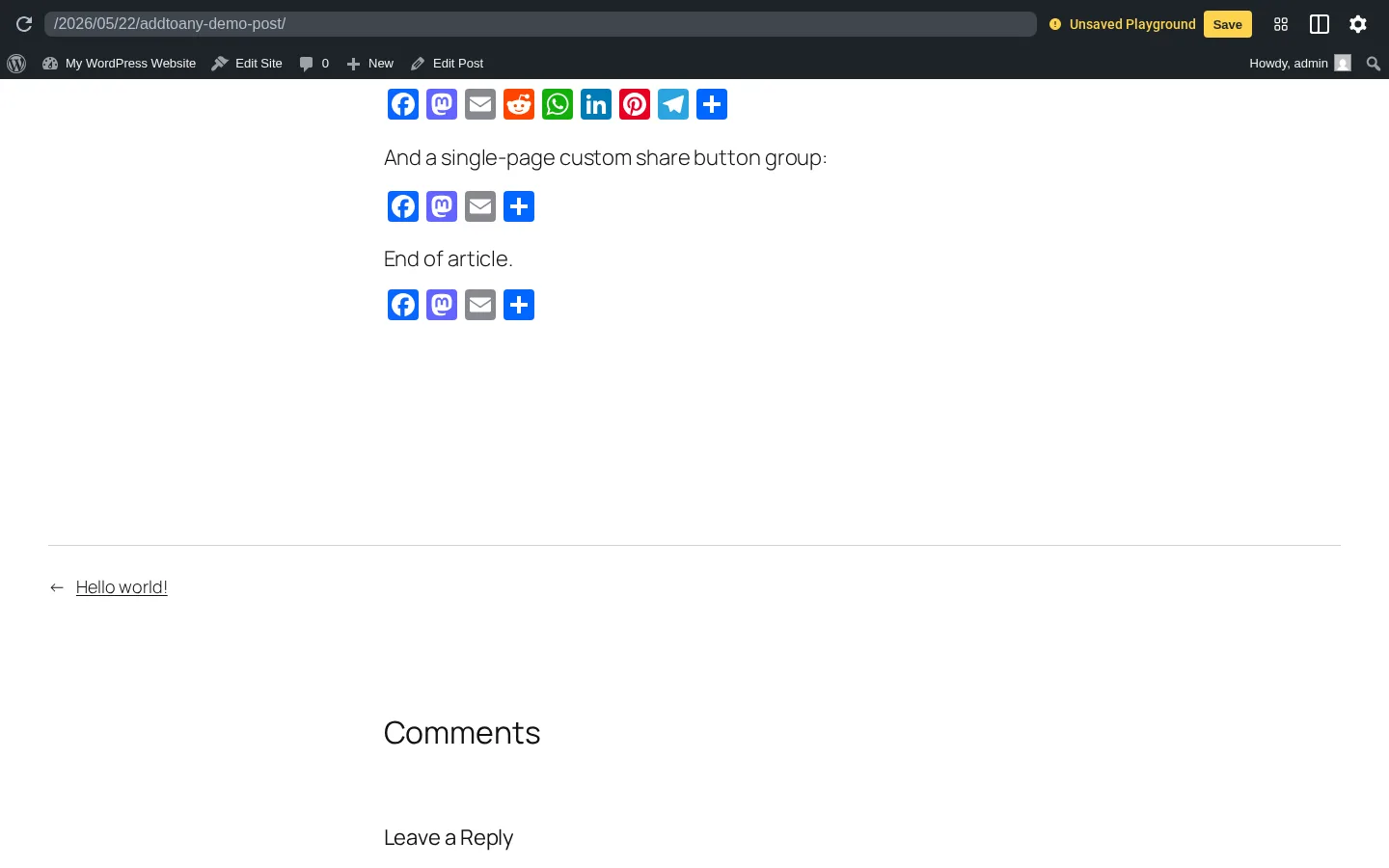
AddToAny is the default-recommended free social share buttons plugin for WordPress. It has been on WordPress.org continuously since 2007, has 300,000+ active installs (the most in the category), and is rated 4.7 out of 5 from 1,113 reviews. In testing, the install-to-rendered-buttons flow took under three minutes: install from WordPress.org, go to Settings → AddToAny, pick the networks you want, and share buttons appear at the top or bottom of every post. The admin UI has just two tabs — Standard and Floating — with no nag screens, no paid-tier teasers, and no "upgrade" sidebar eating the right rail.
Why it ranks here:
- 300,000+ active installs and a 4.7-star rating across 1,113 reviews make it the highest-volume, highest-rated free option in the category — the closest thing to a safe default in the niche.
- Default support for ~95 networks including the modern set — Bluesky, Mastodon, Threads, WhatsApp, Telegram, WeChat, Microsoft Teams — without any extra add-on.
- Strong performance posture: scripts load async/defer, the universal "+" menu module is lazy-loaded and only fires after the visitor's first interaction.
Key features:
- Standard inline buttons, vertical and horizontal Floating bars, image-overlay buttons, and a universal "+" menu in a single plugin.
- Automatic GA4 / Universal Analytics / GTM event integration without manual tagging.
[addtoany]shortcode, Gutenberg block, sidebar widget, PHP template tag, and a documented JavaScript API for per-button overrides.- Privacy-first defaults: ≤30-day server log retention, no cross-site tracking cookies, GDPR/CCPA-compatible out of the box.
Pricing: Free, with no paid tier sold as of writing. The vendor has acknowledged a forthcoming premium Facebook share-counter recovery service but has not put a price on it yet.
Main drawback: No drag-and-drop visual designer and no in-WP click analytics dashboard. If a per-post share-count dashboard is the priority, look at Hubbub Lite; if you specifically need a built-in visual design canvas, you'll have to step up to a paid share-button plugin outside this list.
Full review: AddToAny Share Buttons review
2. Sassy Social Share
Best for: Bloggers, news sites, and small stores that want deeper free customization than AddToAny offers — and that specifically want share-to-AI buttons for ChatGPT, Claude, Perplexity, Grok, and Google AI.
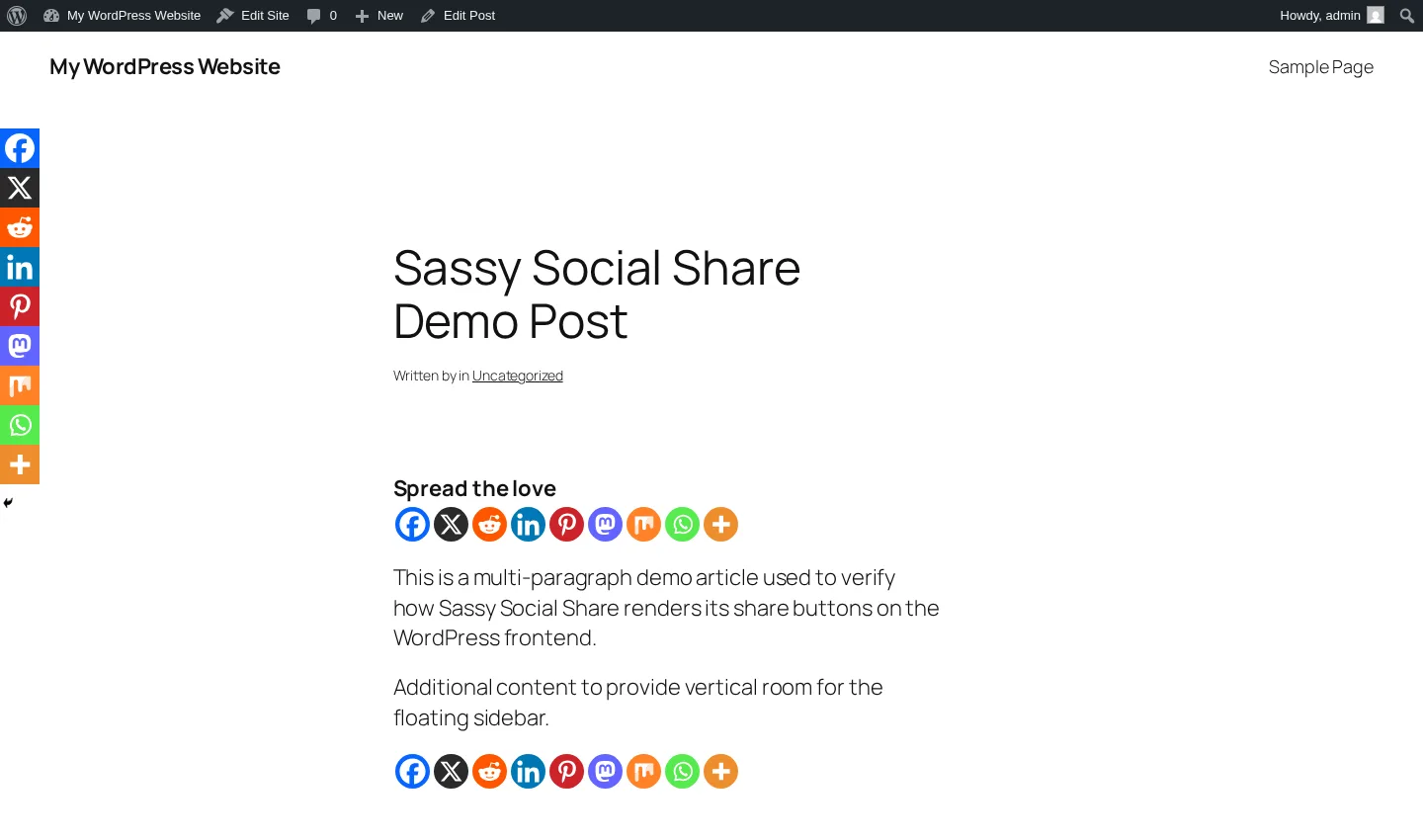
Sassy Social Share is the #2 free WordPress share-button plugin on WordPress.org — 100,000+ active installs, a 4.8-star rating from 520 reviews (the highest average in the category), and continuous maintenance through v3.3.79 in September 2025. It ships around 95 networks including a brand-new AI cluster — ChatGPT, Grok, Perplexity, Google AI, and Claude — added in August 2025, which no other plugin in this list covers natively. Share clicks go directly to each network's official endpoint with no third-party redirector, and no tracking cookies land in the visitor's browser.
One small caveat: the Heateor brand site is offline at the moment, so the paid add-ons aren't directly purchasable today. The free WordPress.org plugin is still actively maintained on its own release cadence, and it's the version most buyers should stick with anyway.
Why it ranks here:
- Highest average rating in the WordPress share-button category (4.8 / 5 from 520 reviews) and the second-largest install base.
- The only plugin in this list with native share-to-AI buttons (ChatGPT, Claude, Perplexity, Grok, Google AI) baked into the free tier.
- "No middle layer" architecture — verified in testing, share links go straight to each network's official share endpoint with zero cookies set on the visitor's browser.
Key features:
- Standard inline row, vertical Floating sidebar, and horizontal mobile-bottom bar in a single plugin.
- Deep free customization: shape (Round / Square / Rectangle), pixel size, default and hover logo/background/border colors, and 8 counter placements.
- Drag-and-drop service picker with around 95 share networks including Bluesky, Threads, Mastodon, and the AI cluster.
- Shortcodes (
[Sassy_Social_Share]and[Sassy_Follow_Icons]), AMP toggle, Bitly integration, and a built-in mobile Web Share API trigger.
Pricing: Free. Historical Pro tiers ranged from $11.99 to $99.99 / year and Premium from $33.99 to $199.99 / year, but the vendor checkout is currently offline.
Main drawback: The admin UI is dense — seven tabs plus a persistent right-rail upsell column compared with AddToAny's two-tab layout — and the paid editions aren't currently purchasable while the Heateor brand site is offline, so the free version is the practical recommendation today.
Full review: Sassy Social Share review
3. Hubbub Lite
Best for: Food, recipe, and lifestyle bloggers who want a polished share-button plugin with an in-WP dashboard, deep Pinterest tooling at the Pro level, and a responsive vendor behind it.
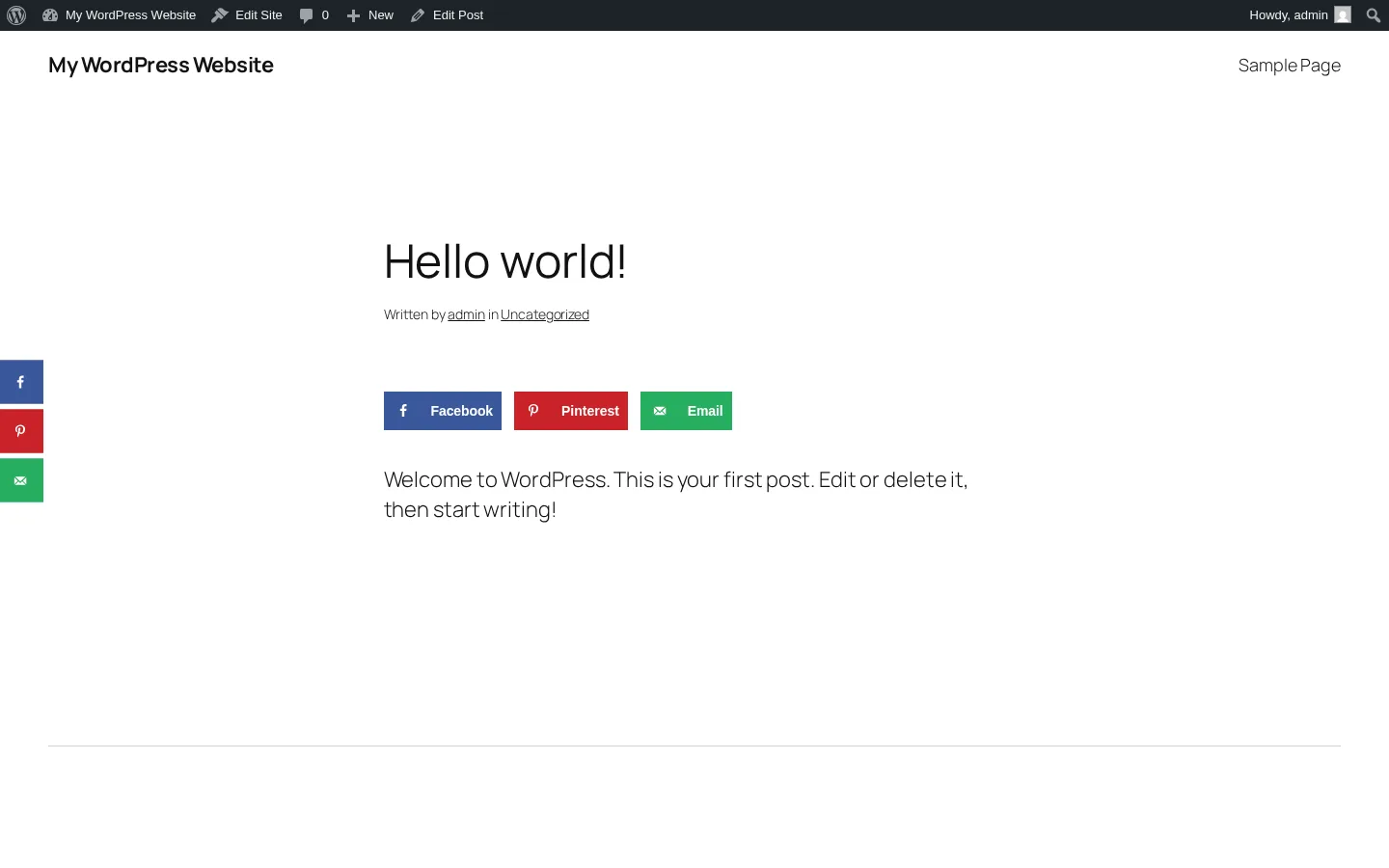
Hubbub Lite (formerly Grow Social by Mediavine) is a 30,000+ install, 4.7-star free share-button plugin maintained by NerdPress, Inc. — a US-based, B Corp-certified WordPress maintenance company that acquired the plugin from Mediavine in 2023. The thing that makes it stand out in this list is the in-WP Hubbub Dashboard introduced in v1.35.0: per-post share counts, sortable Engagement Stats, and a Missing Information preview that flags posts missing social-card data. No other free share-button plugin matches that dashboard out of the box.
The trade-off, since the October 2025 release, is that the free tier only ships 7 network buttons (Facebook, X, Pinterest, LinkedIn, Grow, Email, Print) until you register a free email with the vendor. After registration, the network library expands to roughly 22 networks (Threads, Bluesky, Mastodon, Reddit, WhatsApp, Tumblr, Flipboard, and more). It's still free, just gated. Pro at $99 / year adds Sticky mobile bar, Click-to-Tweet, Pinterest hover and hidden images, custom colors, Bitly, and GA UTM tagging.
Why it ranks here:
- Best-in-class in-WP analytics dashboard for a free share-button plugin — Total Shares per post and Engagement Stats are not paywalled.
- Strong privacy posture: direct share endpoints (no third-party redirector), no Google Fonts since v1.33.1, no tracking cookies.
- Responsive vendor: 0 open WordPress.org support threads and a consistent "fast support" theme across positive reviews — NerdPress runs this as a paid WordPress maintenance business, not a side project.
Key features:
- Inline Content tool + Floating Sidebar tool, both toggled from a single Toolkit page.
- In-WP Dashboard with per-post share counts, Engagement Stats table, and Missing Information count.
- Pinterest-deep Pro features: hidden Pin images per post, hover Pin It button, custom Pinterest title and description per image.
- Pro+ adds Save This (in-post email opt-in with Mailchimp/Kit/ActiveCampaign/MailerLite/Brevo integrations) and Action Buttons (ChatGPT / Gemini / Claude / Google Trusted Source).
Pricing: Free Lite tier (7 networks out-of-box, ~22 with free email registration). Pro $99 / year, Pro+ $179 / year, Priority $399 / year. 30-day satisfaction guarantee.
Main drawback: The free tier registration wall costs a star — only 7 network buttons until you hand over an email. Pro at $99 / year is materially higher than other commercial share-button plugins in the same WordPress.org category.
Full review: Hubbub Lite review
4. Shareaholic
Best for: Image-heavy and Pinterest-leaning publishers who want one plugin that bundles share buttons, related-content recommendations, and optional native-ad monetization — and who are comfortable with a mandatory cloud account.

Shareaholic is the closest spiritual successor to the old AddThis: a cloud-gated all-in-one social toolkit from Shareaholic, Inc. (Cambridge, MA, founded 2009). It has 10,000+ active installs, a 4.4-star rating from 1,051 reviews — by far the largest review base after AddToAny — and 14 years of history on WordPress.org. The single plugin bundles share buttons, follow buttons, related content recommendations, a URL shortener, basic content analytics, and optional revenue-share monetization apps (Promoted Content, Native In-Feed Ads, Anchor Ads, Auto Affiliatize Links).
Two cautions stand out. First, there's been no release in roughly 18 months (last v9.7.13 in November 2024), and WordPress.org now displays the yellow "not tested with the latest 3 major releases" warning on the listing. Second, the plugin auto-registers your site with Shareaholic Cloud the first time you click "Get Started" in the welcome modal — that single click both accepts the TOS and creates a Cloud Site Profile. Buttons don't render until that step is completed.
Why it ranks here:
- All-in-one toolkit replaces 4–5 separate plugins (share buttons + related content + follow buttons + URL shortener + basic analytics).
- "Share Buttons for Images" feature — Pin It and share overlays placed directly on in-content images — is well-executed and uncommon among competitors. Strong fit for Pinterest-heavy and recipe sites.
- Multi-platform Cloud dashboard propagates button design across WordPress + 40+ other CMS / platform integrations (Shopify, Wix, Weebly, Squarespace, BigCommerce, Drupal).
Key features:
- Around 95 share networks plus follow buttons, with Bluesky, Threads, Mastodon, Teams, WhatsApp, Telegram, and Discord all covered.
- Cloud-side related-content engine — no extra load on the WordPress database.
- GA4 click tracking and official Google Analytics Technology Partner.
- Share Count Recovery (Pro) to preserve share counts across URL changes and HTTPS migrations — one of very few plugins in the category that offers this.
Pricing: Plugin and Cloud account are free. Professional $96 / year ($10 / mo monthly), Team $375 / year ($39 / mo monthly), Enterprise custom. No paid-tier trial; per-site billing for Pro+.
Main drawback: No release in roughly 18 months and a polarized 1-star history (11.4% of reviews) citing ads-by-default and affiliate-link hijacking on older versions. The mandatory cloud account also disqualifies it for privacy-strict publishers — AddToAny or Hubbub Lite are better fits there.
Full review: Shareaholic review
5. Social Warfare
Best for: Pinterest-heavy bloggers (food, lifestyle, DIY) who specifically want per-post custom Pin images, an Image Hover Pin button, and in-content Click-to-Tweet boxes — and who prefer a one-time license over annual SaaS pricing.
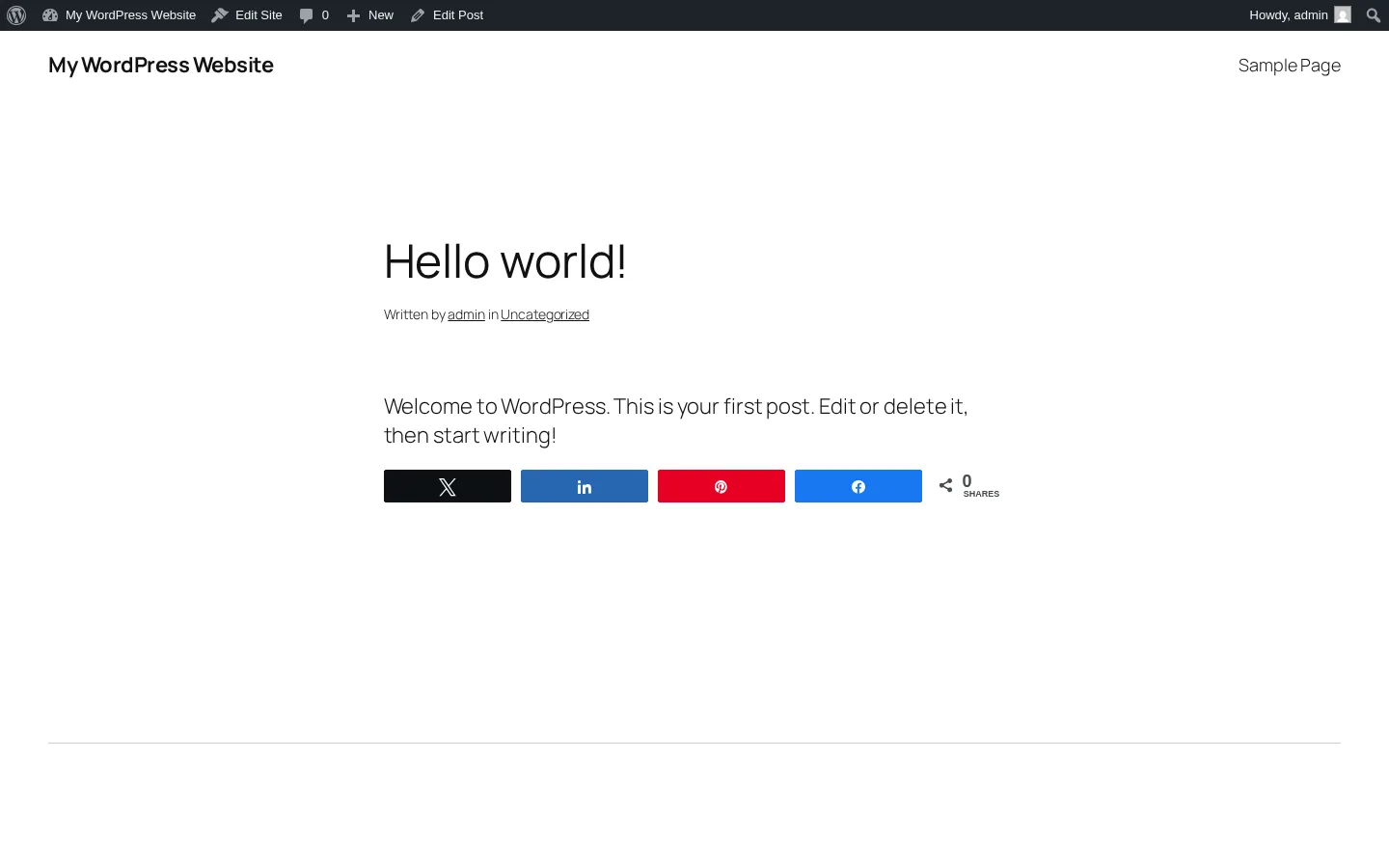
Social Warfare is a freemium WordPress share-button plugin from Warfare Plugins, LLC. It has 20,000+ active installs, a 3.3-star rating from 186 reviews (the most polarized rating in this list — 36.6% one-star), and was last updated in March 2025. The free plugin ships 5 default networks (Facebook, Twitter/X, LinkedIn, Pinterest, Mix — and Mix's destination service has been offline since June 2022, leaving 4 practical working networks). Pro at $29 one-time adds 9 extra networks, the Image Hover Pin button, per-post custom Pinterest images and tweets, Twitter Cards, Rich Pins, Bitly, GA UTM tagging, and Share Recovery.
The reason Social Warfare still earns a slot in 2026 is its Pinterest workflow. Per-post custom Pin image plus description plus the Image Hover Pin button is a combination no other freemium WordPress plugin offers, and food and lifestyle bloggers have built real workflows around it. The trade-offs are real and worth flagging: no release in 14+ months as of writing, the vendor site was intermittently unreachable during my testing, and the free plugin doesn't generate the social-card meta tags Facebook and X need for rich previews (Pro does, or pair the free plugin with Yoast / Rank Math / All in One SEO).
Why it ranks here:
- Pinterest Pro workflow (per-post Pin image, custom Pinterest description, Image Hover Pin button) is genuinely category-leading for Pinterest-heavy publishers.
- One-time $29 single-site Pro license is the most affordable paid tier in this list — note that "lifetime" in the vendor copy historically means lifetime use, with 1 year of updates included on the EDD checkout.
- Self-hosted assets — all JS, CSS, and SVG icons ship from the plugin folder. No third-party CDN dependency like ShareThis or Shareaholic.
Key features:
- Click-to-Tweet TinyMCE button +
[click_to_tweet]shortcode in the free tier (most competitors need a separate plugin for this). - Floating bar (top / bottom / left / right) with a default 1100 px minimum-screen-width threshold.
- Popular Posts by share-count widget with 8 visual styles.
- Frame Buster anti-content-hijack feature bundled and ON by default.
Pricing: Free plugin. Pro $29 (1 site) / $89 (5 sites) / $139 (10 sites) / $349 (unlimited) as one-time payments. 1 year of updates / email support included on the EDD checkout — buyers should expect to renew annually for continued updates.
Main drawback: 3.3-star rating with 36.6% one-star reviews is the lowest in this list, and the dominant 1-star themes are site-breaking updates and broken share counts. The 14-month release silence and intermittent vendor-site availability raise a real maintenance-risk concern for any buyer who isn't already invested in the Pinterest workflow.
Full review: Social Warfare review
6. ShareThis Share Buttons
Best for: Multi-platform publishers who already use ShareThis hosted buttons on Shopify, Wix, Weebly, or raw HTML and want one central dashboard to design buttons across every site they own — and who specifically want a bundled TCF v2 consent banner.
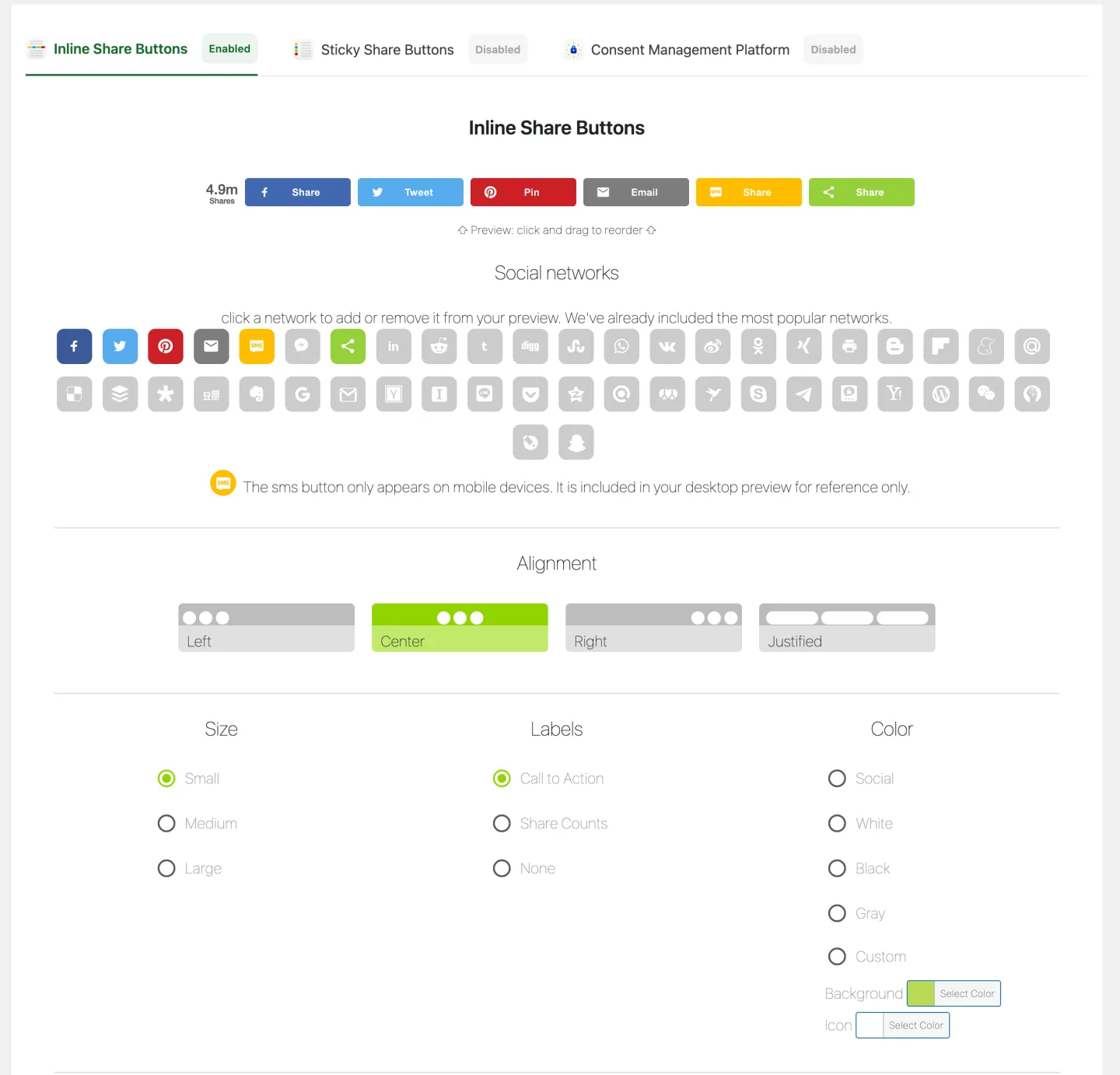
ShareThis Share Buttons is the WordPress wrapper for ShareThis's ad-tech platform. It has 10,000+ active installs, a 3.5-star rating from 26 reviews (the smallest review base and lowest rating in this list), and is currently under active maintenance — unlike Shareaholic and Social Warfare, which have both gone quiet. WordPress decides where the buttons appear on your pages, but the button design and rendering come from the ShareThis hosted platform after you connect a property ID — so the plugin is essentially a bridge between WordPress and the ShareThis dashboard rather than a self-contained share-button toolkit.
What you're really buying is the cross-CMS dashboard, not the WordPress plugin itself. Design buttons once on the ShareThis admin and deploy them everywhere your brand publishes. The price for that convenience is account friction (the WordPress plugin practically requires a free ShareThis account; buttons don't render without a property ID), a three-host third-party CDN dependency on every page, and the fact that ShareThis is an ad-tech company that monetizes aggregated interaction telemetry — disclosed in their privacy policy but worth flagging for privacy-sensitive readers.
Why it ranks here:
- Multi-CMS dashboard sync is genuinely unique in this category — design once in ShareThis, deploy to WordPress, Shopify, Wix, Weebly, raw HTML, and more.
- Bundles an IAB TCF v2 Consent Management Platform inside the same plugin admin — rare among free share-button plugins.
- Recent active maintenance: the vendor has shipped a recent patch series, with the latest release tested against current WordPress versions.
Key features:
- Inline Share Buttons + Sticky Share Buttons (vertical only) + bundled Consent Management Platform in a single plugin.
- ~57 pre-defined networks including Bluesky, Threads, Mastodon, WhatsApp, Telegram, WeChat, Microsoft Teams. (Instagram and TikTok are blocked by their own APIs — an industry-wide constraint.)
- AI Smart Share Buttons — ShareThis's region-aware automatic network customization (account-gated).
- Shortcode
[sharethis-inline-buttons], Gutenberg block, PHP template tag, classic widget, and per-post Share Buttons meta box.
Pricing: Plugin free (GPL v2). ShareThis hosted account also free. Data Solutions (Audience Segments, Atlas Global ID) are sold separately to advertisers, not to WordPress publishers.
Main drawback: Lowest rating in this list (3.5 / 5) and a 30.8% one-star share complaining about account-friction surprises, configuration overhead, and caching-plugin conflicts. The plugin is actively maintained, so keep it updated to the latest release like any other production WordPress plugin.
Full review: ShareThis Share Buttons review
How to choose the right WordPress social share buttons plugin
The honest answer is that for around 80% of WordPress sites, AddToAny Share Buttons is the right call. Free, fast, ~95 networks, zero account friction, 19 years of continuous maintenance under the same owner. Only pick something else when one of these specific conditions applies:
- Choose Sassy Social Share if you want share-to-AI buttons (ChatGPT, Claude, Perplexity, Grok, Google AI) baked in today, deeper icon customization than AddToAny offers, or a strict "no third-party redirector / no tracking cookies" architecture you can verify in the rendered DOM.
- Choose Hubbub Lite if you specifically want a per-post share-count dashboard inside the WordPress admin, you run a food or recipe blog (Feast / Trellis theme compatibility plus Mediavine Grow integration), or you're willing to pay $99 / year for the strongest Pinterest tooling in the category.
- Choose Shareaholic if you want one plugin to handle share buttons + related content + URL shortening + optional ad-monetization, you have an image-heavy site where Share Buttons for Images matter, or you're already running Shareaholic on Shopify / Wix / Squarespace and want the cross-CMS dashboard.
- Choose Social Warfare if you're a Pinterest-heavy publisher who wants per-post custom Pin images and an Image Hover Pin button, you need Click-to-Tweet in the free tier, or you specifically prefer a one-time license over annual SaaS pricing.
- Choose ShareThis Share Buttons if you publish on multiple platforms (WordPress + Shopify + Wix + raw HTML) and need one design-once dashboard across all of them, and you want a bundled TCF v2 consent banner in the same plugin.
If none of those conditions fits, install AddToAny and stop deliberating.
A note on auto-publishing vs. share buttons
The six plugins in this list are all passive share buttons — they let your visitors share your content to their own social accounts. They don't post to your social accounts on your behalf.
If you also want to auto-publish new WordPress posts (or WooCommerce products) to your own Facebook, X, LinkedIn, Pinterest, Instagram, Threads, Bluesky, Mastodon, Telegram, Reddit, Discord, or Truth Social accounts, that's a different category of plugin. We compare the options in our companion guide to the best WordPress social media auto-posting plugins — and the two stacks are complementary. For a wider comparison of share buttons, auto-posters, and feed tools, use our guide to WordPress social media plugins. A typical setup is: install AddToAny (or any plugin from this list) for visitor-facing share buttons, and install an auto-poster like FS Poster to push your own content out to social networks when you publish.
Frequently asked questions
Which is the best free WordPress social share buttons plugin in 2026?
AddToAny Share Buttons. It has the largest install base in the category (300,000+ active installs), the highest combination of rating and review volume (4.7 stars from 1,113 reviews), the strongest free-tier feature set (around 95 networks, four interface types, free GA4 integration), and no upsell pressure. It's the safest default for almost any WordPress site.
What's the best WordPress share buttons plugin for Pinterest?
If you specifically want per-post custom Pin images, a hover Pin It button, and the option to hide additional Pin images on the page, Social Warfare Pro ($29 single-site one-time) is the most affordable plugin in the category that does all three. If your budget is closer to $99 / year and you want Pinterest tooling inside a more polished modern UI with an in-WP dashboard, Hubbub Pro is the alternative.
Are paid share-button plugins worth it over free?
For most sites, no. AddToAny and Sassy Social Share's free tiers handle the practical buyer needs — placement, network selection, Floating bar, mobile bar, GA integration, and shortcode/widget placement. Pay only if you specifically need a feature the free tiers don't ship: a per-post share dashboard (Hubbub), per-post custom Pin images (Social Warfare / Hubbub Pro), Share Count Recovery across URL migrations (Shareaholic Pro), or a cross-CMS design dashboard (ShareThis).
Do social share buttons hurt Core Web Vitals?
It depends on the plugin. AddToAny, Sassy Social Share, and Social Warfare self-host their assets and load most JavaScript asynchronously — performance impact is minimal on a normally-configured site. Shareaholic and ShareThis both depend on third-party CDNs that load remote bundles on every page, which can show up in PageSpeed Insights as render-blocking or third-party-cost warnings. If Core Web Vitals scores matter to you, prefer AddToAny or Sassy Social Share.
What's the difference between social share buttons and a social media auto-poster?
Social share buttons are visitor-facing — they let people who land on your page share your content to their own social accounts. A social media auto-poster does the opposite: when you publish a new post on your WordPress site, the auto-poster pushes it out to your own social accounts (Facebook, X, LinkedIn, Pinterest, Instagram, Bluesky, Mastodon, Threads, Telegram, Reddit, and so on). The two categories solve opposite problems. Many sites run both: a share-button plugin for visitor sharing, and a separate plugin for auto-publishing.
Final pick
For 2026, my default recommendation is AddToAny Share Buttons. It's free, lightweight, privacy-friendly out of the box, ships ~95 networks including Bluesky / Mastodon / Threads, and has 19 years of continuous maintenance under the same owner. There's nothing for most sites to gain by paying for an alternative.
Look at Sassy Social Share if you want deeper free customization and the AI-platform share buttons that no other plugin in this list ships today — and stick with the free WordPress.org version while the paid editions remain unavailable. Look at Hubbub Lite if you specifically want the in-WP share dashboard or you run a Pinterest-leaning food/lifestyle blog. The other three (Shareaholic, Social Warfare, ShareThis) earn slots only for narrower, well-defined use cases — image-heavy publishers wanting an all-in-one toolkit, Pinterest publishers wanting one-time pricing, or multi-CMS publishers wanting one shared design dashboard.
Whichever plugin you install, pair it with an SEO plugin (Yoast / Rank Math / All in One SEO) so your social cards render cleanly across Facebook, X, and LinkedIn — and if you also want your own posts auto-shared out to your social accounts when you publish, add a dedicated auto-poster like FS Poster alongside.
Write once. Post to 26 networks.
- 26 social networks
- Schedule & auto-repost
- Runs inside wp-admin


